
4 UX Tips to Reduce Cognitive Overload and Burnout in Users
Visual Side LLC

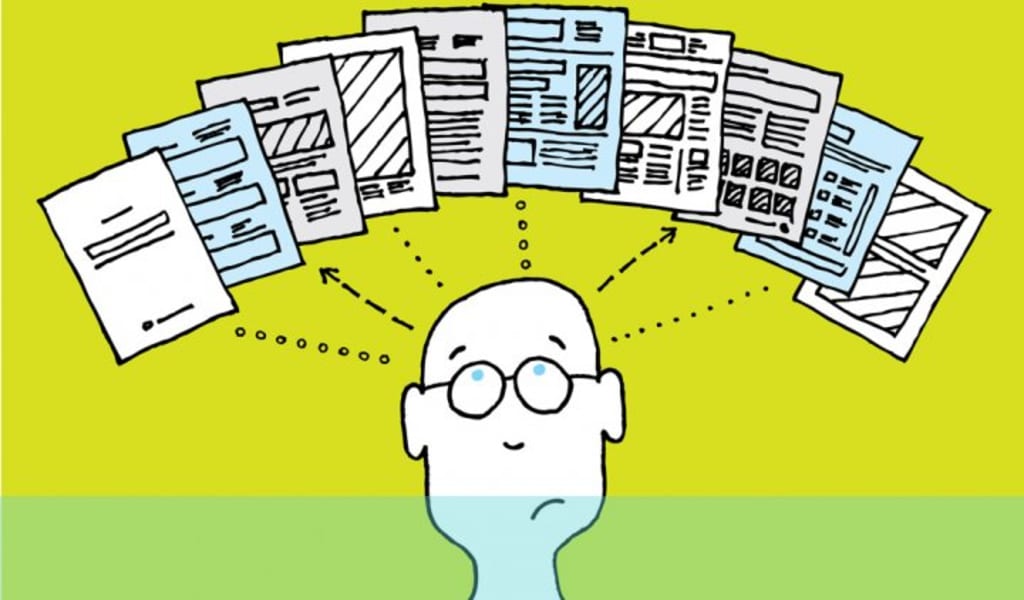
Preventing burnout is the greatest medication. To guarantee that your product does not overwhelm customers, you may apply UX tactics throughout the design process. Not every concept will apply to every workplace application, but adopting as many as feasible will help your users have better workdays.
Reduce Product Complexity
A cluttered user interface might make consumers feel like they’re lagging behind. Provide fewer but higher-quality features, conceal less-used functionality to free up room for vital information, and aggregate notifications to avoid continuously disturbing consumers.
If a user’s initial engagement with your product is simple, they are more likely to continue using it. Slack users, for example, only need to complete three steps when creating a new workspace, and each step displays one at a time. This engaging, targeted experience guarantees that consumers finish the setup without becoming lost in a sea of form fields.
Reward Small Steps
Provide a sense of progress without increasing friction. Consider one-time signals of encouragement (“Good job! You accomplished your first assignment.”) as opposed to an ecosystem of points and badges that might create stress.
When users complete a job, the Asana project management software, for example, sends celebratory creatures at random. This function recognizes and rewards small accomplishments that might otherwise go unnoticed, making users feel more effective at their work.
Similarly, Meta’s business communication platform connects effort to consequence and fosters a sense of progress by instantaneously modifying Workplaces as users enter data into form fields.
Earn Users’ Trust
Users who are burned out are cynical. Depending on the sort of application you’re creating, there are several approaches to establish trust. HR applications, for example, should include UX data security features such as multifactor authentication, automatic timeout, and trust badges to reassure users that the sensitive information collected from applicants and new employees is secure. For example, the HR survey tool Officevibe builds trust by designing its user interface around the company’s value proposition of total privacy. If there are five or more replies, Officevibe exclusively shares anonymous textual feedback with management. It also allows managers and workers to join in anonymous conversations to discuss concerns in greater depth without fear of reprisal.
Use Specific Language
To cope with stress, we may withdraw from our bodies and moods. Depersonalization also disconnects us from other people’s sentiments, making us harsher and jeopardizing our relationships or work culture.
To avoid depersonalization, provide consumers with regular system status updates and utilize particular terminology when there is a problem rather than the vexing classics such as “Payment Error,” “Bad Request,” and “Something went wrong.” The “trying to connect” pop-up warning in Google Docs is an excellent example for customized status updates since it alerts users to network problems as they arise. Similarly, Dropbox’s account creation page provides immediate, practical help for addressing form field problems.
Adjust Your UX as Necessary
When it comes to decreasing burnout risk through UX design, users’ real-world experiences outweigh ideals.
The factors that contribute to burnout may differ depending on the sector, so be sure to recruit research participants in the field you’re creating for and include them in the UX design process. What are the most common sources of stress for them? What is their industry’s churn rate? How do they feel about the user experience of the corporate products they use on a regular basis?
If I were creating an enterprise ticketing software, for example, my users would be a group of engineers. Because I’ve previously worked with and created for engineers, I was able to make certain assumptions about their demands and team structure.
Bugs must be tracked and prioritized via the ticketing systems.
The user-engineers will work in teams, with a team leader monitoring individual contributions (ICs).
The ICs will handle support requests in turn.
According to this work structure, an influx of time-sensitive requests would be one of the key drivers of user stress and might result in technical debt — the accumulation of incorrect or insufficient code over time that impedes future upgrades or corrections.
Following that, I would do UX research to support or refute my ideas. If the majority of my predictions were confirmed when I interviewed the engineer research participants, this is how my burnout-prevention strategy for a ticketing platform may look:
Ensure that only the IC user who owns the support role on a certain day receives notifications.
Reduce and prioritize alerts to assist users in determining where to direct their efforts.
This might be an automated function or something that each user can customize. For example, an IC may choose to receive alerts only for urgent tickets.Except for severe concerns, disable notifications outside of the user’s working hours.
Users will always tell you what they need — through direct critique or by displaying signs of stress or burnout. These signs will look different from person to person. For some, burnout may manifest as aggression, while others may become subdued and disengaged.
Remember that working conditions, health status, and social trends affect how users experience your designs. Conducting interviews and testing prototypes will ensure that your UX respects the broader pressures your users face.
About the Creator
Keep reading
More stories from Oliver Lazarevikj and writers in 01 and other communities.
Daniel Raphael Dreamporting Reviews: What Participants Are Saying
Personal development programs often inspire curiosity—and skepticism—in equal measure. Dreamporting, founded by Daniel Raphael, is no exception. Positioned within the mindfulness and consciousness-based growth space, the program has generated a wide range of responses from participants. Some describe it as insightful and grounding, while others remain uncertain about its value or structure.
By Jeffrey D. Gross MD7 days ago in 01
Mobile App Development Native vs Hybrid 2026
The Google ecosystem has shifted from indexing surfaces to validating underlying technical architectures as core Entity Signals. This tectonic movement means your choice between native and hybrid code now directly dictates your risk exposure within the Trust Graph.
By Del Rosario7 days ago in 01


Comments
There are no comments for this story
Be the first to respond and start the conversation.