
16 Most Important Things You Need to Do After Installing WordPress
Most important things you should do after installing wordpress

So today, I am going to talk with about, most important things you need to do after installing WordPress. And these all are going to cover the major part of your blogging journey. So don't be in a rush. Just read and understand all the things for your bright future in blogging.
So now let's talk about the major things that are needed once you install WordPress first time. And this is also for beginners and will be easier to understand.
16 important things after installing WordPress
Now we are going to share certain things that you should apply in your website other wise it can be harmful for you. So Everything about the same is mention below so chekc out below for more details.
1 - Contact Form
You need to add a contact form to your website first, so if any wants to contact you, they can quickly contact you, and a contact form is the best and easiest way to contact you.
2 - SEO Plugin
So you also need to install an SEO plugin that tells you and everything you are doing in your article. It will also help you rank higher on google the first page. Currently, there are many plugins that you can use in your website like Yoast SEO, All In One SEO, RankMath SEO, and many more. So you can choose any one of them.
3- Pages
Most people never make pages on their website, so people or brands don't know anything about you. So for that, you need to make pages on your website. And you have to tell the people what these pages for, create the major pages like as- Contact US, About Us, Privacy Policy, etc...
4 - Cache Plugin
The cache plugin is also a must, and you should use that. You can use any of them, WP-Rocket, WP - Total Cache, etc. because it will help increase your website speed. And I use Wp-Rocket you can check out my Wp-Rocket Settings.
5 - General Settings
So in this, you need to make some changes like Site Title, Tagline, WordPress URL, Site URL, Admin Email Address it should be updated.
6 - Make Robots.txt
Robots.txt is one of the most important parts of any site, which helps the crawler crawl the particular part of the website, create proper robots.txt for WordPress.
7 - Setup Google Console
So once you have done all this stuff, add your website to its search console and submit your sitemap. Because if you google found any error in your website, you will get notified in Google Search Console. And you can quickly fix the issue.
8 - Setup Google Analytics
After all these, you need to set up Google Analytics to track where you are getting the traffic, the audience's retention time, behavior, and many more things. So you must set up Analytics.
9 - WordPress Theme
So selecting a theme is critical because people upload a heavy theme a lot of time, which makes the website very slow. So I suggest using a lite theme like as GeneratePress, Astra, etc. We use Generatepress WordPress Theme.
10 - Delete Unwanted Content
When you install WordPress in your domain, you will get some sample posts, pages, and comments. So remove them because they use less and not going to give you any benefit.
11 - Remove Unwanted Plugin
So once you install, You will see unwanted plugins available on your website, so remove them because they are not beneficial for your website.
12 - Discussion Settings
So you need to change some settings in the Discussion section, and one of the major thing you need to change is just tick on Comment must be approved manually. Because if you don't tick on that, then it will automatically be approved if someone comments on your website. So must select them manually approval.
About the Creator
Keep reading
More stories from writers in 01 and other communities.
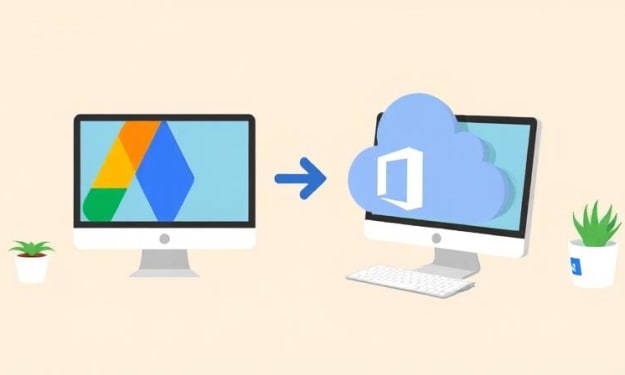
Migrate from G Suite to Office 365 While Preserving Metadata & Permissions
With the growing business size, the storage and resource requirements also start to evolve. Several aspiring businesses migrate from Google Workspace to Office 365 to access advanced collaboration and communication tools. Google Workspace and Office 365, both are feature-rich SaaS platforms, designed to boost the efficiency of business operations. However, they are still quite different from each other and can experience challenges during the shift.
By Xanthe Clay6 days ago in 01
The Blue Ridge Stalker
Tom had left the Ford down the way, its spark plugs finally exhausted and no mechanics for a dozen miles back through the foothills to Strossburg. No matter, he had worn his boots—almost as if he planned for this to happen. The puzzle he sought to solve emanated from the woods clinging to the slopes above; the valley behind held no mysteries.
By Stephen A. Roddewig4 days ago in Fiction



Comments
There are no comments for this story
Be the first to respond and start the conversation.