
Understanding the Real Limitations of WordPress Before Building a Website
Essential Insights to Help You Decide if WordPress Is the Right Choice

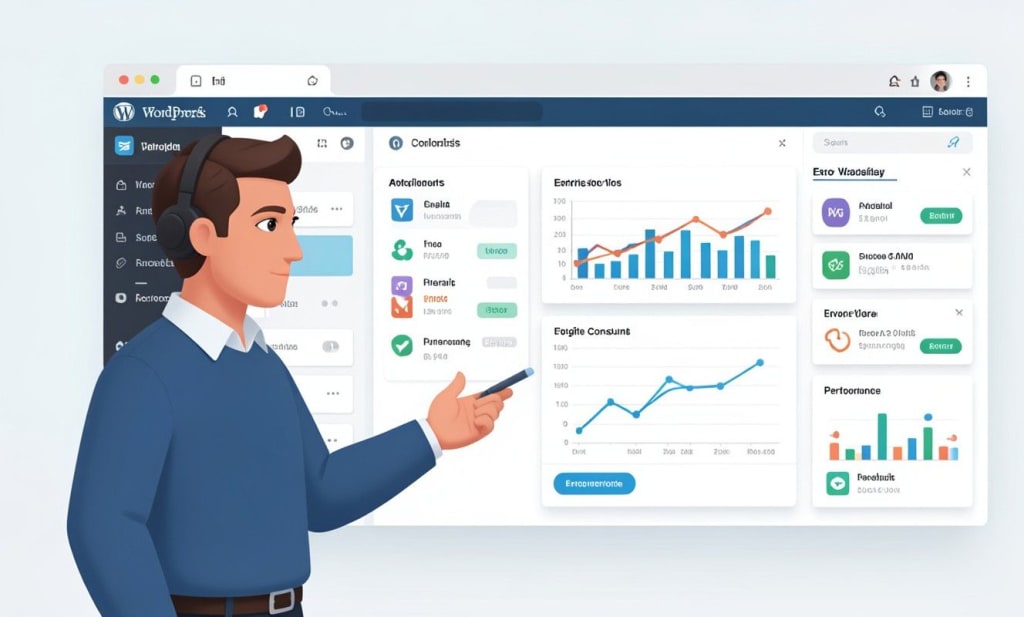
Before launching a WordPress blog, it is important to evaluate both its strengths and its limitations. While WordPress powers millions of websites worldwide and is widely appreciated for its flexibility, bloggers often overlook the Cons & Disadvantages of WordPress during the initial planning stage. Ignoring these factors can lead to unexpected technical challenges, performance problems, and higher maintenance costs later.
Understanding the real Cons & Disadvantages of WordPress helps bloggers make informed decisions and prepare proper strategies to manage their websites efficiently. The platform offers extensive features, but it also comes with responsibilities that require attention, technical understanding, and long-term commitment.
Technical Maintenance Requirements
WordPress sites demand constant upkeep. The core software, plus any themes and plugins, must be updated regularly to stay secure and functional. As one reviewer warns, WordPress “requires frequent updates to provide a certain level of security,” but these updates “can introduce issues such as disruptions to website operations” if not managed carefully. In practice, this means routine technical maintenance installing patches, testing compatibility, and fixing breakages can become a significant time sink. For example, each new WordPress release or plugin update must be vetted in a staging environment to avoid downtime. Managing multiple sites multiplies this effort: “core and plugin updates are frequent, while PHP versions sunset annually,” requiring constant attention. Without automation or managed services, even a mid-sized blog can incur substantial support overhead. Key maintenance considerations include:
- Frequent updates. WordPress regularly issues updates for its core, themes and plugins. These must be applied promptly to patch vulnerabilities and add features.
- Compatibility testing. Each update risks breaking other components. Bloggers often need to verify that themes and essential plugins still work after updates.
- Backup and monitoring. Regular backups and uptime checks are essential safeguards during maintenance. WordPress’s reliance on many components means even minor changes can accidentally disrupt the site.
- Ongoing costs. Hiring a developer or using managed hosting to handle updates adds recurring costs. As one source notes, WordPress sites carry “ongoing expenses for plugins, themes and developers”, which contributes to high maintenance overhead.
Plugin Dependency and Ecosystem Issues
WordPress’s rich plugin ecosystem is a double-edged sword. Plugins enable almost any feature without coding, but relying on too many can create problems. Overloading a site with plugins often “can lead to significant performance issues, bogging down the speed and efficiency of a website”. In addition, not all plugins are built to the same quality standards. Poorly coded or outdated plugins can conflict with each other and introduce security holes. For instance, security analyses report that plugin vulnerabilities account for about 96% of all reported WordPress exploits. In practice, plugins that are no longer updated or that use insecure code become prime targets for hackers.
Key points about WordPress plugin reliance:
- Performance slowdowns. Each installed plugin adds code and database queries. A site with many plugins can suffer slow page loads and timeouts. In real examples, websites have crashed under heavy plugin use, frustrating visitors and clients.
- Conflict risk. Plugins from different developers may clash. Too many plugins increases the odds of incompatibility, which can break features or even take a site offline.
- Security exposure. Since anyone can publish a plugin, the quality varies greatly. A single vulnerable plugin can compromise an entire site. Popular plugins have been found with critical flaws, and because there are so many WordPress sites, attackers focus on them.
- Maintenance burden. Every plugin must be updated regularly. More plugins mean more updates to test, so the workload of keeping the site secure and stable grows accordingly.
Performance Issues
WordPress can suffer performance bottlenecks, especially on larger sites or weaker hosting. By default, every page request can trigger numerous database queries (for posts, metadata, comments, etc.). As one analysis observes, “a single homepage load can trigger tens of database queries” in WordPress. If a theme or plugin is poorly optimized, load times can become very slow. Common performance issues include:
- Database strain. As content and user traffic grow, WordPress’s database can become a bottleneck. Simple blogs handle this easily, but high-traffic sites may experience slow queries and lag.
- Large assets. Many themes and plugins add CSS/JS files, images or scripts. Without optimization, these files increase page size and loading time. WordPress’s monolithic architecture (tightly coupled backend and frontend) also means you cannot easily offload processing elsewhere.
- Shared hosting limits. On typical shared or cheap hosting, PHP and MySQL processes have fixed limits. During traffic spikes, a WordPress site can exhaust these limits and slow to a crawl or crash. For example, WordPress’s default admin-ajax.php endpoint, used by many plugins for dynamic features, is a known single-point bottleneck under heavy load.
- Excess plugins. Installing too many plugins magnifies all of the above. Each plugin may add its own database calls or file requests. A site with dozens of plugins can load far slower than a comparable custom-coded site.
Bloggers should plan for performance by using caching, content delivery networks (CDNs), and quality plugins/themes. According to experts, addressing performance involves auditing and limiting plugins, optimizing images, and choosing fast hosting. Without these steps, WordPress sites can feel sluggish and deter readers.
Security Vulnerabilities
Security is a perennial concern with WordPress. Its popularity powering over 40% of the web makes it a prime target for attackers. By design, WordPress is open-source, so anyone can contribute plugins or themes. While this accelerates innovation, it also means that “anyone can build free themes and plugins… and no one monitors the code,” increasing security risks. Attackers frequently scan WordPress sites for known flaws. Key security issues include:
- Frequent hacking attempts. WordPress sites face constant probe attacks. In 2025, security researchers observed millions of hacking attempts on WordPress installations. In fact, one report notes that about 70% of WordPress sites are vulnerable to some form of attack. Most of these result from outdated plugins or weak credentials.
- Plugin/theme risks. As noted above, almost all reported vulnerabilities stem from third-party extensions. A plugin without recent updates can have hidden backdoors or SQL injection flaws. Even a well-intentioned theme might have a coding error that exposes data. Because WordPress sites rely on so many plugins, keeping them all secure is a major challenge.
- Brute force and malware. WordPress’s login page is a known entry point. Attackers often launch password-guessing (brute force) attacks or upload malware via insecure plugins. By default WordPress lacks strong security hardening, so each additional security plugin or tool becomes another maintenance item.
- Delayed patches. Even though WordPress core receives frequent security updates, plugins may lag. Bloggers sometimes delay applying updates to avoid downtime, which leaves sites exposed.
In summary, WordPress’s flexible ecosystem introduces many attack vectors. Mitigating them requires constant vigilance: regular patching, strong passwords or two-factor authentication, security plugins or firewalls, and careful plugin selection. As one analysis warns, being unprepared for these threats can lead to data loss or site defacement.
Scalability Challenges
WordPress works great for small and medium blogs, but scaling it to very large sites can be difficult. Its architecture isn’t optimized for high-volume enterprise use without significant engineering. An expert review notes that while WordPress is ideal for smaller sites, it “can face challenges when scaling up to accommodate large volumes of content or high traffic levels”. Specific scalability issues include:
- Database bottlenecks. As the number of posts, comments and users grows, queries slow down. The database tables can become very large, and common operations (like searching or pulling archive lists) take longer. This “database strain” becomes noticeable on big sites.
- Server load. Under heavy traffic, a WordPress server can be overwhelmed. High concurrent users multiply PHP processes and database connections. Without load balancing or autoscaling, sites may experience downtime. For example, major news sites that started on WordPress have hit slowdowns during peak traffic before adding extra server resources.
- Content management complexity. Managing thousands of pages, media files and categories through the WordPress admin can become cumbersome. The dashboard and menus grow unwieldy, making editorial workflows slower. In a large multi-author environment, WordPress’s lack of native versioning and limited content governance can slow collaboration (though that is more of a usability issue than a strict scalability flaw).
To address these challenges, large WordPress sites often require advanced setups (CDNs, database sharding, caching clusters, or even splitting the frontend). Without such measures, a growing site can suffer slower response times and operational headaches as it scales.
Customization Limitations
WordPress is famous for its flexibility, but achieving a truly unique design or functionality can be harder than it seems. By default, WordPress relies on themes and page builders for design. While these tools allow non-coders to build pages, deep customization often requires coding skills. As one analysis points out, WordPress has a “steep learning curve when it comes to advanced customization” you often must learn PHP, CSS and JavaScript to go beyond the basics. This creates hurdles:
- Advanced design needs coding. Out-of-the-box, WordPress lets you pick a theme and tweak settings. But if you want a unique layout or feature, you usually need to edit theme files or write custom code. Bloggers without a development background may find this limiting. For instance, adding a new custom section on a page often means modifying PHP templates or writing custom shortcodes.
- Theme constraints. Free or commercial themes vary widely in quality. Many impose a rigid structure. As noted above, theme quality can be inconsistent. A theme that isn’t well-designed may only allow limited color or layout changes, forcing users to accept a somewhat generic look or pay for a premium theme.
- Page builders and bloat. Some users install drag-and-drop page-builder plugins to gain more design freedom. While these extend design options, they can also introduce bloated code and compatibility issues. Excessive use of page-builder features can slow the site (another form of performance drawback).
In short, while WordPress is extensible, truly customizing it often requires technical effort. Beginners should be prepared to invest in learning or hiring help if they want a site that looks and behaves exactly as envisioned.
Conclusion
WordPress remains a powerful and popular choice for bloggers, but it is not without its drawbacks. Its cons & disadvantages from technical maintenance demands to reliance on plugins, performance scaling issues, security vulnerabilities, and complex customization should be weighed carefully. By understanding these limitations up front, bloggers can plan accordingly: budget for maintenance, choose quality plugins, optimize performance, and secure their site rigorously. This awareness ensures WordPress can be used to its full potential without unwelcome surprises, making informed decisions rather than discovering challenges the hard way.
About the Creator
Jigar Shah
This is Jigar Shah, Owner of WPWeb Elite - Leading Plugin selling company featured as an Envato Elite Author on CodeCanyon.
Keep reading
More stories from Jigar Shah and writers in Writers and other communities.
How to Choose the Right Drupal Development Company in India (2026 Guide)
For non-technical founders, finding the right Drupal development partner can feel daunting. India is a popular destination – its developers often have strong PHP and Drupal skills and excellent English proficiency. In fact, one guide notes you can hire Drupal teams in India at 60–70% lower costs than in the U.S. or Europe. However, not all agencies are equal. This guide will walk you through what to look for: from defining your project goals to vetting candidates’ experience, portfolios, and communication style. By asking the right questions and checking key credentials, you’ll find a company you can trust.
By Jigar Shah5 days ago in Writers
Analyse this!
Wanna know how to improve your writing? There is a simple, quick, tried and tested method. Tried and tested by who? By me, as it happens, and I can guarantee that it will work for you. I know what I am talking about. Not always, of course, but certainly in this case.
By Raymond G. Taylor2 days ago in Writers
Author's Notes: Sleeping Beauty
Take one Meddling Fairy (colour: Lilac); one cursed Princess who knows she is cursed, thank you very much; two loving but, ultimately, clueless parents just trying to do their best; two siblings willing to brave a curse for (what they sincerely hope will be) freedom; and two nobles looking for love: what do you get - Sleeping Beauty.
By Dionearia Red3 days ago in Writers
from death into life
Young Aldin of Wiloh had never contemplated death. It was almost strange — so many around him had the tendency to obsess over it, to clamor and claw almost desperately at their own perceptions of the end to know death as much as they could: when it would come, why it would come, where it would take them when it did.
By angela hepwortha day ago in Fiction




Comments
There are no comments for this story
Be the first to respond and start the conversation.