
Eliminate Buffering: A Practical Guide to Improving WiFi with Extenders
Boost WiFi Range

Inadequate WiFi coverage in households and businesses is causing widespread issues, with over 40% of consumers and 75% of businesses experiencing poor signal strength. These issues compromise internet efficiency and productivity, leading to dead zones and weak signals. Effective solutions like WiFi extenders can bridge these gaps, providing reliable, seamless internet access throughout homes and offices.
A WiFi extender, sometimes referred to as a range extender, is a device designed to improve WiFi coverage in homes and offices. WiFi extenders improve network reach by capturing signals from routers and rebroadcasting it to weak or nonexistent areas. By doing this, your wireless network's coverage area is effectively increased, enabling devices farther away from the router to retain a better and more dependable connection. Wi-Fi extenders are beneficial for areas with a weak Wi-Fi signal, large homes with limited router coverage, thick walls or metal objects blocking signals, or slowing connections due to numerous devices. This is particularly useful for streaming shows or video calls, reducing buffering and interruptions.
Different types cater to different needs and environments, from simple plug-in models to sophisticated mesh systems. Understanding these differences is crucial for selecting the right solution for your specific situation.
WiFi extenders offer various options to suit different needs. Plug-in extenders are compact, easy to install, and cost effective, while desktop extenders provide powerful performance, Ethernet ports, and advanced features. Mesh systems offer seamless coverage through multiple nodes, scalable expansion, and simplified management. Understanding these types is crucial for selecting the right WiFi extender for your home or office needs, ensuring the best possible network performance.
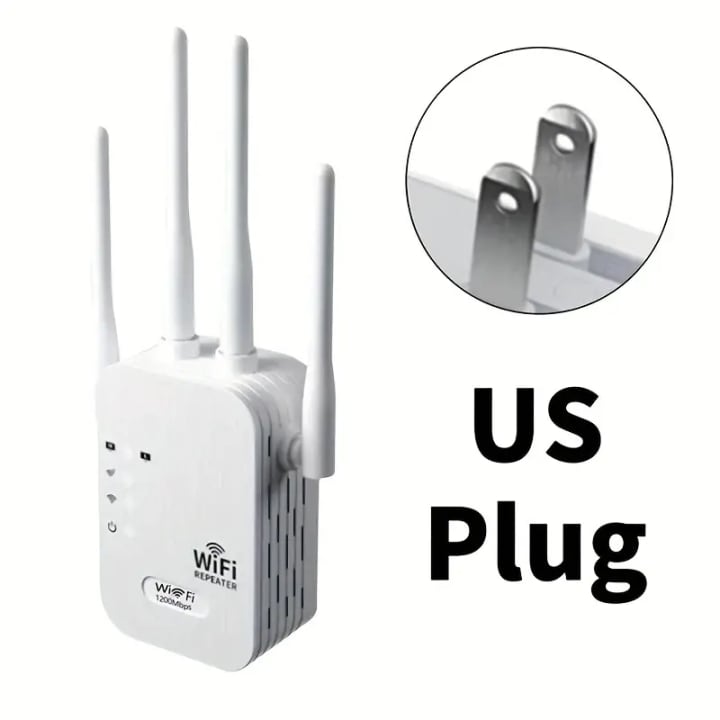
WiFi extenders enhance wireless connectivity, addressing weak signals and dead zones. Users should make informed decisions based on speed and performance, range and coverage, and budget. Consider space size, number of devices, online activities, and compatibility with current router and devices. Prioritize models with ease of installation and strong performance. Assess current WiFi setup and explore options for a reliable online experience. Reflect on additional features, for example ethernet ports, and smart roaming.
A WiFi extender is usually configured by positioning it near the edge of the current service area of your router, where it may still pick up a strong signal. After that, the extender builds a new network to increase the original signal's range. To minimize interference and optimize bandwidth, certain cutting-edge extenders operate on both the 2.4GHz and 5GHz frequencies thanks to dual-band technology.
The question of whether a WiFi extender will work with your existing router is common. It's crucial to check if the extender supports the same WiFi standards as your router, and some extenders offer smart roaming for seamless device switching.
WiFi extenders can improve coverage but may not always boost internet speed. To maintain higher speeds, opt for dual-band extenders with one band for router communication and the other for device connections. Positioning the extender halfway between the router and weak signal areas optimizes performance. Setup of a WiFi extender is generally easy, with most models featuring a plug-and-play setup. To extend your network without complex configurations, simply plug the extender into a power outlet and follow clear web-based setup guides.
Users often worry about the security of adding a WiFi extender to their network, but most come with robust features like WPA2 encryption. Regular firmware updates and security settings ensure reliable internet coverage.
While WiFi extenders can be helpful, occasional connectivity issues and performance hiccups are to be expected. Several troubleshooting tips that can help you resolve most common intermittent connectivity problems include ensuring the extender is within optimal range of the router for a stable signal, regularly checking for firmware updates for the router and extender to resolve bugs and enhance performance, and periodically rebooting the router and extender to eliminate any temporary network issues.
About the Creator
70sq
Writing bridges the gap between ideas and audiences.


Comments