
Best Practices for Managing SQL Replication Environments
Managing SQL replication environments
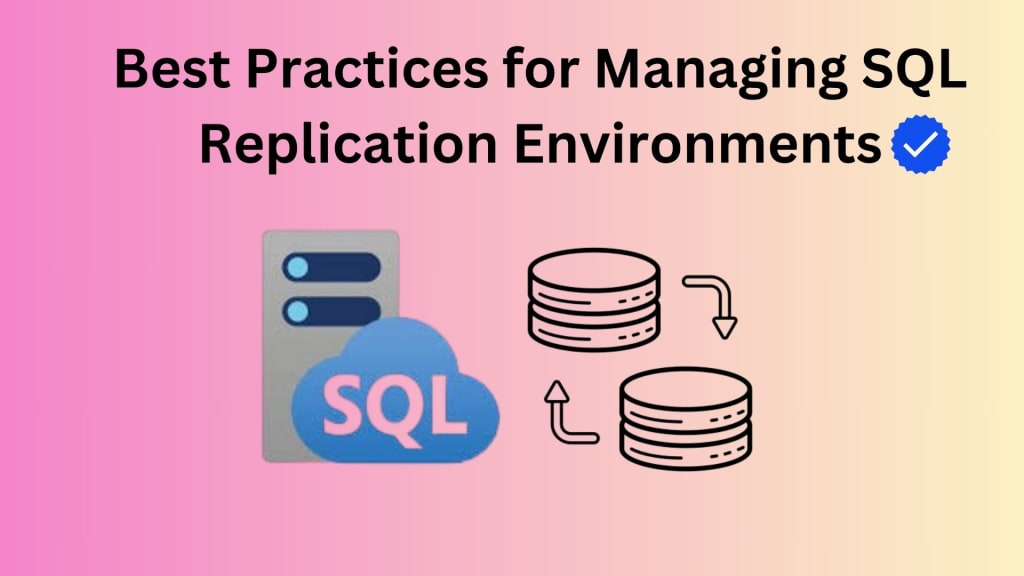
Managing SQL replication environments can be a daunting task, especially for those new to the concept. It's a powerful tool for distributing data across multiple databases, ensuring data consistency, redundancy, and scalability. However, it comes with its own set of challenges, such as performance issues, security risks, and complexity.
In this guide, we'll explore best practices for managing SQL replication environments. We'll delve into topics like replication topology design, data validation and integrity, performance optimization, security and access control, and more. By following these guidelines, you can ensure that your SQL replication setup is reliable, efficient, and secure.
Replication Topology Design for Managing Environments
The foundation of a successful SQL replication environment is a well-designed topology. There are three primary topologies to consider: transactional, merge, and snapshot.
Transactional replication is ideal for scenarios where data consistency is paramount. It's suitable for applications that require real-time updates across multiple databases.
Merge replication is a more flexible option that allows for bidirectional data synchronization between multiple databases. It's useful for scenarios where data changes can occur independently at different locations.
Snapshot replication is a simpler approach that involves creating periodic copies of a source database and distributing them to subscriber databases. It's suitable for applications that don't require real-time updates.
When choosing a topology, consider factors such as data consistency requirements, performance needs, scalability, and the complexity of your application. A well-designed topology can significantly impact the overall efficiency and reliability of your replication environment.
Best practices for designing replication topologies include
Choose the right topology based on your specific needs.
Consider performance implications when selecting a topology.
Implement appropriate synchronization frequency to meet your requirements.
Monitor and adjust the topology as needed to accommodate changes in your application.
Data Validation and Integrity
Ensuring data validation and integrity is crucial in SQL replication environments. Inconsistencies and errors can lead to data corruption, application failures, and other serious problems.
Here are some techniques to maintain data integrity
Use constraints like primary keys, foreign keys, and unique constraints to enforce data rules.
Implement triggers to automatically validate data before or after inserts, updates, or deletes.
Perform data validation checks at the application level to catch errors that may not be detected by database-level constraints.
Regularly audit and reconcile data across replicated databases to identify and correct inconsistencies.
Best practices for data validation and integrity include:
Define clear data validation rules and enforce them consistently.
Test your validation mechanisms thoroughly to ensure they are effective.
Monitor for data anomalies and address them promptly.
Implement a data reconciliation process to maintain data consistency.
SysTools Advance Software as the Best Precaution Against Complexity
When managing SQL replication environments, efficient data migration is often a critical task. The SysTools SQL Migration Tool offers a powerful and user-friendly solution for migrating data between different SQL databases, including those involved in replication setups.
Key features and benefits of the tool include:
Direct migration: Supports direct migration between different SQL Server versions, including SQL Server 2023, 2019, 2017, 2016, 2014, 2012, and earlier versions.
Database object migration: Migrates database objects such as tables, views, stored procedures, triggers, functions, and indexes.
Data integrity preservation: Ensures data integrity during the migration process, preserving relationships and constraints.
Batch migration: Allows for batch migration of multiple databases or objects simultaneously.
Scheduled migration: Enables scheduled migration tasks for automated data synchronization.
Progress tracking: Provides real-time progress tracking and status updates.
Error handling: Offers robust error handling and recovery mechanisms.
Below are the steps to perform :
Download and install software on your system.
Kindly choose the offline or online mode and supply any additional information as requested.
Schematic outline of the scanned SQL server database objects : table, view, rule, trigger, and procedures stored.
Select the options for the export of the SQL database and supply the additional information, then click on "Export.".
Performance Optimization
Optimizing replication performance is essential for ensuring a smooth and efficient operation of your SQL replication environment. Here are some key factors to consider:
Network latency: Reduce network latency by using high-speed connections and minimizing the number of hops between databases.
Data volume: Minimize the amount of data being replicated by using selective replication or data compression.
Hardware resources: Ensure that your hardware resources, such as CPU, memory, and storage, are sufficient to handle the replication workload.
Replication agent configuration: Tune the replication agent configuration to optimize performance. This may involve adjusting parameters like batch size, polling interval, and logging levels.
Indexing: Create appropriate indexes on replicated columns to improve query performance.
Partitioning: Consider partitioning large tables to improve performance and scalability.
Best practices for performance optimization include:
Monitor replication performance regularly and identify bottlenecks.
Optimize network connectivity to reduce latency.
Minimize data volume by using selective replication or data compression.
Ensure sufficient hardware resources to handle the replication workload.
Tune replication agent configuration to improve performance.
Create appropriate indexes on replicated columns.
Consider partitioning large tables if necessary.
By following these guidelines, you can significantly improve the performance of your SQL replication environment.
Security and Access Control
Security is a critical concern in SQL replication environments. Unauthorized access, data breaches, and other security threats can have serious consequences.
Here are some best practices for securing your replication environment:
Use strong authentication and authorization to control access to replicated databases.
Encrypt data in transit and at rest to protect against unauthorized access.
Regularly patch and update your replication software and underlying infrastructure to address security vulnerabilities.
Monitor for suspicious activity and investigate any anomalies.
Implement a robust backup and recovery plan to protect against data loss in case of a security breach.
Best practices for security and access control include:
Use strong authentication mechanisms like Active Directory or two-factor authentication.
Encrypt sensitive data using encryption algorithms.
Regularly patch and update your systems to address security vulnerabilities.
Monitor for suspicious activity using tools like intrusion detection systems.
Implement a comprehensive backup and recovery plan to protect against data loss.
Monitoring and Troubleshooting
Effective monitoring and troubleshooting are essential for ensuring the smooth operation of your SQL replication environment. Here are some key areas to focus on:
Replication latency: Monitor replication latency to identify delays or performance issues.
Error rates: Track error rates to identify and address problems.
Resource usage: Monitor resource usage, such as CPU, memory, and storage, to ensure that your infrastructure can handle the replication workload.
Replication agent status: Monitor the status of replication agents to ensure they are running correctly.
Data consistency: Regularly verify data consistency across replicated databases to identify and correct inconsistencies.
Best practices for monitoring and troubleshooting include:
Implement a robust monitoring solution to track key metrics.
Set up alerts to notify you of potential problems.
Regularly review monitoring data to identify trends and issues.
Document troubleshooting procedures for common problems.
Seek assistance from experts if you encounter complex issues.
Backup and Recovery
A comprehensive backup and recovery plan is essential for protecting your SQL replication environment from data loss. Here are some key considerations:
Backup frequency: Determine the appropriate backup frequency based on your data sensitivity and business requirements.
Backup methods: Consider using full, differential, or incremental backups to optimize backup and recovery times.
Backup retention: Define a retention policy for your backups to ensure that you have access to the necessary data in case of a recovery.
Disaster recovery planning: Develop a disaster recovery plan to address potential data loss scenarios, such as hardware failures, natural disasters, or security breaches.
Testing: Regularly test your backup and recovery procedures to ensure they are effective.
Best practices for backup and recovery include:
Implement a comprehensive backup strategy that meets your specific needs.
Regularly test your backup and recovery procedures to ensure they are effective.
Store backups in a secure location to protect against data loss.
Develop a disaster recovery plan to address potential data loss scenarios.
Keep your backup infrastructure up to date to ensure compatibility with your replication environment.
Automation and Scripting
Automation and scripting can significantly streamline the management of SQL replication environments. By automating routine tasks, you can reduce errors, improve efficiency, and save time.
Here are some areas where automation can be beneficial:
Replication configuration: Automate the creation and management of replication configurations.
Data synchronization: Automate data synchronization tasks to ensure consistency across replicated databases.
Monitoring and alerting: Automate monitoring and alerting to proactively identify and address issues.
Backup and recovery: Automate backup and recovery procedures to reduce the risk of data loss.
Best practices for automation and scripting include:
Use a scripting language like PowerShell, Python, or SQL Server Integration Services (SSIS) to automate tasks.
Develop reusable scripts to simplify automation.
Test your scripts thoroughly before deploying them in production.
Consider using configuration management tools like Ansible or Puppet to automate infrastructure provisioning and management.
Cloud-Based Replication
Cloud-based replication offers several advantages over traditional on-premises solutions, including scalability, flexibility, and cost-effectiveness. Here are some key considerations for migrating replication to the cloud:
Cloud provider selection: Choose a cloud provider that offers the features and services you need for your replication environment.
Data migration: Develop a plan for migrating your existing replication data to the cloud.
Security considerations: Address security concerns, such as data privacy and compliance, when migrating to the cloud.
Cost analysis: Evaluate the costs associated with cloud-based replication, including storage, compute resources, and network usage.
Best practices for cloud-based replication include:
Choose a reputable cloud provider with a strong security track record.
Implement robust security measures to protect your data in the cloud.
Optimize your cloud resources to reduce costs.
Regularly review and update your cloud strategy to ensure it aligns with your evolving needs.
Conclusion
Managing SQL replication environments effectively requires a combination of careful planning, best practices, and ongoing maintenance. By following the guidelines outlined in this guide, you can optimize the performance, reliability, and security of your replication setup.
Remember to regularly review and update your replication strategy to ensure it aligns with your evolving needs. With proper management, SQL replication can be a powerful tool for distributing data across multiple databases and supporting your business objectives.
FAQs
1. What are the different types of SQL replication?
There are three primary types of SQL replication: transactional, merge, and snapshot. Each has its own strengths and weaknesses, and the best choice depends on your specific needs.
2. How do I choose the right replication topology for my needs?
Consider factors such as data consistency requirements, performance needs, scalability, and the complexity of your application when choosing a replication topology.
3. How can I ensure data consistency across replicated databases?
Use constraints, triggers, data validation checks, and data reconciliation processes to maintain data consistency.
4. What are the best practices for optimizing replication performance?
Optimize network connectivity, minimize data volume, ensure sufficient hardware resources, tune replication agent configuration, create appropriate indexes, and consider partitioning large tables.
5. How can I secure my SQL replication environment?
Use strong authentication and authorization, encrypt data, regularly patch and update systems, monitor for suspicious activity, and implement a robust backup and recovery plan.
6. What metrics should I monitor in a replication environment?
Monitor replication latency, error rates, resource usage, replication agent status, and data consistency.
7. How do I troubleshoot replication issues?
Use monitoring tools to identify problems, review logs for error messages, and consult documentation or seek expert assistance.
8. What is the best way to backup replicated databases?
Implement a comprehensive backup strategy that includes full, differential, or incremental backups, and define a retention policy.
9. How can I automate replication tasks?
Use scripting languages like PowerShell, Python, or SSIS to automate tasks such as replication configuration, data synchronization, monitoring, and backup.
10. What are the advantages of using cloud-based replication?
Cloud-based replication offers scalability, flexibility, and cost-effectiveness. However, it requires careful consideration of factors such as security, data migration, and cost analysis.
About the Creator
Keep reading
More stories from Anjali Sharma and writers in Writers and other communities.
Recovering a Database from a Differential Backup
Have you ever found yourself in a panic, trying to recover your precious SQL database data after a mishap? Differential backups can be your lifesaver in such situations. They're like a snapshot of the changes made to your database since the last full backup. Think of them as a "delta" between the two, capturing only the modifications.
By Anjali Sharmaabout a year ago in Writers
Untitled
I pat my brows with a handkerchief I fancy, and I think about the plight we are in today; it makes me squirm. In all my words you seek to find a formula, but your ledgers are filled with trending tabs (ephemeral tallies). You make me feel like I should be held in a box. It is impossible for someone to grow or be better than they were yesterday; simply by choice, they wish to step back and publish a little slower, less frequently.
By Caitlin Charltonabout a month ago in Writers
How to Succeed at the Benson Directory®
Congratulations and welcome to the Benson Directory® employee #22391! As our newest call handler, you will have the privilege of speaking with dozens of unique and interesting people on a daily basis as well as the opportunity to earn bonuses for high performance. Contained within this handbook you will find a set of ease to follow instructions designed to help you settle in to your new role and begin paving the way to success.
By S. A. Crawford2 days ago in Fiction



Comments