
All You Need to Know About PageSpeed Insights
PageSpeed Insights

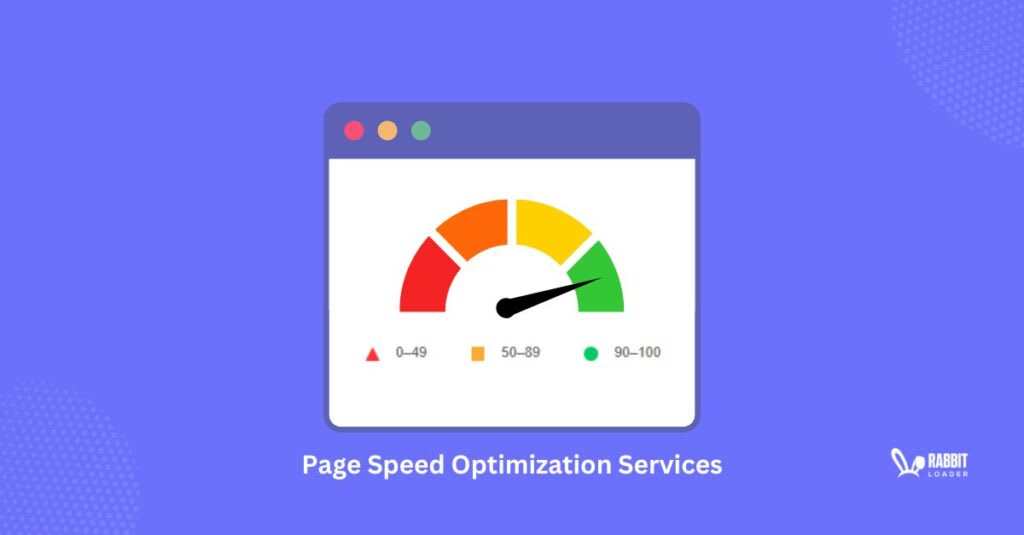
The Google pagespeed insights or PSI is essentially a freely available tool. It works by analyzing the performance of a specific webpage either on a desktop or mobile. Calculating the PSI or the pagespeed insights offers some valuable metric also known as the Core Web Vitals.
This helps in being able to assess the quality of the user experience. With the help of this tool you can check for scores between 0 to 100. Higher the score, means that the page is well-optimized for efficiency and speed.
Lighthouse is the open-sourced automated tool that is used by PSI to help analyze a certain web page for efficiency and speed. It also offers performance reports along with the improvements and suggestions that are based on two main data:
Field Data: This data is a real-world user experience that has been collected from the actual user once they interact on your site. The main function of this data is that it offers a more realistic view of the user experience, while including a few additional experiences as well.
Lab Data: This is the data that is gathered by Lighthouse within a controlled environment. The main function of the Lab data is that it allows the website owners to be able to debug the main problems by simulating the manner in which your site loads. However it does not displays the real-world user experience problems.
The Google Pagespeed Insight Score: What is This
As mentioned earlier, any score on the above metric that falls:
- 90 or above is considered to be good
- 50 to 89 requires improvement
- Below 50 is Poor
Here, one can understand that any score below 90 across multiple pages shows that probably, your users are not having a very good experience at your site. Also, considering such a score, it is possible that your site is also suffering from SEP related problems. Nevertheless, bear in mind that a perfect 100 score is not the aim nor is it a point of consideration.
Pagespeed Insight score and SEO
When it comes to considering the Pagespeed Insight score and what it tells about your webpage; you need to know that PSI is not used by Google to rank your site. However, the score is marginally based on the Page speed, which is a major ranking factor.
This is mainly because the slow speed of any website can annoy a user, thus leading them to ‘drop’ your site soon enough. On the other hand, a smooth load time will ensure that the user remains on your web page for as long as it takes, hence improving your overall online presence. This is the reason why the pagespeed insights score is rather an important factor for most website users.
NOTE: Bear in mind that along with the PSI speed, there are also various other factors such as content quality, technical SEO and backlinks that contribute to the overall ranking of any website.
How to Apply the Google pagespeed insights Tool
To start with, this is quite an easy tool to use:
- Navigate to the Pagespeed Insights
- Here, enter any URL
- Click on ‘Analyze’
Next, wait for the process to begin.
This usually take from a few seconds to a couple of minutes as it depends up on the complexity of the page and also the internet speed.
The Report
The resulting report can easily be viewed both in the desktop and the mobile device.
The very top of the report will show you whether the site has passed or failed the Core Web Vital assessment.
What is a Core Web Vitals? Well this is a group of metrics that are used to measure the user-friendliness of any website. This also depends upon the interactivity, load time and the visual stability.
The Three major metrics considered here are:
Largest Contentful Paint-(LCP): This is the measurement of the performance loading, mainly the time taken by the largest content element of a certain page to become visible to the user.
Interaction To Next Paint-INP: This is the measurement of the responsiveness or mainly how quickly or slowly a certain page responds to the interaction of a user.
Cumulative Layout Shifts-CLS: This is the measurement of the visual stability. Basically it is all about the movement of the page content around once it starts to load.
Time to First Byte-TTFB: This is the measurement of how well is the responsiveness of a certain web server. Mainly it is the time taken by the browser to be able to receive the first byte of data from the server. This is done after a request has been sent by a user to the web page.
CONCLUSION
So, there you have it friends. This is all that we have regarding Pagespeed insights: What is it All About. Stay tuned for more updates, insights and latest on the web.
About the Creator
Saanvi Seo
Saanvi Sengupta is an experienced SEO professional specializing in technical SEO, content optimization, and link building. With proven strategies to boost rankings and drive organic traffic.
Keep reading
More stories from Saanvi Seo and writers in Writers and other communities.
3 Ways To Remove Unused CSS To Improve The PageSpeed Performance
To improve a website’s PageSpeed performance, Google PageSpeed Insights or Lighthouse always recommends “remove unused CSS” (currently you can see as reduce unused CSS). Like most website owners, are you also facing the same recommendation again and again?
By Saanvi Seo11 months ago in Writers
Worth the Wait: Puerto Viejo, Costa Rica
Beach bumming in a small Caribbean beach town sounded like a perfect way to end our 6-month trip through Mexico and Central America. Or so we thought. The foul, fishy stench of rotten seaweed hit our nostrils as we stepped from the cramped bus and looked out at a rather depressing, empty, and underwhelming black sand beach. It was pouring with rain, and we had to quickly fish out our ponchos. We thought, this couldn’t be it, could it?
By Sh*t Happens - Lost Girl Travel7 days ago in Wander




Comments
There are no comments for this story
Be the first to respond and start the conversation.