
A Real-World Traffic Story for Modern Apps | 🚦 Ingress Controller vs Load Balancer.
a couple on roads and one or two buildings..
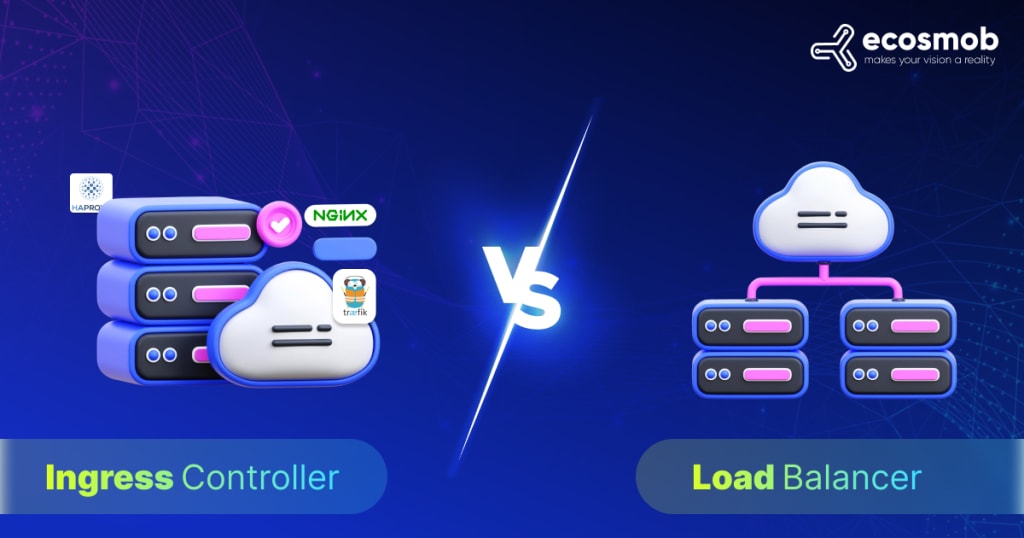
Imagine you’re the mayor of a growing digital city. When your city was small, you had a couple of roads and one or two buildings — easy to manage. But now, you’re adding skyscrapers, highways, and entire districts. Managing the traffic flow into your city becomes crucial.
That’s exactly what happens when applications scale. You start simple, then grow into a complex system of microservices. And that’s when you face a critical decision: Ingress Controller or Load Balancer?
Let’s take a journey through this city to understand which one fits where — and why you might need both.
[[Source -Link]]
🏙️ Chapter 1: The Toll Booths of Simplicity (Load Balancer)
In the early days of your city, you had one building — say, a weather application — and one entrance road. You set up a Load Balancer, which acted like a toll booth. Every visitor (user request) passed through it and was sent directly to the weather building.
What the Load Balancer did:
- Handled traffic distribution across multiple servers
- Ensured that no single server was overwhelmed
- Operated mostly at Layer 4 (TCP/UDP) or Layer 7 (HTTP/HTTPS)
This setup was simple, reliable, and worked perfectly — until your app started growing.
🌆 Chapter 2: A Growing City and a Traffic Problem
As more buildings popped up — frontend services, APIs, CDNs — each one needed its own toll booth. Now, every new service required:
A separate public IP
Its own load balancer configuration
Additional cloud cost
The city was getting congested. Managing dozens of toll booths was inefficient and expensive.
That’s when you discovered a smarter solution: the Ingress Controller.
🛣️ Chapter 3: Enter the Smart Roundabout (Ingress Controller)
Instead of having one toll booth per building, the Ingress Controller introduced a new way of thinking — a single point of entry, like a well-designed roundabout with signs and smart traffic lights.
Now:
- All traffic entered through one public IP
- Visitors were routed based on their destination signs (URLs and paths)
- You could handle HTTPS, authentication, rate limiting, and logging — all at the roundabout
Example:
- yourapp.com/frontend → Frontend service
- yourapp.com/api → Backend API
- yourapp.com/cdn → CDN service
- It streamlined the whole city
☁️ Cloud & On-Prem Considerations
In cloud platforms like AWS, Azure, or GCP, Load Balancers are often automatically provisioned when services are exposed. But they come with a cost — sometimes charged per hour, per GB, or per rule.
On-premise? You’ll need tools like MetalLB to expose services, and you still face the challenge of IP sprawl.
With an Ingress Controller (using NGINX, Traefik, or HAProxy), you can:
- Use one load balancer in front
- Manage complex traffic rules behind it
- Save on cloud costs
- Centralize HTTPS, security, and access control
🧩 The Best Practice? Use Both — Smartly
Most modern Kubernetes setups use both:
- One external Load Balancer → Ingress Controller → Multiple internal services
- This approach gives you the best of both worlds:
- Load Balancer handles raw traffic and external IP
- Ingress Controller intelligently manages routing and policies
🧠 Final Thoughts: Build a Smarter City
Your app infrastructure is your digital city. As it grows, managing traffic becomes more than just sending users from point A to B — it’s about efficiency, security, scalability, and cost control.
Use Load Balancers when:
- You need raw TCP/UDP support
- Simplicity is key for a single service
Use Ingress Controllers when:
- You have many services to expose
- You want to route by domain or path
- You care about TLS, rate limiting, and centralized access
- And in most real-world cities — you’ll want both working together.
About the Creator
Keep reading
More stories from ecosmob technologies and writers in Writers and other communities.
It's Winter
Anne Bernays and Pamela Painter — What If? Writing Exercise for Fiction Writers prompts The Exercise —Write a scene involving two characters. Have the point-of-view character presume something entirely different about the situation from what the other character's overt behavior seems to imply. For example, a landlord comes to visit, and the tenant suspects that it isn't a visit but an inspection. Make up several situations in which one character can fantasize or project or suspect or even fear what another character is thinking. The Objective - To show how your characters can use their imaginations to interpret the behavior and dialogue of other characters.
By Denise E Lindquist18 days ago in Writers
Point The Blame At Your Heart
I write some poems, but not as many as others on Vocal. Most of my poems are about love—wanting love, sad love, or feelings of love. I think I am a big softie inside! Here we go. We blame love stuff on our hearts. We say “loving you with all my heart” and “you break my heart.” All love and feelings are linked to our hearts. We blame everything good or bad on hearts.
By Rosalina Jane4 days ago in Writers
Smart phones, Humans and Aliens.
WARNING. I will be tapping into one of your favorite creative tensions: The absurdity of humans worshipping their glowing rectangles as if they were tiny oracles. There’s something deliciously poetic about that contradiction, and it lends itself beautifully to an instructive proviso.
By Novel Allen4 days ago in Poets


Comments
There are no comments for this story
Be the first to respond and start the conversation.