
How to Access and Verify Your Vehicle Details Online
Learn how to check your vehicle details online, including ownership, insurance, PUC certificate, and blacklist status. Stay informed and avoid penalties with this comprehensive guide.

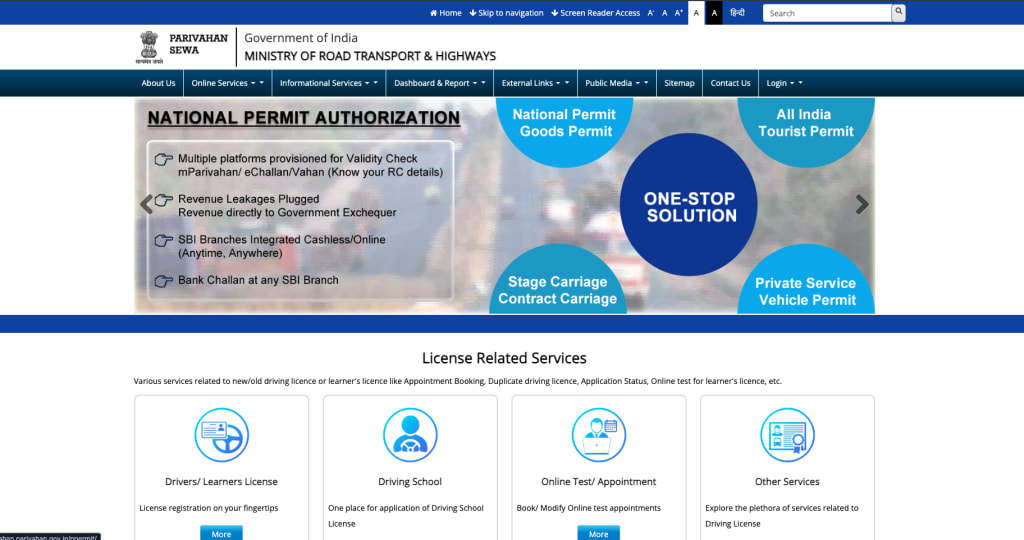
In today’s digital age, accessing and verifying your vehicle details has never been easier. Whether you’re buying a second-hand car, ensuring your vehicle is up to date with necessary documents, or simply staying on top of your vehicle’s legal status, having easy access to accurate vehicle information is essential. In this guide, I’ll walk you through how to check key vehicle details online, why these checks are important, and how you can do it quickly and securely.
What are Vehicle Details and Why Are They Important?
Before diving into how you can verify your vehicle’s details, let's first understand what vehicle details refer to and why they’re so important.
Vehicle details generally include information such as:
- Vehicle ownership records
- Insurance status
- Pollution Under Control (PUC) certification
- Vehicle blacklist status
- Registration information
Knowing these details is crucial for various reasons, such as ensuring the vehicle is legally registered, that you are covered with the proper insurance, and confirming that it hasn’t been involved in any illegal activities. For example, if you’re buying a second-hand car, checking its ownership and insurance details helps you avoid any legal issues later on.
Vehicle Ownership Information: How to Verify Who Owns the Vehicle
When buying a used car or checking your own vehicle, it’s important to verify ownership information. After all, you wouldn’t want to end up with a stolen car or a vehicle that isn’t registered in your name.
Why verify ownership?
- To confirm the vehicle isn’t blacklisted.
- To make sure the seller is the actual owner.
- To ensure there are no pending dues tied to the vehicle.
How to verify vehicle ownership:
You can easily verify your vehicle ownership online through official government portals.
All you need is your Vehicle Registration Number (VRN) or Chassis Number. These numbers are unique identifiers for every vehicle and allow authorities to link the vehicle to its registered owner.
For example, in India, the Ministry of Road Transport and Highways (MoRTH) offers a platform where you can check vehicle ownership details by simply entering the vehicle number. This is a crucial step when purchasing a used vehicle, as it provides you with the name of the vehicle’s registered owner and helps you verify that the seller has the legal right to sell the vehicle.
How to Check Vehicle Insurance Status
Ensuring your vehicle is covered by valid insurance is not just important for your safety but also a legal requirement in most countries. Driving without insurance can lead to hefty fines or penalties.
Why is checking insurance status important?
- Protects you financially in case of an accident.
- It helps avoid legal troubles.
- It keeps you compliant with local laws and regulations.
How to check vehicle insurance details: Most countries and insurance companies provide easy access to insurance status online. You can check your vehicle insurance details by entering the vehicle number on government websites or insurance provider portals. This will tell you whether your vehicle is covered by insurance, when the coverage expires, and even which insurance provider you’re under.
For example, in India, the IRDAI (Insurance Regulatory and Development Authority of India) allows vehicle owners to check their insurance status by visiting the respective website and entering the vehicle number. This helps you ensure your insurance coverage is valid and up to date.
PUC (Pollution Under Control) Certificate: Why You Need It and How to Verify
If you're driving a vehicle, you need a Pollution Under Control (PUC) certificate to ensure your vehicle is not emitting harmful pollutants. This certificate is required by law and is necessary for maintaining your vehicle’s roadworthiness.
Why check PUC status?
It helps in reducing pollution by ensuring vehicles are emitting the permissible limits of pollutants.
It’s legally required for vehicle registration renewal and road tax payments.
How to verify PUC certificate: To verify your PUC certificate, you can visit your nearest authorized PUC center or check online through various platforms. Many government portals allow you to input the vehicle number to check if your vehicle’s PUC certificate is valid or expired. You can also get details on when your next PUC test is due.
In India, the Ministry of Road Transport and Highways (MoRTH) has an online platform where you can check the PUC status by simply entering your vehicle number.
Check Vehicle Blacklist Status
It’s unfortunate, but some vehicles are involved in illegal activities or criminal cases and get blacklisted. Before you purchase a second-hand vehicle, it’s crucial to check if the car or bike you're interested in is on the blacklist.
Why check for blacklist status?
Avoid buying a vehicle that may have a criminal history or stolen parts.
Ensure that the vehicle is not involved in any illegal activities.
Protect yourself from future legal issues.
How to check blacklist status: To check the blacklist status, you can visit online platforms that allow you to check your vehicle’s status using its registration number. For example, in India, you can check whether your vehicle is blacklisted by entering the vehicle number on MoRTH’s official website. This check ensures that the vehicle you are interested in doesn’t have any hidden issues that could cause you problems later.
The Importance of Keeping Your Vehicle Details Updated
Once you’ve verified your vehicle details, it’s equally important to keep them updated. Many times, vehicle owners forget to update their address, insurance, or PUC certificates, which can lead to penalties or legal issues.
Why update vehicle details?
- To avoid fines or penalties for expired documents.
- To ensure that all your information is up to date with the authorities.
- To prevent any legal confusion when buying or selling a vehicle.
How to keep your vehicle details updated: Most government portals allow vehicle owners to update their vehicle details online. From changing your address to updating your insurance or PUC, you can manage these updates from the comfort of your home.
For example, in India, you can log into the Parivahan Sewa portal and update your details, including changing the address or applying for an updated registration certificate. This is a simple and convenient way to keep your vehicle details current.
How to Access Vehicle Details Online in Just a Few Simple Steps
Now that you understand the importance of checking and verifying your vehicle details, let’s talk about how you can access all this information easily online.
Step-by-Step Guide:
Gather your vehicle details: You’ll need your Vehicle Registration Number (VRN) or Chassis Number.
Visit the official government website: Go to your country’s Ministry of Transport or related authority’s website. For example, in India, you can visit Parivahan Sewa or MoRTH.
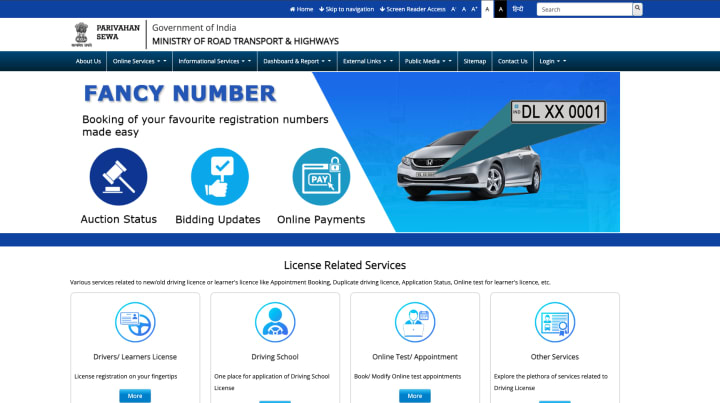
Enter your vehicle number: Use the search option to enter your vehicle registration number. You’ll then be able to view ownership details, insurance status, PUC validity, and more.
Verify and update your information: Make sure all your vehicle details are accurate and updated. If necessary, update any outdated information.
By using these simple steps, you can easily access all your vehicle details and ensure everything is up to date.
Conclusion
Checking and verifying your vehicle details regularly is an essential task for every vehicle owner. Whether you are buying a new car, renewing your insurance, or simply making sure your documents are in order, it’s important to stay on top of your vehicle’s status. With easy access to online tools and government portals, keeping track of your vehicle information has never been more convenient.
By following the steps outlined in this guide, you’ll be able to verify key details like ownership, insurance, PUC status, and more – all from the comfort of your home. So, don’t wait for a penalty or legal issue to arise. Start verifying your vehicle details today and keep your vehicle on the right track!
About the Creator
Yankit Gayakvad
With 4 years of experience in digital marketing, I specialize in SEO, SMO, SEM, and content strategy. I use data-driven techniques to enhance online visibility, boost engagement, and drive measurable growth for brands.
Keep reading
More stories from Yankit Gayakvad and writers in Wheel and other communities.
What Is an Anti-Puncture Liquid for Tyres?
Have you ever been caught with a flat tyre on the road? It’s one of those inconveniences that can ruin your entire day. Whether you’re on your way to work, a road trip, or just running errands, a flat tyre can leave you stranded in the middle of nowhere. But what if there was a way to avoid that flat tyre? Well, there is! Anti-puncture liquid is a smart solution that can help seal small punctures in your tyres, so you can keep driving until you reach a repair shop.
By Yankit Gayakvadabout a year ago in Wheel




Comments
There are no comments for this story
Be the first to respond and start the conversation.