
Top Accounting Software in 2025: Best Tools for Your Business
Discover the latest accounting tools to simplify finances and boost productivity in 2025.
As businesses continue to scale, efficient financial management becomes a cornerstone of success. Accounting software has revolutionized the way companies handle bookkeeping, invoicing, and compliance by providing real-time access, automation, and seamless collaboration. In 2025, several accounting platforms stand out for their robust capabilities, ease of use, and scalability.
This guide explores the best cloud-based accounting software designed to simplify financial operations, helping businesses make informed decisions and maintain financial health.
1. Refrens
A Powerful All-in-One Accounting Solution
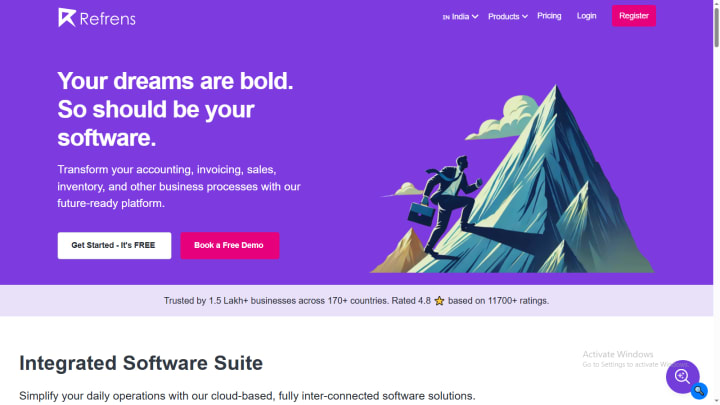
Trusted by over 150,000 businesses across 170+ countries, Refrens is an advanced cloud-based accounting software that simplifies financial management for businesses of all sizes. It offers a full suite of tools, from invoicing to inventory tracking and expense management, all within a single, user-friendly platform.
Key Features:
- Invoicing: Effortlessly create and share invoices with automated tax calculations, customizable templates, and multi-currency support.
- Reporting and Analytics: Generate detailed reports (balance sheets, P&L, tax summaries) and gain insights into revenue trends and client behavior for better cash flow management.
- Automated Accounting: Simplify bookkeeping with automatic journal entries based on invoices and transactions, ensuring accurate and up-to-date ledgers.
- Audit Trail: Keep a complete audit trail of all document edits for transparency and accountability.
- Tax Management: Automate GST, VAT, and other tax calculations, generate tax-ready reports, and ensure compliance with local tax laws.
- Bulk Upload: Upload accounts, invoices, and transactions in bulk to save time and reduce errors.
- Expense Management: Track and manage expenses in real-time with categorization, approval workflows, and budget control.
- Invoice API: Automate invoice generation and integrate with third-party apps for seamless e-commerce invoicing, including custom email identities for users.
- Multi-User Management: Add accountants and team members with role-based access for secure collaboration.
- Inventory Management: Monitor stock levels in real-time with automatic updates from sales and purchases, and get insights into product profitability.
- Third-Party Integrations: Connect seamlessly with Shopify, Facebook, Instagram, and more.
2. QuickBooks Online
A Leading Choice for Small Businesses
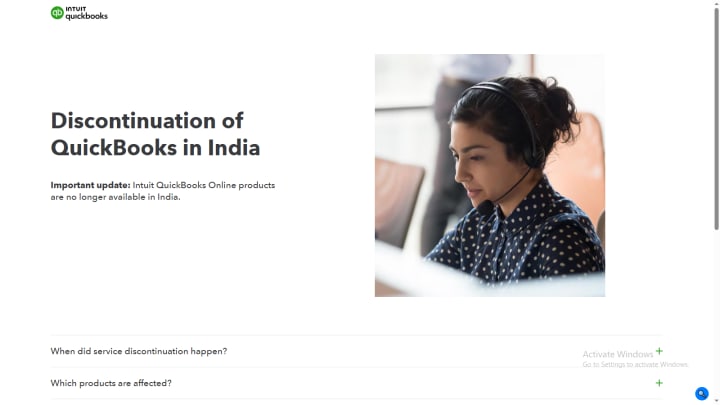
QuickBooks Online is one of the most recognized cloud-based accounting solutions, catering primarily to small and medium-sized businesses. Its extensive feature set makes it easy to handle finances efficiently while staying compliant with tax regulations.
Key Features:
- Invoicing & Payments: Create, send, and track invoices while offering clients multiple online payment methods, including credit cards and direct bank transfers.
- Expense Tracking: Automatically sync bank transactions and categorize expenses, reducing manual data entry and ensuring accurate records.
- Tax Deductions & Compliance: Identify deductible expenses automatically and prepare tax reports to ease the filing process.
- Job Costing & Profitability Tracking: Evaluate project expenses and profitability in real time, ensuring better budgeting and cost efficiency.
- Inventory Management: Monitor stock levels, get low-stock alerts, and automate purchase orders to optimize inventory.
- Financial Reporting: Generate profit & loss statements, balance sheets, cash flow statements, and customizable reports to assess business performance.
3. Xero
A Versatile Accounting Solution for SMEs
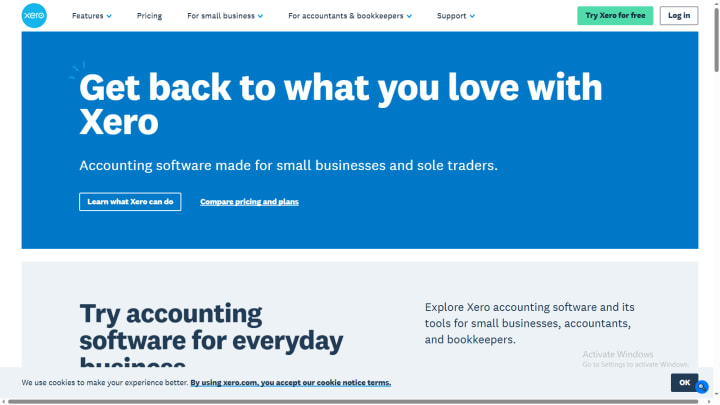
Xero is a user-friendly cloud accounting platform designed for small to medium-sized businesses, bookkeepers, and accountants. Its automation capabilities and integration options make it a popular choice among entrepreneurs.
Key Features:
- Smart Invoicing & Payments: Send professional invoices with built-in payment options and automate follow-ups for unpaid invoices.
- Bank Reconciliation: Connect with thousands of banks globally to sync transactions and auto-categorize them for easier reconciliation.
- Expense & Receipt Management: Digitally store and track business expenses by capturing receipts through the mobile app.
- Inventory Management: Track stock quantities in real time and integrate with e-commerce platforms for seamless product tracking.
- Multi-Currency Accounting: Handle transactions in different currencies and get real-time currency conversion updates.
- Project Management & Time Tracking: Budget projects efficiently, log work hours, and ensure accurate billing.
4. Zoho Books
A Budget-Friendly Accounting Tool with Advanced Features
Zoho Books is an intuitive, budget-friendly accounting software that simplifies bookkeeping with a host of automation features, making it a great option for small businesses and startups.
Key Features:
- Comprehensive Tax Management: Automate GST, VAT, and e-invoicing compliance, generate tax-ready reports, and file returns directly from the platform.
- Smart Bank Reconciliation: Link multiple bank accounts, auto-fetch transactions, and match them against records using AI-based categorization.
- Advanced Inventory Management: Monitor stock levels, automate reorder points, and sync data across online selling platforms for streamlined inventory tracking.
- Project Accounting & Budgeting: Set up detailed budgets for projects, track billable hours, and generate client invoices seamlessly.
- Payroll & Employee Expense Management: Automate salary disbursement, tax deductions, and reimbursement claims directly through the system.
- Multi-User Collaboration & Permissions: Assign specific roles and permissions to employees, accountants, and auditors for controlled access.
5. Wave
A Free Accounting Solution for Small Businesses and Freelancers
Wave is a feature-packed, free accounting software tailored for freelancers, solopreneurs, and small business owners. It offers essential bookkeeping tools without any hidden fees.
Key Features:
- Double-Entry Accounting: Maintain accurate and balanced financial records with a robust accounting framework.
- Seamless Bank Connections: Sync unlimited bank accounts to automate transaction categorization and reconciliation.
- Invoice Customization & Recurring Billing: Create professional-looking invoices, set up automated billing for recurring customers, and track payments.
- Expense & Receipt Management: Upload receipts on the go, categorize expenses automatically, and maintain clear financial records.
- Financial Reports & Tax Preparation: Generate tax-ready financial statements, including Profit & Loss, Balance Sheets, and Cash Flow reports.
6. BILL (Bill.com)
A Comprehensive Platform for AP & AR Automation
BILL is an advanced financial automation platform that simplifies managing accounts payable (AP) and accounts receivable (AR), making cash flow management more efficient for businesses.
Key Features:
- AP & AR Automation: Reduce manual work by automating bill payments and receivables tracking, improving payment cycles.
- Multi-Currency Transactions & Global Payments: Pay international vendors in over 130 currencies while ensuring accurate foreign exchange calculations.
- AI-Driven Workflows: Automate invoice approvals, payment approvals, and expense categorization using artificial intelligence.
- Corporate Cards & Budgeting: Issue virtual and physical corporate cards, set spending limits, and monitor team expenses in real-time.
- Fraud Detection & Security: Enhance security with role-based access, approval workflows, and fraud detection alerts.
Key Features to Look for in an Accounting Software

When selecting cloud-based accounting software, businesses should consider key features that enhance efficiency, accuracy, and scalability. Here are the most crucial aspects to evaluate:
- Ease of Use: The software should have an intuitive interface with minimal learning curves for business owners and accountants.
- Automation Capabilities: Features such as automated invoicing, tax calculations, bank reconciliation, and expense tracking reduce manual work and enhance accuracy.
- Multi-Currency & Tax Compliance: Businesses dealing with international transactions need built-in multi-currency support and compliance with GST, VAT, and other tax regulations.
- Financial Reporting & Analytics: Customizable reports, real-time financial insights, and cash flow tracking aid in strategic decision-making.
- Scalability: The software should grow with your business, offering multi-user access, integrations, and customizable workflows.
- Integration with Third-Party Apps: Seamless connection with payment gateways, CRM tools, inventory management software, and e-commerce platforms ensures a streamlined workflow.
- Security & Data Protection: Encryption, secure backups, and role-based access controls protect sensitive financial data.
- Customer Support & Training: Reliable customer support, knowledge bases, and training resources help users maximize the software’s potential.
Final Thoughts
Cloud-based accounting software has transformed financial management, offering businesses efficiency, accuracy, and scalability. Whether you're a freelancer, small business, or a large enterprise, selecting the right platform can significantly improve your financial processes. With features ranging from invoicing and expense tracking to tax compliance and AI-driven automation, the right tool will help you stay ahead in 2025.
Frequently Asked Questions (FAQs)
1. What is accounting software?
Accounting software is a digital tool that helps businesses manage financial data, track transactions, and automate bookkeeping tasks such as invoicing, tax calculations, and expense management.
2. How does accounting software benefit small businesses?
Accounting software streamlines accounting processes, saves time, automates reporting, and ensures tax compliance. It also eliminates the need for manual bookkeeping, reducing errors and improving efficiency.
3. Is accounting software secure?
Yes, most accounting software uses high-level encryption, two-factor authentication, and regular backups to ensure data security and protection against cyber threats.
4. Can accounting software integrate with other tools?
Yes, many accounting platforms integrate seamlessly with third-party applications such as payment gateways, e-commerce platforms, CRM systems, and payroll software to enhance functionality.
5. Do I need technical expertise to use accounting software?
No, accounting software is designed with user-friendly interfaces and requires minimal technical knowledge. Many platforms also offer tutorials, customer support, and training sessions for ease of use.
6. Can I access my financial data remotely?
Yes, accounting software provides anytime, anywhere access to financial data, making it convenient for businesses with remote teams or multiple locations.
7. How much does accounting software cost?
Pricing varies depending on the provider and the features included. Many platforms offer tiered pricing plans, with basic packages for small businesses and advanced solutions for larger enterprises.
8. Can accounting software help with tax filing?
Yes, most accounting software includes built-in tax tools that help businesses calculate taxes, generate tax reports, and even file returns electronically.
9. How does accounting software improve team collaboration?
Accounting software enables multiple users to access the same financial data in real time. Role-based access controls ensure that employees, accountants, and business owners can collaborate efficiently while maintaining data security.
10. What types of businesses should use accounting software?
Accounting software is suitable for businesses of all sizes, including freelancers, startups, small businesses, and large enterprises. It provides scalability and automation that cater to different business needs.
About the Creator
What Are the Best Structured Dresses for Corporate Offices?
Dressing for a corporate office often requires a careful balance between professionalism and personal style. While traditional business attire once leaned heavily on suits and separates, modern workplaces have gradually embraced more versatile options. Among them, structured dresses have become one of the most reliable choices for women navigating professional environments.
By BTK COLLECTION5 days ago in Styled
Two Grumpy Old Men Solve the Problem
Marty and Steve were two grumpy old men who lived together. They had known each other for years. Marty had been a bachelor all his life. Steve said it was because no one could stand to ever live with him. Marty’s standard reply was “Well, you are, so what sort of a moron does that make you!”
By Calvin London7 days ago in Humor




Comments
There are no comments for this story
Be the first to respond and start the conversation.