
The Best Interactive Art Sites For A Creative Sesh
Feeling creative? Check out these options for making cool art online!
Cannabis is known for sparking creativity, but sometimes it can be hard to find an outlet for that desire. If you want to make something cool but don’t want to bust out the watercolors, check out these websites that let you create art with just your computer!
Neon Flames
Feeling creative and also a little bit spacey? This website, which is often referred to as “Make A Nebula,” lets you click and drag to create psychedelic images that look like pictures of space. You can choose from a number of colors, and if you click the “Tweak” button at the top, you get tons of different options for your nebula, from “fuzz” to “intensity.” If you make something you really like, you can save it or share it on social media!

Mandala Gaba
This awesome tool, called Mandala Gaba, uses the power of symmetry to make all sorts of patterns that look like mandalas. Mandala is a Sanskrit term meaning “circle,” and these shapes are often considered sacred or spiritual. Making your own mandala can be soothing and relaxing, especially if you take some time to meditate on it, following the pattern with your eyes or even printing it out to color. Mandala Gaba gives you plenty of options for your unique mandala, from the number of “radial axes” to the type and color of lines.
Picrew
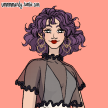
Don’t get freaked out by the Japanese that’s all over this website - you don’t need to read anything to understand how to use it! Picrew lets you create characters using a variety of choices, from skin color to face shape and everything in between. Try browsing their main page for examples of different character creators, or check out a few of my favorites: Lumberjack Maker, Mouse Maker, and Witch Maker.

Night Cafe
Have you ever wanted to collaborate on an art project with a robot? Night Cafe runs an AI (“artificial intelligence”) that uses a cutting edge technology called “neural style transfer” to create unique images by combining an existing artistic style with a completely unrelated image. Try uploading your own pictures, or choose from their library of free images. If you end up with something cool, you can save your creation and share it anywhere - you own whatever you make with Night Cafe. Plus, you can tell all your friends you’ve got an AI friend who does art with you!
Weave Silk
If you liked Neon Flames and Mandala Gaba, you'll love Weave Silk. This awesome “silk weaver” website combines them for a meditative, creativity-sparking experience. Click the “Controls” dot in the upper left to adjust the color, symmetry, and other features, then click and drag to your heart’s content. If you prefer a touch screen experience for your silk weaving, Silk also has an iOS app!

Adobe Color
Looking to add a little color to your sesh? Whether you just want to enjoy the play of different hues or are looking for inspiration for another project, Adobe Color is a fun way to build your own color palettes. Use their color wheel to click and drag to create unique color palettes, and set your preferences on the left-hand side to control what type of relationships you’ll get between shades. Whether you’re an expert in color theory or just looking for some new color combos, try your hand at Adobe Color!
Pixel Art Maker
If you’re feeling nostalgic for the days of 8-bit art or perler beads, Pixel Art Maker is the perfect way to spend an artistic afternoon! This website gives you a giant grid that you can fill in with any color you like, either by clicking and dragging or choosing individual “pixels” to color in. It’s easy to undo a mistake, and you can even choose the type of grid you’re working with. If Pixel Art Maker is too simple for you, and you want a more complex tool with layers and animation options, check out Pixil Art instead.
About the Creator
Lacey Doddrow
hedonist, storyteller, solicited advice giver, desert dweller
Keep reading
More stories from Lacey Doddrow and writers in Potent and other communities.
Are White Lighters Truly Bad Luck?
Every hobby and culture has its own urban legends, traditions, and superstitions. Actors don’t say “Macbeth” in a theatre, nurses hate to work on full moons, and beekeepers make sure they keep their bees informed on family milestones.
By Lacey Doddrow5 years ago in Potent
A Day Off
I haven’t had a day off since the early 2000’s. I am so tired and weary. Actually, I am disgusted. Not having a break in more than 25 years is maddening. Day in and day out, the same thing, constant aggravation, and misery and surrounded by angry people, takes a toll. I feel like I am on the turnpike of no return, and the toll cost is higher than it should be, or I can afford..
By Alexandra Grant4 days ago in Potent
The Seam That Holds the Sky
I didn’t plan for hair extensions to change anything big. I told myself it was just a practical decision—something to make mornings easier, something to help my hair look the way I wished it always did when I was rested, hydrated, and living a life with fewer deadlines. But I still remember the moment I sat in the salon chair and realized this wasn’t only about hair. It was about how often I’d been shrinking myself without noticing.
By Natalee Chand4 days ago in Potent


Comments
There are no comments for this story
Be the first to respond and start the conversation.