
Ultimate Guide to Barbie-Themed Photos and Captions with PhotoCut
Ultimate Guide to Barbie-Themed Photos and Captions with PhotoCut

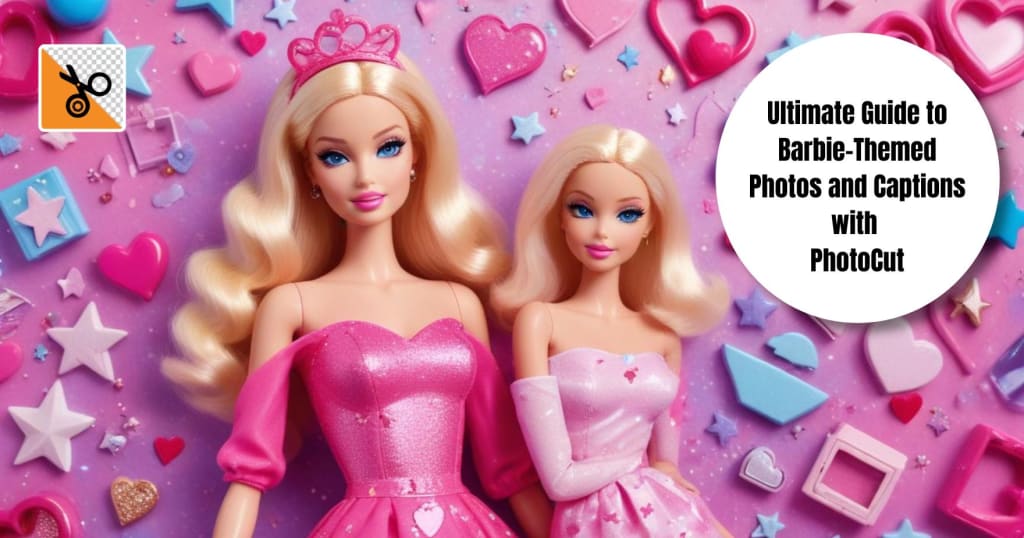
For decades, Barbie has been an icon, and she has never shone brighter or spoken louder in fashion and makeup than now. Long-time Barbie fans or those who are newly interested will find photos themed with Barbie to be a fab and chic way to perk up an Instagram feed! This guide looks into Barbie filters, Barbie selfies, Barbie captions, Barbie-inspired makeup, and Barbie word collages, all while using PhotoCut to bring amazing enhancements to your images.
Cut out faces from your photos for fun with PhotoCut’s Face Cutout tool.
Use Barbie Filter for Your Photos
The Barbie filter will give your photos the trademark pink, dreamlike, and glamorous effect. The filter makes a soft glow on the photo, enhances the pastel tones of the images, and brings out the true Barbie feel.
How to Apply a Barbie Filter with PhotoCut
- Open the PhotoCut application and select a photo for editing.
- Apply pinkish hues, soft lighting, or sparkle effects.
- Increase brightness for a flawless glow.
- Enhance the dreamy Barbie aesthetic.
- Once you're satisfied, download your Barbie-filtered photo and upload it to Instagram!
Best Types of Barbie Filters
- Classic Barbie: Pink tones with soft highlights.
- Glam Barbie: High contrast with a glittery overlay.
- Vintage Barbie: Pastel filters with a slight retro touch.
- Dreamhouse Barbie: Soft pink and blue hues for a doll-like effect.
Try the Barbie Selfie Generator
A Barbie Selfie Generator transforms your selfie into a Barbie-inspired version, complete with smooth skin, bright eyes, and iconic Barbie makeup.
Steps to Generate a Barbie Selfie with PhotoCut
- Use a clear, high-resolution selfie.
- Smoothens the skin and brightens it.
- Adjust the color of the eyes, add a glossy lip look, and sharpen further.
- Use PhotoCut’s background remover to add a Dreamhouse or Malibu Barbie scene.
- Download your Barbie Selfie and post it on Instagram with a fun caption.
Best Barbie Selfie Styles
- Malibu Barbie: Sun-kissed glow with beachy waves.
- Glam Barbie: Bold lashes, glittery eye makeup, and glossy pink lips.
- Princess Barbie: Soft pastels, tiaras, and dreamy backgrounds.
- Sporty Barbie: Minimal makeup with vibrant, energetic tones.
Discover sweet matching bio ideas for couples to use on Instagram.
Barbie Captions for Your Instagram Posts
Pair your Barbie photo with the perfect caption to complete the look.
Sassy Barbie Captions
- "Pink isn’t just a color; it’s an attitude! 💖"
- "Living in my own Barbie world!"
- "Dolls just wanna have fun!"
- "Slaying like it’s Malibu Dreamhouse season."
- "Too glam to give a damn!"
Cute & Playful Barbie Captions
- "Just a doll in a digital world!"
- "Be your own kind of Barbie."
- "Sparkle like Barbie, shine like Ken!"
- "Dream big, dress pink, and never apologize for being fabulous."
- "Life’s a fashion show, and I’m the Barbie on the runway."
Inspirational Barbie Captions
- "Barbie taught me I can be anything I want to be!"
- "Confidence is my favorite accessory."
- "Barbie isn’t just a doll; she’s a lifestyle."
- "Be fearless, be fabulous, be Barbie."
- "Strong, smart, and stylish—just like Barbie!"
Learn how to blur photo backgrounds on an iPhone.
Try Barbie Makeup Looks
How to Get the Perfect Barbie Makeup Look
- Flawless Base: Dewy foundation followed by highlighting cheekbones.
- Bright Eyes: Pastel or shimmer eyeshadow (pink, blue, or purple shades).
- Drama Lashes: Use volumizing mascara or apply false lashes to get added drama.
- Glossy Lips: Finish with pink or nude-glossed lips for the final Barbie touch.
- Add Some Sparkle: Highlight cheekbones and collarbones for added shine.
Best Barbie Makeup Styles
- Classic Barbie: Soft pink tones and fluttery lashes.
- Malibu Barbie: Bronzed skin with a sun-kissed glow.
- Pop Star Barbie: Glittery eyeshadow with a bold pink lip.
- Princess Barbie: Shimmering pastels and a delicate, elegant finish.
Using PhotoCut for Barbie Makeup Edits
If you want to enhance your makeup digitally, PhotoCut can help:
- Add a soft-focus filter to blur imperfections.
- Increase brightness for a glowing complexion.
- Use color enhancement to make pinks and pastels pop.
Create the coolest wallpapers for your phone with PhotoCut’s Wallpaper Maker.
Create Collages with Your Barbie Photos
A Barbie collage gives you several Barbie photos in one single post. Whether you want to show off various outfits, makeup looks, or simply fun moments, collages are exciting ways to spice up your Instagram feed.
How to Make a Barbie Collage Using PhotoCut
- Choose your most impressive Barbie-inspired pictures.
- Visit PhotoCut and remove backgrounds for a clean and consistent look.
- Pick a template that fits your aesthetic.
- Make the collage pop visually.
- Once your collage is complete, share it with a fun caption!
Barbie Collage Ideas
- Outfit Transformation Collage: Show different Barbie-inspired outfits.
- Makeup Evolution Collage: Display a step-by-step Barbie makeup transformation.
- Dreamhouse Aesthetic Collage: Use backgrounds from Barbie Dreamhouse for a fun theme.
- Throwback Barbie Collage: Vintage Barbie meets modern aesthetics.
Conclusion
Barbie-inspired photography is creativity, fun, and confidence. Whether it be Barbie filter, Barbie selfie, Barbie make-up look, or Barbie collage, PhotoCut makes all these magic happen and makes it easy to achieve beautiful outcomes. Take the Instagram game further with the magical touches of Barbie over groundbreaking photo edits, and let your inner doll shine! Now go ahead, strike a pose, snap a picture, and make every post a Barbie dream!
Find the cutest Instagram captions and post templates to enhance your posts.
FAQs
Q1. Where can I find a Barbie filter or selfie generator?
Ans. You can find them in several places:
- Photo-editing applications: Several trendy photo-editing apps (YouCam Makeup, FaceApp, etc.) usually incorporate temporary filters or put out features matching trending themes like Barbie. Check the app stores.
- Online Generators: Search online for "Barbie selfie generator" or "[year] Barbie filter". Be careful on the different websites since some may be less trusted. Stick to options that are widely vetted and have good reviews.
- Social Media: Keep on the lookout for trending lists! Filters sometimes go viral on TikTok and Instagram, with Barbie themes made by users or brands.
Q2. Are these filters free to use?
Ans. It depends. Some filters/generators are completely free. Others may have the option of being accessed as some paid Apps or require in-app purchases to unlock the advanced features or watermark removal options available. Always check the agreement before using any filter.
Q3. How accurate is the filter? Will I look like Barbie?
Ans. The intention is to create fun, stylized effects. The filters may aim to create a Barbie-esque look; however, just remember that it is a filter, which means the results may vary from photo to photo based on the input and the factored algorithms. It adds an aesthetic, not a literal transformation.
Q4. Is it safe to use online Barbie generators? Should I be concerned about privacy?
Ans. Yes, you should always be cautious.
- Reputation: Only use generators from reputable websites or apps. Read reviews and check the developer's information.
- Permissions: Keep an eye on permissions that the website or app is asking for; is it just for your photos and not for your contacts or other personal things?
- Privacy Policies: Read the privacy policy of not just the website but also the app to get insight into how your data is essentially being used and stored.
- Watermarks: Free generators might tack watermarks onto the images at times.
Q5. How can I make my Barbie captions unique?
Ans. Here’s how:
- Make it personal: Relate the caption to your experiences or the photo specifically.
- Use relevant hashtags: #Barbie, #Barbiecore, #BarbieAesthetic, #DollLife, #PinkEverything, #ComeOnBarbie, #BarbieStyle, #BarbieMovie (if applicable).
- Add emojis: Use pink heart emojis, sparkles, and any other emojis relevant to your caption.
- Use quotes: Find quotes that inspire or amuse regarding being oneself, anything to do with confidence, or the very, very pink theme, and give them your 'Barbie-style' twist.
Q6. Can I use these captions even if I don't look exactly like Barbie?
Ans. Yes! The Barbie trend is, above all, about representing aesthetics and having fun. It is never going to be about looking just like a doll. The captions speak to self-love, expression, and playfulness with the fun theme.
Q7. What if I don't like pink? Can I still do a Barbie-inspired makeup look?
Ans. Yes! While pink is a signature color, you can adapt the look. Focus on the other elements:
- Focus on the structure: An immaculate base is quintessential, followed by defined eyes and a rosy blush.
- Experimentation: Consider using other pastel colors or shimmery golds or bronzes.
- Neutral Glam: Do a glam neutral with a flawless base, lashes, and a radiant highlight.
Q8. Where can I learn Barbie beauty/ makeup?
Ans. Here's where you can learn:
- YouTube: Search "Barbie make-up tutorial" for a long list of Barbie tutorials done by makeup artists.
- TikTok: Search under #BarbieMakeup or #BarbiecoreMakeup for very quick tutorials and ideas.
- Instagram: Look for artists specializing in Glam make-up and see if they did a Barbie-themed one.
Q9. What do I include in a collage of Barbie?
Ans. Here is what you may include:
- Barbie-themed photos: Introduce photos of yourself under the Barbie filter, actual Barbie dolls, or photos that could fit into the Barbie aesthetic: pink background, glamorous outfits, etc.
- Images of the new Barbie movie/characters: You can use those images in your Barbie Photo Collages
- Background: Use a pink or patterned background that fits the Barbie theme.
- Stickers and Text: Add stickers (stars, hearts, crowns) and text with Barbie-related quotes or captions.
Q10. How can I make my Barbie photo collage look professional?
Ans. Here's how to do it:
- Keep a Common Theme: Keep a consistent hue and style throughout the collage.
- Have a Good Image: Don't utilize a blurry or pixelated image.
- Arranging Images: Do not keep images together. Place them in a balanced design.
- Use Negative Space: Do not fill the collage with images. Keep some images for visual appeal.
About the Creator
PhotoCut
AI Photo Editing Tool - Remove or Change your Background & Enhance Product Photos
Keep reading
More stories from PhotoCut and writers in Photography and other communities.
Best Instagram Captions for Every Occasion
Instagram is all about freezing moments, and the ideal caption can make your photo even more powerful. You could post a photo with your sister, post a selfie, post about heartbreak, or post about flaunting your mirror selfie, and a good caption brings your post to life. With AI-driven applications such as PhotoCut, you can not just enhance your photos but also come up with creative captions for the look you want to portray. In this guide, we’ll explore the best Instagram captions for different scenarios, along with tips on how to use PhotoCut to make your pictures stand out even more.
By PhotoCut9 months ago in Photography
My Year, in Prattling and Photos
It's been a year since... last year. Ironically, it seems I've found myself a new tradition of getting sick during the New Year holidays. At least, this year (that is, this inter-year period remarkable for its shiny decorations in the streets and houses, and closed supermarkets and pretty much everything), I'm doubtlessly doing better: I've managed to come visit my friends in Germany for Christmas (which I failed to do last year) and—after having some good quality time eating machanka, playing Munchkin and swinging machetes (the last one obviously crept into this checklist only for the sake of the phonological form)—I came back home via proverbial Deutche Bahn and probably less known Schweizerische Bundesbahnen, my body hosting a family of viruses, virions and who knows what other tiny critters somewhere inside my chest.
By Andrei Z.18 days ago in Photography
The People We Meet on Vacation: Moments, Connections, and Lasting Impressions
The People We Meet on Vacation: Moments, Connections, and Lasting Impressions Vacations are more than a break from daily routines. They are a unique social experience where people from different backgrounds cross paths in unexpected ways. The people we meet during a holiday often leave strong impressions, even if the interaction lasts only a few minutes. These encounters can shape memories, influence perspectives, and sometimes turn into lifelong friendships. Understanding who we meet on vacation helps explain why travel feels so meaningful to many people.
By America today 8 days ago in Photography
Ludacris and Nelly draw backlash over bookings at MAGA-coded music festival
Ludacris and Nelly headlining a mostly right-wing event is good for them. It’s also great for the genre of hip hop. The two rap veterans have showcased their talents on other stages. Why can’t they perform for mostly MAGA folks and grab that bag?
By Skyler Saunders4 days ago in Beat




Comments
There are no comments for this story
Be the first to respond and start the conversation.