
Turning Pixels to Paint
Making believable watercolor art from ordinary photographs

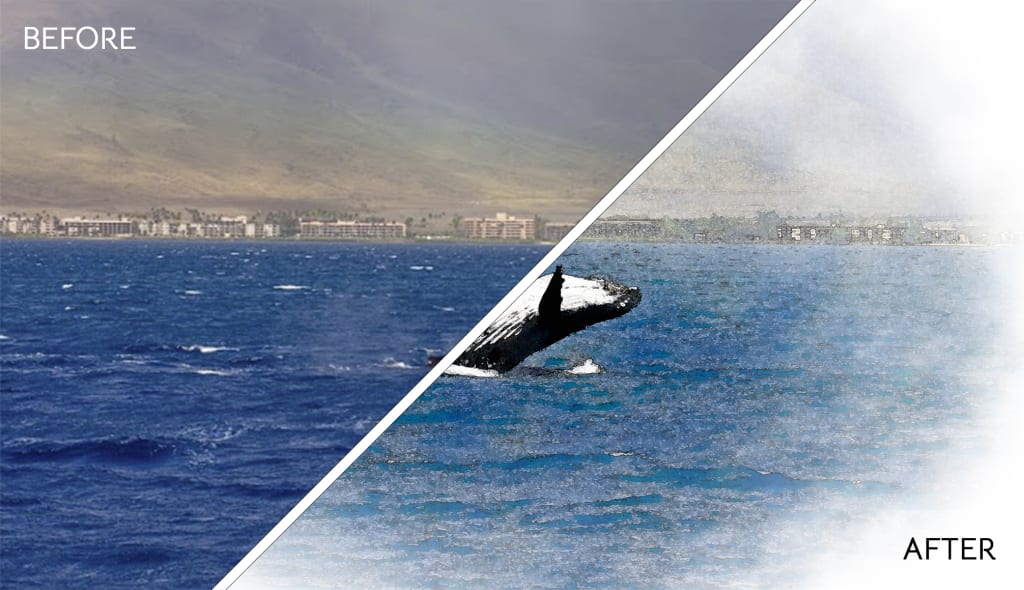
My wife and I had the amazing opportunity a couple of years ago to relocate our family from the snowy Rocky Mountains to our current island home in Hawaii. While it was a challenging move, seeing our children experience life outdoors year-round outweighs any of the financial or material comforts we left behind.
This year we decided that our time in paradise was, unfortunately, coming to an end, and we're now preparing to take our adventure elsewhere. While I knew our move here wouldn't be permanent, it's hard not to feel guilty for tearing my kids away from the ocean and the eternal sunshine they've enjoyed. The thought struck me that maybe I could help them take the memories of living in Hawaii with them wherever we go. So, I got to work creating a unique children's book all about them.
Obviously, pictures are crucial to any great book for young readers. My idea was to select photos from our favorite experiences over the last two years and write a short story around them. As I was compiling the book, I realized quickly that plain photos just didn't look ideal–they were far too bland for kids. Since I'm not an artist, I needed to find a way to digitally turn my photos into believable watercolor paintings in Photoshop.
I knew Photoshop had a really easy way to turn photos into paintings, literally with the click of a button, but this method alone wasn't going to cut it. It looked too artificial. After scouring the web for tutorials and examples of similar projects, I found a process that worked better than I ever expected! Instead of just applying a filter, this method allows you to actually "paint" your image with a dynamic brush that takes your final watercolor to the next level.
Here's an example of the progression from original photo, to edited photo, to watercolor painting using my process:
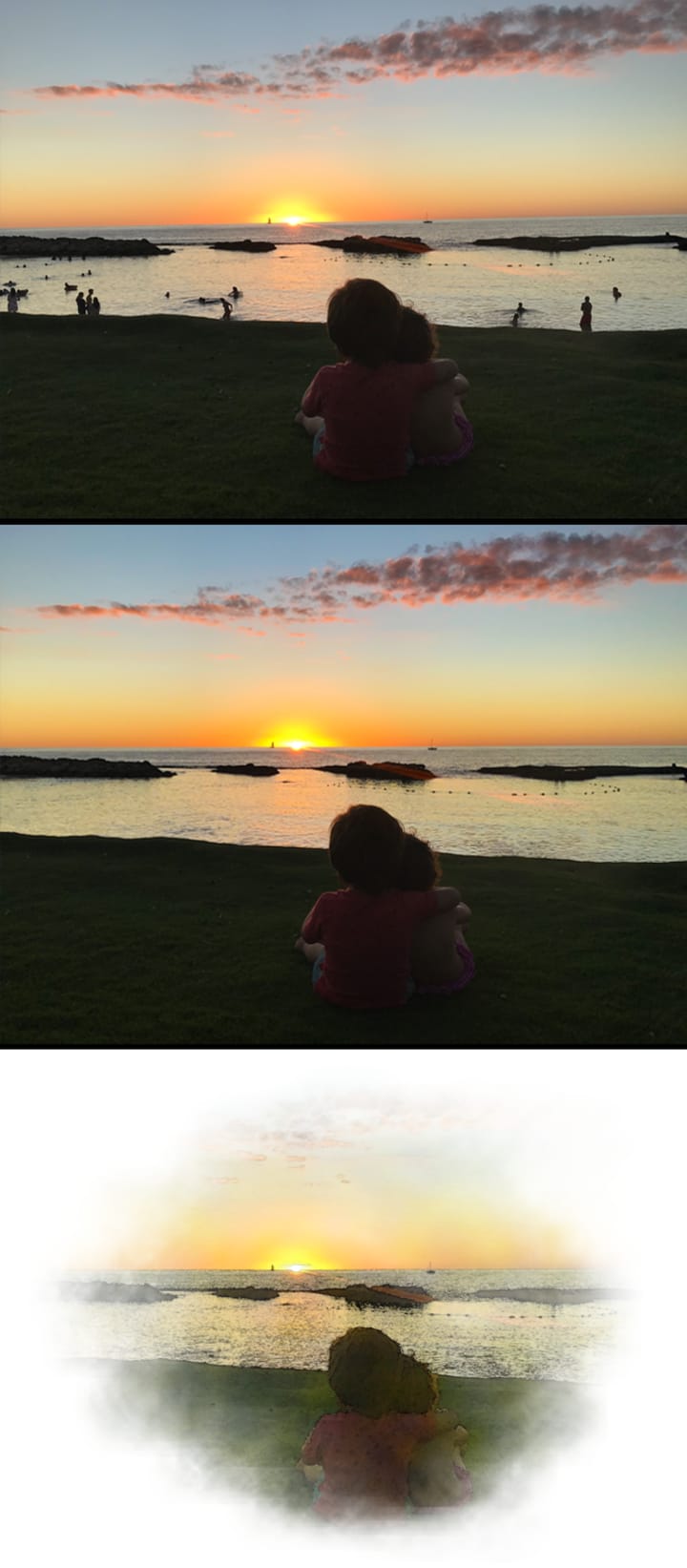
The original photo above was taken on an old iPhone 7 with a cracked lens. As you can see, the beach was fairly busy. Painters have the opportunity to manipulate the scene any way they want to create the perfect piece of art. I decided to give myself that same liberty. I started preparing my photo by removing anyone else from the scene. This can be done easily in Photoshop with the Healing Brush tool. The middle image above is the touched-up result. Just my adorable kids all alone on the beach at sunset. Now the photo is ready to be watercolor-ized!
While the watercolor effect itself is relatively easy to achieve, there are quite a few steps that would be difficult to explain without a visual aid. Here is a detailed tutorial that I made to help you replicate the exact effect you see in my examples:
I love this method because it still gives you a lot of creative control over the final image. It's not just clicking a button and calling it good, you're actually choosing color tones and painting in the effect yourself with a brush. It results in a watercolor painting that's much more organic-feeling and lifelike than anything else I've tried.
Here's another example of a photo turned into a watercolor for my book:
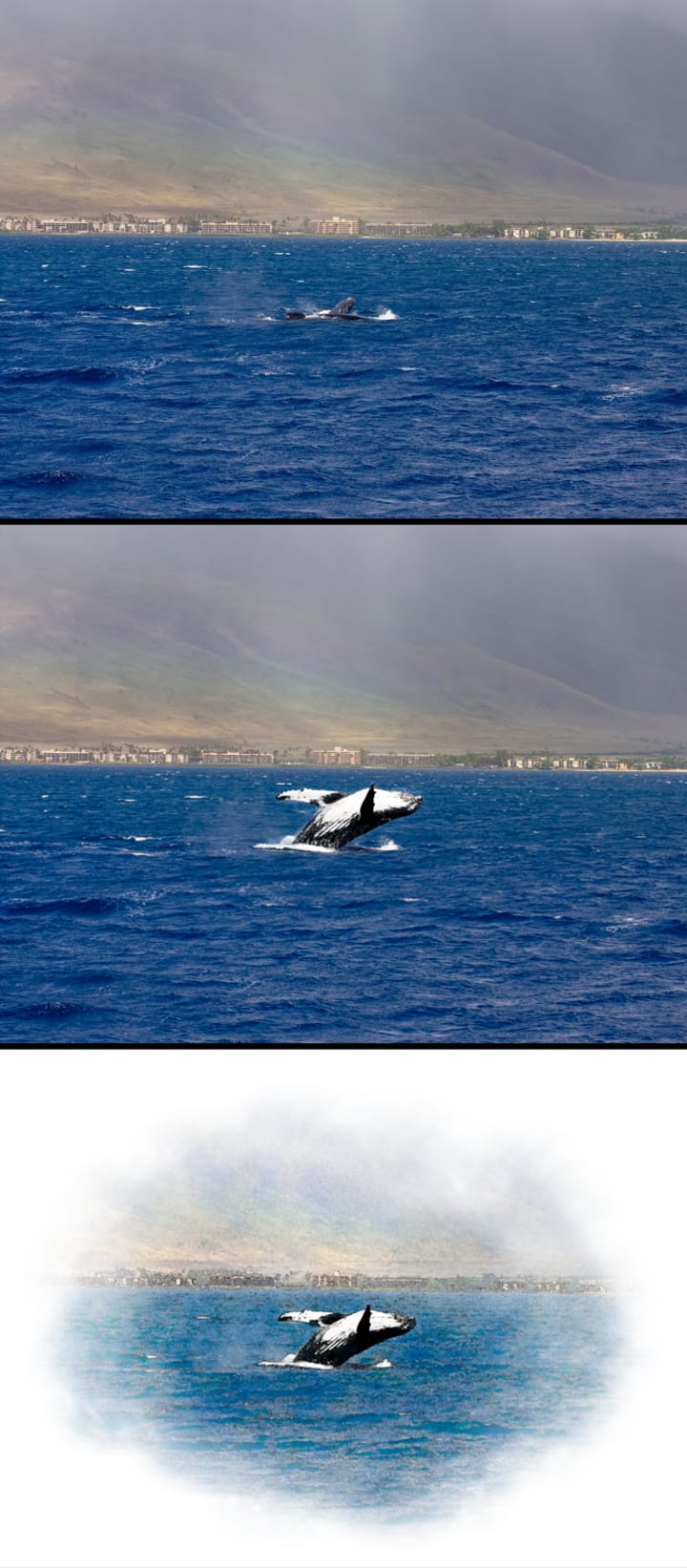
Once again I took some creative liberties with the image above, as any good artist would do! We were out on the boat for at least an hour (getting mildly seasick) watching these beautiful Humpback whales enjoying the warm waters off the coast of Maui. But I just couldn't get a shot of any of the whales breaching. I decided to rewrite history at that moment and ended up inserting a whale from another image into my scene so that the resulting watercolor was truly breathtaking.
Creating this book has been something that I'll never forget and one my children will hopefully cherish for years to come. Just as we learned when we first came to Hawaii, experiences and memories are everything. My hope is that these small paintings will help their memories of our time here live on forever–no matter where we end up. Now, get out there and live your adventure. And don't forget your camera!
About the Creator
Keep reading
More stories from writers in Photography and other communities.
Leavie Scott
ORDER HERE Chicago – A Radiant Urban Masterpiece by Leavie Scott Arts & Culture Review – Feature Story In his striking new work Chicago, photographer Leavie Scott captures the soul of the Windy City with a level of vibrancy and emotional resonance that is impossible to ignore. The image immerses viewers in a dazzling skyline bathed in mesmerizing tones of purple, pink, and gold—a palette rarely seen in traditional urban photography and one that instantly distinguishes Scott’s artistic voice.
By Organic Products 4 days ago in Photography
Curious Photography Tips Every Beginner Should Try
Have you ever wondered why two people using the same camera can produce completely different photos? The answer often lies in how well the photographer understands the camera itself. For beginners, cameras can seem filled with confusing buttons, dials, and settings. But what if those settings are actually the key to better photos?
By Craig Spiesman2 days ago in Photography


Comments
There are no comments for this story
Be the first to respond and start the conversation.