
The Ultimate Guide to Map Cameras: Transforming Photography with Geotags
Discover the power of Map Cameras! Learn how geotagging and location stamps can transform your travel photos into detailed, context-rich memories.

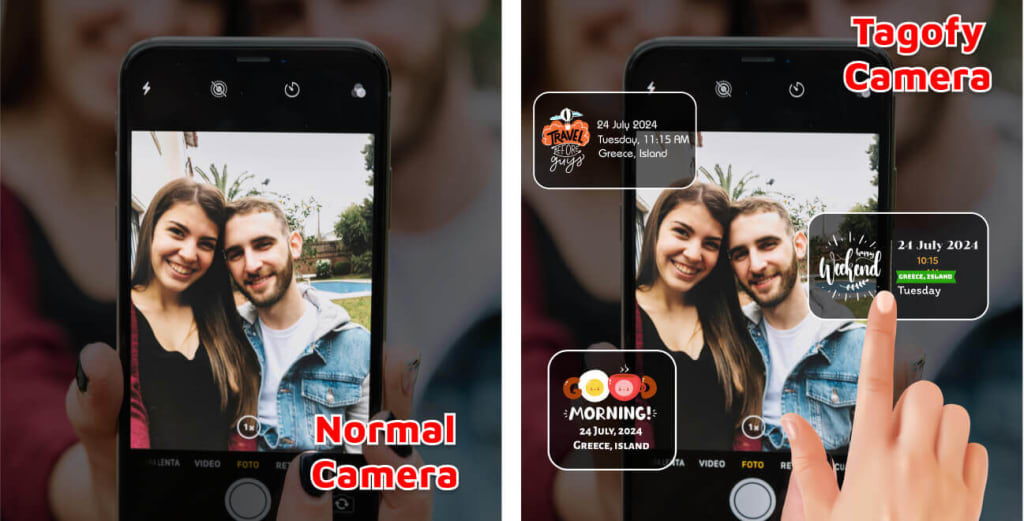
In the era of advanced smartphones and GPS technology, photography has evolved from merely capturing moments to telling complete stories. A Map Camera takes this evolution further by adding geographical context to your photos, ensuring that every image speaks volumes about where it was taken.
This blog will explore the features, benefits, and creative applications of Map Cameras, showing you how they’re revolutionizing photography for travelers, bloggers, and everyday users alike.
What Is a Map Camera?
A Map Camera is a specialized camera or smartphone application that integrates geotagging features into your photos. When you capture an image, a Map Camera records the precise location (latitude, longitude, and even the address) alongside the timestamp, often overlaying this information directly onto the photo as a visual element.
This tool combines photography with mapping, making your images more informative, organized, and engaging.
Key Features of a Map Camera
Geotagging
Geotagging automatically embeds location data into your photos. This metadata includes GPS coordinates and address details, which are essential for organizing and retracing your memories.
Map Stamps
Many Map Cameras allow you to add stamps with visual map elements onto your photos, pinpointing the location where the image was taken.
Customizable Overlays
Choose what details to display on your photo, such as the date, time, location, or even custom notes.
Live GPS Integration
Map Cameras integrate live GPS data, ensuring that location details are accurate and up-to-date.
Offline Mode
Some advanced Map Cameras work without internet connectivity, allowing you to geotag photos even in remote areas.
Easy Sharing Options
Share your geotagged photos instantly to social media platforms or via messaging apps.
Why Use a Map Camera?
1. Enhance Travel Memories
When you revisit your travel photos years later, the geotags and map stamps help you recall exactly where each picture was taken.
2. Organize Your Photo Library
With geotags, you can categorize and search your photos based on location. It’s a game-changer for people with extensive photo collections.
3. Boost Social Media Engagement
Map-stamped photos stand out on platforms like Instagram and Facebook. They provide an added layer of authenticity and context, attracting more likes and shares.
4. Professional Applications
For real estate agents, surveyors, and journalists, geotagged photos provide crucial details and credibility for their work.
5. Educational and Personal Growth
Explore your local area or new destinations with a map-focused perspective. A Map Camera makes learning about geography and landmarks exciting.
Creative Applications of Map Cameras
Travel Diaries
Document your adventures with photos that include timestamps and map overlays. These visuals add depth to your travel narratives, making them more compelling.
Local Explorations
Use a Map Camera to rediscover your hometown. Capture hidden gems and landmarks while preserving their exact locations.
Nature Photography
For hikers and nature enthusiasts, geotagging helps you remember the exact trail or spot where you captured a stunning view.
Photo Challenges
Engage in creative challenges where you capture photos at specific locations and share them with geotags to inspire others.
Event Coverage
If you’re hosting or attending an event, a Map Camera can document key moments with precise location data, making it easier to relive and share.
How to Use a Map Camera Effectively
Choose the Right Map Camera App
Look for an app with features like customizable map stamps, offline capabilities, and seamless sharing options. Tagofy is an excellent choice for beginners and professionals alike.
Enable GPS and Location Services
Ensure that your device’s GPS is active to allow the Map Camera to record accurate location data.
Customize Your Preferences
Set up your Map Camera to display the details you need—whether it’s just the city name or full GPS coordinates.
Capture Photos with Purpose
Pay attention to the framing and background to create aesthetically pleasing images that also convey meaningful location details.
Share Thoughtfully
While sharing geotagged photos, consider the privacy of your location. Some apps allow you to edit or limit the displayed details.
Advantages of Using Map Cameras
1. Precision and Context
Map Cameras add a layer of precision to your photography, ensuring that each photo tells a complete story.
2. Accessibility
Most Map Camera apps are easy to use and don’t require professional skills, making them ideal for everyone.
3. Better Storytelling
Whether you’re a travel blogger or a social media enthusiast, Map Cameras help you craft visually rich and engaging stories.
4. Multi-Purpose Tool
From personal use to professional needs, Map Cameras are versatile tools that suit various applications.
5. Affordable and Convenient
Unlike professional GPS cameras, Map Camera apps are a cost-effective solution available right on your smartphone.
Popular Map Camera Apps
Tagofy
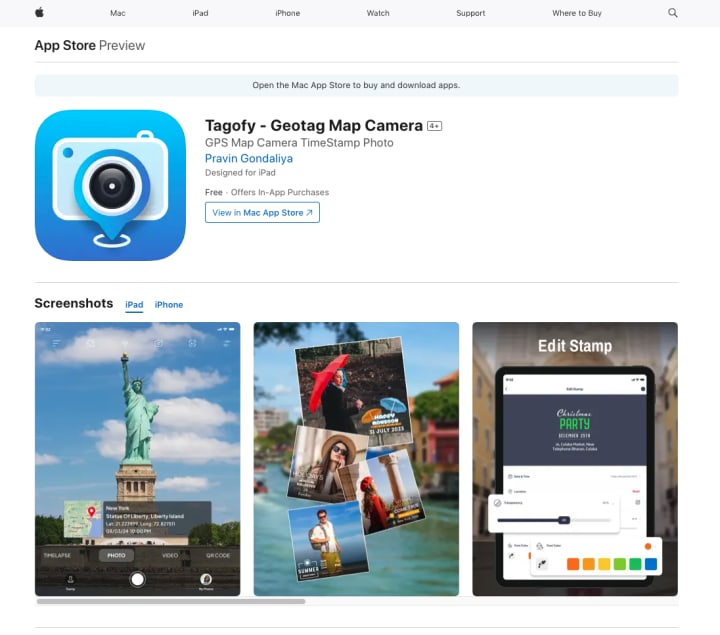
Known for its intuitive interface and extensive customization options, Tagofy is a favorite among travelers and creators.
NoteCam
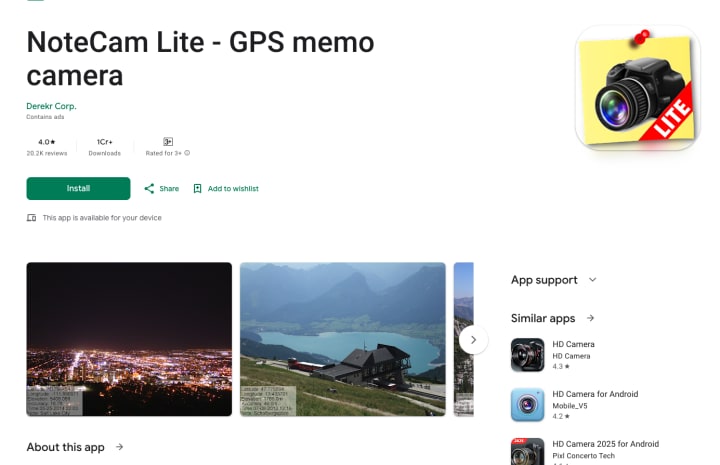
This app lets you annotate photos with notes and location details, making notecam ideal for journaling and professional use.
GPS Map Camera
A straightforward app that focuses on geotagging and map overlays for easy photo organization.
Tips for Capturing Stunning Map-Stamped Photos
Choose Unique Locations
Capture photos at landmarks, scenic views, or offbeat destinations to make your map stamps more intriguing.
Pay Attention to Lighting
Good lighting enhances the visual appeal of your photos, making the map stamps and details stand out.
Experiment with Angles
Play with different perspectives to add depth and creativity to your geotagged photos.
Use Annotations Wisely
Keep your annotations simple and relevant to avoid cluttering your photos.
Final Thoughts
A Map Camera is more than just a tool—it’s a gateway to storytelling and organization. By combining the art of photography with the science of geotagging, it transforms ordinary photos into detailed, context-rich memories.
Whether you’re a traveler, an influencer, or someone who loves capturing life’s moments, a Map Camera can add precision and creativity to your photos.
About the Creator
Tagofy
Tagofy App captures photos with location and time stamps, making it easy to create and explore detailed, time-stamped memories.
Reader insights
Nice work
Very well written. Keep up the good work!
Top insights
Expert insights and opinions
Arguments were carefully researched and presented
Heartfelt and relatable
The story invoked strong personal emotions
Keep reading
More stories from Tagofy and writers in Photography and other communities.
A Day in the Life of a Travel Blogger: Mastering Photo Documentation
Travel blogging is an art that blends adventure, storytelling, and visual documentation. It goes beyond simply visiting beautiful destinations; it’s about creating narratives that resonate with your audience. As a travel blogger, your goal is to make readers feel as if they are journeying alongside you. A crucial aspect of this storytelling is effective photo documentation. In this post, we’ll explore a typical day in the life of a travel blogger, emphasizing how tools like the Geotag Map Camera enhance the experience.
By Tagofyabout a year ago in Photography
My Year, in Prattling and Photos
It's been a year since... last year. Ironically, it seems I've found myself a new tradition of getting sick during the New Year holidays. At least, this year (that is, this inter-year period remarkable for its shiny decorations in the streets and houses, and closed supermarkets and pretty much everything), I'm doubtlessly doing better: I've managed to come visit my friends in Germany for Christmas (which I failed to do last year) and—after having some good quality time eating machanka, playing Munchkin and swinging machetes (the last one obviously crept into this checklist only for the sake of the phonological form)—I came back home via proverbial Deutche Bahn and probably less known Schweizerische Bundesbahnen, my body hosting a family of viruses, virions and who knows what other tiny critters somewhere inside my chest.
By Andrei Z.18 days ago in Photography
Center Stage with Paul Stewart
*** I'm keen to republish the interviews I did for my series with Vocal creators. It's been a few years and I thought it might be nice to revisit these wonderful conversations. I'll be releasing them one at a time for a few weeks/months.
By Heather Hubler4 days ago in Interview




Comments
There are no comments for this story
Be the first to respond and start the conversation.