
Reduce Your Image Size with PhotoCut’s Image Compressor
Reduce Your Image Size with PhotoCut’s Image Compressor

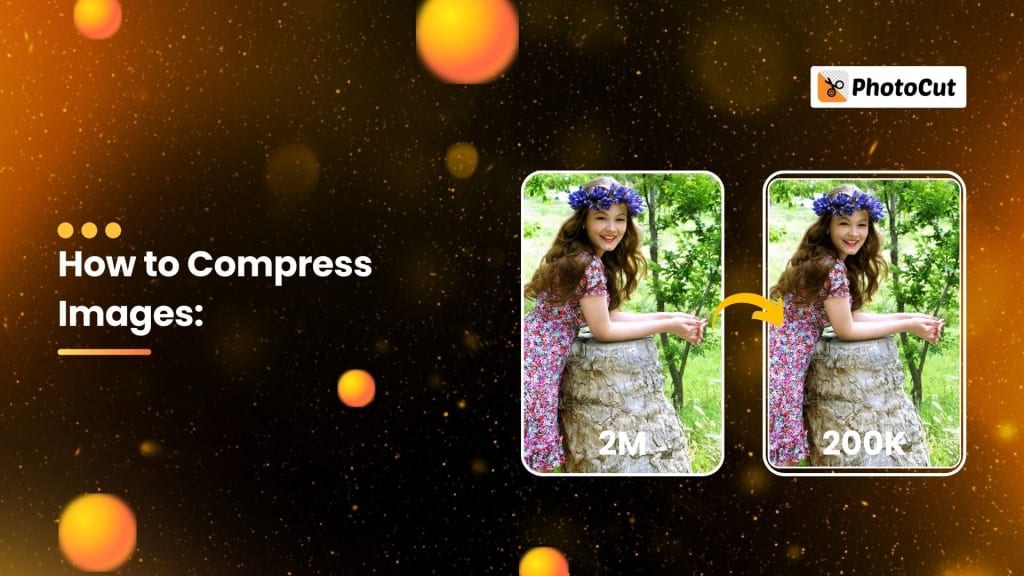
If you have big image files that are too large for your use, PhotoCut's online image compressor is here to help! You can easily compress images and reduce file sizes without any loss of quality. Whether you want your image to be less than 1MB or wish to select only specific file sizes like 50KB, 20KB, 100KB, 200KB, or 500KB, PhotoCut will surely help you compress them quickly. And the beauty of it all is that you won't lose any of the quality of your image in this process!
Why Use PhotoCut’s Image Compressor?
Sometimes you want your image files to be small. Maybe you are attaching images for emailing or using the smaller versions of them for the web. Maybe you simply need space on your device. Unfortunately, when compressing images, this is usually associated with the potential loss of image quality and blurriness or pixelated look of an image. PhotoCut's image compressor doesn't allow this. You can, with the current technology, reduce photo file sizes to smaller sizes and yet maintain all the qualities on them. Hence, it proves to be a super tool for varied uses such as improving the websites' performance and saving space, among many others, which can simply be shared as a lighter image file.
Quick and Simple Image Compression
It's best when you just want to shrink an image very fast when in a rush. Just upload the photo choose the quality that you prefer and let the tool do the rest. Within just a few seconds, you can save the smaller file without sacrificing any quality. This also means that you can get your file a specific size exactly 1MB or less for the purpose you intend.
This makes compressing the files fast and convenient, whether you have one or hundreds of images.
Create stunning Facebook cover photos using PhotoCut’s Facebook cover photo maker.
Bulk Image Compression
If you are compressing dozens of photos in one sitting, PhotoCut has an option where you can upload and compress as many as 50 images simultaneously! This comes in handy with web developers, photographers, or any image optimizer needing to optimize several hundred images at one time. After compression, you can download each image individually or get them all in a ZIP file, making it even easier to manage large batches of photos.
PhotoCut also respects your privacy. After compressing your images, they delete them from the server within 12 hours, meaning you don't have to be worried about having your photos held longer than you need them to be.
Supported Image Formats
PhotoCut's graphic compressor supports some of the widely used image formats for web operations. JPG, JPEG, PNG, and WEBP image formats will be accepted for uploading and compression without the installation of extra software. You can get the task done, whether it is a photograph, graphic, or screenshot.
The tool can compress as many as 50 images at a time, which is helpful when you want to optimize big image libraries in the shortest amount of time possible. You can do all this directly from your web browser, so optimizing images has never been easier!
Create chibi art online using PhotoCut’s Chibi Maker.
How Does Image Compression Work?
Image compression is reducing the size of an image's file, where unnecessary data is removed or techniques that make the storage of the image simplified are used. It reduces the size of the file without affecting the quality of the picture. Some compressions will lose the sharpness and detail in an image, but PhotoCut employs the most recent technology so your photos stay crisp and high quality.
When you use the image compressor through PhotoCut, you get an option on what quality level you want to work with. So, whether high, medium, or low-quality settings will apply, it's up to the amount of compression you might require and the degree of quality that you may allow to go off. It also allows for more flexibility with settings to suit whatever result you have in mind.
Resize Your Images
In addition to reducing file sizes, PhotoCut also resizes images. Images can have their height and width altered to suit one's needs. An image's size may be altered without sacrificing information if you want it to be a certain size for a website or social media platform.
Resizing is easy with PhotoCut’s image compressor. You simply input the new dimensions, and the tool resizes the image automatically. Also, since the application has a quality-preserving function, your resized image will be nice without pixelation and blur.
Explore aesthetic Instagram captions to elevate your Instagram posts.
Improve Your Website’s Performance
Image compression is most frequently used to enhance website speed. Large picture files may make a website load slowly, which can irritate users and potentially lower your site's search engine position. Images may be compressed to speed up website loads without sacrificing aesthetic appeal.
The image compressor of PhotoCut helps you to create small-size file images without sacrificing the looks. Get ready for optimized photographs that can improve your website's speed after uploading your photos and selecting the necessary size and quality. This might significantly impact your site's loading speed, enhancing user experience and increasing engagement.
Why Should You Compress Your Images?
There are numerous reasons for compressing your images. Image compression may help your device conserve space, speed up the loading of your website, and ensure that your photos are under the allowed file size for social media or communications. The following are a few of the most typical justifications for picture compression:
- Website Optimization: Your website will load faster if you use smaller images. Smaller pictures speed up website loading, which enhances both search engine ranking and user experience.
- Email Attachments: Files attached to emails have size restrictions. It is simpler to attach photographs to emails without going over these file size restrictions when they are compressed to lower sizes.
- Social Media: Every social media platform varies in terms of the required image size and also depending on which file type. Compression makes it easier for you to meet those requirements while still seeing how incredible your photos are.
- Conserve Storage Space: Your photos will take up less room on your devices if you compress them. If you have thousands of images on your computer or phone, this can be helpful.
How to Choose the Right Image Size for Your Needs
Whenever you compress an image, you have to choose the right size to fit a particular requirement. Here are some selected suggestions for various scenarios.
- Compress to 20KB: Ideal for very small images, such as icons or simple graphics for fast-loading web pages and ads.
- Compress to 50KB: It is suitable to be used as an email attachment, social media post, or web icon if you want to reduce the file size while maintaining appropriate image quality.
- Compress to 100KB: This is excellent for social media images, banners, and more graphics that will need to be loaded fast while still appearing okay.
- Compress to 200KB: Perfect for online galleries or product images where you might want higher resolutions but still desire a small enough file size to load efficiently.
- Compress to 500 KB: This is a great option for images that require quality but will need to be displayed in detail while staying within certain file size limitations, such as in product displays or high-quality print needs.
- Compress to 10KB: When it comes to tiny icons or thumbnails, the file size must be as small as possible without sacrificing detail.
You may get the ideal ratio of file size to quality in each circumstance by choosing the proper compression setting for each image.
How to Use PhotoCut’s Image Compressor
Using PhotoCut's image compressor is simple:
- You may upload photographs straight from your device or drag and drop them.
- Select the image format (JPG, PNG, or WEBP) and the compression level (high, medium, or low).
- After choosing your preferences, click "Start" to begin picture compression.
- Once compression is done, you can download your smaller images one by one or as a ZIP file.
Conclusion
It lets you compress your image files quickly, easily, and effectively without any quality compromise. Whether you need it for your website, social media, email, or storage, PhotoCut has got your back. This requires uploading, adjusting settings, and getting your images compressed in no time. Plus, the bulk compression feature allows you to optimize multiple images simultaneously, making it perfect for both personal and professional use.
Learn how to enhance your photos in Photoshop.
FAQs
Q1. How does PhotoCut’s image compressor work?
Ans. PhotoCut's image compressor functions by compressing an image without reducing its quality. It makes use of algorithms to delete all the unnecessary data in an image and optimize it for a smaller file size.
Q2. What is an image compressor?
Ans. An image compressor is a utility that reduces the size of an image file without changing its quality. It saves space in the storage system and reduces loading time for images on websites or sent via email.
Q3. How can I compress a photo on my iPhone?
Ans. PhotoCut's image compressor is compatible with iPhones. Simply upload a picture, choose the desired quality, and download the compressed file to your device.
Q4. What makes an image resizer different from an image compressor?
Ans. A picture resizer reduces the size of an 8x10 image to a 4x5 image, whereas an image compressor maximizes the amount of space that the data takes up in the image.
About the Creator
PhotoCut
AI Photo Editing Tool - Remove or Change your Background & Enhance Product Photos
Keep reading
More stories from PhotoCut and writers in Photography and other communities.
Aesthetic Bios for Instagram to Let Your Profile Shine in 2025
In 2025, do you want your Instagram account to be noticed? Having an eye-catching bio that highlights your personality is a wonderful approach to do this. Making a strong first impression is crucial since your bio is among the first things people see when they visit your profile. Whether you'd like it to be short and sharp, cute with an emoji, or bold and savage, there is a bio idea waiting for you to try it on. Below are some gigantic Instagram aesthetic bio ideas that will appeal to both girls and guys, just scroll and choose.
By PhotoCut9 months ago in Photography
My Year, in Prattling and Photos
It's been a year since... last year. Ironically, it seems I've found myself a new tradition of getting sick during the New Year holidays. At least, this year (that is, this inter-year period remarkable for its shiny decorations in the streets and houses, and closed supermarkets and pretty much everything), I'm doubtlessly doing better: I've managed to come visit my friends in Germany for Christmas (which I failed to do last year) and—after having some good quality time eating machanka, playing Munchkin and swinging machetes (the last one obviously crept into this checklist only for the sake of the phonological form)—I came back home via proverbial Deutche Bahn and probably less known Schweizerische Bundesbahnen, my body hosting a family of viruses, virions and who knows what other tiny critters somewhere inside my chest.
By Andrei Z.18 days ago in Photography
A Lifetime of Shakas
For more than three decades as a part-time freelance news and sports photographer in Hawaiʻi, I’ve captured countless moments across the islands — and a few on the mainland. Along the way, almost without realizing it, I built an ever-growing photo archive of people flashing the shaka sign.
By Tim Wrightabout 3 hours ago in Photography
Miss Persephone's Manual to a Seemingly Ordinary Life
Miss Persephone was found at the dining table, her blue eyes swollen, her tears arriving and retreating like the tides of the ocean. Earlier that day, her family had visited her in the retirement home where she had lived for eight years. It was her eightieth birthday.
By Imola Tóth4 days ago in Fiction



Comments
There are no comments for this story
Be the first to respond and start the conversation.