
Effortless Background Removal with PhotoCut API
Effortless Background Removal with PhotoCut API

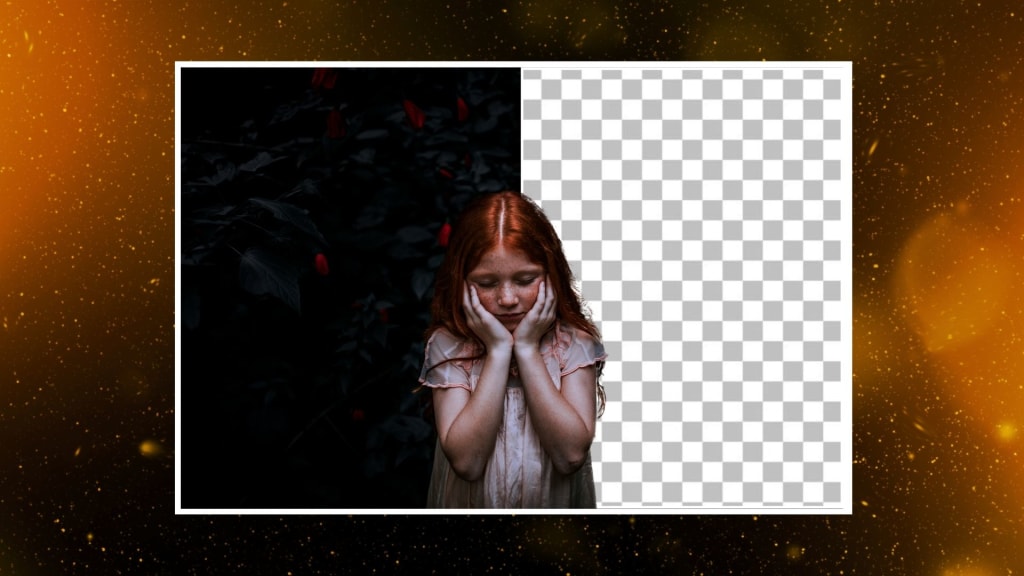
A high-quality image is what most draws attention in today's fast-paced world of digital media. E-commerce, advertising, and social media content creation all require photos, and the most time-consuming aspect of image editing has been eliminating an image's backdrop. Now, with PhotoCut API, it is no longer a trouble. One-click will eliminate the backdrop from your photos, giving them a polished, eye-catching appearance. For developers, digital marketers, and designers alike, PhotoCut offers a simple way to streamline your picture editing process. To change your graphics, let's examine how it functions and how to integrate it into your application or website.
Convert your image files from MB to KB using PhotoCut’s Image File Size Converter.
What is the PhotoCut API?
The PhotoCut API is an automated solution designed to simplify the removal of backgrounds from images, making developers and designers include this functionality in websites and apps as easily as possible. The PhotoCut API will make it easier to handle picture background removal without requiring a lot of human labor, whether you're developing a new application or improving an old one.
This cloud-based API detects and eliminates the background of any image with an unmatched level of precision by utilizing advanced artificial intelligence and machine learning techniques. In applications like social networking, marketing, and e-commerce, it guarantees a clean cutoff. You can enable background removal in your system by just writing a few lines of code; it is an essential tool if you are working on a digital platform based on images.
Learn how to use PhotoCut’s Background Removal API.
Effortless Integration: How to Get Started
The PhotoCut API is easy to integrate into your mobile application or website. Whether you are working on a bespoke platform, a mobile app, or a website, the integration process is intended to be simple and quick.
- First, you sign up and log in to create a PhotoCut account. You can receive an API key after you log in. An API key can be unique to your account but is required to authenticate requests to the PhotoCut API.
- Upon acquiring your API key, you can easily integrate the PhotoCut API into your platform. Their API supports various widely used programming languages, such as Python, JavaScript, PHP, and Ruby. You'll find all the information you need in PhotoCut's official API documentation to help you through the integration process; thus, you can efficiently set it up with its step-by-step guide, regardless of how long or short of a developer you are.
- Following successful integration, you'll find yourself using the API to remove backgrounds from images immediately. All you need to do is make an API call, upload your image, and let the API take care of all the hard work, returning you a background-free clean version that is fast, accurate, and ready to be used as needed.
Discover the best APIs to automate image optimization.
Key Features and Benefits of the PhotoCut API
1. Quick and Seamless Setup
It is streamlined for easy use and quick inclusion on your website or within an application: it's that flexible. Therefore, if you're a website developer who will require integration with editing abilities or an application developer requiring its services to produce an amazing product by removing objects in the backgrounds, PhotoCut helps make both cases very manageable.
2. Simplify Image Editing for Various Applications
The PhotoCut API is designed to make image editing tasks more accessible and efficient. It’s especially useful for tasks such as:
- Creating Ad Content: With the PhotoCut API, creating ads is easier than ever. You can easily erase the background of product images to fit the requirements of online digital platforms by making your pictures compliant and great-looking.
- E-Commerce: For an online business, the product image is one aspect of your e-commerce business, and the photo cut API assists you in easily removing the backgrounds from product images in bulk quantities to create cleaner, professional views that will get customers' interest.
- Social Media: Whether it is social media post design, social media story designs, or even social media banner designs, with the PhotoCut API, background removal and more will become extremely easy so you can ensure everything looks neat throughout.
- Print Media: With API, you are also guaranteed high-quality image creation. When images are cleaned and made free of backgrounds, you create amazing visuals, regardless of the medium, from a brochure or a flyer.
3. High-Quality Results
Precision is what distinguishes the PhotoCut API. It uses highly advanced AI algorithms that can pick the main subject of an image very accurately so that the removal of the background would be clean and professional. From complex images to simple ones, the API provides a quality cutout with fewer errors and thus is good for even the most demanding tasks.
4. Customization and Flexibility
The PhotoCut API is not a one-size-fits-all solution. Instead, it has a very highly customizable structure to allow developers to tailor the API to their platform's needs. From the image quality adjustment to the definition of the output format, you can control every single aspect of your images.
5. Speed and Reliability
Today, time is of the essence in a lightning-fast digital space. PhotoCut offers a high-performance API designed for quick execution. With this API, you'll be removing image backgrounds in seconds. The API is designed to handle from one to thousands of requests without any interference to your workflow.
It is very reliable, hence it can work with large amounts of requests with no loss in reliability. These are essential elements for businesses requiring real-time removal of backgrounds and updating of various product images across e-commerce websites.
Learn the easiest ways to add emojis to your photos.
6. Easy to Use for Developers and Non-Developers Alike
Whereas the PhotoCut API has been designed to be developer-friendly, it also comes with easy-to-follow documentation and example code such that even a non-developer will find success in integrating the API. You are sure to find its setup quite simple and friendly, regardless of your coding skill.
7. Cost-Effective
The PhotoCut API is an inexpensive service for all businesses, from small to large. New users are provided with 25 free credits, 1 credit being equal to 1 successful API call. With these credits, new users can test the API and see the results before committing to a subscription. When the credits are depleted, users can buy more to continue using the API without any interruptions.
Use Cases for the PhotoCut API
The PhotoCut API is a wide applicatory resource, both for commerce and industrial needs. Some of the most essential areas in which the API will be most useful are discussed below:
1. E-Commerce Websites
In electronic commerce, product images take center stage. PhotoCut API provides a possibility to easily erase distracting backgrounds from online selling images, making them look crisp and clean, with all focus on the products they carry. Be selling clothing, accessories, or electronics, the background removal feature will make your product images stand out, increasing engagement and boosting sales.
2. Digital Marketing and Ad Creation
For digital marketers, compelling visuals for ads are a must. The PhotoCut API saves you time by automatically removing the background from your ad creatives. It makes sure that your images are up to the required specifications for various platforms, such as Facebook, Instagram, or Google Ads, without requiring manual edits.
3. Social Media Influencers and Creators
Social media influencers and content makers rely on aesthetics to hook into their audience's attention. By using the PhotoCut API to remove the backgrounds from your image, you create more time in your busy agenda to come up with even great content. Any product review posting, personal image, or marketing post becomes fantastic with minimal hustle when you integrate the API.
4. Print Media and Graphic Design
For print media practitioners, the issue of having clear images with a clean background is a sure sign of high quality. The PhotoCut API can be a significant asset for graphic designers working on brochures, flyers, posters, and other printed pieces that need spotless cutouts. With this API, you can be rest assured that your designs will come out clean, professional, and ready for release.
Conclusion
The PhotoCut API makes the process of background removal in your digital platform more efficient and easier than ever. It is a fast, precise, and customizable tool for background removal for all your needs of editing images. PhotoCut API is the complete solution for making your business seem more professional in less time, from the e-commerce platform to marketing, social media, and graphic design. By integrating the PhotoCut API into your website or application, you may improve user experience, save time, and produce material of higher quality overall.
Create cartoon avatars for free online using PhotoCut’s AI Cartoon Avatar Maker.
FAQs
Q1. What is PhotoCut API?
Ans. This is a PhotoCut API, which is an automated background remover from images designed to make photo editing easier for developers and designers. It integrates easily into websites and apps and allows for fast, precise background removal.
Q2. How many initial credits are available for new users?
Ans. New users receive 25 free credits upon registration, which can be used for testing and development. Each successful API call consumes one credit.
Q3. How does PhotoCut API improve eCommerce images?
Ans. The API helps e-commerce stores create attractive, clean product images by automatically removing the background. This results in better product presentation, potentially leading to higher customer engagement and sales.
Q4. How do I set up the PhotoCut API?
Ans. Setting up the PhotoCut API is easy. Simply sign up, get your API key, and follow the documentation to integrate the API into your website or app.
Q5. Can the PhotoCut API be customized to fit specific needs?
Ans. Yes, the PhotoCut API is highly customizable to meet specific needs. You can adjust image quality, output format, and more to ensure the tool fits seamlessly into your workflow.
About the Creator
PhotoCut
AI Photo Editing Tool - Remove or Change your Background & Enhance Product Photos
Keep reading
More stories from PhotoCut and writers in Photography and other communities.
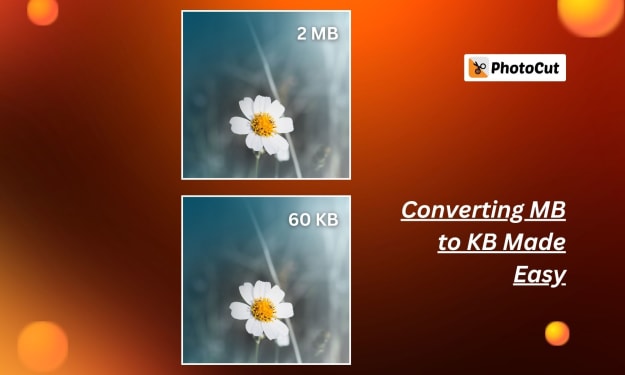
Converting MB to KB Made Easy
The digital world does require efficient file size management so that files are shared, stored, and loaded easily. In case you ever encountered a huge image file that is too bulky to upload, share, or store, you would have thought about converting it from megabytes to kilobytes. Fortunately, PhotoCut's user-friendly utility will help you convert image files from MB to KB without sacrificing the quality of the image. This article will show you how PhotoCut can help you convert and compress these images smoothly and make their quality clearer for every level of user to use.
By PhotoCut9 months ago in Photography
My Year, in Prattling and Photos
It's been a year since... last year. Ironically, it seems I've found myself a new tradition of getting sick during the New Year holidays. At least, this year (that is, this inter-year period remarkable for its shiny decorations in the streets and houses, and closed supermarkets and pretty much everything), I'm doubtlessly doing better: I've managed to come visit my friends in Germany for Christmas (which I failed to do last year) and—after having some good quality time eating machanka, playing Munchkin and swinging machetes (the last one obviously crept into this checklist only for the sake of the phonological form)—I came back home via proverbial Deutche Bahn and probably less known Schweizerische Bundesbahnen, my body hosting a family of viruses, virions and who knows what other tiny critters somewhere inside my chest.
By Andrei Z.18 days ago in Photography



Comments
There are no comments for this story
Be the first to respond and start the conversation.