
Create Unique Human Faces in Seconds with PhotoCut
Create Unique Human Faces in Seconds with PhotoCut

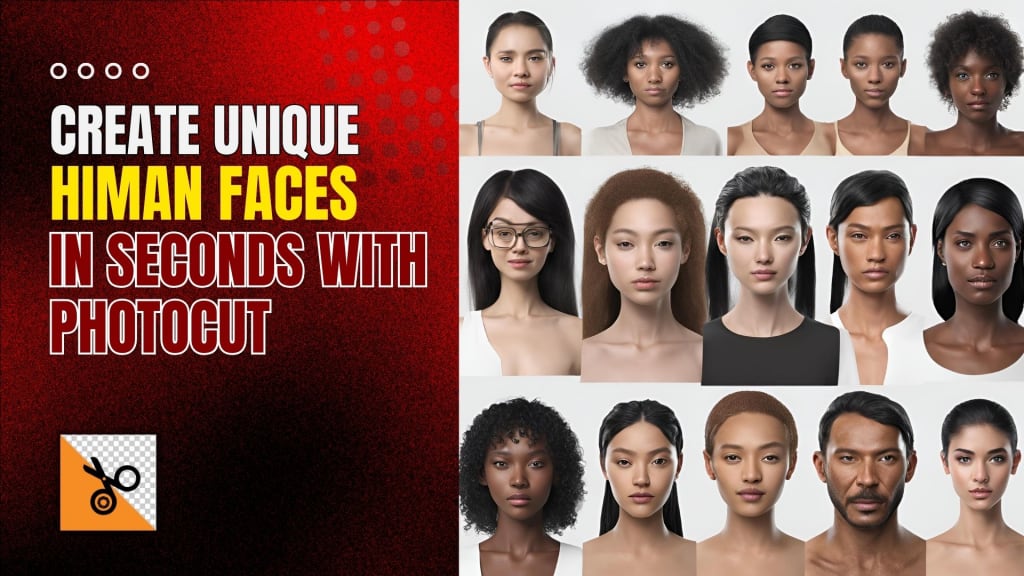
Digital technologies are completely transforming modern design and visual production, and AI is leading the charge to make this process simpler and more approachable. AI face generators, which can produce realistic or stylized human faces in seconds, are among the most interesting developments in AI technology. Whether you are a graphic designer, game developer, content developer, or just someone having an idea; PhotoCut gives you an ultra-powerful free, hassle-free, very simple-to-operate tool enabling you to be able to create unique-looking human faces absolutely without your technical skills and backbreaking effort for which this required earlier.
Whether you are looking for a realistic face for your next project, want to experiment with styles like anime or cyberpunk, or just need an AI-generated portrait for a profile picture or create professional passport photos, PhotoCut's AI Face Generator is here to help. In this article, we will go through how PhotoCut's AI Face Generator works, how to use it effectively, and all the incredible features that make it a game-changer for personal and professional projects.
What is PhotoCut's AI Face Generator?
The PhotoCut's AI Face Generator is a new product based on using AI that gives users the ability to make pretty realistic and detailed images of human faces with less information from the user. One merely needs to describe what one's desired face looks like, upload a reference image, or in some cases, type words describing the face; this lets the AI do all of the work. It takes only a few seconds for the tool to generate a human face, which can then be customized according to your preferences. You can create PNGs out of your generated faces.
This face generator is a powerful piece of software where people are free to modify various properties generated into this face, which would mean gender, age, hair style, color skin tone, accessories, scars and so much more, for a large list of customized options that are likely to create the best facial output according to individual purposes; like designing characters, for the games, stock photography and also avatars.
How Does PhotoCut's AI Face Generator Work?
The magic behind the AI Face Generator of PhotoCut is through its use of machine learning algorithms and artificial intelligence. It was trained by using enormous amounts of data about human faces, hence allowing it to generate pretty realistic faces as per a description or even reference images given by a user. How it works, in simple words is:
- You can describe the face you want (for example, "a young woman with brown hair, a warm smile, and hazel eyes") or upload a photo as a reference.
- The AI begins analyzing the description and generates a face that matches the characteristics described. It uses advanced algorithms to match the details, making the face look realistic and accurate.
- You can adjust many aspects like facial expression, hair color, shape, makeup, etc. The face is optimized according to your specific demands.
- After generation and final face-making, you can download the photo in high resolution and do whatever you like like game development, digital art projects, commercials, or just fun creations. You can also learn about the Tan color and incorporate that into your face creations.
Features of PhotoCut’s AI Face Generator
The success of PhotoCut relies on the diversity of features that make it relatively simple for users to produce and modify human faces. Now, let's dig a little deeper into the highlights:
1. Realistic Face Creation
PhotoCut AI Face Generator can make human faces that look quite real and natural. The result of creating a character in a video game, social media avatar, or marketing campaign, will look detailed, expressive, and realistic, thanks to AI. Advanced algorithms guarantee realistic proportions, lighting, and shadows in the generated faces, and they often cannot be distinguished from photographs. You can enhance the quality when creating videos with your creations using PhotoCut.
2. Customization Options
Customization is one of the biggest advantages of using PhotoCut’s AI Face Generator. Once the face is generated, you can make alterations according to your preferences. You can modify:
Hair color and style: There is a wide range of hairstyles and colors from short and spiky to long and flowing.
Eye color and shape: Change the shape, size, and color of the eyes for more personalization.
Skin tone and texture: Choose a skin tone that suits your face best, with many options.
Makeup, accessories, and scars: Add makeup, glasses, earrings, and even scars to make your generated face truly unique.
These customizations allow you to create diverse characters with varying appearances, from youthful and innocent to mature and rugged.
3. Different AI Face Styles
PhotoCut’s AI Face Generator is not limited to just one style of face. The tool offers various styles to suit different creative needs. Some of the most popular styles include:
Realistic Human Faces: Style for creating lifelike human faces that look as if they could be directed from a photo.
Anime faces: Those who enjoy manga or anime will find this style to be even more stylized, with exaggerated features like multicolored hair and wider eyes.
Cyberpunk Faces: Incorporate futuristic, dystopian aspects into your look with cyberpunk haircuts, metallic accessories, and illuminating tattoos.
Concept Art Faces: Suitable for use by artists and game developers who need more artistic and abstract presentations of the face. Commonly, these faces are presented with dramatic lighting or painterly textures.
3D Faces: Create three-dimensional faces with added depth, perfect for 3D models, animations, or virtual environments.
Painting Style: Style the face as an artistic painting so that it is presented with a more stylized and artistic appearance.
All these styles ensure you will be able to create the perfect face for your project; whether you're going to want realism, cartoon fun, or something more extraordinary.
4. Face Swap Feature
Another strong feature of PhotoCut's AI Face Generator is face-swapping capabilities in existing photos. Here, you can replace a face in a photograph with newly generated ones, which gives the tool incredible value if your project needs a look or expression. Whether creating marketing campaigns or just doing something fun with photo manipulation, the face-swapping feature enhances versatility in your creative box.
5. Full-Body Human Pictures
While the primary focus of PhotoCut’s AI Face Generator is on facial images, the tool can also be used to create full-body human pictures. This feature is particularly useful for character design, illustrations, and game development, where you need a complete image of a human figure, not just a face. You can crop your images according to your needs.
6. High-Quality Output
One of the features that PhotoCut's AI Face Generator has is that the images that are generated are of high resolution. You can download faces in a resolution that's good for both digital and print use. Whether it's for web design, advertising, social media posts, or even product packaging, PhotoCut ensures the images remain clear and detailed.
Why Use PhotoCut’s AI Face Generator?
There are several compelling reasons why you should consider using PhotoCut’s AI Face Generator for your next project:
1. Fast and Easy to Use
PhotoCut's AI Face Generator is easy to work with even if you don't have a background in art or tech. With no technical know-how whatsoever, you can still generate a realistic high-quality human face. The description will be taken from you and used to fill in the required reference you may attach for generating that AI face.
2. Free to Use
The AI Face Generator is free to use and generates up to 10 faces per day for free. This makes it a very good tool for people who have to create faces for personal projects, prototypes, or experiments without going bankrupt.
3. High-Quality, Unique Faces
Unlike stock photo services where you may find overused or generic images, PhotoCut’s AI Face Generator produces unique faces every time. The faces are generated based on your specific input, ensuring that no two faces are alike.
4. Customizable to Your Exact Needs
Because this software is very flexible for the customization of faces, creating faces is within your options. Whichever ethnicity, age, or style you envision; all possible details may be personalized via PhotoCut.
How to Make a Face with AI Using PhotoCut
AI face creation using PhotoCut is quick and easy. The following is how to begin:
- Describe the Face You Want: Describe the type of face you want to create. Be specific regarding age, gender, facial expression, and any other defining features.
- Press the "Generate" button now: Click the Generate button once you've written your description so the AI can make the face for you.
- Pick Your Style: Whether it's a genuine human face, anime, cyberpunk, or something else entirely, pick your favorite style.
Download the picture: After creating the image, you may download a high-resolution copy to use any way you choose.
FAQs
Q1. Can I use PhotoCut’s AI face generator for free?
Ans. Yes! You can create up to 10 faces per day for free.
Q2. What should I do if the face isn’t what I wanted?
Ans. If the generated face isn’t quite right, try modifying your description to be more specific or choose a different style.
Q3. Are the AI-generated faces unique?
Ans. Yes, each face is unique, and created based on your description or uploaded reference.
Q4. How long does it take to generate an AI human face?
Ans. Typically, the process takes between 30 seconds to 2 minutes, depending on the complexity of the request.
About the Creator
PhotoCut
AI Photo Editing Tool - Remove or Change your Background & Enhance Product Photos
Keep reading
More stories from PhotoCut and writers in Photography and other communities.
Create Transparent PNGs with PhotoCut’s PNG Maker
Today, creating high-quality, transparent PNG images has become the most crucial issue in the digital world. Whether a graphic designer, content creator, or business owner, an image without transparency makes all the difference between outstanding and boring work. PhotoCut’s PNG Maker is an efficient online application that enables easy conversion of JPG images to transparent PNGs with enhancement of the resolution and backgrounds. This article explains how PhotoCut's PNG Maker works, as well as how to utilize its different functions to enhance your image editing workflow.
By PhotoCutabout a year ago in Photography
The Gold Tone (Orotone) Technique
She picked it up from a dusty shelf at an estate sale, thinking it was just an old frame. Then the light caught it. The image glowed, not like a print, not like a painting, but like something that seemed to carry its own inner warmth. That was her first encounter with an Orotone, and she bought it without asking the price.
By CurlsAndCommas4 days ago in Photography
Gold Chrysotype Photography Is Back and the Colours Are Breathtaking
There is a moment when a chrysotype print is lifted from its chemical bath and held up to the light stops people mid-breath. The colours that bloom across the surface — soft dusty pinks fading into deep magenta, rich cyans pooling at the edges, velvety blacks settling into the grain of the paper — look less like a photograph and more like something pulled from a dream.
By CurlsAndCommas4 days ago in Photography


Comments
There are no comments for this story
Be the first to respond and start the conversation.