
Boost Your Online Sales: Easy Product Photography Tips for Ecommerce
Easy, Effective Photo Tips to Build Trust, Improve Conversions, and Grow Your Online Sales

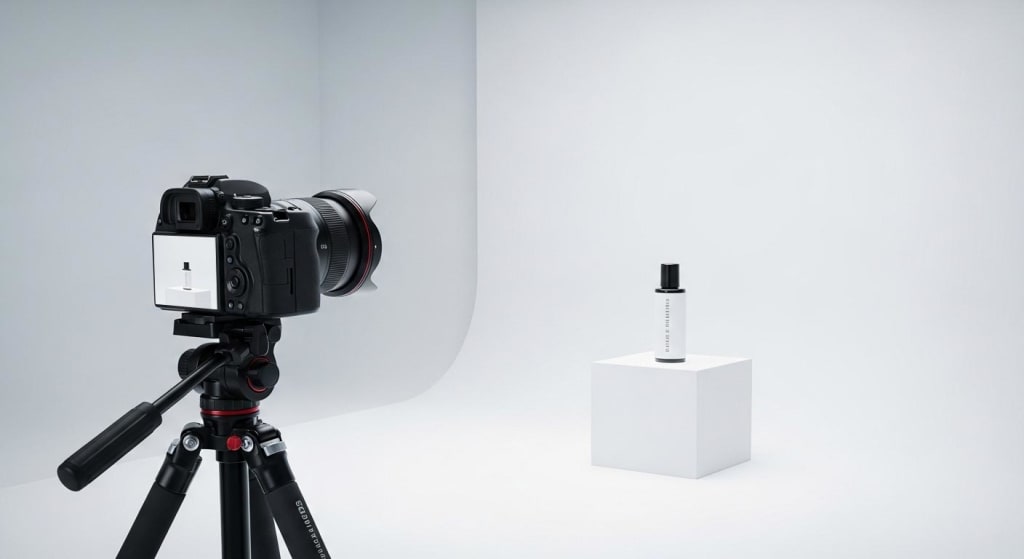
In the world of e-commerce, your product photos are often the first —and sometimes the only —thing a customer sees before making a purchase. Unlike physical stores, your online customers can’t touch, hold, or try out your products. So what convinces them to buy? Clear, high-quality images.
Studies show that 75% of online shoppers cite product photos as the most influential factor in their purchasing decisions. Whether you're selling handmade jewelry or tech gadgets, strong visuals help build trust, reduce returns, and drive more sales.
Luckily, you don’t need expensive gear or years of experience to take great product photos. With just a few tips and some basic tools, you can create professional-looking images that sell.
Why Good Product Photography Matters
High-quality product images are more than just eye candy—they have a direct impact on your bottom line. Here's how:
- Builds Trust: Clear photos signal professionalism and reliability.
- Reduces Returns: Customers know exactly what they’re buying.
- Increases Conversions: Better visuals make products more appealing.
- Supports Branding: A cohesive photo style strengthens your brand identity.
Good product photos act as your silent salesperson. If they’re weak or unclear, you risk losing the sale before it even begins.
Must-Have Gear for Beginners
No studio? No problem. You can start strong with tools you already have—or buy a few affordable upgrades:
- Smartphone Camera: Most modern phones shoot high-res photos.
- Tripod: Keeps shots steady and consistent.
- White Background: Use foam board or poster paper for a clean, pro look.
- Natural Light: A window with diffused daylight is your best friend.
- Reflector: Bounce light to reduce shadows. DIY with white cardboard or foil.
Pro Tip: Avoid harsh overhead lighting or direct sunlight, which can create shadows or glare.
Setting Up the Perfect Shot
Want that “studio-quality” look at home? Here's how to set up your scene:
- Keep Backgrounds Simple: White or neutral tones put the focus on your product.
- Use Natural Light Wisely: Position your setup near a window, preferably during morning or late afternoon for softer light.
- Mind the Shadows: Use reflectors or a second light source to balance lighting.
- Capture Multiple Angles: Front, back, side, top-down, and close-ups for details.
- Show Scale: Use props or hands to give customers a sense of size.
- Style with Purpose: For lifestyle shots, place the product in a real-life context to help shoppers visualize its use.
Simple Tips for Taking Better Ecommerce Photos
Choose a Simple Background
White backgrounds make products stand out. People can focus easily. Busy backgrounds confuse shoppers.
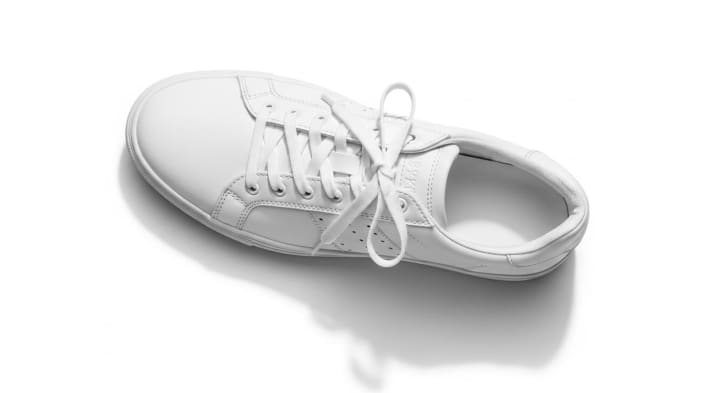
Use simple colors like white, grey, or soft pastels. You can remove backgrounds easily using tools like the Magic Wand Tool in Photoshop.
Use Good Lighting
Natural daylight is best. It shows true colors and details. Take photos near a big window in daylight. If indoors, use LED lights. Avoid shadows by placing lights on both sides.

Show Multiple Angles and Details
Customers want to see every side. Show front, back, top, and close-ups of details. This builds trust because customers see exactly what they will get.
Use Real Models if Possible
People buy products when they can imagine themselves using them. Models help shoppers understand the size and look. Choose models who look like your target customers.

How to Edit Ecommerce Product Photos Easily
Raw photos rarely look perfect right out of the camera. Simple editing can make your images pop and polish your presentation.
Crop and Center Your Product
Crop your photo so that your product is centered. Leave equal space around the product. This looks clean and professional.
Adjust Brightness and Contrast
Bright photos attract eyes. Adjust the brightness so the product looks fresh and clear. Contrast helps details stand out.
Retouch to Remove Small Mistakes
Remove dust, wrinkles, or minor marks. Clean photos increase trust. Path shows beautiful examples of clean product photos for inspiration.

Easy Tools for Beginners:
- Free: Canva, Snapseed, Pixlr, Remove.bg
- Pro: Adobe Lightroom, Photoshop, Fotor
Pro Tip: Avoid heavy filters. Maintain accurate colors to ensure the product appears true to life.
Optimize Your Images for Web
Large, uncompressed images can slow down your website—hurting your SEO and customer experience. Here’s how to keep your site fast and functional:
- Resize Images: Fit your platform’s ideal dimensions (e.g., 1200px wide).
- Compress Files: Use TinyPNG or ShortPixel to reduce size without losing quality.
- Use the Right Format: JPEG for photos, PNG for images with transparency, WebP for best performance.
- Name Files Descriptively: Use keywords (e.g., "black-leather-wallet.jpg") for better SEO.
- Add Alt Text: Helps with accessibility and search rankings.
Keep a Consistent Visual Style
Consistency makes your brand look cohesive and trustworthy. Shoppers should feel like every photo belongs to the same store.
- Use the same background for all products.
- Stick to a uniform angle or distance across your catalog.
- Maintain a consistent lighting setup.
- Create a photo style guide for future shoots to ensure repeatability.
Real-Life Example: Before & After
Before: A dark, poorly lit mug on a cluttered kitchen table.
After: The same mug, brightly lit against a white background, with close-up and styled lifestyle shots.
Result: The product page saw a 28% increase in conversions after updating the photos.
This proves that even subtle visual improvements can make a measurable difference.
FAQ: Common Questions About Product Photography
Q: What if I don’t own a fancy camera?
A: Your smartphone is all you need—just focus on lighting, steadiness, and clean composition.
Q: Can I edit my photos even if I’m not tech-savvy?
A: Absolutely. Tools like Canva, Snapseed, and Remove.bg make it super easy.
Q: How many product photos should I include?
A: At least 3–5 per item. Show different angles, details, and usage context if possible.
Q: Does product photography really affect sales?
A: Yes! Better photos build trust, increase conversions, and reduce returns.
Action Plan: Start Improving Your Photos Today
- Choose 3–5 of your top-selling products.
- Re-shoot or re-edit using the tips from this guide.
- A/B test your old and new product photos.
- Build a photo style guide for consistency.
- Monitor performance—track changes in traffic, conversions, and bounce rates.
Conclusion: Great Photos Sell
Investing in better product photography doesn’t require a massive budget or professional studio—just the proper knowledge and a bit of effort. By improving your lighting, background, editing, and consistency, you’ll not only make your store look more professional but also help customers feel confident enough to make a purchase.
Start today with these simple tips—and watch your ecommerce store grow.
About the Creator
Biju Toha
Bijutoha is your go-to for digital solutions. We provide graphic design, product photo editing, website design that converts, and SEO expertise to boost organic traffic. Let us help you succeed online! https://bijutoha.com/
Keep reading
More stories from Biju Toha and writers in Photography and other communities.
What Are the Best Action Cameras in 2026?
In a world where moments disappear in seconds, capturing them perfectly has never been more important. Whether you're hiking through misty mountains, diving into crystal-clear waters, documenting your travels, vlogging your daily life, or racing down rugged trails, an action camera gives you the power to relive every thrilling second.
By Labiba20 days ago in Photography
Boundless
A geographical map could take you there. To the places I've been, to the sights I've seen, to the landscapes I've climbed. But no compass could point you in the direction of my memories. To the experiences I've lived, to the happiness I've felt, to the wonder I've held so close to my heart.
By Alyssa Musso6 days ago in Writers




Comments
There are no comments for this story
Be the first to respond and start the conversation.