
Best Photo App to Remove Background
It is hard being a novice photo editor and photographer in general. Removing the background from an image can be a time-consuming and difficult task.
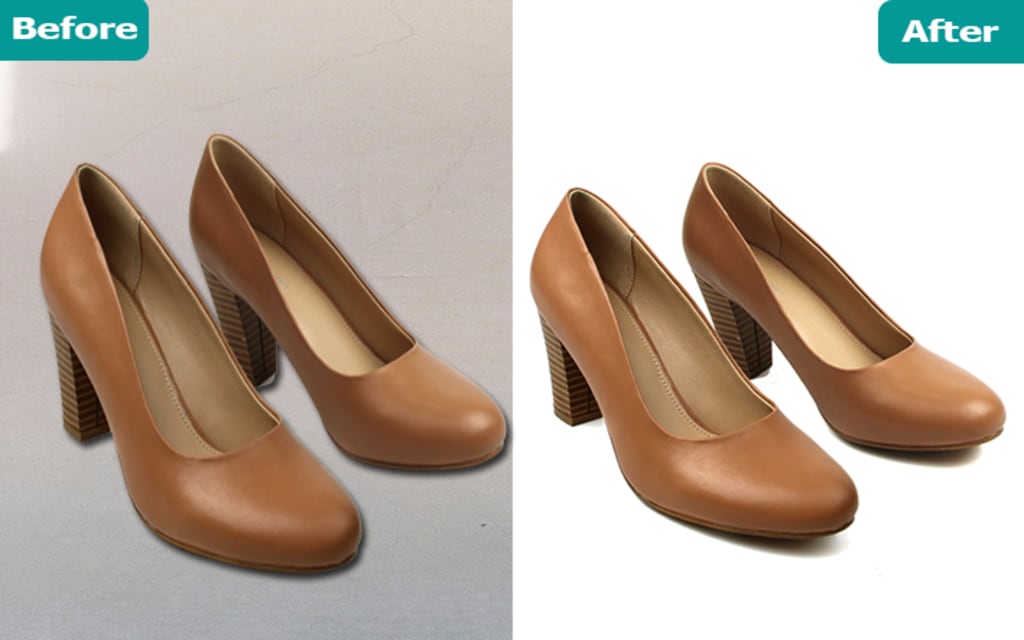
When I started working on editing photos, I struggled to find the best app that removes background flawlessly. It is hard being a novice photo editor and photographer in general. Removing the background from an image can be a time-consuming and difficult task. Images with transparent backgrounds are quite useful for a variety of purposes, both personal and professional.To be visually appealing, it is especially important to mix certain elements to blend in a design and create depth and details. It aids in achieving a professional appearance because transparency complements everything.I have used many apps throughout my career, but very few came as handy as TouchRetouch. This app is compatible with all smartphones, including Android and iPhone models. It does a good job of removing background from your photographs and is ideal for touch-ups. Not only can you remove backdrops with TouchRetouch, but you can also remove all sorts of objects that are getting in the way of your perfect shot. It also allows you to remove some difficult objects, such as electrical lines.There is an option in this app called the Object Removal Tool. Let us talk in detail about it without further ado.m
The Object Removal feature is used to remove large and complex objects in the background that cover multiple image layers.To use it, upload an image and then click the bottom-right Object Removal button. Except for the back button, you will be presented with your loaded image and four other selections. These four buttons are respectively, Brush, Erase, Lasso & Settings.
To begin, click on the Brush and select the object to be removed.Now, use the Eraser to remove the flaw in the selected area. It works fine without the Eraser in most cases, but it is recommended for complex objects. Remember that it does not have to be perfect. You can also change the brush size by going to the Settings menu.The object will be removed when you click the Go button.
There is also another tool that helps with background removal and that is the Line Removal Tool. The Line Remover tool is great for removing any type of line from your photos without destroying the intended shot. This feature was created specifically for it, and it can assist you in achieving excellent results.Using TouchRetouch, open your image and select the Line Remover button. The Line Remover, Segment Remover, and Settings buttons will appear.Select the Line Remover tool, then click on the part of the line you want to remove, and the app will detect the entire line. It will remove the selected segment and display the resulting image after processing your selection.
Another thing I like about this app is that it does not require a subscription, which is something that many apps these days do. TouchRetouch costs $2 and is available for iPhones, iPads, and Android devices. There is also a $15 Mac version available.
There is all that could be said about the Touchretouch app. Now we should move some other applications in this segment.
Leawo Photo BG Remover: It is an easy-to-use and professional photo backdrop eraser that is powered by a sophisticated algorithm. It allows you to simply eliminate undesired parts while preserving desired areas using automated and manual photo background removal. It can perfectly remove background from transparent items without effort, in addition to hair and fur.Furthermore, Leawo Photo BG Remover includes a number of tools for changing and editing photo backgrounds. You can, for example, change the photo background to a transparent, solid colour, or to any image. You can also make the background blurry to create an artistic vibe.
HitPaw: HitPaw Online Background Remover is the most user-friendly program, and we strongly advise you to use it. It will automatically remove the image's background with a single click. After utilizing the AI to progress automatically, you can use "Restore" and "Eraser" to restore the background or remove the undesirable part of some photographs with a complex backdrop.You can use this tool to change the background to a specific one you have or to use a pure coloured background. As an online tool, you can access it from anywhere and at any time.What I enjoy best about HitPaw Online Tools is that image background removal is one of the functions. Apart from background remover, you can also use the picture converter, dynamic photo, face animator, screen recorder, video cutter, watermark remover, and other tools for free.
Slazzer: With Slazzer, you can instantly remove and replace the background of your images. It accepts JPG, PNG, and JPEG file formats, and you can literally upload any image, even if it's quite complex. Their AI computer vision algorithm is capable of distinguishing between confusing objects such as hair and even similar colors in order to separate the background.You may use it online or download their desktop software to process photos in bulk automatically. For the same technique on other platforms, it also has a mobile app, Photoshop plugin, Shopify plugin, WooCommerce plugin, and Figma plugin. Slazzer also provides an API through which you can remove background information with a single API call.
Canva: And finally, how could I have missed out on this! Everyone’s favorite, Canva. Canva is a well-known application that is extremely simple to use, especially for those with limited design expertise. With its built-in tools and pieces, which you can easily drag and drop to create something visually appealing, it makes things a lot easier.Most features are free, but to remove background, you must be a PRO user. However, once you join their PRO plan, you literally unlock a world of design possibilities that you could never have imagined before.The best part is that your first month of PRO membership is completely free. If you don't like it, you may stop doing it at any time, but I'm confident you'll want to keep doing it because of the convenience it brings.
About the Creator
Keep reading
More stories from Md Mehebubul Hasan and writers in Photography and other communities.
How to Use Ghost Mannequin in Your E-commerce Product Photography
In the world of e-commerce, product photography is an essential element for attracting customers to purchase your products. One of the most popular and effective techniques used in product photography is the ghost mannequin technique. Ghost mannequin is a post-production technique that removes the mannequin or model from the image, creating a 3D effect that showcases the product in a more appealing and professional manner. In this article, we will discuss the steps to use ghost mannequin in your ecommerce product photography.
By Md Mehebubul Hasan3 years ago in Photography
Leavie Scott
ORDER HERE Chicago – A Radiant Urban Masterpiece by Leavie Scott Arts & Culture Review – Feature Story In his striking new work Chicago, photographer Leavie Scott captures the soul of the Windy City with a level of vibrancy and emotional resonance that is impossible to ignore. The image immerses viewers in a dazzling skyline bathed in mesmerizing tones of purple, pink, and gold—a palette rarely seen in traditional urban photography and one that instantly distinguishes Scott’s artistic voice.
By Organic Products 3 days ago in Photography
Curious Photography Tips Every Beginner Should Try
Have you ever wondered why two people using the same camera can produce completely different photos? The answer often lies in how well the photographer understands the camera itself. For beginners, cameras can seem filled with confusing buttons, dials, and settings. But what if those settings are actually the key to better photos?
By Craig Spiesmanabout 17 hours ago in Photography


Comments
There are no comments for this story
Be the first to respond and start the conversation.