
Best Apps and Websites for Creative Projects
Best Apps and Websites for Creative Projects

All creative tools of the digital age have an attachment to the individual needing them for designing, editing, and even expressing oneself in the various forms of digital art. Custom wallpaper designing, creating clipart for a project, editing images using AI, getting a tattoo design, or using free architectural design software, one may easily find many tools meeting all demands in such cases. This article delves into exploring the best apps and sites for all of the categories discussed here, thereby matching a perfect tool to your project.
Create stunning image backgrounds with AI using PhotoCut’s Background Generation API.
Best Wallpaper Apps
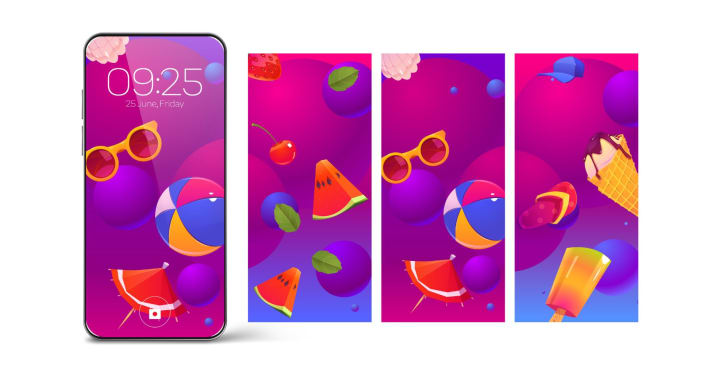
Wallpaper apps provide ways to make your device look personalized. Not only that, but they also let you choose from thousands of high-definition quality images, themes, and even dynamic wallpapers. Here are a few of the best wallpaper apps available for mobile and desktop users.
- Zedge (iOS/Android): It's one of the most downloaded wallpaper apps as well. It's known for its vast collection of free wallpapers, ringtones, and notification sounds. The app groups wallpapers into categories such as nature, anime, cars, and abstract design. It even allows setting live wallpapers that move and change with time, hence ideal for dynamic background lovers.
- Walli (iOS/Android): An app that features different wallpapers for independent artists. It is designed for those who think that the ordinary stock image is less than an artwork in itself and want something truly different. Apart from featuring live wallpapers, it even allows you to share some favorite wallpapers with your friends.
- Backdrops (iOS/Android): Backdrops presents premium wallpapers to users, designed by a community of graphic designers. Daily, they should be able to freshen up the collection with updates of daily content. Be it minimalistic designs or bold, colorful visuals, Backdrops cater to a plethora of categories.
- Unsplash (iOS/Android): Unsplash is rather popular for its high-quality, royalty-free images, and the app allows one to browse and simply apply really cool images as wallpapers. From landscapes to portraits and cityscapes, Unsplash offers everything, all shot professionally by various photographers, and all for free.
Best Clipart Websites
Clipart is essential for adding visual appeal to presentations, designs, social media posts, and more. These sites contain vast repositories of hundreds of thousands of images in the form of free and paid rights-free clipart images, which can be used for personal and commercial purposes:
- OpenClipart: OpenClipart is a completely free resource for high-quality vector clipart. All these images are public domain, and you can use them without fear of copyright issues. OpenClipart, from its simple interface, offers a wide range of categories from nature to commercial and educational.
- Pixabay: Pixabay is a very popular place for clipart images, illustrations, and, therefore, vector graphics that are freely available for personal and commercial usage. Among over 1.7 million images, Pixabay's collection has some high-resolution graphics that are perfect for any design.
- Clipart Library: This is the end-all in terms of free clipart images in a multitude of varying categories. It is a site for students, teachers, and designers to search for relevant clipart images relative to a certain topic, from holidays to animals, people, etc.
- Vecteezy: Vecteezy has a good number of collections of vector graphics, drawings, and clipart, both in free and paid terms. Vecteezy is a practical shopping site for high-quality artwork with commercial licenses for use in projects, presentations, or online graphics through social media. Vecteezy's collection is featured, and very easy to search and download in different formats.
- Freepik: Freepik is among the largest repositories of free vectors, clipart, and illustrations. While it has premium membership privileges with added features, many of the resources are free for downloading. It also has clipart editing and customization tools to achieve design specifications.
Learn the working process of an image editing API.
Best AI Photo Editor APIs
AI-based photo editing applications are changing the way images are modified, and APIs that integrate AI for photo enhancements are gaining popularity. Here are some of the best AI photo editor APIs to automate and enhance images for smooth image editing.
- Adobe Photoshop API: The Photoshop API by Adobe gives developers a means to automate their image editing tasks, utilizing Adobe's flagship software for the process. The API provides advanced background removal, object selection, and filters, making it appropriate for developers willing to integrate advanced photo manipulation into their applications.
- Remove.bg: Remove.bg is a powerful AI tool known explicitly for background removal from pictures. The API can perform auto background removal with a few lines of code. It is useful for e-commerce websites, social media managers, and marketers who want to eliminate subjects quickly from backgrounds.
- DeepAI Image Editing API: DeepAI hosts a wide range of AI image editing tools, such as an image colorizer, style transfer, and inpainting. The Image Editing API offers an opportunity for developers to build applications capable of easy image enhancement and transformation through an automatic restoration process.
- Fotor's AI Photo Enhancer API: The automatic photo enhancement API can enhance images by tuning attributes like brightness, contrast, and sharpness. This API will be used by developers who intend to integrate AI-based photo improvement functions into their applications.
- Face++: An AI-based API specialized in face recognition and image analysis. The API could find facial features, recognize emotions, and even apply makeup or change facial expressions in photographs. This is very useful for social application gaming or beauty-related app development.
Best Tattoo Design Apps
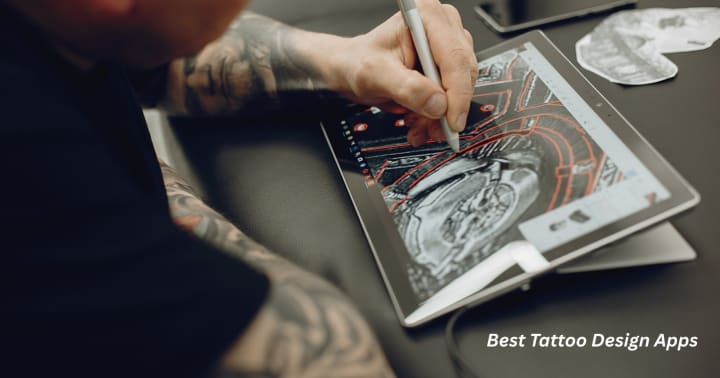
Tattoo design apps are highly instrumental for people to try out tattoo ideas and see what it would look like on their skin without making a definite commitment. Apps of the following nature help you to find inspiration, customize your designs, and give you a virtual glimpse into how it would look on your skin with the tattoo under consideration. Below is a summary of some of the best tattoo design apps available:
- InkHunter (IOS/Android): InkHunter is one of the most popular tattoo design apps, offering a unique augmented reality feature that lets you preview tattoos on your body using your phone's camera. The app has a large library of designs to choose from, or you can upload your own to see how it will look on different body parts.
- Tattoo Designs (iOS/Android): This application has a collection of tattoo designs of forms, both in an elderly and modern style. There are sections such as animals, symbols, and quotes for you to choose what you like and save them for later. It is a pretty good app to get some inspiration or customizing ideas.
- Tattoo My Photo (iOS/Android): First, consider Tattoo My Photo; here, you will apply tattoos to your photos and have an approximation of how they would look before going to a tattoo parlor. The application offers a variety of tattoos and provides you with options for size, placement, and permitted use on the skin.
- Tattoodo (iOS/Android): Here is another tattoo community application that exposes users to tattoo designs and allows them to connect with artists. This app has a massive collection of tattoo images presented in hundreds of different styles and makes arrangements for on-the-spot bookings and consultations with a certified tattoo artist, all within the app.
- Artflow (iOS/Android): Artflow is a mobile drawing and sketching application that enables the creation of a personal tattoo design. It has great tools for sketching, layering, and shading, all of which help users in developing their custom tattoos from scratch.
Discover the newest features coming soon to the PhotoCut API.
Best Free Architectural Design Software
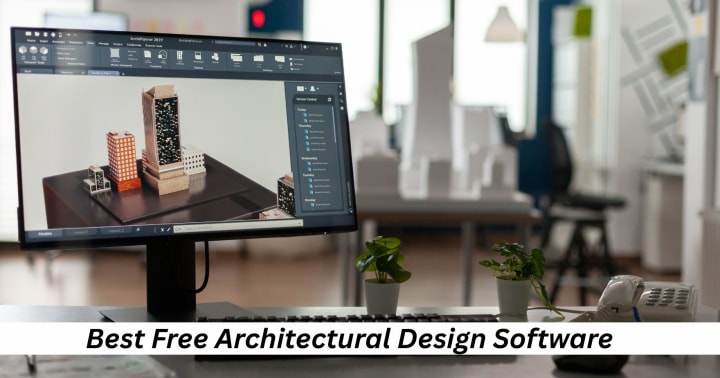
Architectural Design Software utility is for architects, designers, and hobbyists who want to create accurate blueprints and visualizations of buildings and structures. While many architectural programs are expensive, several free options can still offer powerful design capabilities. Here are the best free architectural design software options:
- SketchUp: SketchUp happens to be among the most famous of all modeling tools available worldwide for architects and designers. For novices or those who only wish to construct basic architecture ideas, the SketchUp free edition offers a more comprehensive suite of 3D modeling tools. You may make, examine, and share your 3D models online using this web-based application.
- Sweet Home 3D: This fully open-source interior design program enables users to create 3D models and comprehensive 2D floor plans for their concepts. It is quite simple to handle and will not cause any trouble to newbies in designing the architectural layouts of houses, or simply wanting a straightforward and practical version.
- FreeCAD: FreeCAD is an open-source, parameterized 3D CAD modeler. As one of the best software programs for complex architectural model generation, it is also extremely flexible and useful for all kinds of tasks, from mechanical engineering projects to building models.
- Blender: Historically known for its compelling 3D modeling and animation, Blender has also been applied in architectural layout. With its effective modeling, rendering, and sculpting tools, it can generate convincing and very detailed architectural visualizations.
- Autocad 360: This is the free mobile and web-based counterpart of Autodesk's most famous AutoCAD. It presents a reduced set of tools to view and edit DWG files, making it perfect for any architect on hand.
PhotoCut for Creative Projects
With time-honored features offered and added functionality, PhotoCut is a powerful tool to enhance various creative fields, including the creation of wallpaper, clipart design, AI photo editing, tattoo design, and architectural design. Therefore, using this software adds a nice, personalized touch to one's creativity.
- Wallpaper Creation: Users can create custom wallpapers from PhotoCut's background-removal and editing capabilities by isolating subjects and placing them onto personalized backgrounds. Perfect for some custom wallpapers that would surely catch the attention of a desktop or mobile wallpaper.
- Clipart Design: Whether designing clipart for presentations or social media, PhotoCut allows users to easily manipulate images to extract elements and customize them with text, colors, and effects to give a personal flair to their clipart.
- AI Photo Editing: Though PhotoCut is not AI-based, it certainly helps when it comes to background removal and enhancement alongside AI-based tools. It is the one manual option for ugly things that could just be quickly tidied up.
- Tattoo Design: PhotoCut is an excellent platform that lets the user visualize designs on skin using photos, thereby aiding the tattoo design process. Clients are then allowed to customize the tattoo design extensively before the actual tattooing session.
- Architectural Design: PhotoCut aids architects with presentations, allowing them to create mock-ups with custom backgrounds and add their text or logos onto 3D renderings or blueprints to enhance the overall appearance of architectural images.
PhotoCut enhances and simplifies design tasks across the aforementioned creative fields, where it again becomes an indispensable tool for professionals and amateurs alike.
Read about the new PhotoCut API updates.
Conclusion
From wallpaper apps to architectural design software, a wide range of creativity tools are available today, many of them free or providing significant functionality without charge. So, whether they want to create stunning custom wallpapers, enter the riveting scene of AI photo editing, design their next tattoo, or just evaluate some architectural layouts, all the resources given above will assist in bringing their plans to action. In simple terms, PhotoCut is most useful when one needs a basic yet effective means of photo editing that will benefit images with custom text or background changes.
Learn how to create a social media campaign with the PhotoCut API.
FAQs
Q1. Are wallpaper apps safe to use? I'm worried about privacy.
Ans. Most reputable wallpaper apps are safe. Never forget to check the permissions sought by the app before installation. If you see too many permissions required for an app (like location or contacts), then it is most likely a data miner. Check the reviews and the developer's reputation before downloading it.
Q2. What are the best wallpaper apps for iPhone?
Ans. Popular choices include:
- Vellum: Features curated, high-resolution wallpapers with a blur effect.
- Everpix: Offers a large library of wallpapers with daily additions.
- Live Wallpapers for Me: This specializes in animated or "live" wallpapers (can drain battery).
- Unsplash: Access the incredible library of free images from Unsplash.
- Clarity Wallpaper: Beautifully simple wallpapers that focus on readability.
Q3. How does royalty-free clipart vary from copyright-free clipart?
Ans. Royalty-free implies that after paying a one-time charge or subscription cost, you can use your clipart for many projects without having to pay royalties for each use. However, the copyright still belongs to the original creator. Copyright-free (or "public domain") means that copyright has either expired or was never claimed, and thus it may very well be put to unrestricted use by you.
Q4. What are some good websites for paid (royalty-free) clipart?
Ans. If you need a wider selection and higher quality, consider these paid options:
- Shutterstock: A vast library of stock photos, illustrations, and vectors.
- Getty Images: Another premium stock image provider.
- Adobe Stock: Integrated with Adobe Creative Cloud.
- iStockphoto: A marketplace that includes a wide array of royalty-free images and sells at different price points.
- Etsy: Site for rare and unique handcrafted clipart by individual artists.
Q5. What are the advantages of using an AI Photo Editor API?
Ans. The advantages include:
- Reduced Development Time: No need to start the very difficult task of building image processing algorithms from scratch.
- Improved image quality: AI would perform advanced editing that would be quite difficult and time-consuming to do by hand.
- Automation: Automate repetitive functions such as background removal or color correction.
- Scalability: It can quickly process a lot of image processing requests.
- Advanced Features: With advanced features, access cutting-edge AI technologies, including object identification, style transfer, and facial recognition.
Q6. What factors should I consider when choosing an AI Photo Editor API?
Ans. Considerations include the following:
- Features: Does the API offer the specific features you want (like object removal, style transfer)?
- Accuracy: How accurate are the AI algorithms?
- Price: How is it priced (pay-per-use, subscription)?
- Ease of Use: How easy is it to integrate it into your application?
- Performance: How well does it perform in processing images?
- Documentation and Support: Is it well documented? Do they provide good support?
- Scalability: Will it be able to fulfill your expected volume of image processing requests?
- Data Privacy and Security: How will it handle your image data?
Q7. Would a tattoo design app be able to replace a real tattoo artist?
Ans. No, never. Tattoo design apps are tools to assist in the designing process, inspiring you and letting you visualize designs. They should never replace consultation with a professional tattoo artist with years of training. A skilled artist would modify the design to fit your form, get the proper placement for it, provide you with realistic expectations on the process, and ultimately ensure a clean and safe tattooing environment.
Q8. What should I look out for in a tattoo design app?
Ans: Look for:
- A large and varied design library: Multiple styles, motifs, and categories to browse through.
- Personalisation options: Change colors, sizes, and placements.
- Image Uploading: The ability to upload your photos or drawings to incorporate them into a design.
- Augmented Reality (AR) Feature (if available): Provides a virtual "try on" of a tattoo design onto your body using the phone camera.
- Easy to Use: Navigation. Intal controls.
- Save and Share: Save your designs with your artist friend or share them with others.
- Realistic Rendering: Shows how it might look on skin, considering shades and texture.
Q9. Is free architectural design software as good as paid software?
Ans. No, not usually. The free software normally has innumerable limitations in features and functionality, and less support compared to the paid ones. Paid software normally has more advanced modeling tools, rendering capabilities, and collaboration features geared toward professional use. However, free software can serve as a kick-off point.
Q10. What are the limitations of free architectural design software?
Ans. Common limitations include:
- Limited Features: Fewer tools and features compared to paid software.
- Watermarks: Some software may add watermarks to your designs.
- File Format Restrictions: Limited file format support.
- Rendering Limitations: Less advanced rendering capabilities.
- Collaboration Limitations: Limited collaboration features.
- No or Limited Technical Support: May rely on community forums for support.
- Commercial Use Restrictions: Some free versions may have restrictions on using the software for commercial projects.
- Large file sizes.
About the Creator
PhotoCut
AI Photo Editing Tool - Remove or Change your Background & Enhance Product Photos
Keep reading
More stories from PhotoCut and writers in Photography and other communities.
Creative Profile Picture, Tattoo, and Makeup Ideas Using PhotoCut
In today's increasingly digital world, online presentation and personal expression have come to matter more than ever; be it looking for a perfect profile picture or meaningful tattoo ideas, cover-up tattoo designs, or the coolest clown and witch makeup ideas, the right inspiration can work wonders.
By PhotoCut11 months ago in Photography
Why Printed Photographs Still Matter: The Art and Value of Preserving Memories in Print
In a world where most photographs live on phones, laptops, and cloud storage, it is easy to assume that printing pictures is a thing of the past. Yet something meaningful gets lost when memories stay locked inside a device. A photograph printed on high quality paper carries a weight and warmth that no screen can fully replicate. It can be held, shared, framed, and passed down through generations.
By The Iconabout 2 hours ago in Photography
The Gold Tone (Orotone) Technique
She picked it up from a dusty shelf at an estate sale, thinking it was just an old frame. Then the light caught it. The image glowed, not like a print, not like a painting, but like something that seemed to carry its own inner warmth. That was her first encounter with an Orotone, and she bought it without asking the price.
By CurlsAndCommas4 days ago in Photography
A Transparent Look at Vocal Challenges and Top Stories
Almost three years ago, we shared a resource article that served as a place for people to suggest new challenge prompts. We thought it would be a good idea to refresh that thread, and take the opportunity to answer a few common questions about top stories, how challenges are judged and how submissions are reviewed.
By Vocal Curation Team4 days ago in Resources


Comments
There are no comments for this story
Be the first to respond and start the conversation.