
10 Best Color Inverters to Invert Colors with Ease
Online, Mobile, and Desktop

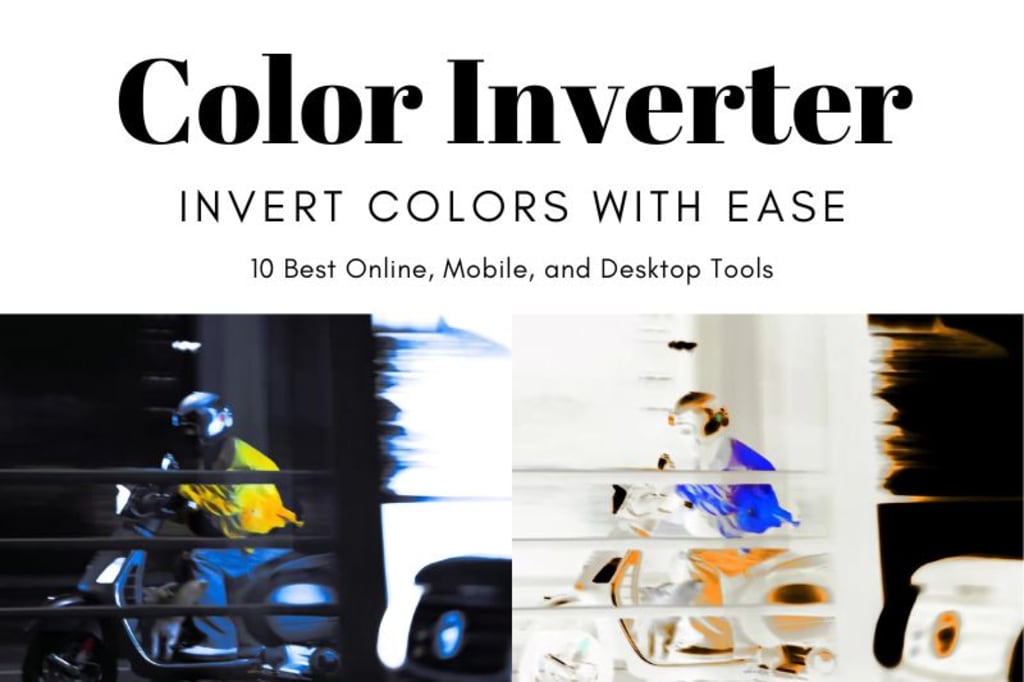
Color inversion is a method that alters the look of pictures and videos. It does this by exchanging colors for their opposites on the color circle. Whether you're making special effects, making things easier to see, or trying out different artistic styles, a good color inverter can simplify the process. In this article, we will look at the 10 top color inverters. These can be used online, on mobile devices, and on computers. They will help you get excellent results no matter what device you're using.
10 Best Color Inverters for All Your Devices: Go Bold with Color
1. GIMP – A Versatile and Free Image Color Inverter [PC]
GIMP is a free, open-source tool for inverting colors and editing images. It works on Windows, macOS, and Linux and is suitable for both beginners and professionals. One of GIMP’s greatest strengths is its support for non-destructive editing. Users can duplicate layers to apply changes like color inversion. This way, the original image stays unchanged. The flexibility lets users reverse or refine edits at any stage. This makes GIMP ideal for projects that need multiple adjustments.
As a popular open-source software, GIMP has an active community that offers tutorials, plugins, and add-ons. These resources help users expand its functionality, enabling more advanced color inversion effects or other edits. GIMP’s powerful features and zero cost make it a top choice for image editing and color inversion.
2. PhotoScape X – Easy and Flexible Image Color Inverter [PC]
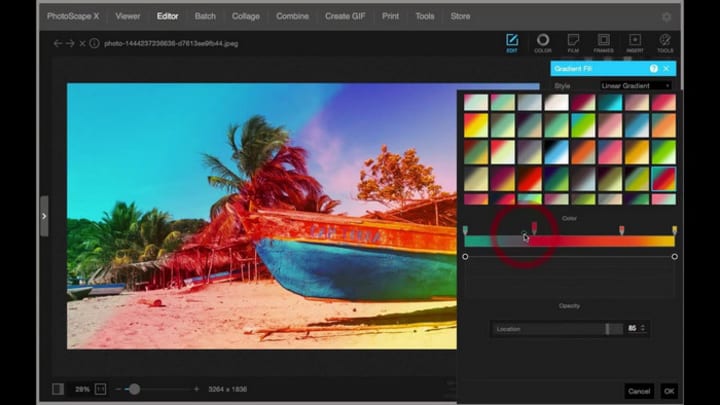
One of PhotoScape X's best features is its real-time preview. When applying color inversion, users can instantly see the changes to their image. This feedback makes it easy to adjust and ensure the final result matches the desired effect.
PhotoScape X also lets users invert colors in specific areas of an image. Using the selection or brush tools, users can target specific regions without changing the rest of the image. This control is perfect for creative or subtle color inversions. With its user-friendly features, PhotoScape X is a versatile tool for both simple and advanced color inversion tasks.
3. Adobe Photoshop – Unmatched Precision and Flexibility in Color Inversion [PC]
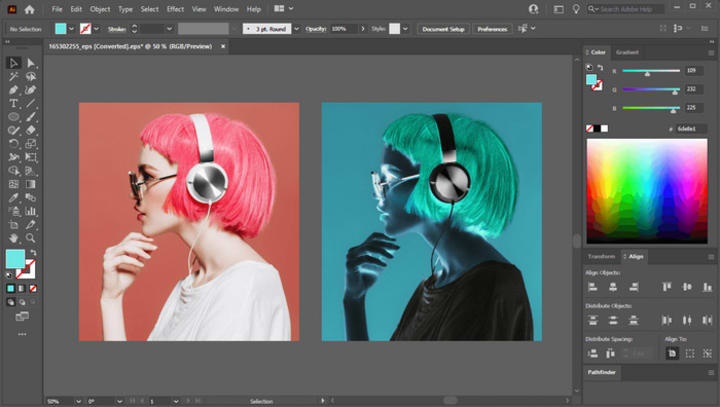
Adobe Photoshop provides a highly precise and powerful color inversion tool. Users can simply select the "Invert" option under "Image" and "Adjustments" to invert colors with one click. This gives accurate results for both entire images and specific areas. Photoshop’s ability to handle global and localized inversions allows users to make professional edits easily.
Photoshop excels at localized color adjustments. Users can select areas with tools like the lasso, magic wand, or quick selection. Color inversion can then be applied only to those areas. Layer masks provide precise control over the affected parts. Photoshop’s support for high-resolution and multi-layer projects makes it the tool of choice for professionals.
4. Adobe Illustrator – Powerful Vector-Based Color Inversion Tool [PC]
Adobe Illustrator stands out for color inversion in vector graphics. Unlike raster images, vector objects maintain their quality and sharpness even when resized. This makes Illustrator ideal for logos, illustrations, and graphic designs, where scaling doesn’t affect the clarity of color inversions.
Illustrator offers flexible color inversion tools. Users can manually invert vector object colors by adjusting the fill and stroke colors. The program also supports both RGB (Red, Green, Blue) and CMYK (Cyan, Magenta, Yellow, Key) color modes, making it suitable for both digital and print designs. This ensures accurate control over color inversions, meeting specific project requirements.
5. Negative Photo: Photo Inverter – A Simple and Efficient Color Inverter [App]
Negative Photo: Photo Inverter is a dedicated app focused on color inversion. Unlike multi-functional editors, it focuses solely on inversion. This makes it easy for users to transform image colors without distractions from additional feature. The intuitive interface ensures users can quickly understand the process and achieve professional results in just a few steps.
Read more: avclabs.com
About the Creator
Keep reading
More stories from Madeline and writers in Photography and other communities.
How to Make a Photo Collage on iPhone
4. How to Make a Collage on an iPhone via Collage Maker - LiveCollage Collage Maker - LiveCollage is an all-in-one app that makes creating custom photo collages both easy and innovative. It integrates with Unsplash, offering high-quality images to enhance your collage if you don’t have enough photos. You can also access Bing Trending Images and GIFs to add dynamic content. Additionally, the app features a unique Carousel Collage option that turns your photos into an engaging slideshow.
By Madelineabout a year ago in Photography
My Year, in Prattling and Photos
It's been a year since... last year. Ironically, it seems I've found myself a new tradition of getting sick during the New Year holidays. At least, this year (that is, this inter-year period remarkable for its shiny decorations in the streets and houses, and closed supermarkets and pretty much everything), I'm doubtlessly doing better: I've managed to come visit my friends in Germany for Christmas (which I failed to do last year) and—after having some good quality time eating machanka, playing Munchkin and swinging machetes (the last one obviously crept into this checklist only for the sake of the phonological form)—I came back home via proverbial Deutche Bahn and probably less known Schweizerische Bundesbahnen, my body hosting a family of viruses, virions and who knows what other tiny critters somewhere inside my chest.
By Andrei Z.17 days ago in Photography
The People We Meet on Vacation: Moments, Connections, and Lasting Impressions
The People We Meet on Vacation: Moments, Connections, and Lasting Impressions Vacations are more than a break from daily routines. They are a unique social experience where people from different backgrounds cross paths in unexpected ways. The people we meet during a holiday often leave strong impressions, even if the interaction lasts only a few minutes. These encounters can shape memories, influence perspectives, and sometimes turn into lifelong friendships. Understanding who we meet on vacation helps explain why travel feels so meaningful to many people.
By America today 6 days ago in Photography



Comments
There are no comments for this story
Be the first to respond and start the conversation.