
How to Improve Your Audio Quality for Podcasts
Tips and Techniques to Make Your Podcast Sound Professional
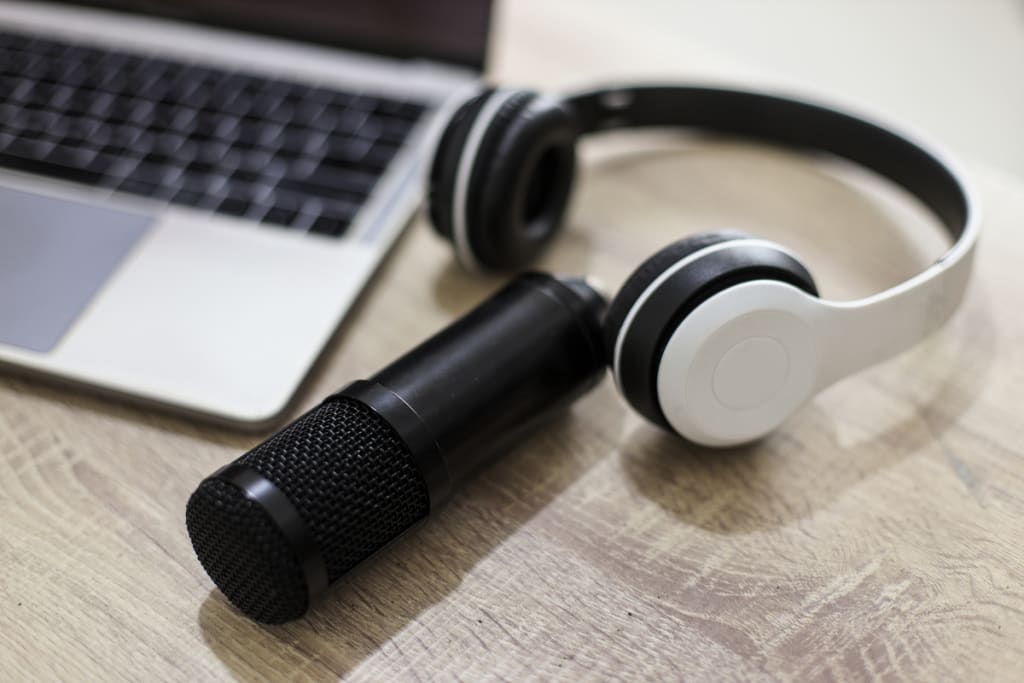
Sharing ideas, experiences, and knowledge now mostly relies on podcasts, a really popular media. Still, a podcast's audio quality is a major determinant of either its success or failure. Good audio quality for podcasts guarantees that listeners remain interested in the material free from outside distractions. To achieve this, partnering with an audio rental company can provide access to high-quality equipment and expertise. This post will look at several ways to raise podcast audio quality, therefore enhancing the professionalism and polish of your show.
Equipment: The Foundation of Good Audio
Microphones
Choosing the right microphone is the first step in improving audio quality for podcasts. There are two main types of microphones to consider: dynamic and condenser.
Dynamic Microphones: Usually more robust, these are less sensitive to background noise. They're fantastic for podcasting in less than perfect surroundings. Two such are the Audio-Technica ATR2100x and the Shure SM7B.
Condenser Microphones: These are more sensitive and capture a wider range of frequencies, making them ideal for studio settings. Popular models include the Audio-Technica AT2020 and the Rode NT1-A.
Audio Interfaces
An audio interface converts your microphone’s analog signal into a digital one that your computer can process. It’s a crucial component for high-quality recordings.
Focusrite Scarlett 2i2: A popular choice for beginners and intermediate podcasters, offering excellent sound quality and ease of use.
PreSonus AudioBox USB 96: Another reliable option that provides good quality at an affordable price.
Headphones
Real-time monitoring of your recordings enables quick identification and fixing of problems. Closed-back headphones are advised to prevent microphone sound leak-through.
Audio-Technica ATH-M50x: Known for their clear sound and comfort.
Sony MDR-7506: A staple in the audio industry for their accurate sound reproduction.
Pop Filters and Shock Mounts
Pop Filters: These reduce plosive sounds (like “p” and “b” sounds) that can cause distortion. They are inexpensive and highly effective.
Shock Mounts: These minimize vibrations and handling noise, ensuring a cleaner recording.
Recording Environment: Setting the Scene
Room Acoustics
The environment where you record greatly affects audio quality for podcasts. Here are some tips to optimize your recording space:
Choose a Quiet Room: Select a room with minimal outside noise and disturbances.
Soundproofing: Use heavy curtains, carpets, and door seals to block external noise. Acoustic panels can also help absorb sound reflections.
DIY Solutions: Blankets and pillows can be used to create a makeshift recording booth if professional soundproofing materials are not an option.
Recording Space Setup
Microphone Placement: Position your microphone about 6-12 inches away from your mouth. Use a boom arm or stand to maintain a consistent position.
Avoid Hard Surfaces: Record on a surface that doesn’t reflect sound, or cover hard surfaces with soft materials.
Recording Techniques: Capturing Clear Audio
Microphone Techniques
Proper microphone technique is essential for achieving high audio quality for podcasts.
Consistent Distance: Maintain a consistent distance from the microphone to avoid volume fluctuations.
Angle: Speak slightly off-axis to the microphone to reduce plosive sounds and sibilance.
Recording Software
Choosing the right Digital Audio Workstation (DAW) can make the recording process smoother.
Audacity: A free, open-source option that’s easy to use and has all the basic features needed for podcasting.
Adobe Audition: A more advanced option that offers powerful tools for editing and enhancing audio.
Editing and Post-Production: Polishing Your Podcast
Basic Editing
Editing is where you can refine your recording and ensure it sounds professional.
Cutting Mistakes: Remove any mistakes, long pauses, or irrelevant parts.
Adjusting Levels: Ensure consistent volume levels throughout the episode to provide a pleasant listening experience.
Noise Reduction
Background noise can be distracting. Here’s how to reduce it:
Noise Gate: This tool cuts off sounds below a certain threshold, eliminating low-level background noise.
Noise Reduction Plugins: Tools like iZotope RX can help clean up recordings by reducing background noise and other imperfections.
EQ and Compression
Equalization (EQ) and compression are essential tools for improving audio quality for podcasts.
EQ: change frequencies to improve clarity. Reducing low frequencies, for instance, can eradicate rumbling; increasing mid-frequencies improves speech clarity.
Compression: balances the dynamic range to guarantee more consistent loudest and softer areas. This facilitates listening to the podcast without constant volume control.
Mastering
Mastering is the final step in audio production, ensuring that your podcast sounds consistent across different playback devices.
Loudness Normalization: Ensure your podcast meets industry standards for loudness, typically around -16 LUFS (Loudness Units Full Scale).
Final Checks: Listen to the entire episode on different devices (headphones, speakers, car audio) to ensure it sounds good everywhere.
Additional Tips for High-Quality Podcasts
Consistency
Maintaining consistent audio quality across episodes builds trust with your audience and keeps them coming back.
Settings: Use the same recording settings and equipment setup for every episode.
Routine: Develop a recording and editing routine to streamline your process and maintain quality.
Remote Recording
Recording with remote guests can be challenging, but there are ways to ensure good audio quality for podcasts even in these situations.
Recording Platforms: Use tools like Zencastr or SquadCast that record high-quality audio locally on each participant’s device.
Preparation: Ensure all participants have decent microphones and a quiet recording environment.
Backup Plans
Technical issues can happen at any time, so it’s essential to have a backup plan.
Redundant Recordings: Use multiple recording sources (e.g., a secondary recorder or software) to ensure you don’t lose any audio.
Spare Equipment: Keep spare cables, microphones, and other essential equipment on hand.
About the Creator
Keep reading
More stories from Jack Robinson and writers in Longevity and other communities.
How to Select the Right Countertop Fabricator for Your Home
Countertops are a central feature in home design, adding both functionality and aesthetic appeal to kitchens and bathrooms. Choosing the right countertop can elevate the overall look of your home. However, the key to achieving the perfect countertop lies not just in selecting the right material but also in selecting the right countertop fabricator. This article will guide you through the process of selecting the right countertop fabricator for your home, ensuring you make an informed and confident decision.
By Jack Robinson2 years ago in Longevity
How to Create a Relaxing Spa Environment with Himalayan Salt Wall Panels
Creating a relaxing spa environment requires more than soft music and essential oils. Interior design plays a crucial role in shaping how clients feel the moment they enter a space. Himalayan salt wall panels have been integrated into a highly significant design component in contemporary wellness buildings due to their integration of natural beauty with relaxing light. These tiles are salt bricks and Himalayan salt tiles and are used to create warmth and texture and a therapeutic atmosphere, which is completely in line with spa and wellness settings. Their natural pink and amber colors immediately transform the interiors to make treatment rooms calm and friendly.
By David Smithabout 8 hours ago in Longevity
Why You Wake Up Tired Even After 8 Hours of Sleep
You slept for 8 hours. Your alarm rings. And somehow… you still feel exhausted. If you’re constantly waking up tired, you’re not lazy. And you’re definitely not alone. Many students struggle with feeling tired after 8 hours of sleep, and the problem usually isn’t the number of hours — it’s the quality of sleep.
By Being Inquisitive7 days ago in Longevity
Review of 'Man on the Run'
My wife and I saw Man on the Run, a nearly 2-hour documentary on Amazon Prime, about Wings, Paul McCartney's group that flew around the world from shortly after The Beatles broke up in early 1970 to shortly after John Lennon was murdered at the end of 1980, making a Beatles reunion forever impossible.
By Paul Levinson4 days ago in Beat



Comments
There are no comments for this story
Be the first to respond and start the conversation.