
Your Secret Weapon Inside ChatGPT: Meet the "Agents"
(And How You Might Soon Command Them)


Remember that feeling? You’re wrestling with a mountain of research, desperately trying to find one specific stat buried in a PDF the size of a novel. Or maybe you’re staring at a spreadsheet, columns blurring, knowing the answer is in there somewhere but feeling utterly lost. You fire up ChatGPT, hoping for a lifeline. It helps, sure, but sometimes... it feels like you’re still doing all the heavy lifting. What if ChatGPT could truly take things off your plate? Enter the concept of ChatGPT agents.
Think of it like this: Right now, standard ChatGPT is brilliant, but it’s a bit like having one incredibly smart, hyper-engaged intern. They can do amazing things with the task you give them right now. But what if you could build a whole specialized team inside ChatGPT? Each member of that team – your Researcher, your Analyst, your Creative, your Organizer – would be an agent in ChatGPT. They wouldn't just answer your question; they'd proactively plan, break down complex tasks, use specific tools (like web search or code execution), and collaborate to get you a complete solution. That's the vision.
So, Is the ChatGPT Agent Available? The Straight Scoop.
This is the burning question, right? Everyone wants to know if they can play with this powerful new toy today. The answer, as of right now (May 2025), is nuanced. OpenAI has been actively developing and testing agent-like capabilities, particularly with GPTs (custom versions of ChatGPT you can build) and features within ChatGPT Enterprise and Teams. However, the fully autonomous, multi-agent orchestration system often imagined isn’t widely rolled out to every free or Plus user just yet.
Think of it like a soft launch at a trendy restaurant. Who has access to ChatGPT agent capabilities? Primarily:
ChatGPT Enterprise & Teams Users: Businesses paying for these tiers often get early access to cutting-edge features, including more advanced automation and multi-step task handling that feels distinctly agent-like. Imagine an HR agent automatically scanning resumes, summarizing key points, and flagging top candidates based on specific criteria – that’s the direction.
Developers & Early Testers: OpenAI frequently releases experimental features through their platform (like the Assistants API) or to select testers. This is where the most sophisticated agent frameworks are being built and trialed.
Users of Custom GPTs: While not full-blown autonomous agents, custom GPTs are the most accessible step towards creating your own specialized "agent" right now. You define its knowledge, capabilities, and instructions. It can browse the web, analyze files, and follow complex directions. It's your first taste of building a focused helper.
So, while the most sci-fi version of multiple autonomous agents collaborating inside your chat isn't in everyone's hands, powerful agent-like capabilities are here, especially if you're using paid tiers or custom GPTs. The groundwork is absolutely laid, and wider availability feels imminent.
How to Access ChatGPT Agent Features Right Now
Okay, so how do you get your hands on this power? Access depends on what level of "agent" you're after:
For Enterprise/Teams: If your organization subscribes, talk to your admin! These features are often enabled centrally. Look for capabilities involving automation, multi-step workflows, or integrations that allow ChatGPT to perform sequences of actions.
For Custom GPTs (The DIY Agent Route): This is the most direct way for individuals (especially Plus users) to create an agent-like experience today.
- Go to the ChatGPT main interface.
- Click "Explore GPTs" (often found in the sidebar or under your profile).
- Click "Create a GPT". Here’s where you become the architect!
Define Your Agent: Name it clearly (e.g., "Research Digger," "Social Media Analyst," "PDF Insight Extractor"). Tell it exactly what it does: "You are an expert research assistant. Your job is to find the most relevant, recent information from credible sources on topics I give you. Summarize key points concisely and cite your sources." Or, "You analyze uploaded spreadsheets. Identify trends, calculate key metrics like averages and growth rates, and highlight potential anomalies or insights."
Upload Knowledge: Give it specific files (PDFs, guides, data sheets) that make it an expert in your domain.
Set Capabilities: Crucially, enable "Web Browsing" (so it can search live) and "Code Interpreter" (so it can analyze data files, PDFs, images). These are the tools your agent uses.
Refine Instructions: Be detailed! How formal should it be? What specific steps should it follow when tackling a problem? The more precise you are, the more "agent-like" its behavior becomes.
Watch for Announcements: Keep an eye on OpenAI's blog and update notes. Wider rollout of more advanced agent features to Plus users is highly anticipated.
How Do I Create My Own ChatGPT Agent? (Beyond Custom GPTs)
While custom GPTs are the current gateway, creating a true autonomous agent with complex decision-making and collaboration is still emerging. However, understanding the principles is key for when it does land fully:
Define the Mission: What exactly is this agent's job? Be laser-focused. "Find competitor pricing" is better than "Help with marketing."
Equip it with Tools: What does it need to do its job? Web search? Read your specific files? Run calculations? Access certain APIs? (Future agent builders will likely configure this).
Set the Rules (Instructions): This is the core. How should it think? What steps should it always follow? What sources are trusted? What tone should it use? How should it handle uncertainty? This is where you program its "personality" and methodology.
Test and Refine: Just like training a new employee, you'll need to test your agent. Give it tasks, see where it stumbles, and tweak its instructions. "Ah, it missed looking at international sources. Add that step!"
Consider Collaboration (Future): How might this agent need to work with other agents? Does it need to pass findings to a Summarizer agent? Or check with a Fact-Checker agent? Future frameworks will likely handle this orchestration.
What Are the 5 Types of Agents? (Your Future Team Members)
While terminology evolves, thinking about agents based on their core function helps imagine your potential AI team. Here are five archetypes:
The Researcher Agent: Your digital detective. Scours the web, academic databases, your internal documents. Finds, summarizes, and cites relevant information fast. (Keywords: "What are agents in ChatGPT?" - This type exemplifies the specialization).
The Analyst Agent: The number cruncher. Upload spreadsheets, PDF reports, or raw data. It identifies trends, calculates key metrics (ROI, growth rates, averages), spots anomalies, and presents insights visually. Saves hours of manual pivoting.
The Creative Agent: Your brainstorming partner and content engine. Generates draft copy (emails, ads, blog posts), suggests creative angles, helps refine tone, and even creates basic images or drafts based on your prompts. Gets the first draft out so you can polish.
The Coordinator/Workflow Agent: The project manager. Handles multi-step tasks. For example: "Check my calendar for availability next Tuesday > Draft an email to Alex proposing 2pm > Wait for my approval > Send the email > If Alex accepts, add the meeting to my calendar." Automates sequences.
The Specialist Agent: Deeply focused on one domain. Trained on highly specific knowledge – legal precedents, medical literature, complex engineering manuals. Understands the jargon and nuances of that field. Requires significant custom knowledge uploads or integration.
Who Has Access to ChatGPT Agent? The Evolving Landscape
As mentioned, access is tiered:
ChatGPT Free Users: Primarily standard ChatGPT capabilities. Limited to no agent functionality beyond basic prompting. No access to custom GPT creation.
ChatGPT Plus Users: The key group for accessing ChatGPT agent-like features today via custom GPTs. Can create and use specialized GPTs (their "agents") with web browsing, file analysis, and custom instructions. Likely first in line for broader agent features as they roll out.
ChatGPT Enterprise/Teams Users: Often have access to the most advanced agent-like capabilities currently available, including sophisticated workflow automation, enhanced data analysis tools, and potentially early versions of multi-agent collaboration features. Administrators control access.
Developers: Using the OpenAI API (especially Assistants API) can build complex, custom agent applications integrated into other software. This is where the most powerful, autonomous agents are currently being built and deployed.
The Future (Likely): Expect agent capabilities to become more democratized. Plus users will likely gain more powerful tools, and even free tiers might get basic agent functionalities over time. How to access ChatGPT agent features will become clearer and more streamlined.
The Real Magic: Why This Matters For You
This isn't just tech hype. Imagine:
Sarah, the Small Business Owner: Overwhelmed by social media, bookkeeping, and product development. She creates a "Social Media Analyst" agent to track engagement and suggest post ideas, a "Bookkeeping Assistant" agent to categorize expenses from bank statements, and a "Market Researcher" agent to scout competitor trends. Hours saved weekly.
David, the Researcher: Buried under hundreds of PDFs for his thesis. His "Research Digger" agent scans them all, extracts relevant quotes on his specific topic, summarizes key arguments, and builds a preliminary bibliography. Weeks of tedious work compressed.
Aisha, the Marketing Manager: Needs a last-minute campaign report. She tells her "Campaign Analyst" agent: "Analyze last month's Google Ads data, social media engagement, and email campaign results. Compare to the previous month. Identify top performing channels and suggest one key optimization." A polished report draft appears in minutes.
Agents shift ChatGPT from a reactive tool to a proactive partner. They handle the grunt work, the multi-step processes, and the deep dives into specific areas, freeing you up for strategy, creativity, and the human touch that truly matters.
Your Takeaway: Get Ready, Get Curious
The era of agents in ChatGPT isn't some distant sci-fi dream; it's unfolding now. While who has access to ChatGPT agent capabilities in their most advanced form is still limited, the foundation is solid, and the trajectory is clear.
So, what can you do today?
If you're a Plus user: Dive into Custom GPTs! This is your training ground. How do I create my own ChatGPT agent? Start here. Build your Researcher, your Analyst, your Creative helper. Experiment with instructions and capabilities. Get comfortable being the "manager" of your AI specialist.
Define Your Pain Points: Where do you lose hours? Data analysis? Information gathering? Drafting routine communications? That's where your first agent should focus.
Pay Attention: Watch OpenAI updates like a hawk. The moment broader agent features drop for Plus users (and it will happen), you want to be first in line to access the ChatGPT agent power.
Think in Steps: Start framing complex tasks as sequences. Break down "Write a report" into "Research X, Analyze Y data, Summarize findings, Draft introduction." This is how you'll instruct agents.
Embrace the Partnership: Agents won't replace you. They'll amplify you. They’ll take the tedious, the time-consuming, and the complex off your plate, letting you focus on what you do best – thinking, creating, connecting, and leading.
The question isn't really "Is the ChatGPT agent available?" anymore. It's "How soon will my agents be ready to work?" Start building that team in your mind. The future of work isn't about doing everything yourself; it's about knowing how to command your own digital specialists. Your personalized AI team is coming. Get ready to lead.
About the Creator
John Arthor
seasoned researcher and AI specialist with a proven track record of success in natural language processing & machine learning. With a deep understanding of cutting-edge AI technologies.
Keep reading
More stories from John Arthor and writers in Lifehack and other communities.
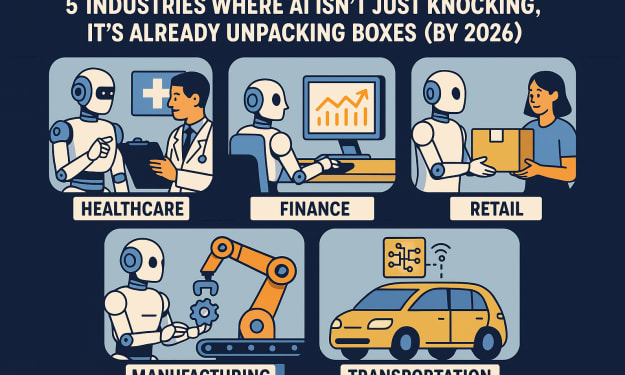
The Quiet Takeover: 5 Industries Where AI Isn't Just Knocking, It's Already Unpacking Boxes (by 2026)
Remember that slight unease last time you chatted with a customer service bot that actually understood you? Or the speed of that automatic invoice processing? It wasn't just a glitch or good luck. Something fundamental is shifting beneath our feet. While we debate sentience and sci-fi scenarios, artificial intelligence isn't waiting for permission. It's already clocking in, reshaping entire industries with a quiet, relentless efficiency. By 2026, the landscape for 5 Industries AI Will Completely Take Over by 2026 won't just be altered; it will be fundamentally rewritten. The takeover isn't looming; it's unfolding in real-time, paycheck by paycheck.
By John Arthor8 months ago in Lifehack



Comments
There are no comments for this story
Be the first to respond and start the conversation.