
Top Bangla Keyboard with Voice Typing: Type Bengali Faster on Android
Speak and type in Bangla easily with smart voice input, auto-correct, and swipe typing!
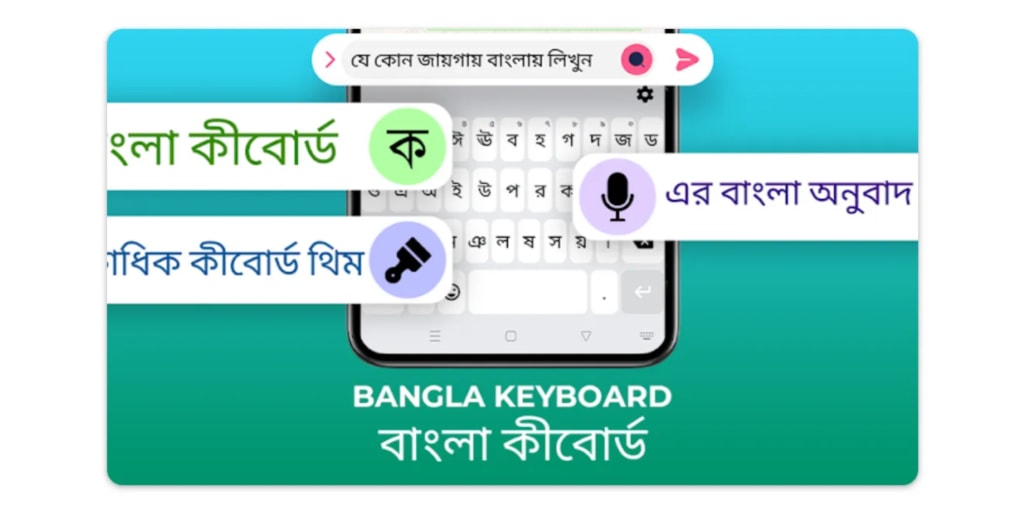
Typing in Bengali Made Easy with Bangla Keyboard
Do you want to type in Bengali (Bangla) on your Android phone without any trouble? Many keyboards don’t support Bengali properly, making typing slow and frustrating. But Bangla Keyboard is here to help! It makes Bengali typing super easy with voice typing, auto-correct, emoji support, and quick language switching. Whether you’re chatting with friends, writing social media posts, or sending emails, this keyboard makes everything smooth and fun.
Why Use Bangla Keyboard?
Typing in Bengali can be hard if you don’t have the right keyboard. Many default keyboards don’t have proper letter support, word prediction, or easy switching between Bengali and English. But Bangla Keyboard solves all these problems. Here’s why you’ll love it:
- Fast & Smooth Typing — Type Bengali without delays.
- Voice Typing Support — Speak, and it types for you!
- Smart Auto-Correct — Fixes mistakes while typing.
- Swipe Typing — Slide your finger to type faster.
- Bengali & English Switching — One tap to change languages.
- Emoji & Stylish Themes — Make typing fun!
How to Download and Set Up Bangla Keyboard?
Getting started is simple. Follow these steps:
- Go to the Google Play Store.
- Search for “Type Bengali.”
- Click “Install” to download the app.
- Open the app and follow the setup instructions.
- Go to your phone’s settings, choose “Language & Input,” and select Bangla Keyboard as your default keyboard
How to Use Voice Typing in Bengali?
Too lazy to type? No problem! With Bangla Keyboard’s voice typing feature, you can simply speak in Bengali, and the app will type for you. Here’s how:
- Open the app where you need to type.
- Tap on the microphone icon on the Bangla Keyboard.
- Start speaking in Bengali.
- Watch as your words appear on the screen instantly!
This is perfect for quick chats, long messages, or even writing emails without typing manually.
How to Switch Between Bengali & English?
Sometimes, you need to type in English too. No worries! With Type Bengali Keyboard, you can switch between Bengali and English in just one tap.
- Open the keyboard.
- Tap the language switch button (usually marked with a globe or “En/Bn”).
- Choose the language you want to type in.
- Start typing without any settings change!
Why This App is Great for Everyone
Whether you’re a native Bengali speaker or learning Bengali, Bangla Keyboard makes typing super easy. The auto-correct feature helps you fix mistakes, and the word prediction makes typing faster. If you’re still learning, the voice typing feature is a great way to practice speaking and writing at the same time.
Fun Features: Emojis, Themes & Customization
Typing should be fun! With Bangla Keyboard, you get:
- Cool themes — Customize your keyboard with colorful designs.
- Emoji & Stickers — Express yourself with tons of emojis.
- Stylish fonts — Make your texts stand out!
Final Thoughts
If you’re looking for the best way to type in Bengali on Android, Type Bengali is the perfect choice. With voice typing, auto-correct, fast Bengali-English switching, and cool themes, it’s the easiest and most fun way to type Bengali.
Download Bangla Keyboard today and enjoy fast, smooth Bengali typing!
About the Creator
Keep reading
More stories from MUHAMMAD ZAFAR and writers in Lifehack and other communities.
How to Type Bengali on Android in 2025 – Translate English Voice to Bangla Using Voice Typing in Bengali Keyboard App
Want to Type in Bengali on Your Android Phone? Here's the Easiest Way in 2025! Do you want to type in Bengali but don't know how? Or maybe you speak English and want it to turn into Bengali? In 2025, you don’t need to learn hard tricks or use big tools. Just try the Bangla Keyboard: Type Bengali app. It’s super easy, and you can speak or type in English and it changes to Bengali right away!
By MUHAMMAD ZAFAR10 months ago in Futurism
Federated AI Discovery Engine
The Federated AI Discovery Engine is a computational framework designed to support biomarker discovery, evaluation, and validation in distributed data settings, where patient-level data are housed across multiple Trusted Research Environments (TREs) and cannot be centralised. The system enables consistent analytical workflows to be executed across institutions and geographies while preserving local data governance, security, and regulatory constraints.
By James @ Kode5 days ago in Lifehack


Comments (1)
I love typing with my voice! Amazing work!