
TIPS AND TRICKS TO USE LAPTOP PROPERLY
LAPTOP USAGE

Laptops have become an essential part of our lives, whether for work, entertainment or education. But owning a laptop is just the first step, it's important to know how to use it properly and efficiently to get the most out of it. Here are some tips and tricks to help you use your laptop properly

- Keep your laptop clean
One of the most important things you can do to keep your laptop running smoothly is to keep it clean. Dust and debris can accumulate inside your laptop and cause it to overheat. To prevent this, use a can of compressed air to blow out any dust or debris that may have accumulated inside your laptop. Also, wipe down the keyboard, touchpad and screen regularly with a microfiber cloth to remove any dirt or smudges.
- Use a surge protector

Power surges can damage your laptop's internal components, so it's important to protect it with a surge protector. A surge protector will help prevent damage from power spikes, brownouts, and other electrical issues. It's an inexpensive investment that can save you from costly repairs in the long run.
- Use a cooling pad
Laptops generate a lot of heat, and if your laptop overheats, it can cause damage to the internal components. A cooling pad is a simple solution that can help prevent overheating. It's a pad that your laptop sits on that has built-in fans to help cool your laptop. It's a great investment if you use your laptop for extended periods of time.
- Use keyboard shortcuts

Using keyboard shortcuts can save you a lot of time and make your work much more efficient. For example, instead of using the mouse to copy and paste, use the keyboard shortcuts "Ctrl + C" to copy and "Ctrl + V" to paste. There are many keyboard shortcuts that you can use to navigate your laptop, open programs, and perform tasks quickly.
- Uninstall unused programs
Having too many programs installed on your laptop can slow it down and take up valuable storage space. Uninstall any programs that you no longer use or need to free up space and improve your laptop's performance.
- Keep your laptop updated
Keeping your laptop updated is important for both security and performance reasons. Updates often contain fixes for security vulnerabilities and bugs that can cause your laptop to crash or run slowly. Make sure you regularly check for updates and install them as soon as they become available.
- Backup your data
Backing up your data is essential to ensure that you don't lose important files in case of a hard drive failure or other issue. Use an external hard drive or cloud storage to backup your data regularly. This way, you can restore your files quickly and easily in case of an emergency.
- Protect your laptop from viruses and malware

Protecting your laptop from viruses and malware is essential for your security and the safety of your personal information. Install antivirus software and keep it updated to ensure that your laptop is protected against the latest threats. Also, be cautious when downloading files or clicking on links from unknown sources.
- Adjust your display settings
Adjusting your laptop's display settings can make a big difference in how comfortable you are using it. Make sure that the brightness level is appropriate for the lighting conditions you're in, and adjust the text size and resolution to a comfortable level. You can also adjust the color settings to reduce eye strain and fatigue.
- Use a password manager

Using a password manager can make it much easier to keep your accounts secure. A password manager securely stores all of your passwords and login information, so you don't have to remember them all. This makes it easy to create strong passwords for each of your accounts without the need to remember them all.

In conclusion, following these tips and tricks can help you use your laptop properly and efficiently. Keeping your laptop clean, using a surge protector and a cooling pad, using keyboard shortcuts, uninstalling unused programs, keeping your laptop updated, backing up your data, protecting your laptop from viruses and malware, adjusting your display settings, and using a password manager are all simple steps that can make a big difference in how you use your laptop. By taking care of your laptop and using it properly, you can get the most out of it and enjoy its benefits for years to come
About the Creator
TIPS AND TRICKS
Welcome to my page..we are thrilled that you have taken the time to visit us today....It's all about life hacks, tips and tricks. once again welcome to the unknown worldworld
Keep reading
More stories from TIPS AND TRICKS and writers in Lifehack and other communities.
TIPS AND TRICKS TO AVOID VIRAL INFECTION
Viruses are microscopic organisms that can cause a range of illnesses, from the common cold to more severe diseases like COVID-19. With the ongoing pandemic, it's more important than ever to take steps to prevent the spread of viruses. Here are some tips and tricks you can use to protect yourself and others from viruses.
By TIPS AND TRICKS3 years ago in Lifehack
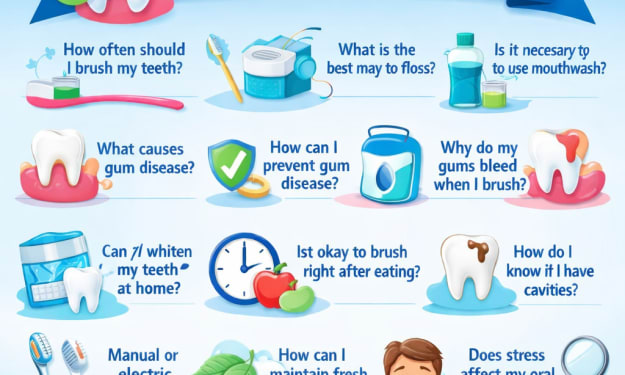
Why Oral Health Matters More Than You Think
Your mouth is one of the main gateways to your body. Everything you eat and drink passes through it first. When hygiene is neglected, harmful bacteria can grow quickly, forming plaque and irritating soft tissues. Over time, this can lead to inflammation, sensitivity, and infections that may even affect other parts of the body.
By Nenci Gajera about 19 hours ago in Lifehack



Comments
There are no comments for this story
Be the first to respond and start the conversation.