
The YouTube Kids App: A Safe Digital Space for Young Viewers
The YouTube Kids App is a standalone application created by YouTube to provide a curated and filtered video experience for children.

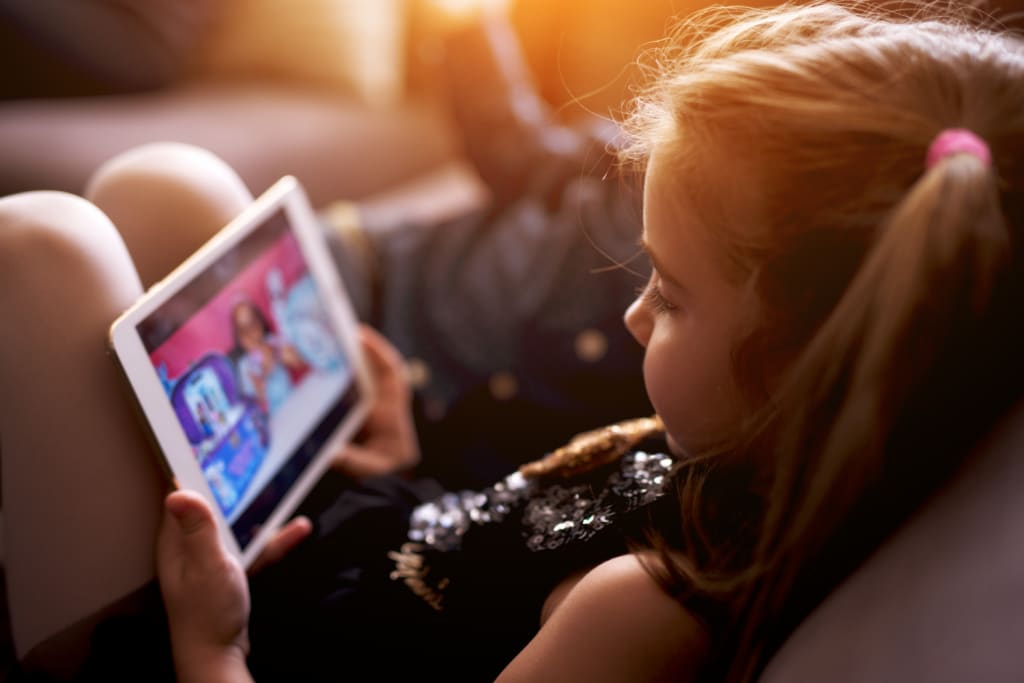
In today's digital age, children are more connected to the internet than ever before. As a result, parents often worry about the kind of content their kids consume online. YouTube, being one of the most popular video platforms, offers a vast range of videos, but not all of them are suitable for young minds. This is where the YouTube Kids App comes in. Designed specifically for children, this platform provides a safer and more controlled environment, allowing kids to explore videos that are appropriate for their age.
What Is the YouTube Kids App?
The YouTube Kids App is a standalone application created by YouTube to provide a curated and filtered video experience for children. Launched in 2015, the app has been a go-to platform for parents who want to ensure their children have access to fun, educational, and safe content. Unlike the standard YouTube platform, this app employs strict content moderation, parental controls, and an intuitive user interface tailored for kids.
Key Features of YouTube Kids App
Age-Appropriate Content
The app categorizes content based on different age groups: preschool (ages 4 and under), younger (ages 5-8), and older (ages 9-12). This helps ensure that kids only see videos suitable for their developmental stage.
Parental Controls
Parents have the ability to set screen time limits, disable the search feature, and even block or report videos that they find inappropriate. This level of control gives parents peace of mind knowing that their kids are not exposed to harmful content.
Ad-Free Option
While the free version of the app does include ads, parents can opt for a YouTube Premium subscription to remove them. This ensures an uninterrupted viewing experience without commercial distractions.
Educational and Entertaining Content
The app is designed to promote learning while entertaining kids. There are countless videos covering topics like science, art, storytelling, and music. Popular educational channels like National Geographic Kids, Sesame Street, and PBS Kids have dedicated sections within the app.
Customizable Profiles
Families with multiple children can create separate profiles, each with personalized content recommendations based on the child’s age and interests.
Why Parents Trust the YouTube Kids App
One of the biggest concerns parents have with online content is exposure to harmful or inappropriate material. The YouTube Kids App minimizes this risk by using a combination of automated filtering, human review, and parental feedback. Additionally, the app’s interface is designed for ease of use, featuring large icons, voice search capabilities, and simple navigation that even young children can handle.
Furthermore, YouTube has established strict policies for content creators who wish to be featured in the app. Channels and videos go through extensive vetting before they appear on YouTube Kids. This proactive approach helps maintain a safe environment for young audiences.
Potential Concerns and How to Address Them
While the YouTube Kids App is generally safe, no digital platform is entirely foolproof. Some parents have raised concerns about:
- Occasional Inappropriate Content: Despite YouTube’s filtering system, some unsuitable videos may slip through. Parents are encouraged to monitor their children's activity and report any problematic content.
- Excessive Screen Time: Like any digital platform, prolonged usage can become a concern. Setting daily time limits through the parental control settings can help maintain a healthy balance between screen time and other activities.
- Advertisements in Free Version: The free version contains ads, some of which may not align with a parent's preferences. Opting for the ad-free YouTube Premium subscription is a solution.
Tips for Parents to Maximize the Benefits of YouTube Kids App
Set Clear Viewing Limits: Use the app’s built-in timer to manage screen time effectively.
- Enable Parental Controls: Customize settings based on what you feel is best for your child’s viewing experience.
- Co-View With Your Child: Watching content together helps you stay aware of what your child is engaging with.
- Encourage Educational Content: Guide your child toward videos that enhance learning and creativity.
- Provide Alternative Activities: Balance screen time with other activities such as reading, outdoor play, and family interactions.
Conclusion
The YouTube Kids App is a great tool for parents looking to provide a safe and enriching digital experience for their children. With its robust parental controls, age-appropriate content, and user-friendly interface, the app stands out as one of the best platforms for young viewers. However, as with any technology, it’s essential for parents to stay engaged, monitor their children’s viewing habits, and use the available tools to ensure a healthy balance between online and offline activities.
By leveraging the features of the YouTube Kids App, parents can confidently allow their children to explore a world of entertaining and educational content while maintaining control over what they watch. In an era where digital media plays a significant role in childhood development, having a safe and reliable platform like YouTube Kids makes all the difference.
About the Creator
Micah James
The Next Tech is the world’s leading online tech platform for B2B & B2C. We create cutting-edge technology and we’re ready to grow their business with our inspiring content. Founded in 2018, and headquartered in Seattle, Washington, USA.
Keep reading
More stories from Micah James and writers in Lifehack and other communities.
How to Check Body Temperature with an iPhone: A Comprehensive Guide
In today’s fast-paced world, having the ability to monitor your health easily and accurately is more important than ever. As technology continues to advance, so too does our capacity to manage our well-being right from the palm of our hands. One of the most significant developments in this area is the ability to check body temperature with an iPhone. While traditionally, checking body temperature required a thermometer, modern advancements have introduced innovative methods to accomplish this task using our smartphones. This article will explore various techniques and apps available to help you check your body temperature with an iPhone.
By Micah Jamesabout a year ago in Lifehack
Forgotten Packing Items That Make Port A Rentals Guest-Friendly
Stepping into a vacation rental should feel like a home away from home, with a clean space, cozy beds, and, perhaps, a great view to unwind. But sometimes, even the best-planned trips can be disrupted by an unexpected challenge when guests forget to pack a few essentials.
By The Mayan Princess6 days ago in Lifehack
Cooking Up Connection: Romantic Recipes to Enjoy as a Couple
Turning your kitchen into a romantic space doesn’t require extravagant effort. Start with lighting—switch off the overhead lights and let candles or warm lamps create a cozy atmosphere. Add soft music that you both enjoy and clear the counters to give yourselves space to move freely. These thoughtful touches can transform even a modest kitchen into a place of intimacy and fun.
By Micah Love-Allotey5 days ago in Lifehack



Comments (1)
We don't let YouTube "feed" our child videos. All their channels are recommended by other families. Channel Lab is a YouTUbe player that blocks all the brain rot, shorts and ads. They actually watch really good videos now! Honestly I like to watch with them now.