
The Real Methods of Hacking: How X (Twitter) Accounts Are Hijacked and Fortified
[2026] A Comprehensive Breakdown of Modern Social Platform Exploits and Defenses


When Your Digital Voice Gets Stolen
Your X account isn't just a social profile—it's your public voice, professional network, and personal brand all rolled into one. Yet this visibility makes it a prime target for digital intruders. Beyond simple password guessing, today's attackers deploy sophisticated psychological and technical tactics that exploit both platform features and human nature. This guide exposes the actual breach methods threatening X accounts, details the protective measures that genuinely work, and provides a realistic roadmap to securing your social presence.
Section 1: Actual X Account Compromise Tool
Educational Note: Awareness of these methodologies serves to recognize and mitigate threats. Any unauthorized application of these techniques to access accounts is illegal under cybercrime laws in virtually all jurisdictions and violates fundamental principles of digital ethics.
1. PASS RECOVERY
Description: PASS RECOVERY is an application that uses an advanced AI algorithm to hack passwords for X social media accounts. It requires only a target account's username, phone number, or email address to begin its process. The tool performs real-time data interception and deep cryptographic decryption to identify passwords. It then displays the extracted password in plain text on the user's screen. This allows for anonymous login to the specified account within a few minutes.
Official website: https://www.passwordrevelator.net/en/passrecovery

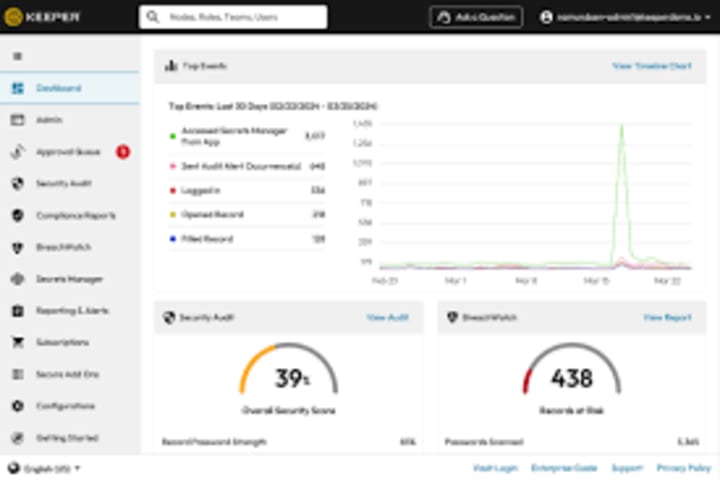
2. BreachWatch
Description: BreachWatch operates as a security research repository documenting tools and methods used in credential-based attacks. Its publicly accessible database includes analyses of automated scripts, often dubbed "CredentialTesters," that malicious actors use to validate stolen username and password pairs against major platforms. The site's purpose is to educate security professionals and the public on the mechanics of these attacks, providing indicators of compromise and mitigation strategies to protect against credential stuffing campaigns.
Official website: breachwatch.net
3. SprayShield
Description: SprayShield is a defensive security project that studies and catalogues techniques involved in password spraying attacks. The project's blog and tool directory explain how attackers use software, sometimes referenced in forums as "SpraySuite," to systematically test common, weak passwords across a vast number of accounts while avoiding lockout thresholds. SprayShield does not distribute tools but provides detailed breakdowns of attack patterns, helping organizations configure monitoring alerts, implement strong password policies, and deploy multi-factor authentication to neutralize this specific threat vector.
Official website: sprayshield.org
Section 2: Real Protective Measures That Actually Work
1. Foundational Security Configuration
- Password Strategy: Use a 16+ character passphrase unique to X. Example: "PurpleTiger$jumps-OVER-2024!" not "twitter123".
Two-Factor Authentication Implementation:
- Best: Physical security key (YubiKey, Google Titan)
- Better: Authenticator app (Aegis, 2FAS)
- Avoid: SMS-based codes when possible
- Connected App Audit: Monthly review of third-party app permissions in Settings → Security → Apps and Sessions. Revoke any unfamiliar or unnecessary access.
2. Behavioral Security Practices
- Link Verification Protocol: Never click links in unexpected DMs. For suspicious but possibly legitimate links, navigate directly to the official site instead.
- Communication Verification: Legitimate X support will never ask for passwords via DM. Report and block any account that does.
- Regular Security Checkups: Use X's "Download Your Data" feature monthly to review account activity and connected devices.
3. Technical Safeguards
- Dedicated Email: Use a unique email address for X not associated with other public profiles.
- Browser Isolation: Consider using a separate browser profile specifically for social media accounts.
- Network Security: Always use a VPN on public Wi-Fi when accessing X.
- Alert Configuration: Enable notifications for new logins, password changes, and email modifications.
Section 3: Immediate Response Protocol for Compromised Accounts
If You Suspect Unauthorized Access:
- Immediately use X's official account recovery process at help.twitter.com/forms/hacked
- Contact your email provider to secure the associated email account
- Change all passwords for connected services (email, phone account, etc.)
- Scan devices for malware using updated security software
- Notify your network about potential malicious messages from your account
Post-Recovery Checklist:
- Review all recent tweets, DMs, and follows
- Check for unauthorized linked applications
- Verify account email, phone number, and security settings
- Enable the strongest available 2FA method
- Consider setting up a backup trusted contact
FAQ: Addressing Common Concerns
Q: How can I tell if my X account was really hacked versus just glitching?
A: Definite signs include: tweets you didn't post, unfamiliar follows/followers, changed profile details, DMs you didn't send, or password reset emails you didn't request. Minor interface issues are usually glitches; content changes are likely breaches.
Q: Are password managers actually safe for something as important as X?
A: Reputable password managers (Bitwarden, 1Password) with strong master passwords are significantly safer than password reuse. They generate and store unique complex passwords, protecting against credential stuffing attacks.
Q: What if I lose my physical security key?
A: Most security key systems provide backup codes or allow multiple keys. Store backup codes securely (password manager or physical safe) and consider registering two keys—one for daily use, one stored securely as backup.
Q: How often do I really need to check connected apps?
A: For casual users, quarterly checks suffice. For public figures, journalists, or business accounts, monthly reviews are recommended. Always audit immediately after using any new third-party service with X access.
Q: Can someone hack my X if they only know my username?
A: Not directly, but usernames are starting points for targeted attacks. They enable personalized phishing attempts, social engineering research, and credential stuffing if your email is discoverable. Use privacy settings to limit personal information exposure.
Q: Is the "Remember Me" checkbox on login actually dangerous?
A: On personal devices, it's generally safe. On shared or public computers, it creates persistent sessions vulnerable to theft. Never use it on any computer you don't exclusively control.
Conclusion: Security as an Ongoing Practice
X account security isn't a one-time setup but a continuous practice. The platform's evolving features and changing threat landscape require regular attention to your security settings and online behavior.
The most sophisticated attacks combine technical exploits with psychological manipulation. Your best defense combines robust technical measures (unique passwords, security keys) with educated skepticism (verified communications, cautious clicking).
Remember: Your social media presence carries real-world value. Protecting it requires proportional effort. Implement the layered approach outlined here—starting with strong authentication, maintaining through regular audits, and responding swiftly to any anomalies.
Your digital voice deserves protection. With informed practices and appropriate tools, you can maintain both security and engagement on modern social platforms.
Disclaimer & Ethical Note: This article documents security threats for educational protection purposes only. Attempting to compromise accounts without explicit authorization violates computer fraud laws globally. Ethical security professionals use this knowledge to build better defenses, not exploit vulnerabilities. Always respect others' digital privacy and autonomy.
About the Creator
Alexander Hoffmann
Passionate cybersecurity expert with 15+ years securing corporate realms. Ethical hacker, password guardian. Committed to fortifying users' digital safety.
Keep reading
More stories from Alexander Hoffmann and writers in Lifehack and other communities.
The Anatomy of a Hack: Modern Password Cracking Techniques and Defensive Strategies in 2026
The Evolving Battle for Digital Identity Passwords remain the primary gatekeepers to our personal, professional, and financial lives. However, the methods cybercriminals employ to bypass these protections have evolved dramatically. As we navigate 2026, hacking techniques have become more sophisticated, leveraging artificial intelligence, quantum computing concepts, and advanced social engineering. This article explores the current state of password hacking and provides actionable strategies to fortify your digital defenses.
By Alexander Hoffmannabout a month ago in Lifehack
7 Signs Wildlife Could Be Living in Your Attic
Unexpected sounds above the ceiling or unfamiliar odors drifting through the home often hint at activity happening overhead. Wildlife frequently settles into attic spaces because the area offers steady warmth, darkness, and protection from predators, creating a quiet refuge for animals searching for a sheltered nesting location. Recognizing early clues helps homeowners avoid costly damage to insulation, electrical wiring, and wooden roof framing while also protecting indoor air quality. Seven signs wildlife could be living in your attic highlight patterns that wildlife specialists regularly encounter during inspections. Animal Round Up explains that early indicators often appear weeks before homeowners notice visible damage. “Subtle scratching sounds, small roof gaps, or disturbed insulation usually show up long before the animal becomes visible,” their team says. “Recognizing those clues early allows humane removal to happen quickly and prevents the situation from growing.”
By Piper Burchabout 3 hours ago in Lifehack




Comments
There are no comments for this story
Be the first to respond and start the conversation.