
NAS BACKUP Vs. CLOUD BACKUP: WHICH IS BETTER FOR FILE SECURITY?
CLOUD OR NAS BACKUP: WHICH IS BETTER FOR FILE SECURITY?
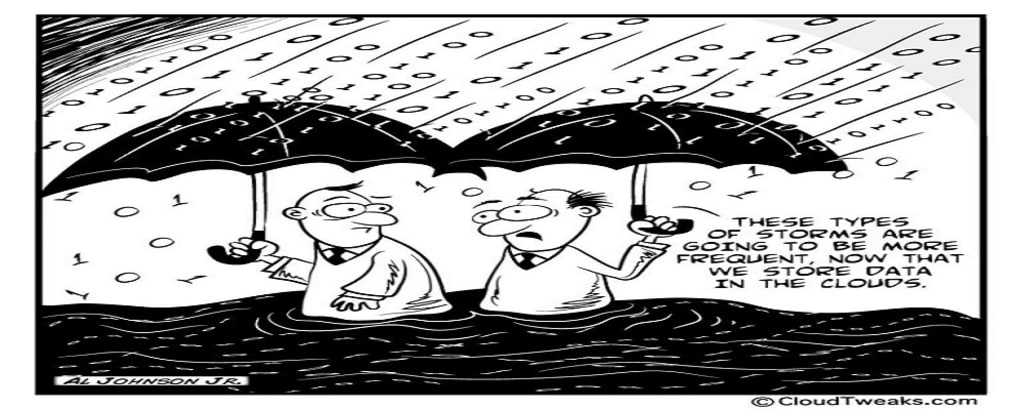
In today's digital age, where data has become the lifeblood of personal and business operations, ensuring the security and accessibility of files has become paramount. With the proliferation of data breaches and unexpected data loss incidents, individuals and organizations are faced with the crucial decision of choosing the right backup solution. Two popular options that often come into the spotlight are Network Attached Storage (NAS) backup and Cloud backup. Both offer unique features and advantages, but the ultimate question remains: which one is better for file security?
Understanding NAS Backup and Cloud Backup
Before delving into the debate, it's important to understand the fundamental differences between NAS backup and Cloud backup.
NAS Backup
Network Attached Storage (NAS) is a device that connects to a network, providing centralized data storage and file sharing capabilities to multiple users and devices. NAS systems often include multiple hard drives configured in various RAID setups to ensure data redundancy and protection against drive failures. NAS backup involves creating copies of data from local devices onto the NAS system, providing a localized backup solution that's often faster and more controllable.
Cloud Backup
Cloud backup, on the other hand, involves storing copies of data on remote servers provided by a third-party cloud service provider. These servers are maintained and managed by the provider, offering users the convenience of off-site storage. Cloud backup solutions are designed to be accessible from anywhere with an internet connection, making them ideal for remote work and disaster recovery scenarios.
The Security Aspect: NAS Backup
When evaluating the security of NAS backup, several factors come into play:
Physical Control: NAS backup systems are typically located within your own premises, allowing you to maintain direct physical control over your data. This level of control can offer peace of mind, as it reduces the risk of unauthorized access to your files.
Network Isolation: Since NAS devices operate within your local network, they can be isolated from the public internet. This isolation can act as an additional layer of security against potential cyber threats and unauthorized access attempts.
Reduced Exposure: Since NAS systems are not connected to the cloud, they have a smaller digital footprint and are less likely to be targeted by large-scale cyberattacks.
Limited Third-Party Involvement: NAS backup solutions do not involve third-party cloud service providers, which means your data isn't stored on external servers managed by someone else. This reduces the potential risks associated with sharing your data with a third party.
The Security Aspect: Cloud Backup
Cloud backup also brings its own set of security considerations:
Data Encryption: Reputable cloud backup providers implement robust encryption protocols to ensure that data is transmitted and stored securely. This encryption adds a layer of protection against unauthorized access, even if data breaches occur.
Redundancy and Reliability: Cloud backup providers often replicate data across multiple data centers in different locations, ensuring data redundancy and availability even in the face of hardware failures or natural disasters.
Security Expertise: Top-tier cloud providers invest heavily in cybersecurity measures and employ teams of experts dedicated to monitoring and safeguarding their infrastructure against evolving threats.
Remote Accessibility: While remote accessibility is a convenience, it can also be seen as a security risk. Accessing your data from anywhere means potential exposure to unauthorized users if proper security measures aren't in place.
Striking the Balance: Choosing the Right Backup Solution
The debate between NAS backup and Cloud backup shouldn't necessarily revolve around an "either/or" scenario. Instead, the decision should be based on the specific needs, priorities, and circumstances of individuals and organizations.
Hybrid Approach: Many security-conscious users opt for a hybrid approach, using both NAS backup and Cloud backup in tandem. This approach capitalizes on the advantages of both systems, providing local control and accessibility with NAS while enjoying the redundancy and off-site storage benefits of the cloud.
Sensitivity of Data: The nature of the data being backed up plays a crucial role. Highly sensitive information might be better suited for local NAS backup due to the increased control over physical access. Less sensitive data could be backed up to the cloud for its accessibility and off-site storage.
Redundancy and Disaster Recovery: Implementing a robust disaster recovery strategy often involves a combination of backup methods. Having both local and remote backups can safeguard against various scenarios, from hardware failures to catastrophic events.
Budget Considerations: Budget constraints can also influence the decision. While setting up a NAS system requires an upfront investment, cloud backup often operates on a subscription model, allowing for more predictable costs.
Conclusion
In the NAS backup vs. Cloud backup debate, there is no clear winner when it comes to file security. Both approaches offer unique advantages and security features. The decision ultimately boils down to a careful consideration of your data's sensitivity, accessibility needs, budget, and risk tolerance. For optimal security, a combination of both methods can provide the redundancy, control, and accessibility required in today's data-driven world. Whichever path you choose, the key is to remain proactive in regularly backing up your data and staying informed about the evolving landscape of cybersecurity.
About the Creator
Keep reading
More stories from Enzo Garcia and writers in Lifehack and other communities.
What Distinguishes Amazon Web Services (AWS) from Microsoft Azure?
In the realm of cloud computing, Amazon Web Services (AWS) and Microsoft Azure stand out as two giants that dominate the market. These cloud computing platforms offer a wide array of services to individuals, businesses, and organizations seeking to harness the power of the cloud. However, despite their similarities, there are distinct differences that set AWS and Microsoft Azure apart. In this article, we delve into the key differentiators that make these two cloud platforms unique.
By Enzo Garcia2 years ago in Lifehack




Comments
There are no comments for this story
Be the first to respond and start the conversation.