
How to Start a YouTube Automation Channel with AI?
How many times have you found yourself scrolling through YouTube

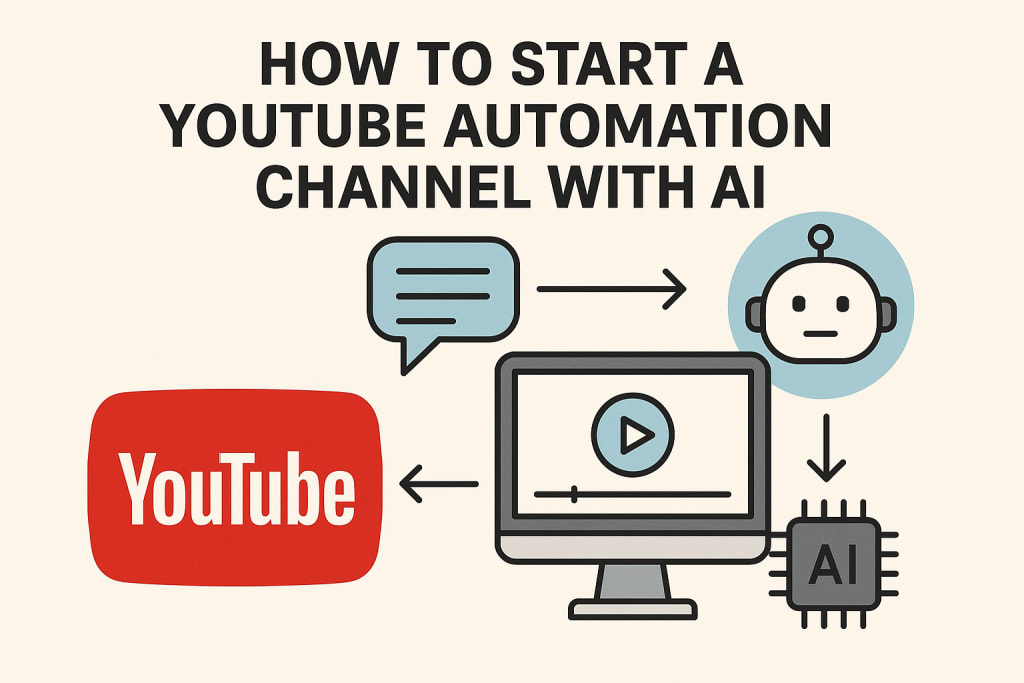
Let's be honest for a second. How many times have you found yourself scrolling through YouTube, watching a beautifully edited video about ancient history or a top-ten list of the world's most expensive cars, and thought, "Who makes these? And how on earth do they have the time?"
I used to wonder the same thing. I’d see these channels with millions of subscribers, pumping out consistent, high-quality content, and assume it was a massive team working around the clock in a fancy studio. Then, I stumbled into the world of YouTube automation. And it completely blew my mind.
This isn't about some magic button that prints money. It’s not a "get rich quick" scheme. It's a fundamental shift in how we create. It’s about leveraging artificial intelligence as your creative partner to build something truly scalable. It’s about becoming a director and a strategist, rather than just a one-person film crew.
And the best part? You can start with little more than a good idea and an internet connection. This is your insider’s guide on how to start a YouTube automation channel with AI. Let's pull back the curtain together.
What Exactly Is an "Automated" YouTube Channel?
First, let's clear up a big misconception. "Automated" doesn't mean no work. It means you're automating the production process, not the creativity. You’re the brains of the operation. AI is your hands.
Think of it like this: In a traditional channel, you are the researcher, scriptwriter, on-camera talent, video editor, sound designer, and thumbnail artist. It's exhausting and limits your output.
In an automated channel, you focus on the high-level strategy: picking a winning niche, crafting the core idea, and overseeing the final product. AI tools handle the heavy lifting of turning that idea into a script, a voiceover, and edited video footage. Your role shifts from creator to creative director.
This model is perfect for faceless channels, like:
Documentary-style content: "The Untold Story of...", "Why Did [X] Disappear?"
List-based content: "Top 10 Most...", "5 Ways to..."
Educational Explainer videos: "How Does [X] Actually Work?"
Motivational or philosophical content: Using stock footage and a compelling narrative.
The core idea is to provide immense value through storytelling and information, without you ever needing to be on camera.
Laying the Foundation: Your Niche and Strategy
Before you touch a single AI tool, the most important work begins in your head. Your strategy is everything.
1. Find Your Golden Niche:
Your niche is the intersection of three things: what you're interested in, what has a viable audience, and what can be monetized. Don't just pick "gaming" because it's big. Drill down.
Too Broad: Gaming
Better: PC Building Guides
Golden Niche: "Building Budget Gaming PCs Under $500" or "The History of Retro Gaming Consoles"
Use tools like TubeBuddy or VidIQ to see search volume and competition. Wander through YouTube and see what channels in your potential niche are doing. What are their comments sections like? Are people engaged?
2. Crack the Content Code:
Study the top videos in your niche. What are the titles and thumbnails like? Pay attention to the structure. Most successful automated videos follow a powerful pattern:
Hook (First 15 seconds): A massive promise or a shocking statement. "This one invention destroyed a billion-dollar industry."
Story/Information: The meat of the video, delivered with pacing and compelling imagery.
Payoff: The conclusion that delivers on the hook's promise.
Your job is to reverse-engineer this code for your own topics.
Assembling Your AI Power Toolkit
This is where the magic happens. You’re building a digital assembly line. Here’s how the pieces fit together, using a real-world example.
Let's say our niche is "Space Mysteries." Our video idea: "The Mystery of Venus's Disappearing Ocean."
Step 1: The Script - Your Blueprint
You can’t build a house without a blueprint. The script is everything.
Tool of Choice: ChatGPT, Claude, or a dedicated AI writer like Jasper.
How to Use It: Don't just say "Write a script about Venus." That will give you garbage. You have to direct the AI.
My exact process might look like this:
"Act as a professional YouTube scriptwriter for a popular science channel. The audience is intelligent but not expert. Write a engaging, 1500-word script for a video titled 'The Mystery of Venus's Disappearing Ocean.'
Structure:
Hook: Start with a compelling question about Venus we take for granted.
Introduction: Briefly describe Venus today - hellish, hot, dry.
The Mystery: Present scientific evidence that suggests it once had vast oceans.
The Theories: Explain the top 3 scientific theories for how the ocean disappeared (e.g., runaway greenhouse effect, lack of magnetic field).
Conclusion: Summarize the mystery and end with a thought-provoking question about what this teaches us about Earth.
Tone: Conversational, awe-inspiring, and slightly mysterious. Include placeholders for [B-roll of Venus] and [dramatic music sting]."
You'll get a solid first draft. Your job is to then edit it. Add your flair, fix awkward sentences, ensure it flows. The AI is a brilliant intern; you are the editor-in-chief.
Step 2: The Voice - The Soul of Your Video
A robotic voice will kill your channel. Thankfully, AI voice generators have gotten scarily good.
Tool of Choice: ElevenLabs, Play.ht, or Lovo.ai.
How to Use It: Take your finished script and feed it into the tool. Experiment with different voices. You don't want a boring, textbook narrator. You want a voice with character—perhaps a deep, resonant tone for mystery, or a warmer, more enthusiastic one for positive topics.
Spend time tweaking the delivery. Add pauses for dramatic effect, emphasize certain words, and adjust the speed. This single step adds a massive layer of humanity to your video.
Step 3: The visuals - Bringing The Story To Life
This is where your video truly comes together. You’ll be using stock footage, but AI is changing the game here too.
Traditional Tools: Platforms like Storyblocks, Envato Elements, and Pexels offer millions of high-quality clips. You search for terms like "Venus surface," "ocean waves," "scientific animation."
The AI Frontier: Tools like Runway ML or Pika Labs allow you to generate video clips from text prompts. Imagine typing "a CGI animation of Venus with blue oceans and clouds" and getting a custom clip. This is still emerging but is becoming more accessible every day.
Step 4: The Edit - Weaving It All Together
You have the audio (voiceover) and the raw video clips. Now you need to assemble them.
Tool of Choice: A video editor like Adobe Premiere Pro, DaVinci Resolve, or a simpler tool like CapCut.
The Process: This is where your directorial vision shines. You match the visuals to the script. When the voiceover says "the surface temperature is hot enough to melt lead," you show a clip of lead melting. You cut your clips to the rhythm of the voiceover. Add a compelling background music track (from a royalty-free site like Artlist or YouTube Audio Library), sound effects, and text overlays.
This step requires a learning curve, but it's creative and immensely satisfying. You are the storyteller, sequencing the shots for maximum impact.
Step 5: The Face - Thumbnail and Title
This is your billboard. It's what makes someone click. Again, AI can assist.
Thumbnails: Use a tool like Canva. You can use AI image generators like Midjourney or DALL-E 3 to create a base image (e.g., "a dry, cracked Venus with a single, fading blue ocean"). Then, add bold text, a contrasting face (even if it's not yours—use stock photos of shocked or amazed people), and bright colors.
Title: Use a tool like ChatGPT to generate 10 title options based on your script. Then, use your human brain to pick the most clickable one. "The Mystery of Venus's Disappearing Ocean" is good. "We Were Wrong About Venus This Whole Time" might be better.
The Human in the Loop: Your Irreplaceable Role
See? The "automation" is just a suite of tools. The value you add is what makes the channel successful.
Curating the Idea: AI can't have a stroke of genius. You did, when you thought of Venus's ocean.
Editing for Heart: AI can write, but you add the humor, the emotion, the subtle turns of phrase that connect with people.
Strategic Oversight: You analyze the analytics, read the comments, and decide what topic to do next. You build the community.
You are not being replaced. You are being amplified.
The Honest Truth: Challenges and Mindset
This path isn't without its hurdles.
Initial Investment: While cheaper than a camera setup, the best AI tools require monthly subscriptions. Budget for this.
The Learning Curve: You will spend hours learning to prompt AI effectively and to edit video. Embrace it. See it as acquiring superpowers.
Finding Your Voice: It's easy for AI-assisted content to feel generic. Your editing choices, your script tweaks, your unique topic selection—that's what will make your channel stand out. Be a creator, not a compiler.
Monetization Patience: It takes time to get to 1,000 subscribers and 4,000 watch hours for the YouTube Partner Program. Focus on value first, money second.
Your Journey Starts Now
The biggest barrier for most people is simply starting. They get paralyzed by the "how." So here’s your call to action, right now:
Niche Down: Before today ends, write down three niche ideas that excite you. Sleep on it. Tomorrow, pick one.
Script One Video: Use the prompt formula I gave you. Direct ChatGPT to write a script. Don't aim for perfection. Aim for "good enough to start."
Listen to It: Use a free trial of an AI voice generator. Hear your words come to life. That feeling? That's the spark.
The door to building a audience, sharing knowledge, and creating something from nothing is wider open than it has ever been in human history. You have access to tools that were science fiction a decade ago.
The question isn't really how to start a YouTube automation channel with AI. The tools are there, waiting for you. The real question is: what story are you going to tell? What mystery are you going to solve for someone? What value can you add to the global conversation?
You have a director's chair waiting for you. It's time to take a seat.
About the Creator
John Arthor
seasoned researcher and AI specialist with a proven track record of success in natural language processing & machine learning. With a deep understanding of cutting-edge AI technologies.
Keep reading
More stories from John Arthor and writers in Lifehack and other communities.
How to Let AI Handle the Grind So You Can Focus on What You Love
Ever find yourself staring at a blank screen, the cursor blinking back at you like a tiny, judgmental metronome? Your brain feels like static. You know you need to post something—anything—to keep your channel alive. The newsletter deadline is looming, and you’ve got nothing but a deep desire to close your laptop and go for a walk.
By John Arthor5 months ago in Lifehack


Comments
There are no comments for this story
Be the first to respond and start the conversation.