
Dos and Don'ts of Conference Room Equipment Setup
Set Up Your Conference Room Confidently


There was once a time when setting up a conference room entailed installing a desk, ordering some chairs, and buying enough office supplies to ensure every meeting participant had easy access to a pen and paper.
Times have certainly changed. Today, conference rooms are full of modern technology that makes collaborating with co-workers worldwide as simple as pressing a few buttons. However, behind any well-functioning, modern conference room is a thoughtful setup process that prevents meeting participants from missing key information.
If you’re responsible for setting up the conference room at your office, here are a few important guidelines to follow.
- Make Sure You Have A High-Definition Screen - But Don’t Put It In the Wrong Place
When you’re conducting a meeting on a high-definition video board, it can, at times, feel as though all your co-workers are in the same room.
In the modern office, quality video boards aren’t just nice to have. They’re a must. If the presenter is using a PowerPoint presentation and one or more meeting participants are unable to read the text on the slide, it can cause the meeting to go on longer than expected. Worse yet, it can lead to misunderstanding and delay or doom a project.
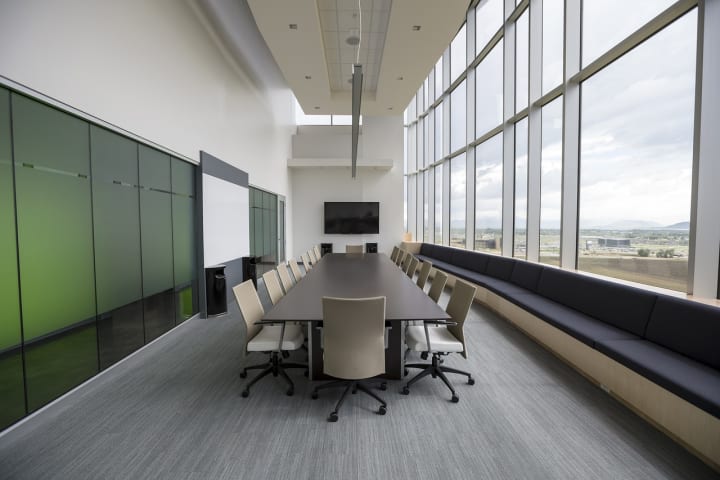
But just having a video board isn’t enough. The person responsible for installing the video board must think carefully about the viewing experience. If, for instance, the video board is too close to a window, it could cause a glare on the screen. It also must be a part of the room where everyone has an unobstructed view.
After setting up a conference room, be sure to do a test run before holding a meeting. Have co-workers come and sit at the conference table on a sunny day and double-check to see if everyone can easily view the screen.
- Invest in Quality Cameras - But Don’t Just Place Them Anywhere
If meeting participants aren’t using cameras that capture the best picture, it doesn’t matter what type of screen you use in your conference room⏤it will be challenging to follow along.
Just having a single high-definition camera in a conference room typically isn’t enough, though. If, for example, a camera is located in the front of the conference room and the person speaking is in the back of the room, it can reduce the effectiveness of the presentation. Presenting is not just about the words that come out of the speaker’s mouth; it’s also about their facial expressions, hand gestures, and other body language.
The good news is that there are solutions available. Some conference room systems, for instance, include cameras that constantly track each person in the room and zoom in on them when they begin to speak. It ensures everyone is front and center when talking.
- Put Microphones in Multiple Locations - But Make Sure You Aren’t Picking Up Background Noise
Audio quality is as important⏤if not more important⏤than video quality. If you can’t hear the person who’s speaking on a call, you’re going to miss out on critical information.
In larger conference rooms, a single microphone is usually not enough to capture all audio output. Rather than forcing participants to move closer to the microphone every time they speak, your office should instead consider strategically placing microphones throughout the facility. You could, for example, use multiple mic pods or more than one ceiling microphone.
No matter which microphone configuration you choose, you need to make sure the mics aren’t picking up ambient noise from around the office. Powerful microphones can, for instance, pick up audio output from an adjacent office. You may need to install soundproofing in your conference rooms to create a distraction-free experience.
It’s never a bad idea to partner with AV specialists, such as Zoom room installers, to guarantee that your conference room setup process goes off without a hitch.
- Use Room Reservation Technology - But Make Sure Everyone Knows How to Use It
Not long ago, secretaries and office managers were in charge of maintaining schedules for conference rooms. Employees would need to check with them any time they wanted to reserve a room.
Nowadays, the process has been streamlined. Tap scheduling devices make it possible to book meeting rooms with only a few clicks. Employees can use the device itself, which is usually installed either on the office door or an adjacent wall, to book the room or schedule time using an integrated calendar tool like Google Calendar or Microsoft Teams.
Room scheduling technology is an efficient and equitable way to reserve conference room space. However, it requires an adjustment for many employees⏤particularly among those who have worked in a traditional office setting for decades. Rather than expecting employees to learn how to use it on their own, your company’s IT team should train them on how to reserve space. This training should be repeated every time new employees are on board.
- Make Sharing Easy With Wireless Presentation Devices - But Have a Backup Plan Ready
Removing an HDMI cord from one employee’s laptop and placing it in another employee’s laptop in the middle of a meeting can cause delays and make for an awkward pause. It can be hard to regain everyone’s attention after it happens.
Fortunately, wireless presentation devices streamline the process of screen sharing. Using tools like Apple Play or Google Cast, employees can project their laptop or phone screen onto the video board for all meeting participants to see. It makes it simple to switch between presenters in the middle of a meeting. This is especially important during meetings where a participant who wasn’t scheduled to speak has an idea they would like to share.
However, wireless presentation devices can, at times, have their limitations. One in particular is video sharing. Some users of these devices have reported that videos shared through wireless presentation devices can appear slightly delayed. So, if you plan to share a video during a presentation, it’s a good idea to have an HDMI cord handy to plug the laptop in.
Partner With the Pros
If your conference rooms are in need of modernization, seek out help from AV specialists. They can help you identify the optimal software and equipment for each of your office conference rooms.
About the Creator
Aaron Smith
Aaron is a content strategist and consultant in support of STEM firms and medical practices. He covers industry developments and helps companies connect with clients. In his free time, he enjoys swimming, swing dancing, and sci-fi novels.
Keep reading
More stories from Aaron Smith and writers in Lifehack and other communities.
About Purchasing Affordable Medicine Online
From virtual doctors to online pharmacies, consumers are increasingly turning to the internet for their medical care and for finding more affordable solutions to their prescription or medication needs. Online pharmacies are a great way to source both prescription and OTC medication due to the convenience, safety, and accessibility of online shopping.
By Aaron Smith5 years ago in Lifehack
Soft Rugs for Bedroom Creating a Cozy and Comfortable Space
Every element in the room should contribute to a calm and inviting atmosphere. One of the easiest ways to enhance both comfort and style in a bedroom is by adding a soft rug. Soft rugs for bedroom spaces not only improve the appearance of the room but also create a warm and comfortable surface that makes daily routines more pleasant.
By Nandini Shukla6 days ago in Lifehack
Understanding BMI and Healthy Weight: A Guide to Smart Health Monitoring
In today's fast-paced world, many people are trying to live healthier lives, yet they often overlook one of the simplest indicators of their overall health — body weight awareness. Between busy schedules, processed foods, and limited physical activity, it has become easier than ever for people to lose track of their physical well-being.
By Backlinks Cart5 days ago in Lifehack
Bomb Scare
It was 2027, and the world never thought it would happen. A missle hit the United States, but it wasn't where they had anticipated. A little town in the northeast was hit by a missile strike, they didn't know why, and they didn't know exactly where it hit, but they did know it was a coastal community, somewhere between Maine and Delaware.
By Gregory Payton7 days ago in Fiction




Comments
There are no comments for this story
Be the first to respond and start the conversation.