
Beyond the Price Tag: Untangling the Real Cost of Your Website's Home
Maybe it’s for the small business you’ve poured your heart into, the portfolio showcasing your creative spark

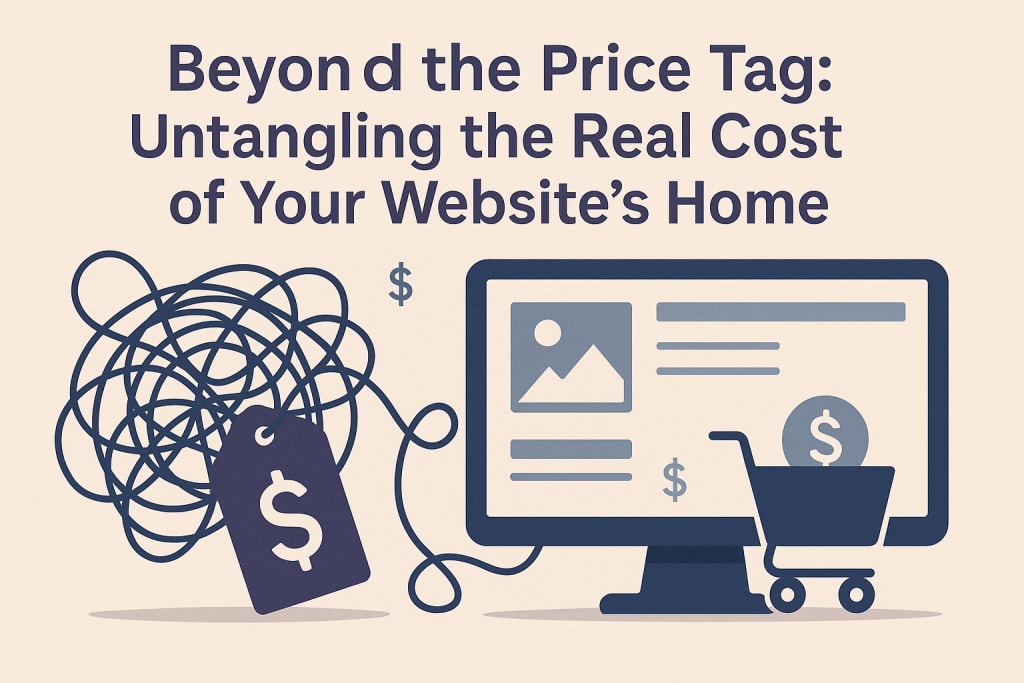
Remember that flutter of excitement when you finally decided to build your website? Maybe it’s for the small business you’ve poured your heart into, the portfolio showcasing your creative spark, or the blog sharing your passion with the world. You sketched layouts, brainstormed content, maybe even picked a domain name that felt just right. Then came the inevitable question, the one that often throws cold water on that initial spark: "How much does web hosting cost?"
Suddenly, you're down a rabbit hole of confusing plans, technical jargon, and prices ranging from "unbelievably cheap" to "ouch, that’s steep!" It feels less like choosing a home for your digital baby and more like deciphering an alien price list. I get it. I’ve been there, staring blankly at comparison charts, wondering if I needed a finance degree just to get my simple blog online.
Let’s cut through the noise together. Forget dry technical specs for a moment. Think of web hosting as renting space for your website on a powerful computer (a server) that’s always connected to the internet. How much does web hosting cost? Honestly? It’s like asking "how much does rent cost?" The answer depends entirely on where you live (the type of hosting), what size place you need (your website's demands), and the amenities included (features like security, support, backups).
The Shared Apartment: Where Most Journeys Begin (Cost: $2 - $15/month)
Imagine moving into a bustling apartment building. You have your own small space (your website), but you share the building's core resources – the plumbing (bandwidth), the electricity (server power), and the hallway (server software) – with all the other tenants (websites). This is shared hosting. It’s the entry point, the most common starting block, and usually the answer to how much does web hosting cost when someone is just starting out.
The Reality: Think of Sarah. She launched her handmade jewelry store on a popular shared hosting plan for $3.99/month (an intro offer). It was perfect initially. Traffic was light, her site was simple. But when one of her pieces got featured in a local blog, traffic spiked. Suddenly, her site slowed to a crawl, frustrating potential customers. Why? Other "tenants" on her server were also busy, hogging shared resources. Her $4 bargain suddenly felt expensive in lost sales.
The True Cost: Introductory rates are tempting (often $2-$7/month), but watch renewal prices. That $3.99 can jump to $10-$15/month after the first term. You get basic features: email accounts, a simple control panel, maybe a free domain for the first year. Performance can be inconsistent, especially during traffic surges. Support is often basic. It’s cheap, but you share everything.
Is it right for you? Absolutely, if you're launching a simple blog, small brochure site, or a very new business with minimal traffic. Just be realistic about growth and potential hiccups.
Stepping Up: The Managed Condo (WordPress/VPS) (Cost: $10 - $50+/month)
You need a bit more space, more reliable utilities, maybe even someone to handle the trash (updates and security). This is where Managed WordPress Hosting and entry-level Virtual Private Servers (VPS) come in.
Managed WordPress Hosting: Think of a condo building specifically designed for WordPress owners, with a super on call. The hosting company optimizes everything for WordPress, handles core updates, security monitoring, and often provides staging areas to test changes. Performance is usually significantly better than shared hosting.
David's Story: David ran a popular food blog. On shared hosting, plugin updates often broke his site, and traffic spikes caused crashes. He switched to managed WordPress hosting for $25/month. Suddenly, updates were handled seamlessly, his site loaded faster, and the 24/7 WordPress-specific support saved him hours of headaches during a plugin conflict. The peace of mind was worth every penny.
The True Cost: $10 - $50+/month is typical. You pay for convenience, optimized performance, enhanced security, and expert support. It removes a huge technical burden but locks you into the WordPress platform. Renewal rates can also climb.
Virtual Private Server (VPS - Managed): Now imagine you have your own floor in a building. You still share the physical structure, but you have dedicated resources (RAM, CPU power, storage) no one else can touch. A managed VPS means the hosting company still handles server maintenance, security patches, and core software updates for you.
Maria's Move: Maria’s online course platform started gaining real traction. Shared hosting became painfully slow. She needed more power but wasn't ready to manage a server herself. A managed VPS for $40/month gave her dedicated resources and the hosting company’s sysadmin expertise. Her site performance stabilized, handling student logins smoothly.
The True Cost: $20 - $80+/month for managed solutions. You get dedicated power and more control than shared/WordPress hosting, without the deep technical management. It’s a significant step up in cost but also in reliability and scalability for growing businesses.
Is it right for you? If your WordPress site is business-critical, growing fast, or you simply value your time (and sanity) over fiddling with tech, managed WP hosting is fantastic. A managed VPS is ideal for non-WordPress sites or complex applications needing dedicated power without full server admin duties.
The Big Leagues: Your Own House (Dedicated & Cloud) (Cost: $80 - $500+/month)
This is for established businesses, high-traffic sites, or complex applications needing maximum power, control, and security.
Dedicated Server: You lease an entire physical server machine just for you. No sharing anything. Total control, maximum resources.
Tech Startup Scaling: Imagine "StreamFlow," a video streaming startup. As their user base exploded, shared resources and even VPS couldn't handle the video encoding and delivery demands. They moved to powerful dedicated servers ($300+/month). The cost was high, but essential for delivering buffer-free streams to thousands.
The True Cost: $80 - $500+/month. You pay for raw power and isolation. But, you (or your hired sysadmin) are responsible for everything: hardware failures (mitigated by the host, but recovery is on you/them), security hardening, software updates, optimizations. Unmanaged dedicated servers are significantly cheaper but require serious expertise.
Cloud Hosting (Scalable): Think of it like tapping into a vast, flexible power grid. Your site runs across a network of interconnected servers. Resources (CPU, RAM, storage) can scale up or down instantly based on demand. You typically pay for what you use.
E-commerce During Peak Season: "GadgetGuru," an online store, sees traffic 10x normal during Black Friday. Cloud hosting automatically scales up resources to handle the surge, then scales back down afterward. They pay more for that peak month but save significantly during quieter periods compared to maintaining a huge dedicated server year-round.
The True Cost: Highly variable. Can start similar to VPS ($20-$50) for small usage but can climb rapidly with traffic spikes ($100s/month). Predictability can be a challenge, but the flexibility and resilience (if one server fails, others take over) are unmatched for unpredictable or rapidly growing sites.
Is it right for you? Only if you have high, sustained traffic, complex applications, need iron-clad security, or require ultimate control. The cost and complexity are substantial.
Beyond the Base Fee: The Hidden Line Items
When figuring out how much does web hosting cost, the advertised price is rarely the whole story. Watch for these common add-ons:
Domain Names: Your website's address (e.g., yourcoolbusiness.com). Usually $10-$15/year. Often free for the first year with hosting plans – but check renewal costs! Don't get locked in.
SSL Certificates: The padlock in the browser bar. Essential for security and trust (especially for e-commerce). Many hosts offer free basic SSLs (Let's Encrypt). Paid certificates offer more features/validation ($50-$200+/year).
Email Hosting: Some plans include basic email (e.g., [email protected]). Others charge extra or require a separate service. Factor this in if needed.
Backups: Automatic backups are crucial! Some hosts include basic backups. Reliable, automated, off-site backups often cost extra ($2-$10/month).
Renewal Rates: This is the BIG one. That enticing $2.95/month intro offer? It might skyrocket to $14.95/month at renewal. Always check the renewal price before signing up.
"Unlimited" Traps: Shared hosting often advertises "unlimited" bandwidth or storage. Read the fine print! There are always limits based on "acceptable use" or server resources. Exceed them, and you'll face throttling or forced upgrades.
So, How Much Does Web Hosting Really Cost? Let's Break it Down Simply
Starting Simple (Blog/Small Site): $3 - $15/month (Shared Hosting) + Domain ($12/year) + Maybe Email ($0-$5/month). Total: ~$5 - $25/month (Year 1), potentially higher on renewal.
Growing & Needing Reliability (Small Business/Busy Blog): $20 - $50/month (Managed WP or VPS) + Domain + SSL (often free) + Backups ($3-$10). Total: ~$25 - $65+/month.
Established Business/High Traffic: $100 - $500+/month (Dedicated/Cloud) + Domain + Enhanced Security/Backups + Potentially Sysadmin costs. Total: Significant investment, but necessary for scale.
Finding Your Perfect (Price) Fit: Actionable Steps
Figuring out how much does web hosting cost isn't just about the lowest number. It's about value and fit. Here’s how to navigate it:
Be Brutally Honest About Your Needs: How much traffic do you realistically expect in the next year? What does your website actually do (simple pages? e-commerce? videos? memberships?)? Is speed critical? How tech-savvy are you (or your team)?
Look Beyond the Intro Price: Hunt down the renewal rate. Calculate the cost over 2-3 years, not just year one.
Read Reviews, Focus on Support: Search for reviews mentioning support responsiveness, especially during problems. Good support is worth paying for when your site goes down at 2 AM.
Check the Fine Print: "Unlimited" anything? Look for the acceptable use policy. Check backup policies (frequency, retention, restoration ease).
Prioritize Security: Ensure SSL is included or easily added. Ask about their security measures (firewalls, malware scanning).
Consider Growth: Don't choose a plan you'll immediately outgrow. How easy (and costly) is it to upgrade?
Start Simple, Scale Later: It’s usually easier and cheaper to start with what you need now (e.g., good shared or managed WP) and upgrade later, rather than overpaying for resources you won't use for months.
The Real Investment Isn't Just Dollars
As I look back on my own website journeys and those of friends and clients, the cost question always surfaces. But here’s the perspective shift I’ve learned: How much does web hosting cost? is important, but it’s only part of the equation.
The deeper cost is in lost opportunity if your site is slow, unreliable, or insecure. It’s the cost of your time spent fixing issues instead of creating content or serving customers. It’s the cost of a visitor bouncing away because your page took too long to load, never to return.
Choosing hosting is choosing the foundation for your digital presence. A shaky foundation, no matter how cheap, will eventually cause problems. A solid one, even if it costs a bit more upfront, provides peace of mind and room to grow.
Don't let the initial price sticker paralyze you. Understand the landscape, be honest about your needs, look beyond the intro deals, and prioritize reliability and support. Invest in the foundation your online dreams deserve. Your future self, calmly sipping coffee while your site handles traffic smoothly, will thank you.
What was your biggest surprise when you first went looking for hosting? Did you find any hidden costs that caught you off guard? Share your story below – let’s keep demystifying this together!
About the Creator
John Arthor
seasoned researcher and AI specialist with a proven track record of success in natural language processing & machine learning. With a deep understanding of cutting-edge AI technologies.
Keep reading
More stories from John Arthor and writers in Lifehack and other communities.
The Silent Drain: How Affiliate Fraud Steals Your Growth
Remember that feeling? That spark when you launched your affiliate program? Visions of passionate partners spreading the word, genuine customers discovering your amazing product, and sales ticking up like a healthy heartbeat. It felt like pure marketing magic. Then… reality sets in. The numbers look too good. Suspicious clicks pour in from nowhere-land. Sales spike erratically, then vanish. That gnawing feeling in your gut? It’s not indigestion. It’s the creeping dread of affiliate fraud.
By John Arthor7 months ago in Lifehack
How to Recover a TikTok Account: The Complete 2026 Guide for Hacked, Suspended, or Deleted Accounts
Losing access to your TikTok account can feel like losing a part of your digital identity. Whether you are a casual user with cherished memories or a creator who has spent years building a community, a sudden lockout is stressful. With over a billion active users, TikTok accounts are prime targets for hackers, and automated moderation systems can sometimes make mistakes.
By Alexander Hoffmann3 days ago in Lifehack
Common Mistakes to Avoid When Using Whey Protein Powder
Whey protein looks simple. Mix it, shake it, and drink it done. Yet a lot of people use it the wrong way and then wonder why they don’t see results. Whey isn’t magic. It’s a supplement. When you use it properly, it supports strength, recovery, and lean muscle growth. When you misuse it, it becomes expensive flavoured milk.
By Lakshay Gulati7 days ago in Lifehack
The First Rainbow Baby
Pitter-patter, pitter-patter. The rain fell in rhythmic splatters, slowly slowing, but still constant. Mira rolled onto her side pulling the blanket tight against her ears, but still she could hear chitter-chatter and scurrying feet of the creatures that refused to sleep in the lower decks.
By A. J. Schoenfeld3 days ago in Fiction



Comments
There are no comments for this story
Be the first to respond and start the conversation.