
Android Beta Testing: How to Test Your App Before it is Released
Get a Head Start on the Next Android Update

Android Beta Testing:What Do You Know
Android beta testing is a crucial step in the development process for any Android app. Beta testing allows you to test your app in real-world scenarios, providing valuable user feedback and insights into how your app performs. It’s also a great way to identify and fix any bugs or issues before launching your app.
If you’re looking to get started with Android beta testing, there are a few things you need to know. This article will provide an overview of the basics and help you understand the process.
What is Android Beta Testing
Android beta testing is the practice of releasing a pre-release version of an Android app to a select group of users. Beta testers can provide valuable feedback and help identify bugs and other issues before the app is released to the public.
The goal of beta testing is to ensure the app is stable and functional before it is released to the public. It is also an opportunity to get feedback from real users on the user experience, which can help you make improvements before launch.
How Does Android Beta Testing Work?
Beta testing begins by releasing a beta version of your app to a select group of users. These users will then install and use the app, providing feedback and reporting any issues they encounter.
The key to successful Android beta testing is to ensure you are getting feedback from a diverse group of users. This includes a mix of experienced and inexperienced users, as well as users from different geographic locations and devices.
Once the beta testing period is over, the feedback from your users can be used to make improvements to the app before launching it to the public.
How to Set Up Android Beta Testing
Setting up
Android beta testing is relatively simple. The first step is to create a beta version of your app and upload it to the Google Play Developer Console. From there, you can invite users to test your app by sending them a link to the beta version.
Once your users have installed the beta version of your app, they can provide feedback and report any issues they encounter. You can then use this feedback to make improvements to the app before launching it to the public.
what is API Level in android 12?
API stands for Application Programming Interface. It is a set of programming instructions and standards for accessing a web-based software application or web tool. In Android, the API is used to access features in the Android operating system such as databases, graphics, network connections, and user interfaces.
Android 12 API Level is packed with new features and improvements that make it easier for developers to create impressive Android apps. These features include enhanced support for multi-window applications, improved graphics performance, new connectivity options, and much more.
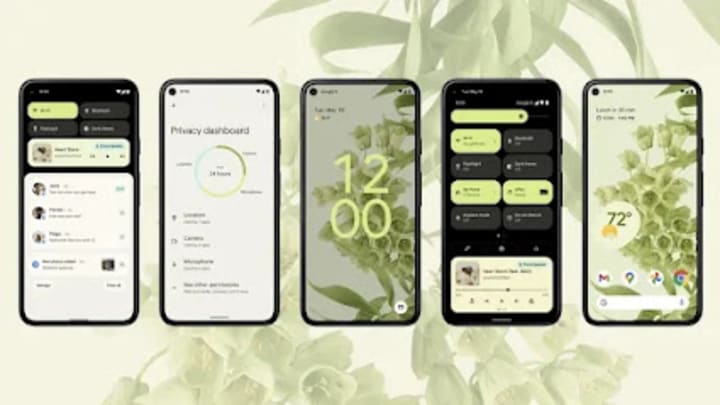
The first step to developing a successful Android app is to become familiar with the Android SDK. The Android SDK is the foundational layer on which all Android apps are built. It provides developers with the tools they need to create a fully functional app. The Android SDK contains a range of APIs that allow developers to access the device’s hardware, network, and software services.
Conclusion
Android beta testing is an important step in the development process for any Android app. It allows you to test your app in real-world scenarios and get valuable feedback from users Setting up Android beta testing is relatively simple and can be done through the Google Play Developer Console
About the Creator
DHANEESH .M
I am dhaneesh I doing my undergraduate degree in kongu engineering college I well knowledged in Android,windows and latest technologies
Keep reading
More stories from DHANEESH .M and writers in Lifehack and other communities.
Android Studio:"Learn How to Develop Android Applications With Android Studio"
I. Introduction Android Studio is an integrated development environment (IDE) for developing Android apps. It is the official IDE for Android app development and is developed by Google. It includes a code editor, debugging and testing tools, and a range of other features to help developers create quality Android apps.
By DHANEESH .M3 years ago in Lifehack
Smartphones Are Powerful Enough
For more than a decade, smartphones have followed a predictable trajectory: higher power, sharper images, and speedier internet. On paper, today’s technologies are substantially superior to those from even five years ago. Yet surveys, user forums, and daily encounters suggest a different image. Satisfaction hasn’t grown at the same pace as capacity.
By abualyaanartabout 6 hours ago in Lifehack
The Devil's Cut
“Comrade, finally you’re awake.” The voice was smooth, sensual. A flickering incandescent bar was all that lit the white, sterile room. All Vladimir remembered was everything going black. He tried to move his arms and found them strapped to the gurney.
By Matthew J. Fromm6 days ago in Fiction



Comments
There are no comments for this story
Be the first to respond and start the conversation.