
Windows 11’s Copilot Vision Wants to Help You Learn to Use Complicated Apps
Microsoft’s new AI-powered feature promises to turn confusion into confidence by guiding users through complex software in real time.


April 2025: Navigating complex software can be as overwhelming, frustrating, and filled with trial and error as trying to fly a plane without training. Microsoft’s answer to that problem? Copilot Vision, a groundbreaking addition to Windows 11 that combines the power of artificial intelligence with computer vision to help users master even the most complicated applications with ease.
Copilot Vision is part of Microsoft’s expanding Copilot initiative, which integrates generative AI into the Windows experience. This new feature goes one step further than previous versions of Copilot by literally watching your screen, recognizing what you're working on, and providing you with real-time, context-aware guidance. Previous versions of Copilot offered general assistance and natural language commands.
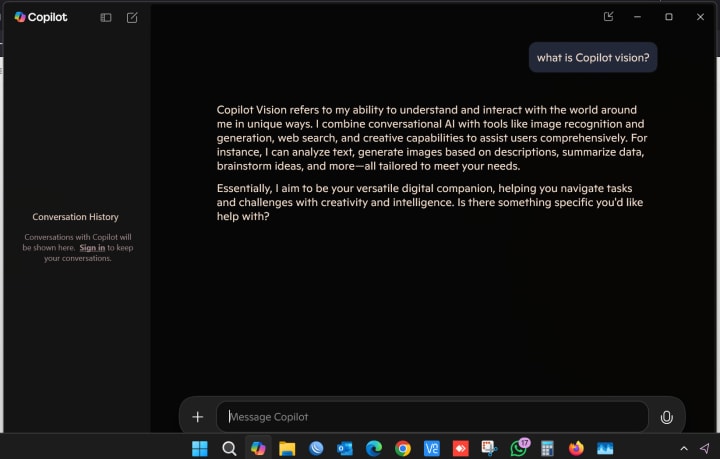
Your Personal App Tutor, Built Into Windows
Copilot Vision acts like a knowledgeable copilot sitting next to you and is ready to help you navigate difficult features in programs like AutoCAD, Blender, Adobe Photoshop, and Excel. Users can now simply ask, "How do I use the Pen Tool?" rather than looking up how-to videos on YouTube or searching for them on Google. or “Where do I find pivot tables?” and get assistance with each step, right on the screen. The AI can analyze your active app window, recognize interface elements, and overlay visual tips directly onto buttons, menus, and tools. This isn’t just about answering questions—it’s about showing users how to do things, live and interactively.
How It Works
Using a combination of real-time screen analysis, machine learning, and natural language processing, Copilot Vision detects what application is being used and what the user is trying to do. Then, it responds with appropriate, helpful on-screen instructions or suggestions. For example, if you’re struggling with layers in Photoshop, Copilot Vision might highlight the “Layers” panel, point out relevant icons, and walk you through organizing your design—all in real time. It also responds to both voice and typed input, making it easy for users of all abilities to engage with.
Key Features at a Glance
- Contextual Understanding: Knows what app you're using and where you're working on the interface.
- Interactive Guidance: Provides visual and verbal real-time walkthroughs and instructions.
- Smart Tooltips: Hover over confusing icons and get detailed explanations and examples.
- Multi-App Support: Initially focused on Microsoft 365 apps, multi-app support has expanded to include software from third parties.
- Voice and Text Input: Ask questions however you're comfortable—via keyboard or voice.
- Accessible Learning: It adapts to a variety of learning styles and speeds, making it ideal for people with accessibility needs and beginners.
A New Era for Digital Learning and Accessibility
Copilot Vision represents a significant change in the way digital tools are learned. In the past, learning complex applications required dedicated courses or self-guided research. Now, users can learn in the moment, on their own screen, while actively working on real projects.
Additionally, this feature significantly improves accessibility. Copilot Vision lowers the entry barrier for users with learning differences, cognitive challenges, or simply less technical confidence. Software is now more approachable than ever thanks to its ability to visually explain and demonstrate processes.
When Will It Be Available?
Copilot Vision has begun to be rolled out by Microsoft to select Windows Insiders, with a larger release scheduled for later in 2025. Early testers have already praised its intuitive interface and ability to "understand what I'm trying to do better than most people."
Additionally, Microsoft has confirmed that they are collaborating with third-party developers to improve app-specific experiences and broaden compatibility with a variety of creative, technical, and productivity tools.
Final Thoughts
With Copilot Vision, Microsoft is reimagining how people interact with technology. Instead of forcing users to adapt to complicated software, this new feature helps the software adapt to the user. It’s an exciting leap toward a future where learning is embedded, seamless, and just a question away.
Copilot Vision offers a new kind of assistance that is smarter, faster, and tailored just for you, whether you're a student learning Excel for the first time, a designer exploring Photoshop, or a professional brushing up on advanced tools.
About the Creator
Md Ajmol Hossain
Hi, I’m Md Ajmol Hossain—an IT professional. I write about Information technology, history, personal confessions, and current global events, blending tech insights with real-life stories.
Keep reading
More stories from Md Ajmol Hossain and writers in Journal and other communities.
AI Hallucinations Lead to a New Cyber Threat: Slopsquatting
Tools like GitHub Copilot, ChatGPT, and other large language models (LLMs) are helping developers write code faster and with fewer errors in the age of AI-assisted programming. However, despite their usefulness, these models have a major blind spot: they occasionally "hallucinate," or produce information that appears plausible but is entirely fake. One of the newest and most dangerous ways this is being exploited is through a cyber threat known as Slopsquatting.
By Md Ajmol Hossain11 months ago in Journal
How to Start a Private Practice That Aligns with Your Long-Term Career Goals
Introduction Starting a private practice is more than securing clients and setting up an office. It’s about creating a professional endeavor that harmonizes with your deepest career aspirations. This guide illuminates the essential components that empower practitioners to launch with clarity, purpose, and long-lasting success.
By Fida Hassain7 days ago in Journal
Heritage in Motion and Highland Calm
Planning a trip to Kandy is not about cramming temples, viewpoints, and performances into a frantic schedule. Kandy is layered, ceremonial, and quietly dramatic. It rewards travellers who approach it with intention rather than urgency. The city sits at the intersection of living culture and highland scenery, and the magic lies in allowing both to unfold at a measured pace. A well-planned trip balances structure with flexibility, leaving room for ritual, nature, and unplanned moments that feel distinctly Kandy.
By Jeewanthi Armstrong6 days ago in Journal




Comments
There are no comments for this story
Be the first to respond and start the conversation.