
Why People Are Talking: Apple’s New iOS Feature Sparks Privacy Debate
A fresh update stirs things up — and raises big questions

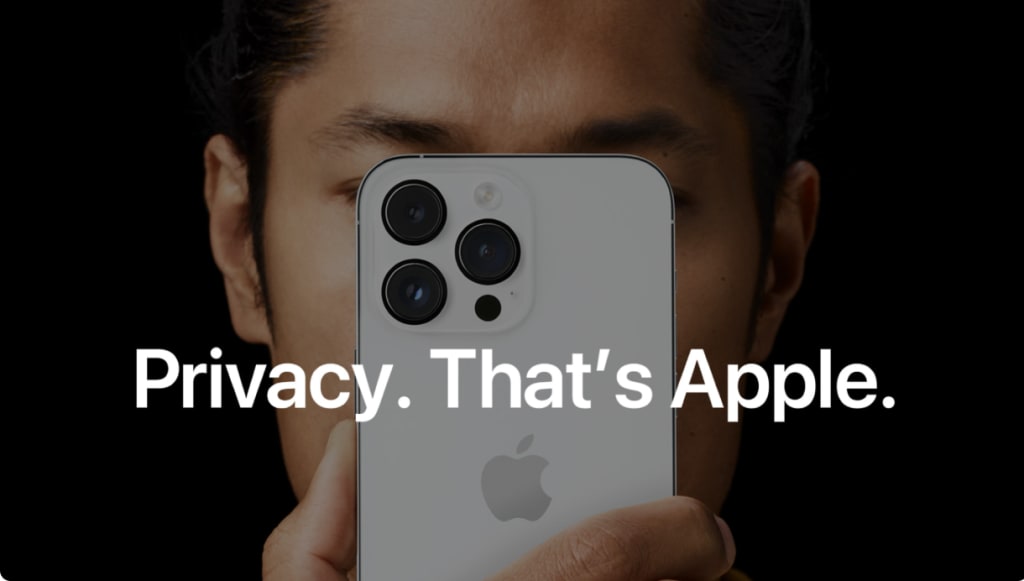
Apple recently released a software update for iPhone and iPad. The update added a small but important feature. This feature lets users see if apps track them — and gives them extra control over what apps can see. Immediately after release, the update spread fast across social media. Many users shared praise, some shared worries. Debate exploded. That’s why this story became one of the most discussed Apple news items this week.
This update looks simple. Yet it touches a big topic: privacy. And in 2025, privacy matters more than ever. Let’s explore what happened, what people like about it, and what concerns remain.
What Is the New Feature?
The update added extra tracking-controls inside the settings. Users can now check a screen that shows which apps recently requested sensitive data — like location, microphone access, and camera access. The screen displays a timeline: who asked, when, and what data they wanted. Users can then approve or deny each request easily.
Before, tracking often happened quietly. Apps might request permissions once — then use them many times, often without clear notice. The new feature aims to change that. It gives transparency. It gives choices. It gives a sense of control.
Because notifications now show more often, and it becomes clear when an app tries to read data, many people felt more aware. Some discovered apps they rarely use were still tracking them. Others saw apps they trusted requesting weird things. For many users, the update felt like a wake-up call.
Why the Update Went Viral Quickly
This change hit a nerve. People care about privacy. Many tweet or post about data leaks, ads that follow them, or strange behavior from apps. When Apple gave a tool to see and control data access, many felt empowered. They shared screenshots. They warned friends. They asked: “Do you know what apps you allowed to track?”
Because iPhones and iPads are common worldwide, the story crossed languages, countries, and communities. Privacy-focused users hailed the change. Tech watchers praised Apple for listening. Even casual users tried the new feature, got shocked, and started deleting permissions.
The result: overnight, the update became a hot topic. Memes, warnings, advice, questions — all spread fast. The debate turned global, visible and urgent.
What Users Like About It
Many users expressed relief. They said they finally feel safer on their devices. Key benefits:
- More transparency: Users can see what data apps try to access. That removes guesswork.
- More control: Approving or denying happens in a tap. Users decide what apps can do.
- Better trust: Users feel Apple cares about their privacy. That reinforces trust for both old and new users.
- Simple user experience: The feature stays inside settings. It doesn’t require extra apps or complex setup.
Important for many: this isn’t just for tech-savvy people. It works for grandparents, parents, students — anyone with an Apple device.
What People Worry About — And What Is Still Unclear
But the update didn’t calm all concerns. Some people remain cautious. Their worries include:
- Will tracking requests just get more subtle? Apps might change how they ask for permissions, or hide tracking behind vague prompts.
- Will the change slow app performance? Apps that need frequent access to sensors might feel annoying if permission pops up often.
- What about data already collected? The update shows future access. It doesn’t undo past tracking.
- Will this feature really stop misuse or just make people feel safer? If apps use data cleverly, or outside Apple’s oversight, problems may remain.
Many also ask if this will pressure other tech companies. Will Android or other platforms follow? For now, it remains to be seen.
What This Means for Privacy in Tech
This update may influence more than just Apple devices. It shows a growing demand for control, clarity, and ethics in data use. Big tech companies often face criticism — for leaks, for misuse, for privacy violations. But here, a company listened. It built a tool that gives power back to users.
If other companies follow, data access could become more transparent everywhere. Developers might start building apps that ask for permissions only when needed — not at install. Users might begin checking permissions regularly. Apps might compete not just on features, but on trust and privacy.
Privacy could become a selling point again, not a hidden feature.
Will It Last — Or Fade Away?
That depends on several things. If Apple keeps the feature updated, and makes it easy to use, people will likely keep caring. If apps adjust but still try to sneak tracking, the feature’s value may stay strong. If daily permissions become annoying, some users might ignore them.
Also important: how long Apple supports the update. If new iOS versions remove or weaken this feature — trust will erode fast.
User education matters too. People need to learn what permissions really mean. Without that, they may approve blindly. Privacy won’t improve just by having a tool — people must use it wisely.
Final Thoughts
The new privacy-control feature by Apple sparked strong reactions — positive and cautious. It shows what users expect now: tools that respect privacy and give choice. In an era where data is gold, many people don’t want to trade their privacy for convenience.
Apple’s move may be a small step in tech history. But it could shape how we think about data, consent, and trust. If you own an Apple device, this update gives you power — the power to know, decide, and protect. How we use that power may define the future of digital life.
About the Creator
Shakil Sorkar
Welcome to my Vocal Media journal💖
If my content inspires, educates, or helps you in any way —
💖 Please consider leaving a tip to support my writing.
Every tip motivates me to keep researching, writing, sharing, valuable insights with you.
Keep reading
More stories from Shakil Sorkar and writers in Journal and other communities.
More Developers Report App Store Review Delays at Apple
A growing number of developers say they face delays when they submit apps or updates to the Apple App Store. This slowdown could affect how quickly new apps reach iPhone and iPad users — and may pressure Apple to improve its review process.
By Shakil Sorkar3 months ago in Journal
Iranian Drone Attacks Hit Ships in the World’s Most Important Oil Route
The already volatile conflict between Iran, the United States, and Israel escalated again this week after suspected Iranian drones struck multiple ships in and around the Strait of Hormuz, one of the most strategically important waterways on Earth. The attacks have intensified fears that the war could spiral into a wider regional or global crisis.
By Navigating the Worlda day ago in Journal
Why Many Women Prefer the Abaya for Comfort and Style
Fashion trends change quickly, but some clothing pieces continue to remain meaningful and relevant over time. One such garment is the abaya. Traditionally worn in several Middle Eastern countries, the abaya has become an important part of modest fashion around the world.
By Shahnaz Khan4 days ago in Journal


Comments
There are no comments for this story
Be the first to respond and start the conversation.