
Why GND Fails? A Go-through Guide for Computer Motherboard Repair in Vegas
Ifix-laptops

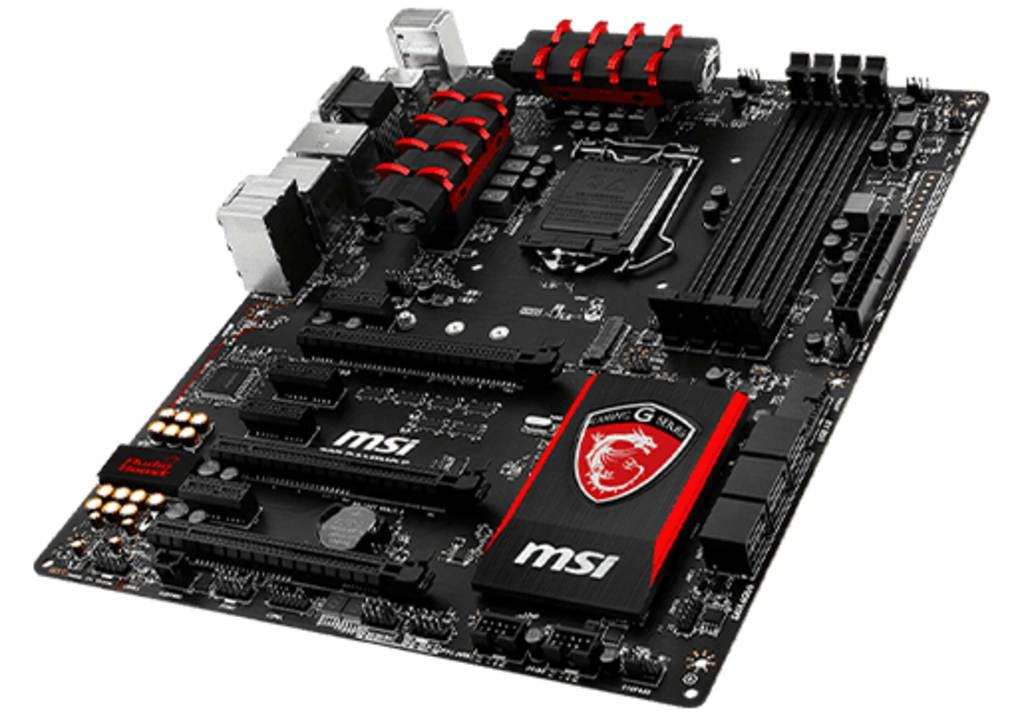
If the Ground “GND” link on a motherboard isn't working right, it can lead to strange behaviour, power outages, and even damage that can't be fixed. GND problems are different from other motherboard problems in that they are often missed, which can lead to wrong diagnoses and bad fixes.
You may need a service for computer motherboard repair to fix problems with grounding if your computer shuts down randomly, makes noises, or runs slowly. You will know about why GND problems are so important, how to spot them, and when to get professional help in this guide.
What Are GND Problems in a Motherboard?
Grounding (GND) keeps voltage levels steady and stops electrical interference. If the motherboard's grounding isn't right, it can cause:
- Random freezes and crashes
- Audio and USB static noise
- Overheating and power fluctuations
- Broken parts (CPU, RAM, GPU)
A computer motherboard chip level repair is often needed to find and fix GND links that don't work.
5 Reasons Why a Professional Should Fix GND Problems
Here are the most common GND problems and their solutions:
Tracing Complex Circuits Need Experts
GND faults are often caused by broken traces, solder points that have rusted, or PCB layers that are broken. To find these, you need high-tech tools like multimeters and thermal cameras.
Why Do-It-Yourself Fails?
- You could make a wrong diagnosis if you don't have the right tools to fix a computer chip.
- Fixing things the wrong way can make the problem worse.
Risk of More Damage with Wrong Repairs
If the ground link isn't strong, voltage spikes can happen and hurt the CPU, RAM, or GPU.
Why Do-It-Yourself Fails?
- If you reflow the solder wrong, you could make more short circuits. If you use the wrong tools, you could scratch the PCB. Thus, you have to pay more for motherboard replacements.
Specialized Tools Needed for Precision Work
Often, micro soldering stations, oscilloscopes for checking signals, and PCB trace repair kits are needed to fix GND problems.
Why Do-It-Yourself Fails?
- Most people don't have these tools available.
Five Signs That Your GND Is Broken and How to Fix Them
Random Restarts and Shutdowns
If your PC shuts down without warning and isn't overheating, a weak GND link could stop power from getting to the board.
- Make sure there are no loose power plugs.
- Use a different power supply to see if the problem goes away.
- If it does, find a professional computer motherboard repair near me about trace fixes.
USB and Audio Ports’ Noise
Sounds like crackling or USB devices separating without a reason could mean that the grounding isn't good.
- Put drivers back on and try using different ports.
- If the noise doesn't go away, a professional may need to use tools to fix computer motherboards to resolve the GND points.
Burning Smell or Discoloured PCB Problem
If the PCB is discoloured or overheats near the voltage regulators, it means that the GND has failed.
- Turn off the machine right away.
- Check for burned wires or capacitors that have blown.
For changes at the component level, get motherboard repair in Las Vegas or help from people in your area.
Can A Bad Connection Between the Motherboard and CPU Lead To GND Problems?
Yes! If the CPU isn't properly installed or the socket pins are bent, they can mess up grounding, which can cause:
- Boot failures
- Overheating
- Slowing down performance
Replace the motherboard or get it fixed by a professional if you need advanced computer motherboard repair tools.
Final Thoughts
GND problems are some of the most serious but often ignored signs of a bad motherboard. Ignoring them can cause damage that won't go away. If your PC randomly crashes, makes static noise, or doesn't have power, you should get it fixed right away by a computer motherboard repair service.
In serious cases, you might need to get a new motherboard. Need help? For professional help, look for a motherboard repair shop in Vegas if you're in Las Vegas. Don't let the damage get worse; get help today from iFix Laptop Repair.
About the Creator
Keep reading
More stories from Alyssa Mammano and writers in Journal and other communities.
Custom Candle Boxes: Elevate Your Brand with Luxury Packaging
In today’s highly competitive marketplace, custom candle boxes play a vital role in enhancing brand image, protecting delicate products, and captivating customers from the first glance. At Custom Packaging Lane, we understand the immense value that high-quality packaging brings to your candle brand. Our expert packaging solutions are designed to meet both functional and aesthetic demands, providing unmatched presentation and security.
By Alyssa Mammano10 months ago in Journal
How to Choose the Right Norfolk Island Holiday Package for Your Travel Style
Selecting an appropriate Norfolk Island holiday package depends largely on individual travel preferences, desired activities, and the pace of travel. Holiday packages for the island are designed to include combinations of flights, accommodation, car hire, and sometimes guided tours, offering a convenient and structured way to experience the destination.
By Amelia Smith7 days ago in Journal



Comments
There are no comments for this story
Be the first to respond and start the conversation.