
What Is a Business Card Mockup?
What Is a Business Card Mockup? A Simple Guide for Designers and Creators

A business card mockup is a realistic visual that shows how your card design will look in real life—on a desk, in a hand, or stacked neatly. Instead of just a flat image, it gives your design a 3D feel, with shadows, angles, and real-world settings. Mockups help you present your work professionally, whether you're sharing with a client, adding to your portfolio, or posting on social media. With free tools like Mockey, you can easily create stunning business card mockups in just a few clicks—no design software needed.
1. What Is a Business Card Mockup?
A business card mockup is a visual template that helps you present your card design in a realistic way. It shows your design placed on an object — like on a table, in a person’s hand, or stacked with other cards — so it looks like it’s already printed.
Instead of showing your design as a flat digital file, a mockup gives it life. It shows texture, lighting, shadows, and perspective — all the little things that help people imagine how the card looks and feels in the real world.
You don’t need to print your card to see how it will look. Just use a mockup, and you’ll have a photo-style version of your design in seconds.
2. Why Should You Use a Business Card Mockup?
Mockups are a simple way to upgrade the way you present your work. Here’s why you should use one:
✔️ Looks More Professional
Instead of sending a flat image of your card, you can send a polished mockup that looks like it was professionally photographed.
✔️ Helps Clients Visualize
Your clients may not be designers. A mockup helps them picture what the card will actually look like when printed, which helps them make decisions more easily.
✔️ Great for Portfolios
Whether you’re uploading your work to a website, Behance, or Dribbble, mockups make your designs stand out. They show that you care about details.
✔️ Saves Time and Money
You don’t need to print test cards or take product photos. A mockup gives you the same result in seconds — and it’s free if you use tools like Mockey.
✔️ Useful for Marketing and Social Media
Need to post your card design on Instagram or LinkedIn? A good mockup will catch people’s attention more than a plain flat image.
3. Where Can You Use Business Card Mockups?
Mockups are super flexible. Here are some places where they come in handy:
Client presentations – Show your card design in context.
Design portfolios – Make your work look polished and real.
Freelance websites – Display your services professionally.
Social media posts – Share creative content with a real-world feel.
Online stores – Sell card templates or services with better visuals.
Pitch decks – Add mockups to show your branding ideas clearly.
4. Different Types of Business Card Mockups
Business card mockups come in many styles. Depending on your project, you might want a simple look or something more creative.
Here are some popular types:
✦ Flat Lay
A top-down view of a business card lying flat on a surface like a desk, notebook, or fabric.
✦ Hand-Held
A card being held between fingers. This type adds a human touch and is great for showing scale.
✦ Stacked or Scattered
Multiple cards shown in a stack or spread out randomly. This adds texture and variety to the image.
✦ Card Holder or Box
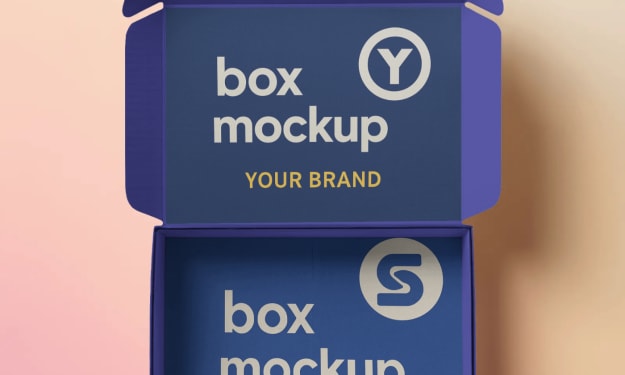
The business card is placed in a holder, sleeve, or packaging. Ideal for professional and corporate styles.
✦ Minimalist Scenes
Plain backgrounds with soft shadows. These keep all the focus on the card design itself.
✦ Creative Mockups
Cards shown in fun settings — like outdoors, on marble, or next to a coffee cup. Great for personal branding and lifestyle brands.
5. How to Make a Business Card Mockup (The Easy Way)
You don’t need Photoshop or expensive software to create a mockup. You can make one in just a few clicks using a free tool like Mockey.ai.
Here’s how to do it step by step:
Step 1: Go to Mockey.ai
Open your web browser and go to www.mockey.ai. You’ll land on the homepage where you can explore tons of mockup templates.
Step 2: Search for "Business Card Mockup"
Type “business card” into the search bar. You’ll see different styles — from modern and clean to creative and textured.
Step 3: Choose a Mockup Style
Pick a scene that fits your design. You might want a clean desk setup, a hand-held card, or a stack of cards — there are plenty of options.
Step 4: Upload Your Design
Click the upload button and add your business card design. Use a high-quality image in JPG or PNG format for best results.
Step 5: Adjust and Preview
Once uploaded, your design will be placed into the mockup. Most mockups fit automatically, but you can adjust size and placement if needed.
Step 6: Download Your Mockup
When it looks perfect, click the download button. Your mockup will be saved in high resolution, ready to use anywhere.
That’s it — you’ve got a realistic business card mockup in just minutes!
6. Why Use Mockey for Business Card Mockups?
There are many tools out there, but Mockey stands out because it’s:
✅ Completely free
✅ No sign-up required
✅ No design software needed
✅ Quick and beginner-friendly
✅ High-quality downloads
✅ Tons of mockup styles to choose from
Whether you’re a designer, marketer, business owner, or student — Mockey makes it easy to bring your ideas to life.
7. Tips for Making the Best Business Card Mockup
Want your mockup to look even better? Here are some quick tips:
📌 Use high-resolution files – Blurry designs won’t look good, even in a great mockup.
📌 Keep text large and readable – Especially on hand-held or zoomed-out scenes,.
📌 Match the scene to your brand – A modern brand fits best in a clean, minimal mockup. A playful brand can use creative scenes.
📌 Try multiple angles – Don’t stop at one mockup. Try a few styles to find the best fit.
📌 Use mockups to test ideas – Not sure if a design works? Preview it in a mockup to decide.
Final Thoughts
Business card mockups might seem like a small detail, but they can make a big difference in how your work is seen and remembered. They turn your flat design into something people can almost feel and touch.
Thanks to easy tools like Mockey, anyone can create a business card mockup that looks realistic and professional—without any design skills or software. Whether you're a designer looking to impress a client, a business owner building your brand, or just someone who loves good design, mockups help you stand out.
So go ahead — try it out today. Visit Mockey.ai, upload your design, and see your business card come to life!
About the Creator
Keep reading
More stories from Backlink Wizard and writers in Journal and other communities.
What is a Video Mockup
In today's fast-moving digital world, standing out is more important than ever. Whether you are selling a t-shirt, promoting a mobile app, or showcasing a book, your product needs to catch attention quickly. That is where video mockups come in. They are not just cool animations. They are smart tools that help people visualize how your product looks in real life.
By Backlink Wizard8 months ago in Journal
Review of 'Man on the Run'
My wife and I saw Man on the Run, a nearly 2-hour documentary on Amazon Prime, about Wings, Paul McCartney's group that flew around the world from shortly after The Beatles broke up in early 1970 to shortly after John Lennon was murdered at the end of 1980, making a Beatles reunion forever impossible.
By Paul Levinson4 days ago in Beat



Comments
There are no comments for this story
Be the first to respond and start the conversation.