
The Quiet Revolution in Your Software: How Everyday AI Copilots Became My Secret Weapon for Growth.
Good traffic, decent revenue. It was also a monster that consumed my nights, my weekends, and my love for the work.

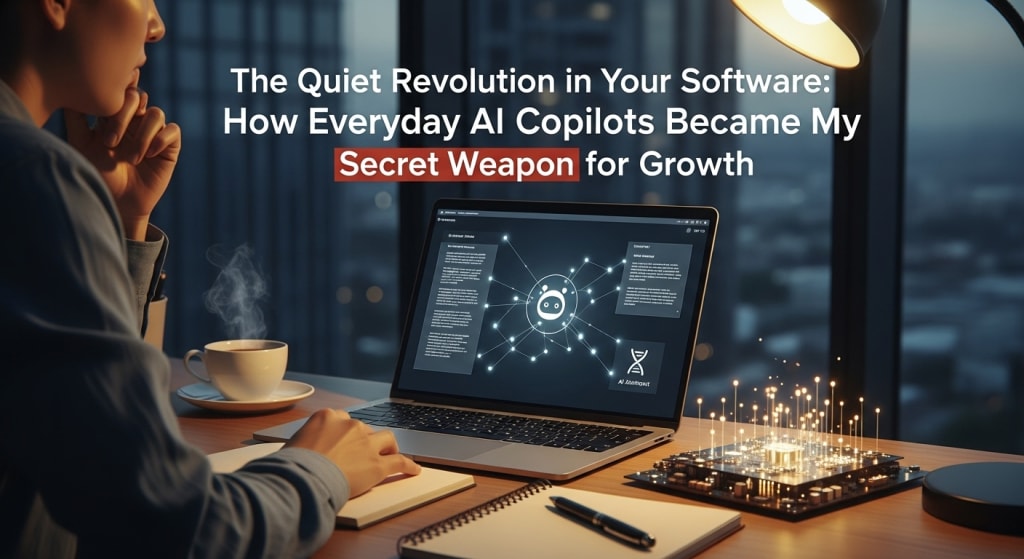
The Day Everything Changed: How AI Copilots Pulled My Business (And My Sanity) Back from the Brink
Let’s be real. You’re probably here because you’re tired. Tired of the endless to-do list, the creative block that hits at 3 PM, the feeling that you’re running a marathon on a hamster wheel. I know, because that was me. My name’s Jamie, and for three years, I’ve run a niche digital marketing site that was, by all accounts, “successful.” Good traffic, decent revenue. It was also a monster that consumed my nights, my weekends, and my love for the work.
I was drowning in the details. Writing a single in-depth guide meant five browser tabs for research, another three for competitor analysis, a constant battle with clunky grammar tools, and the ever-present dread of the blank page. My coding skills (necessary for tweaking the site) were stuck in “hack-it-‘til-it-works” mode, costing me hours of debugging. I was a one-person band trying to play every instrument perfectly, and the symphony was sounding more like noise.
Then, something shifted. It wasn’t one lightning bolt moment, but a series of small, almost whispered suggestions that started to change everything. This is my story about AI Assistants & "Copilots", and how their quiet integration into the software I used every single day didn’t just change my workflow—it gave me my business, and my life, back.
Chapter 1: The Burnout Was Real (And I Didn’t Even See It Coming)
I wore my hustle like a badge of honor. "Grinding" was the word. If I wasn’t answering emails at midnight, was I even committed? The idea that an AI Assistant could be more than a gimmicky chatbot felt like science fiction. I’d tried a few early tools, and they felt clunky, generic, and honestly, a bit dumb. They’d churn out paragraphs of robotic text that I’d have to rewrite completely. The effort to fix their work felt greater than just doing it myself.
My breaking point came last October. I had a major site migration pending, a content calendar with four looming deadlines, and a newsletter to write. I was staring at a line of code in my site’s custom functions file that was breaking a critical feature. I’d been googling error messages for two hours. My article draft sat open, a pathetic three bullet points staring back at me. The frustration was a physical thing—a tightness in my chest, a constant static in my brain. I was stuck. Completely, utterly stuck.
It was in that moment of sheer defeat that I finally stopped resisting. I’d seen the buzz about Microsoft Copilot in Windows and Office. It was right there, built into the edge of my browser, a sidebar in my Word doc. With nothing left to lose, I did something I’m now grateful for every day: I surrendered.
Chapter 2: My First Conversation With a Machine That Actually Listened
In Word, with my pathetic three bullet points, I didn’t ask it to write. I was too proud for that. Instead, I typed into the Copilot sidebar: “I’m completely blocked. These are my points about sustainable email marketing. Give me 10 potential outlines or angles that aren’t the same old stuff everyone else writes.”
What happened next wasn’t magic. It was collaboration.
It didn’t spit out a finished article. It gave me a brainstorm. One angle was about “psychological segmentation based on user lifecycle.” Another suggested a case study format comparing carbon footprints of different email platforms. A third proposed a “swipe file” of low-waste design templates. Were they all perfect? No. But in 15 seconds, it had shattered my creative block. The static in my head cleared. I could think again. I took the lifecycle idea, mashed it with the case study format, and suddenly, I was writing. The AI Copilot hadn’t driven the car; it had given me a map when I was lost.
This was the revelation: The integration of AI into everyday software isn’t about replacement. It’s about augmentation. It’s there in the flow of your work, not as another separate app you have to log into.
Chapter 3: From Skeptic to Co-Conspirator: Real-World Scenarios That Blew My Mind
Once I started trusting it as a brainstorming partner, I began to see opportunities everywhere. Here’s how it actually looked in my day-to-day chaos:
In Microsoft Edge (with Copilot): Instead of painstakingly summarizing three long competitor articles for a research roundup, I opened them all and asked the sidebar: “Compare the key arguments in these three articles. What are the common threads and the major points of disagreement?” I had a concise analyst’s summary in 30 seconds. I could then write my piece with a unique, informed perspective.
In Outlook: My inbox is a battlefield. I’d draft a long, detailed response to a client’s complicated query. Before sending, I’d highlight it and ask Copilot: “Make this more concise and action-oriented.” It would trim the fat, sharpen the call-to-action, and save me from my own verbosity. The time saved on email alone was staggering.
The Game Changer: GitHub Copilot for Coding. This is where my relationship with AI moved from “helpful” to “transformative.” I am not a developer. I know enough PHP, CSS, and JavaScript to be dangerous. Installing GitHub Copilot felt like giving my coding text editor a PhD.
Real Example: I needed a custom WordPress function to automatically add alt text to images based on the post title and category. I started typing a comment in my code: // Function to generate alt text for... Before I could finish, GitHub Copilot suggested the entire function block. It wasn’t just a snippet; it was logical, well-structured code that understood the context of WordPress. I tweaked a variable, tested it, and it worked. A task that would have taken me an afternoon of scouring forums and trial-and-error took 20 minutes.
It became my tireless tutor. When I’d get an error, I’d paste it in and ask: “Explain this error in simple terms and suggest three fixes.” It would explain why the code broke, not just how to patch it. My “hack-it” skills started evolving into actual understanding.
Chapter 4: The Quantifiable Turnaround: What Happened When I Leaned In
This isn’t just a feel-good story. The numbers shifted, dramatically, within three months.
Content Output Increased by 60%: Not because I was working more hours, but because the “thinking” and “structuring” phase was cut by more than half. The blank page monster was tamed.
Coding & Site Maintenance Time Reduced by ~70%: What used to be weekend-long debugging sessions became hour-long collaborations. I implemented features I’d been putting off for years.
Mental Overhead, Decreased Immeasurably: This was the biggest win. The constant context-switching—from writer, to researcher, to amateur developer, to sys-admin—softened. I had a copilot for each role. The fatigue lifted. I started enjoying my work again.
I stopped being a one-person band. I became a conductor, with capable AI Assistants playing their parts. I provided the vision, the nuance, the human experience, and the final edit. They provided instant recall, tireless generation of options, and technical execution.
Conclusion: Your Invitation to the Cockpit
If you’re feeling that tightness, that static, that burnout I described at the beginning—I’m not here to sell you a magic pill. I’m here to tell you that the tools have fundamentally, quietly changed. The integration of AI into everyday software like Microsoft Copilot in Windows/Office and Github Copilot for coding is the single most significant productivity shift I’ve witnessed in a decade.
This topic is huge, not because it’s flashy, but because it’s so profoundly useful. It’s in the fabric of what you already do.
Your action doesn’t have to be big. It doesn’t require a budget or a degree.
Start a conversation. In your next Word doc, or even in a Teams chat, ask it to brainstorm. Ask it to summarize. Ask it to rewrite a clunky sentence.
Embrace the “Tab-A” mindset. Let it handle the first draft, the initial research, the basic code structure. Your value is in the “Tab-B”—the refinement, the insight, the heart.
Stop fearing the blank page. See it as an invitation to collaborate, not a wall to hit alone.
This journey from overwhelmed solo-preneur to empowered conductor didn’t require me to become a different person. It just required me to accept a little help from a new kind of colleague. One that works at the speed of thought, never sleeps, and is literally integrated into the tools I already trust.
The question isn’t whether AI is coming for your job. It’s whether you’re ready to let it have a seat beside you in the cockpit. Trust me, the view from up here is so much better.
About the Creator
John Arthor
seasoned researcher and AI specialist with a proven track record of success in natural language processing & machine learning. With a deep understanding of cutting-edge AI technologies.
Keep reading
More stories from John Arthor and writers in Journal and other communities.
I Used Perplexity.ai to Kill My SEO Anxiety. You Can, Too.
How I Stopped Panicking About AI Search Engines and Started Winning (A True Story) Let me tell you about the morning I felt the ground shift beneath my feet. I was drinking my usual, too-strong coffee, scrolling through my analytics dashboard. My website—a labor of love I’d built over seven years on sustainable gardening—was more than a blog. It was my livelihood. And there it was: a line on the traffic graph, not dipping, but nosediving. A 22% drop in just three months from organic search.
By John Arthorabout 13 hours ago in Journal
Understanding the Sacraments and Why They Matter
The Catholic Church teaches that the sacraments are more than rituals or traditions. They are encounters with God, tangible ways to experience His grace and presence in our lives. Each sacrament has a unique purpose, a moment where faith becomes visible, and life meets the sacred. Understanding why the sacraments matter is an invitation to see how God works in both ordinary and extraordinary ways.
By Sound and Spirit3 days ago in Journal
Ludacris and Nelly draw backlash over bookings at MAGA-coded music festival
Ludacris and Nelly headlining a mostly right-wing event is good for them. It’s also great for the genre of hip hop. The two rap veterans have showcased their talents on other stages. Why can’t they perform for mostly MAGA folks and grab that bag?
By Skyler Saunders6 days ago in Beat


Comments
There are no comments for this story
Be the first to respond and start the conversation.