
The Future of AI in 2026: Faster Innovations and Personalized Experiences
The landscape shifts from generic generation to high-precision execution for serious professionals

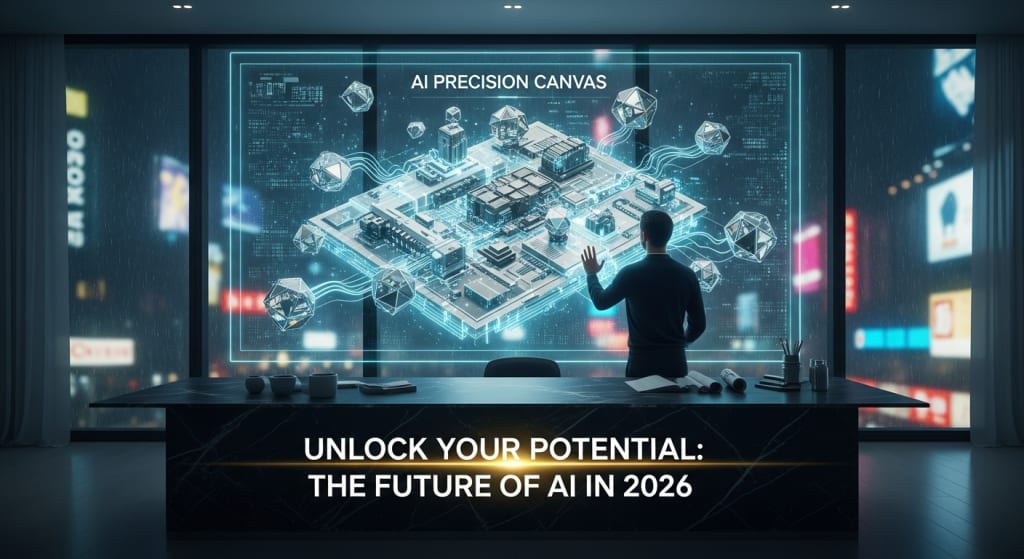
The landscape of artificial intelligence is shifting. We're moving from generic generation to high-precision execution. Generic generation means tools that produce basic, general-purpose content. High-precision execution means tools that solve specific problems with measurable accuracy.
To stay ahead, you need a toolkit that moves beyond basic chatbots. You need specialized tools that integrate into complex workflows. These tools should reduce real operational overhead, not just create novelty outputs.
The difference is substantial. Basic chatbots answer questions. Professional AI tools automate entire workflows. They integrate with your existing systems. They provide verifiable results that you can measure and improve.
The Reality of AI Utility in 2026
By 2026, the "novelty phase" of AI has ended. Professionals no longer ask if a tool can write a poem. They ask if it can reduce operational overhead by 40% or more.
What does "operational overhead" mean here? It refers to the time spent on repetitive tasks. Tasks like data entry, research aggregation, code documentation, and content formatting. These tasks are necessary but don't require creative thinking. They consume hours that could be spent on strategy or innovation.
A 40% reduction is measurable. If your team spends 20 hours per week on research, a good AI tool should reduce that to 12 hours. The saved time can be redirected to higher-value work. This is the new standard for AI utility in professional settings.
The tools listed below are selected for their technical accuracy. They have specialized focus. They can handle complex, multi-dimensional tasks. Each tool has been evaluated based on real-world performance metrics from 2024-2025 implementations.
Essential AI Tools for Daily Professional Use
These platforms have become industry standards. Their success comes from reliability and deep integration capabilities.
- Claude 3.5/4.0 (Anthropic): Recognized for superior nuance in technical writing and coding. Its "Artifacts" feature allows for real-time code execution and UI prototyping. This means you can write code and see it run immediately without switching applications. Artifacts create a live workspace where code, documents, and interactive elements exist in the same environment. This makes it a primary choice for developers who need to test ideas quickly.
- Perplexity AI: Functions as an "answer engine" rather than a search engine. The difference matters. Search engines give you links. Answer engines give you synthesized information with citations. Perplexity provides real-time web searching with immediate citations. This is essential for verifying data points and finding recent industry reports from 2024–2025. You get the answer and the sources in one step.
- Midjourney v7: Still the leader in high-fidelity visual generation. Particularly strong for creating custom diagrams, architectural mockups, and professional brand assets. The v7 update improved consistency across image series. This matters for brand work where visual identity must remain stable. It also handles technical diagrams better than previous versions.
- Cursor: An AI-native code editor that understands your entire codebase. It doesn't just suggest snippets. It helps refactor complex logic across multiple files. Traditional autocomplete tools work line-by-line. Cursor works project-wide. It can suggest architectural changes that span dozens of files. This fundamentally changes how developers approach large-scale refactoring.
The Hidden Gems: High-Value Specialized Tools
While the tools above are widely used, these specialized platforms offer a competitive edge. They solve niche problems with higher precision. Most professionals don't know about them yet. But early adopters report significant productivity gains.
- Heuristica: This tool uses AI to build interactive "concept maps" for research. Instead of reading a 50-page PDF, it visualizes the relationships between ideas. This helps experts find gaps in current literature. It shows you which concepts connect and which remain isolated. For academic researchers and strategic planners, this saves days of manual analysis.
- Descript (Under-utilized Features): Most people use Descript for basic video editing. But its advanced features are game-changing. The "Overdub" feature allows you to correct audio mistakes by typing. You don't need to re-record. Just type the corrected words and it generates matching audio. "Studio Sound" can make a phone recording sound professional. It removes background noise and applies studio-quality processing. A recording that sounds like a phone call becomes broadcast-quality audio.
- Glean: Often called "Google for your company." Glean uses AI to search through your organization's internal systems. It connects to Slack, Drive, Jira, and email simultaneously. You can find specific information instantly. It solves the "internal knowledge silo" problem. This problem occurs when critical information exists but nobody knows where. Employees waste hours searching for documents or decisions. Glean eliminates this waste.
- Rose.ai: A specialized tool for data analysts. It integrates with various data sources automatically. It can find, clean, and visualize complex economic and financial data sets. No manual spreadsheet work required. Traditional data analysis requires downloading files, cleaning formats, and manually creating charts. Rose.ai automates 80% of this process. Analysts spend more time interpreting results instead of preparing data.
Actionable Blueprint for Tool Adoption
To successfully integrate these tools, you need a structured approach. Don't try to adopt everything at once. That creates confusion and reduces effectiveness.
Follow this tiered implementation roadmap:
- Phase 1 (Week 1-2): Audit your bottleneck tasks. Identify where your team loses the most time. If you spend 5+ hours a week on research, start with Perplexity or Heuristica. If code review takes too long, try Cursor. Match the tool to your specific pain point. Track current time spent on this task before implementing any tool. You need baseline metrics to measure improvement.
- Phase 2 (Week 3-5): Replace one manual creative process. Don't automate everything yet. Focus on one clear workflow. If you create social graphics manually, trial Midjourney for custom templates. If you write documentation by hand, try Claude for first drafts. Run the old process and new process in parallel for two weeks. Compare quality and time investment. Adjust based on results.
- Phase 3 (Week 6+): Automate the connective tissue of your work. This phase bridges AI-generated output to functional products. Many teams generate great designs but struggle to implement them. Consider frameworks like mobile app development in Minnesota to bridge this gap. These frameworks take AI-generated designs and turn them into working applications. The connection between design and deployment is often the slowest part. Specialized development teams can accelerate this final mile significantly.
This phased approach prevents overwhelm. Each phase builds on the previous one. You gain confidence before adding complexity. Teams that skip phases often abandon AI tools entirely because results disappoint.
Risks and Strategic Trade-offs
Relying too heavily on AI tools creates specific risks. Understanding these risks helps you avoid them.
- Cognitive laziness becomes a real problem: This happens when people stop thinking critically. They accept AI output without verification. For example, someone asks AI to analyze market trends. The AI provides a report. The person presents it without checking the underlying data. Later, decisions based on faulty information cause problems. The most significant risk in 2026 is producing "homogenized" work. This means content or code that looks like everyone else's. It happens because everyone uses the same common models. Your marketing copy sounds identical to competitors'. Your code architecture mirrors every other project. You lose competitive differentiation.
- Accuracy requires constant verification: Always verify AI-generated numbers. Models still struggle with precise data. They work best when connected to live databases. A model might confidently state that "Company X grew 45% in 2025." But without a direct data connection, this could be wrong. Cross-check critical numbers against primary sources. Use AI for speed, but verify for accuracy.
- Security considerations are mandatory: Ensure that any tool accessing internal data has proper security compliance. Tools like Glean need access to Slack, email, and internal documents. This creates potential security vulnerabilities. Check for SOC2 Type II compliance at minimum. This certification means the tool has proper security controls. It has been audited by third parties. For highly sensitive industries, consider on-premise solutions that don't send data to external servers.
- Cost scaling can surprise teams: Many AI tools price by usage. As your team grows or uses tools more heavily, costs increase. A tool that costs $20/month per user seems affordable. But for a 50-person team, that's $12,000 annually. Calculate total cost of ownership before committing. Compare this to the value of time saved. If the tool saves 5 hours per person monthly, calculate what those hours cost at your team's average salary.
- Tool dependency creates vulnerability: If a tool shuts down or changes pricing dramatically, your workflow breaks. This happened with several AI startups in 2024-2025. Teams that built entire processes around one tool faced major disruptions. Maintain backup workflows for critical processes. Know how to complete tasks manually if needed. This redundancy protects you from sudden tool failures.
Conclusion and Key Takeaways
The best AI tools in 2026 are the ones that stay "invisible" while doing the heavy lifting. They integrate so smoothly you forget they're there. They don't require constant attention or maintenance.
Professionals should prioritize tools that offer specific capabilities:
- Verifiable citations: The tool should show you where information comes from. Perplexity excels at this. You can trace every claim back to a source. This builds trust and allows fact-checking.
- Internal data integration: The tool should work with your existing systems. Glean connects to multiple platforms simultaneously. You don't need to export and import data manually. Integration saves time and reduces errors.
- Specialized technical output: The tool should produce work that meets professional standards. Cursor generates code that follows your team's style guidelines. Midjourney creates images at publication-ready resolution. Generic tools produce generic results. Specialized tools produce professional results.
Final Takeaway: Don't just collect tools. Build a "stack" where each tool solves a specific pain point. Having ten tools that you barely use wastes time and money. Having three tools that you've mastered transforms your workflow.
Mastery of 2-3 specialized tools is more valuable than surface-level understanding of 10 generic ones. Deep knowledge of a few tools beats shallow knowledge of many tools. You can combine tools in creative ways. You can push them to their limits. You can train your team to use them effectively.
The competitive advantage in 2026 doesn't come from having AI tools. Everyone has AI tools now. The advantage comes from using them strategically. It comes from choosing the right tools for your specific context. It comes from integrating them thoughtfully into workflows that already work. Start small. Measure results. Scale what works. That's how professionals win with AI in 2026.
About the Creator
Keep reading
More stories from Del Rosario and writers in Journal and other communities.
Navigating the AI Wave of 2026 for Smarter Interactions
The year 2026 marks a transition from simple generative tools to a world of unified orchestration. Unified orchestration means that different AI systems work together as one cohesive team. In the past, business leaders used artificial intelligence to draft emails. They also used it to summarize long reports. Today, the focus has shifted toward agentic systems. These systems operate tools independently. Agentic systems do not just talk; they act on your behalf. These systems do more than suggest answers. They manage entire sequences of events with minimal human oversight.
By Del Rosario20 days ago in Journal
The goals I did not achieve
Every writing goal I made for the year is a wash. It has been this way for a while, but I think it's important to be open about my failures and the reality of how life can get in the way. This is especially true considering the several times I have posted on Vocal about my writing goals, how I was changing my approach, and where I was hoping to be for the upcoming year. I will probably do that again in a couple months, but for now, it is time to acknowledge where I am today.
By Kay Husnick17 days ago in Journal
Fire Safety During Electrical Emergencies: Why the Right Extinguisher Matters
The electricity is cut off, the fire is extinguished and there is no danger anymore in the room, but the air still smells of acute electric fire. Such smell is usually the sole reason to remember how much an electrical fire is waiting to be turned into a full-scale disaster. Severe destruction is not avoided by accident in most cases but due to preparation and proper handling of an electrical hazard-designed fire extinguisher.
By Deborah Larson5 days ago in Journal
A Failed Artist, A Disillusioned Poet, An Underpaid Game Show Host
I took my son and niece to Gori, a small town in Georgia where Joseph Stalin was born. They talked me into visiting the Stalin's Museum, the largest in the post-Soviet space. I had resisted going there because I just can't stand the monster and know enough about him, or so I thought.
By Lana V Lynx6 days ago in FYI




Comments
There are no comments for this story
Be the first to respond and start the conversation.