
Maximize Sales with an Online Ordering System for Restaurants
Online Ordering System for Restaurants

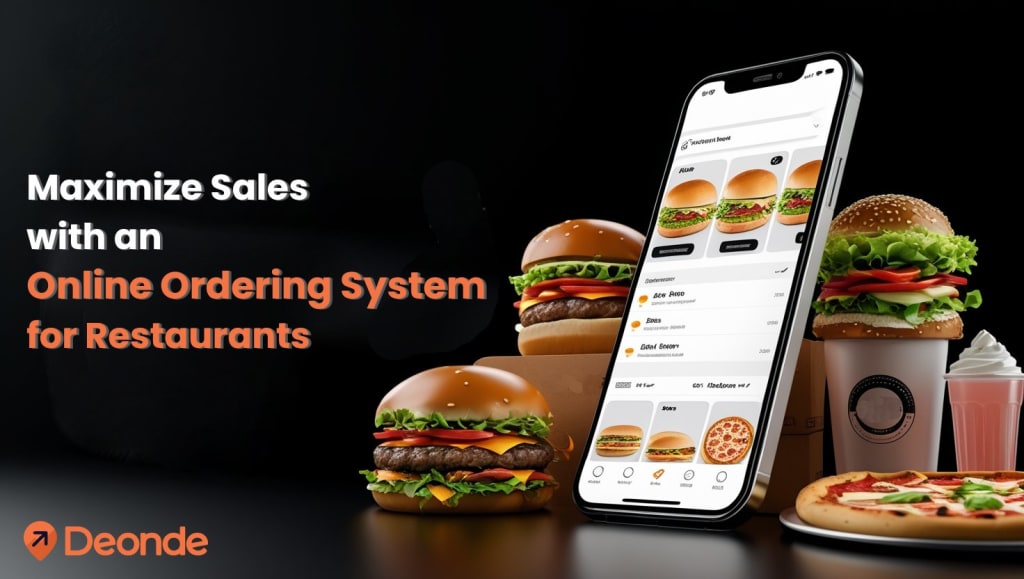
When it comes to food delivery and takeout, having reliable restaurant online ordering software is no longer just a luxury—it’s a must-have. Today’s diners crave the convenience and speed that online ordering provides, and for restaurants, it opens up a profitable new avenue for revenue.
Whether you’re adapting to new diner expectations or upgrading an existing online ordering system, now is the perfect time to explore how to maximize its potential.
Online Ordering: A Growing Industry Standard
Digital ordering has become a go-to option for consumers, offering unmatched convenience for busy lives. Being able to place an order from a phone or computer, pay online, and receive food without waiting in lines or on hold is a level of service that customers now expect.
The pandemic accelerated this shift dramatically. According to the National Restaurant Association’s State of the Restaurant Industry Report, 66% of consumers are more likely to order takeout today compared to 2019. With easy digital payments and no in-person interaction needed, it’s a model of convenience that’s not going away anytime soon.
Third-Party Apps vs. Direct Online Ordering
Restaurants can integrate online ordering in two primary ways: through third-party apps or directly via their own website. Each approach has distinct advantages and challenges.
Third-Party Apps
Popular platforms like Uber Eats, DoorDash, and Grubhub act as digital marketplaces, listing restaurants by cuisine or location for easy customer discovery. These apps handle payments seamlessly, so restaurants only need to confirm orders, input them into their POS (unless integrated), and prepare the food for pickup by customers or app-affiliated couriers. While convenient, the downside is cost—commissions can reach 30% per order, eating into profits, especially for smaller operations.
Direct Online Ordering
A direct online ordering system requires more management but eliminates hefty commission fees, boosting profitability. Customers can browse your menu, place immediate or scheduled orders, and pay directly on your website. Solutions like TouchBistro Online Ordering integrate orders into your POS in real-time, streamlining preparation. Pairing this with a service like DoorDash Drive allows access to on-demand drivers for deliveries without commissions. With DoorDash Drive, you pay a flat delivery fee, which you can partially or fully pass to customers, such as by offering free delivery for orders above a minimum amount. While managing pickups and deliveries requires effort, the savings on commissions make this a compelling choice for many restaurants.
Top 10 Strategies to Optimize Online Ordering
Whether you use third-party apps or a direct system, these 10 tips will help you maximize your online ordering software’s potential.
1. Streamline Your Menu
Transitioning to takeout and delivery requires a tailored menu. Focus on dishes that are simple to prepare, reducing kitchen strain and speeding up order fulfillment. Eliminate items that don’t travel well, like delicate desserts, or those with low demand to cut costs and waste. A concise menu minimizes staffing needs and ensures portability, enabling faster deliveries and higher order volumes.
2. Enhance Operational Efficiency
With limited staff and resources, workflow optimization is critical. Designate a specific pickup area for delivery drivers, separate from the kitchen, to avoid congestion. Integrating your online ordering system—whether third-party or direct—with your POS reduces errors and manual entry, allowing you to handle more orders efficiently. Direct systems also save on third-party fees, increasing your margins.
3. Add a Prominent “Order Now” Button
Your website is a key touchpoint for customers. Make ordering seamless by adding a clear “Order Now” button in your navigation bar and across all pages. This prevents customers from leaving your site to order elsewhere. Platforms like Deonde provide code snippets to easily embed this button, ensuring a smooth user experience.
4. Sync All Digital Platforms
Ensure consistency across platforms for your online ordering system for restaurants. Add links to your online ordering page on social media profiles like Instagram and Facebook. Update your Google My Business listing with accurate takeout and delivery details, including hours and menus, to make ordering accessible wherever customers find you.
5. Leverage Social Media Marketing
Social media is a powerful tool to promote your online ordering system. Announce its launch across all channels, highlighting the convenience of ordering directly from your website. If your social media presence is limited, now’s the time to experiment with posts, stories, or ads to drive traffic and orders.
6. Simplify the Ordering Process
Customers want to order quickly. Design an intuitive menu with clear categories and concise descriptions to eliminate confusion. Test your ordering system across devices—phones, tablets, and desktops—and browsers like Chrome, Safari, and Firefox to ensure a bug-free experience. A streamlined process means fewer abandoned orders and happier customers.
7. Enhance Your Menu with Visuals and Descriptions
A compelling menu drives sales. High-quality food photos can increase conversions by up to 25% and total orders by over 35%, according to studies. Follow these photography tips:
- Use natural light: Shoot in indirect daylight for vibrant, shadow-free images.
- Choose quality tableware: Clean, attractive plates enhance presentation.
- Showcase fresh ingredients: Highlight crisp, colorful components.
- Add garnishes: A sprinkle of herbs can elevate soups or stews.
- Keep backgrounds neutral: Avoid distractions with plain backdrops.
- Vary angles: Experiment with top-down or side shots for each dish.
- Frame tightly: Fill 70-80% of the frame for mobile-friendly visuals.
Aim for photos on 30-40% of menu items, focusing on best-sellers or unfamiliar dishes. Pair images with concise, sensory descriptions (140-260 characters, Grade 8 reading level) to entice customers without overwhelming them.
8. Ensure Transparent Pricing
Transparent pricing builds trust in your online ordering system for restaurants. List costs for add-ons, like extra toppings or sauces, clearly. Consider ingredient costs, competitor pricing, and demand when setting prices. Align takeout and dine-in prices for consistency.
9. Invest in Quality Packaging
Packaging reflects your brand and impacts customer satisfaction. Choose containers that keep food hot, secure, and intact during transit. According to Technomic, 65% of consumers value temperature retention, 47% prioritize tamper-proof seals, and 39% prefer eco-friendly options. Thoughtful, durable packaging encourages repeat orders.
10. Integrate Third-Party Apps with Your POS
Third-party apps expand your reach but can complicate operations. Use an aggregator like Deonde to consolidate orders from multiple apps into your POS, reducing manual entry and errors. This integration improves accuracy, saves time, and provides data to identify top-performing platforms, enabling better business decisions.
Building a Future-Proof Online Ordering Strategy
Online ordering is no longer optional—it’s a cornerstone of modern restaurant operations. With takeout and delivery trends showing no signs of slowing, investing in a robust direct ordering system and optimizing your processes can drive efficiency and revenue. By streamlining menus, enhancing workflows, and leveraging digital tools, you can meet customer demands while boosting profitability for the long haul.
About the Creator
Ashish Sudra
Ashish Sudra is the founder of Deonde, with over 16 years of experience in IT and On-demand Solutions. He is also an accomplished Business Consultant specializing in delivering Online Food Ordering and Delivery System for startups and SMEs.
Keep reading
More stories from Ashish Sudra and writers in Journal and other communities.
Key Factors for Selecting a Multi-Restaurant Ordering System
The food delivery industry has undergone a profound transformation in recent years, driven by the rise of digital platforms and shifting consumer preferences. Customers increasingly opt to order meals online, enjoying the convenience of browsing menus, placing orders, and tracking deliveries from their devices. Deonde Express have emerged as a powerful solution, enabling businesses to manage orders from multiple restaurants on a single platform. These systems cater to food delivery startups, restaurant aggregators, and chain operators aiming to streamline operations and enhance customer experiences.
By Ashish Sudra11 months ago in Journal
What Is Hypervigilance?
If you’ve gone through something painful or overwhelming, you might notice that you never really feel “off duty.” Maybe your body feels jumpy, your mind is always scanning for danger, and it’s hard to relax—even at home, running simple errands, or during what should be a calm evening with family.
By Phoenix Rebellion Therapy2 days ago in Journal




Comments
There are no comments for this story
Be the first to respond and start the conversation.