
Marketing Scenarios That Annoy Users (And How to Fix Them)
Marketing Flows That Scare Customers Away

Triggered email chains help establish a systematic and convenient way to communicate with customers. They’re a way to remind users about your brand, share something useful, or encourage a purchase—without having to write messages manually every time.
However, without proper flexibility and empathy, automated scenarios often become a source of irritation. For instance, impersonal greetings and robotic, soulless text make it instantly clear to the user that they’re reading a mass mailing.
Marketers are often focused solely on numbers: clicks, opens, immediate sales. But in doing so, they forget something important—the experience of the person on the other side of the screen. This “metrics chase” ends up creating a poor customer experience that only drives people away.
In this article, we’ll look at common mistakes in marketing scenarios and offer practical alternatives—so you can send fewer emails and notifications while building more trust.
Top Annoying Scenarios: What Goes Wrong
Poor Personalization. When an email addresses you by name or claims that certain products were specially selected for you—but then presents irrelevant content—it undermines trust and loyalty.
For example: “Hello John, you’re going to love these women’s shoes.” Or: “This offer is just for you,” followed by a product you’ve never shown interest in—or worse, something you’ve already bought.
This kind of personalization doesn’t come across as thoughtful—it just feels like a poorly configured system.

Pushy Welcome Sequences. Sending too many emails right after someone signs up can be annoying. For example, five emails in the first two days is almost a guaranteed way to scare off a new subscriber.
The person loses motivation and quickly disengages. This kind of rush does more harm than good—especially since the user hasn’t had a chance to build any loyalty yet, and they’re already being pressured with a flood of messages.

Instant “Abandoned Cart” Emails. An automated email sent just five minutes after someone leaves the site comes off more as comical than helpful. To avoid this, it's important to follow three simple rules:
- Add a delay before sending,
- Set a condition to prevent reminders from being sent to users who already made a purchase,
- Check whether the customer actually completed the checkout process.
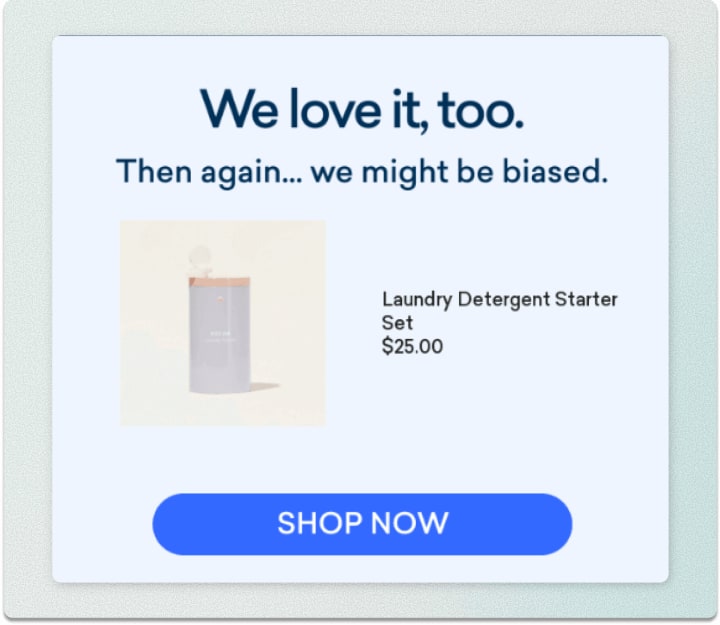
Reactivation “After All This Time.” A message like “We miss you!” sent after half a year of silence is unlikely to get a response—by then, the user has likely forgotten about the brand entirely.
In such cases, it’s better to identify “dormant” users earlier and send only truly valuable content.

Irrelevant Cross-Selling. A common mistake is offering customers something they’ve already bought.
For example, someone orders a refrigerator—and just a few days later, they receive a selection of five other models.
Naturally, this leads to confusion. Instead, focus on complementary products: accessories, consumables, or useful add-ons. The relevance of recommendations directly impacts how the brand is perceived.
Inappropriate Push Notifications. It’s important to track your audience’s activity and avoid disturbing them at inconvenient times. Statistics show that sending notifications according to users’ preferred times significantly boosts engagement. This approach can increase response rates to notifications by 40%.
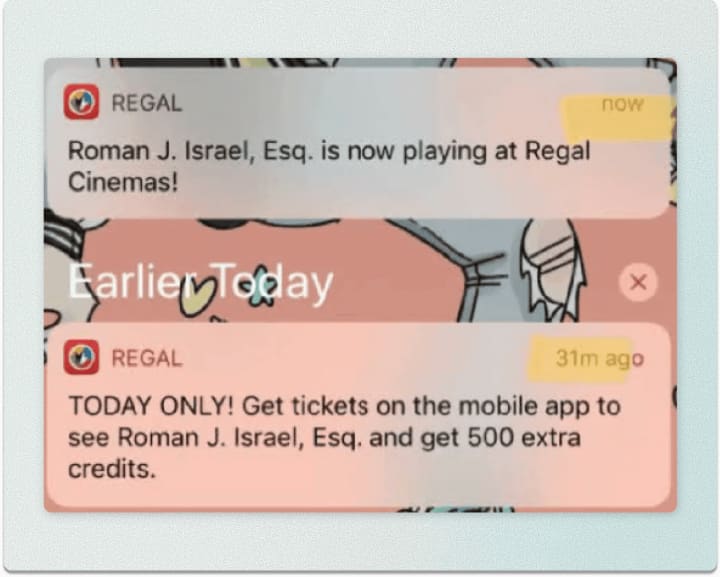
Repeated “Last Chance” Messages. Frequent reminders about the “last day of the sale” and constantly flashing countdown timers come across as pushy advertising that wears subscribers out. Too many messages—especially when urgency is overused—often backfire and lead people to unsubscribe.

Emails After Unsubscribing or Purchasing. Sending emails after someone has unsubscribed or completed a purchase is one of the most critical mistakes. It signals that the campaign lacks proper condition checks.
It’s not uncommon to see cases where a user unsubscribes, yet the emails keep coming. A marketing campaign should be set up to stop once its goal is achieved—not to continue sending messages as if nothing happened.
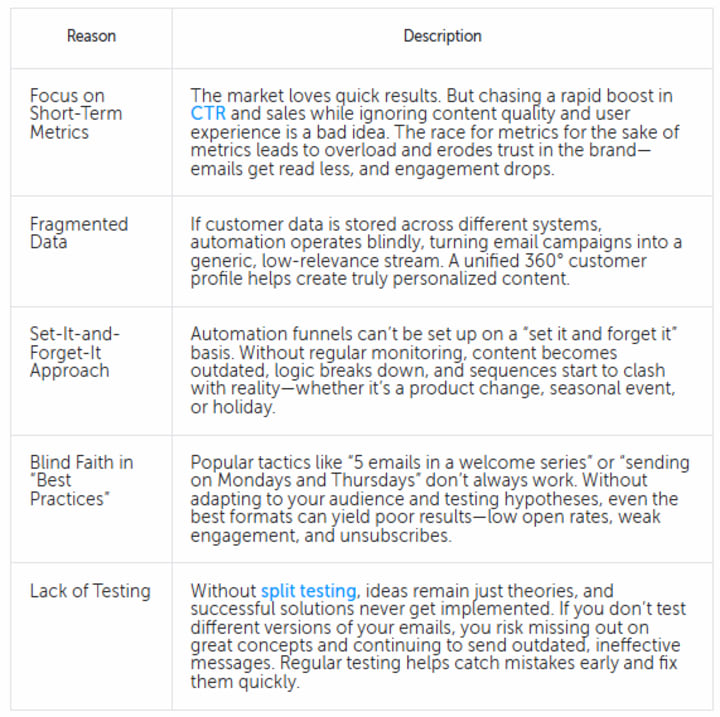
5 Reasons Why This Happens
How to Make Sure Your Automation Scenarios Don’t Annoy Users
Smart Segmentation
Move away from large, generic segments and shift toward more precise targeting based on user behavior, interests, and interaction history. The more detailed your audience segmentation, the more relevant your emails become.
Even at the registration stage, you can set the right direction by asking which categories interest the user and how often they want to receive emails. This helps avoid generic messages that quickly get lost in the inbox or end up in the spam folder.
The Altcraft platform collects customer data into a unified profile, linking user behavior, interests, and activity history. This enables highly accurate segmentation and the launch of multichannel campaigns—email, push, SMS—based on each user’s past actions.
Behavior-Based Sequences
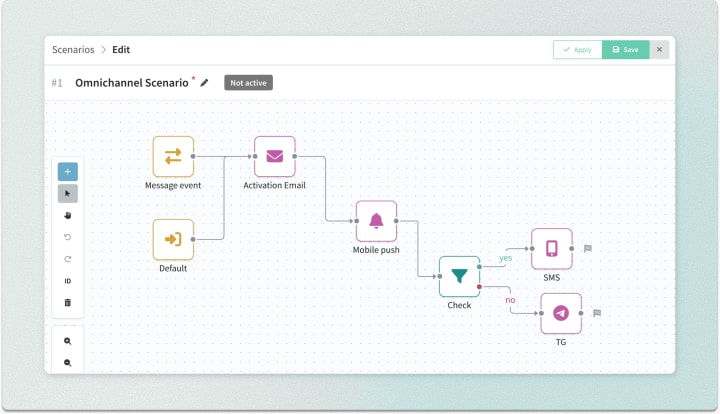
A well-functioning automation scenario isn’t just a sequence of emails—it’s a dynamic, responsive process that adapts to user behavior. The scenario should adjust to the customer: if they make a purchase, the sequence stops; if they don’t open an email, the channel or message format changes.
This event-driven approach ensures flexibility and relevance, leading to better marketing communication.
In Altcraft, trigger-based sequences can be launched across various marketing channels, and user actions (open/no open, click/no click) determine the next steps. This reduces the risk of being intrusive and makes communication more timely and appropriate.
Flexible Logic Instead of Rigid Timing
Move away from fixed delays like “two days after registration” or “one email every 48 hours.” Use flexible conditions such as “stop if purchased” or “switch channel if no response.”
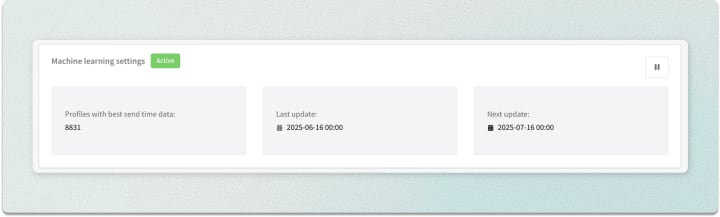
Altcraft leverages Best Send Time technology—a machine learning module that analyzes when each user is most likely to open a message. This boosts the effectiveness of marketing campaigns by delivering emails when the customer is actually ready to read them.
Empathetic Content.
In modern email marketing, it’s not just about what you send, but how you send it. Today’s recipients value simplicity and authenticity, so your messages should be written in a human, relatable tone.
Avoid dry, overly formal language—use a natural voice, and of course, personalization. That could be the customer’s name, a warm greeting, or a touch of light humor. This approach makes your email feel more like a personal message than a mass mailing.
Frequency Limit
Consider how many messages a user can comfortably receive per week. During the first month, it’s acceptable to send more emails to new subscribers, but after that, the frequency should decrease. Set a clear limit—such as no more than three emails per week. This helps reduce the risk of irritation and keeps subscribers engaged.
Automatic Scenario Stop
A marketing flow should end once its goal is achieved—whether that’s a purchase, registration, or another action. It’s also important to define when the scenario should stop automatically: after an unsubscribe, lack of engagement, or a prolonged pause.
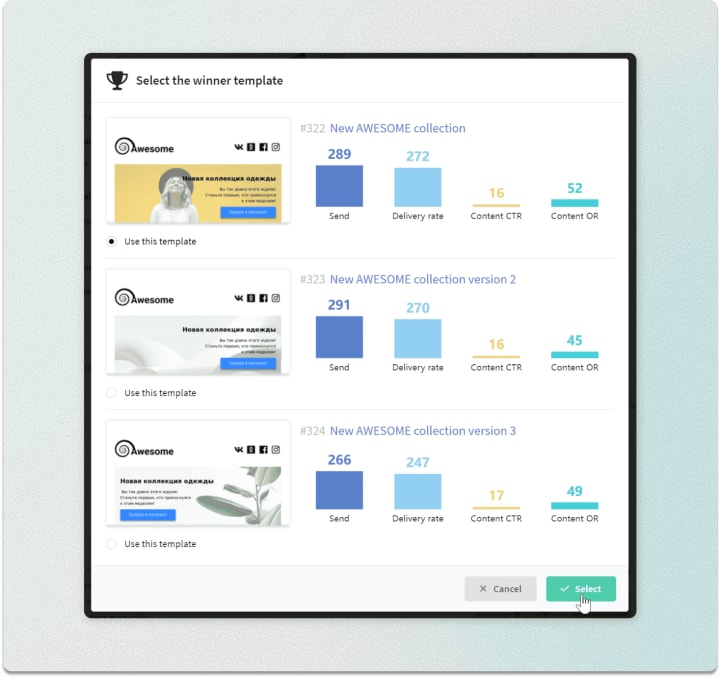
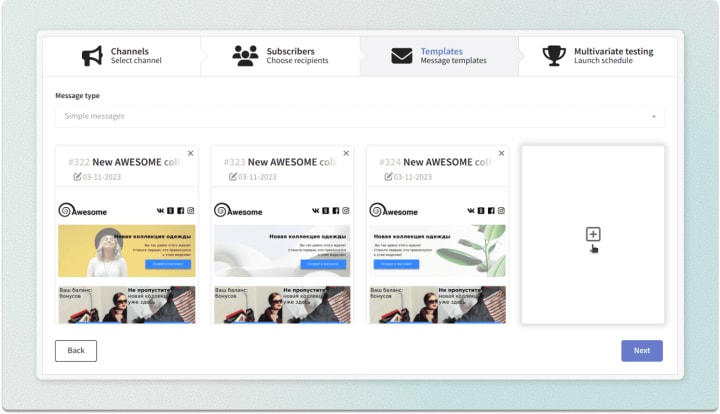
After launch, make sure to regularly check how the scenario performs in practice. Analytics will help you track overall engagement trends, and A/B testing in Altcraft will identify the most effective messages, subject lines, and channels. These mechanics are especially important for flexible workflows: the more precisely your conditions are configured, the higher your response rates will be.
How to Know It’s Time to Change Your Sequence
Drop in Engagement
If open rates are going down, click-throughs are dropping, and unsubscribes or complaints are increasing, it’s a clear sign the sequence has stopped working.
The most common causes: too many emails or overly pushy content.
Recurring Negative Feedback
User complaints are a sign that the sequence isn’t adapting to their actions. Most likely, the flow fails to recognize that the person has already responded, made a purchase, or interacted in some way. Regular analysis of your marketing campaign and user feedback will help identify these issues in time.
More Volume, Fewer Results
If you’re sending more emails but conversions are dropping, it’s a clear sign of overload. In this case, it’s time to rethink your strategy and tailor your campaigns to match the interests and preferences of each audience segment.
The Sequence Ignores New Channels and Behaviors
Users are increasingly shifting to messengers, apps, and social media, while many automation flows are still built around traditional email logic. When audience behavior changes but your sequence stays the same, its effectiveness declines.
Regularly update your customer journey map (CJM) and adjust automation to reflect real-world conditions: recognize that interactions happen across multiple channels, and respond at the right moment when the user is ready to engage.
Summary
A modern marketing automation strategy should account not just for timing, but also for context—what the user has already done, what they’ve responded to, and what they’ve chosen to ignore. Lack of flexibility, excessive messaging frequency, and repeated logic errors are the most common reasons sequences become irritating. To avoid this, regularly review your workflows, adapt them to user behavior, and run consistent testing.
The article was originally published here.
About the Creator
Altcraft
Interesting and useful articles about marketing, our product and online communications
Why Didn't Anyone Tell Us
Men, move along. This is not for you. This is for the women. I was forty-five when I began menopause. It is pretty young for that to be going on in a woman’s life, but I had undiagnosed PCOS, my entire life. Thank you to all the gynecologists I had seen my entire life. That in itself should encourage women to keep seeking second opinions, especially when you are not getting correct answers or any at all.
By Alexandra Grant3 days ago in Humans


Comments
There are no comments for this story
Be the first to respond and start the conversation.