
Key Features of a High-Performance Test Automation Dashboard
Features of Test Automation Dashboard

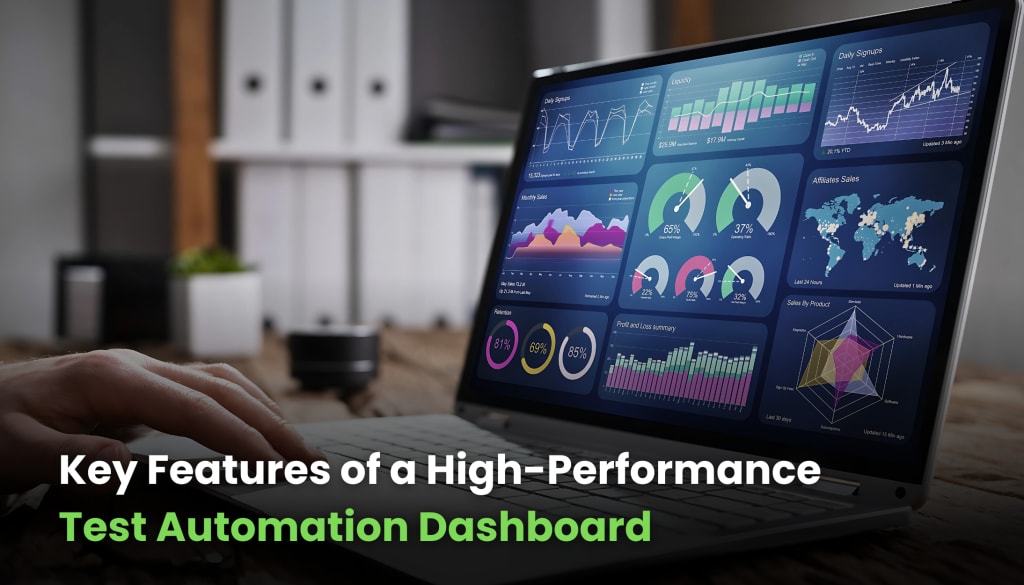
Managing automated tests without a structured system can lead to confusion, inefficiencies, and missed defects. With a well-designed test automation dashboard, QA teams can gain a clear overview of test execution, failure trends, and performance insights in real time.
But what makes a dashboard truly effective? It’s not just about presenting test data- it’s about offering meaningful analytics, seamless integration, and actionable insights that optimize test strategies.
Let’s explore the must-have features that define a high-performance test automation results dashboard and why each one matters.
1.Centralized Test Execution Overview
A test automation dashboard should provide a consolidated view of all test runs, helping teams quickly assess test progress and stability.
- Displays real-time execution status of tests.
- Organizes test results by project, environment, or test suite.
- Highlights recently executed tests with key performance metrics.
With a centralized test execution overview, QA teams can immediately spot trends and take proactive measures to address issues.
2. Real-Time Test Execution Monitoring
Live test execution tracking allows teams to monitor ongoing test runs without waiting for reports to generate.
Why It’s Important
- Detects failing tests instantly, preventing unnecessary re-runs.
- Provides execution time estimates to optimize test scheduling.
- Displays live logs, screenshots, and video recordings for immediate debugging.
This feature is especially valuable in continuous integration (CI) environments where rapid feedback is essential.
3. Comprehensive Test Results Visualization
Data-heavy reports can be overwhelming. A test automation results dashboard should transform test data into digestible visualizations.
Graphs & Charts: Display trends in pass/fail rates and execution times.
Heatmaps: Identify frequently failing test cases and problem areas.
Historical Trends: Compare test results across different builds and releases.
By visualizing test data, teams can quickly analyze patterns and identify areas for improvement.
4. Detailed Failure Analysis with Root Cause Identification
Knowing that a test failed is not enough- understanding why it failed is key. A test automation dashboard should provide detailed failure reports that help pinpoint the root cause.
- Categorizes failures (e.g., assertion errors, network issues, environment instability).
- Links failure reports to relevant logs, stack traces, and screenshots.
- Offers AI-driven failure prediction for proactive debugging.
This feature significantly reduces debugging time, allowing testers to focus on resolving defects rather than diagnosing them.
5. Test Coverage and Gap Analysis
A high-performance test automation dashboard must ensure comprehensive test coverage.
Key Capabilities
- Displays code coverage percentage for automated tests.
- Highlights untested areas and recommends additional test scenarios.
- Tracks test execution across different operating systems, browsers, and devices.
Effective coverage analysis helps teams avoid blind spots and maintain a robust testing strategy.
6. Integration with CI/CD Pipelines
Seamless integration with CI/CD tools ensures that testing remains an integral part of the software development lifecycle.
- Automatically triggers tests after code commits or deployments.
- Provides instant feedback on build stability.
- Syncs with DevOps tools like Jenkins, GitLab, and Azure DevOps.
With CI/CD integration, testing becomes a continuous process, reducing the risk of late-stage defects.
7. Customizable Dashboards and Reporting
Every QA team has different reporting needs. A test automation results dashboard should be fully customizable.
- Allows users to configure dashboards based on role (e.g., tester, developer, manager).
- Supports custom filters to display relevant test data.
- Generates automated test reports for stakeholders.
Customization ensures that the right information reaches the right people, streamlining decision-making.
8. Automated Alerts and Notifications
Immediate awareness of test failures or performance regressions is crucial. A high-performance test automation dashboard should offer real-time alerts.
- Sends notifications via email, Slack, or Microsoft Teams.
- Alerts teams when critical tests fail or execution times exceed thresholds.
- Provides detailed issue summaries for quick action.
These proactive alerts prevent unnoticed failures from escalating into major defects.
9. Scalability and Performance Optimization
A robust test automation dashboard must handle increasing workloads without performance degradation.
- Supports large-scale test execution across distributed environments.
- Optimizes test execution load balancing for efficient resource utilization.
- Ensures minimal latency when fetching and displaying results.
Scalability is essential for organizations that run thousands of automated tests daily.
10. AI-Driven Insights and Predictive Analytics
Modern testing demands intelligent insights beyond basic pass/fail metrics.
AI-Powered Features
- Identifies flakiness in test cases and suggests stability improvements.
- Predicts potential failures based on historical test data.
- Recommends test prioritization based on defect risk assessment.
By leveraging AI, teams can make data-driven decisions that enhance software quality.
11. Security and Access Control
Since test results may contain sensitive information, security must be a priority.
- Implements role-based access control (RBAC) to limit data exposure.
- Encrypts test execution logs and reports to prevent unauthorized access.
- Maintains audit logs for accountability and compliance.
Secure dashboards ensure that critical test data remains protected.
12. Historical Data Retention and Trend Analysis
Understanding long-term testing trends is essential for continuous improvement.
- Stores historical test execution data for analysis.
- Tracks defect recurrence across different releases.
- Provides regression analysis insights to prevent recurring issues.
A well-maintained history of test results allows QA teams to refine their automation strategy effectively.
All in All
A high-performance test automation dashboard is more than just a reporting tool—it’s a strategic asset that enhances test visibility, optimizes debugging, and improves collaboration. By incorporating features such as real-time monitoring, failure analysis, CI/CD integration, and AI-driven insights, teams can maximize the efficiency and accuracy of their test automation efforts.
Investing in a well-designed test automation results dashboard empowers QA teams to make informed decisions, reduce testing time, and ensure high-quality software releases. If your testing strategy lacks structured insights, now is the time to adopt a dashboard that meets your needs.
Read this our Recent blog - Why Automated Accessibility Testing is Essential for Better UX
About the Creator
Leeanna marshall
Hello, I'm Leeanna Marshall, an ardent enthusiast of all things automation and a passionate blogger. visit my blog
Keep reading
More stories from Leeanna marshall and writers in Journal and other communities.
Why Automated Accessibility Testing is Essential for Better UX
Accessibility is a fundamental aspect of user experience (UX). If a digital product is not accessible, it alienates a significant portion of users, including those with disabilities. Despite best intentions, manual accessibility testing can be time-consuming, inconsistent, and prone to human error.
By Leeanna marshall11 months ago in Journal
The goals I did not achieve
Every writing goal I made for the year is a wash. It has been this way for a while, but I think it's important to be open about my failures and the reality of how life can get in the way. This is especially true considering the several times I have posted on Vocal about my writing goals, how I was changing my approach, and where I was hoping to be for the upcoming year. I will probably do that again in a couple months, but for now, it is time to acknowledge where I am today.
By Kay Husnick24 days ago in Journal
AI-Powered Website Design and Development: The Future of Smart Business Websites
In the rapidly changing digital world today, a website serves not just as a face of business on the internet but also as a business facilitator. Customers want quick, personalized, safe, and smooth experiences across all their devices. Older ways of website design and development, though still valid, generally have a hard time meeting the increased customer demand. This is exactly what AI-powered website design and development is introducing to the market - a game-changing approach in how business websites are smart, built, optimized, and used.
By Swati Lalwani5 days ago in Journal


Comments
There are no comments for this story
Be the first to respond and start the conversation.