
Integrating Face Recognition into Mobile Applications: Best Practices
Face Recognition in Apps enhances security and user experience. Learn the best practices for integrating this technology into mobile applications.

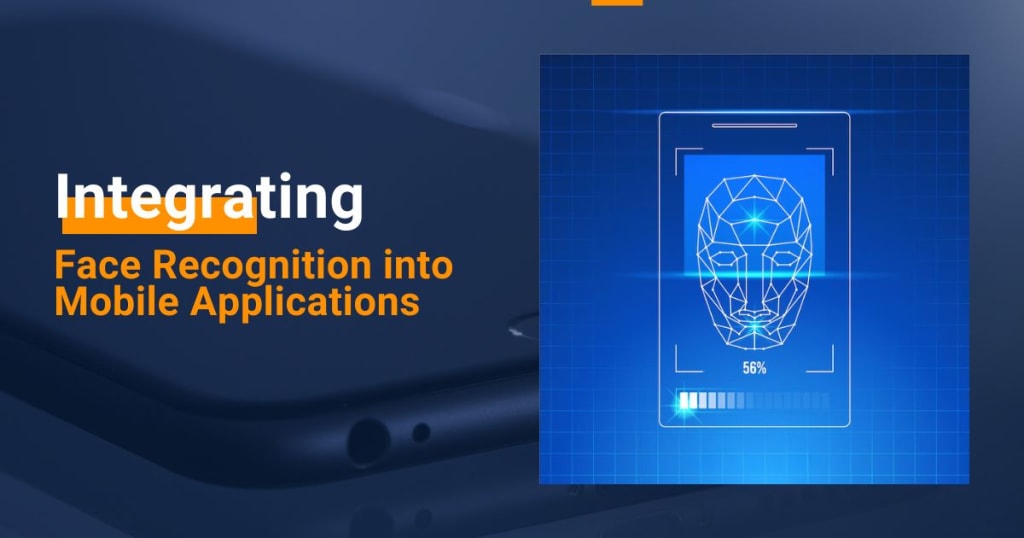
Face recognition technology has become an essential feature in mobile applications across various industries. From enhancing security to enabling seamless user experiences, this technology is revolutionizing the way users interact with their devices. According to a 2021 report by Statista, the global face recognition market was valued at approximately $3.9 billion and is expected to grow at a compound annual growth rate (CAGR) of 14.4% from 2021 to 2028. This growth highlights the increasing demand for face recognition solutions in mobile apps.
This article will explore the best practices for integrating face recognition into mobile applications, focusing on both Android and IoT platforms. We will also provide insights for businesses looking to adopt this technology and how an Android App Development Company and IoT App Development Service can assist in achieving these goals.
Understanding Face Recognition in Mobile Applications
Face recognition involves identifying or verifying a person based on their facial features. In the context of mobile applications, face recognition is typically used for:
- Authentication and Security: Used to ensure that only authorized users can access the app.
- Personalization: Helps tailor the user experience based on the individual’s preferences.
- User Interaction: Enhances interaction by offering gesture recognition or other features.
There are various methods for implementing face recognition, including local processing on the device or cloud-based processing, each with its benefits and challenges.
Why Integrate Face Recognition into Mobile Apps?
Integrating face recognition into your mobile app can offer several advantages:
- Enhanced Security: Facial authentication adds an extra layer of protection, making it more difficult for unauthorized users to access sensitive data.
- Improved User Experience: Users can log in or perform actions quickly and effortlessly without entering passwords or PINs.
- Personalized Services: Apps can detect individual users and customize features such as content recommendations and settings.
- Reduced Fraud: For apps dealing with financial transactions or secure information, face recognition reduces the risk of identity fraud and unauthorized activities.
- Accessibility: Face recognition technology can make apps more accessible to users with disabilities, offering an easy and reliable authentication method.
Key Considerations When Integrating Face Recognition
Integrating face recognition into mobile applications is not a one-size-fits-all solution. Here are several factors to consider:
1. Data Privacy and Compliance
When dealing with biometric data, security and privacy concerns are paramount. Face recognition systems must comply with local regulations like the General Data Protection Regulation (GDPR) and California Consumer Privacy Act (CCPA). Here are the key points:
- Data Encryption: All facial data must be encrypted both in transit and at rest.
- Data Minimization: Collect only the necessary data, and ensure that it is used solely for its intended purpose.
- User Consent: Always ask for user consent before collecting biometric data.
2. Accuracy and Performance
The accuracy of the face recognition system plays a crucial role in user satisfaction. Poor accuracy can lead to user frustration, while highly accurate systems ensure smooth user experience. The key factors influencing accuracy include:
Lighting Conditions: Low-light environments can affect the recognition process. Implementing infrared-based recognition can help in such scenarios.
Angle and Positioning: The system should be able to detect faces from different angles and at varying distances from the camera.
Also Read: Beyond Face Recognition: The Potential of Vision AI in Everyday Life
3. Choosing Between On-Device vs. Cloud-Based Recognition
There are two primary approaches for face recognition:
- On-Device Processing: This method involves processing the facial data directly on the mobile device. It offers faster response times and better data privacy since no data is sent to external servers.
- Cloud-Based Processing: Cloud-based systems rely on external servers for face recognition. While they can offer more computing power and scalability, they introduce privacy risks and require internet connectivity.
Both methods have their advantages, so it's essential to consider the nature of your app and user base when making a choice.
Best Practices for Integrating Face Recognition into Mobile Apps
Integrating face recognition involves multiple steps, from choosing the right technology stack to implementing the system effectively. Below are some best practices to ensure a successful integration:
1. Choose the Right SDK or API
Several Software Development Kits (SDKs) and Application Programming Interfaces (APIs) are available for face recognition, both open-source and commercial. Popular options include:
- Google's ML Kit: A powerful tool for Android app developers offering face detection and recognition features.
- Apple’s Face ID: For iOS apps, Apple offers the Face ID technology integrated into its hardware, providing robust security and performance.
- Microsoft Azure Face API: A cloud-based solution that offers highly accurate face recognition capabilities.
- Amazon Rekognition: An AI-based image and video analysis service from AWS, supporting real-time face recognition.
When selecting an SDK, evaluate the following:
- Accuracy and Speed: How fast and accurate is the system in detecting faces under various conditions?
- Compatibility: Does the SDK integrate well with your app’s existing technology stack?
- Scalability: Can it handle large amounts of data as your app grows?
- Cost: Choose a solution that fits within your project’s budget while offering the features you need.
2. Ensure Robust User Enrollment Process
User enrollment is the process of capturing facial data to store for future authentication. Here’s how to make it seamless:
- Clear Instructions: Provide clear instructions to users on how to enroll, including tips on optimal lighting and camera angles.
- Multiple Angles: Capture faces from different angles to improve recognition accuracy.
- Fallback Mechanism: Always offer an alternative authentication method (e.g., PIN or fingerprint) in case face recognition fails.
3. Test Under Real-World Conditions
Testing is critical to ensure that face recognition works under real-world conditions, including varying lighting, angles, and facial expressions. Perform tests across different devices, screen sizes, and environmental conditions to refine the system.
Security Considerations for Face Recognition
Although face recognition is considered more secure than traditional methods like PIN codes or passwords, there are still vulnerabilities that need to be addressed:
1. Anti-Spoofing Measures
Face recognition systems must be protected against spoofing, where attackers use photos, videos, or 3D models to trick the system. Some anti-spoofing measures include:
- Liveness Detection: Measures to ensure the face being scanned is a live person, not a photo or mask.
- Infrared Imaging: Detects depth and features beyond what regular cameras can capture.
- 3D Face Mapping: Creates a 3D model of the face to ensure it is not a flat image.
2. Regular Security Audits
Regular security audits are essential to ensure that the facial data and associated systems are not vulnerable to breaches. This includes performing penetration tests, updating software patches, and checking for weak points in the app's infrastructure.
Benefits of Collaborating with an Android App Development Company or IoT App Development Service
Integrating face recognition into your mobile application requires expertise in both Android app development and IoT systems, especially if your app interacts with smart devices. Partnering with an experienced Android App Development Company or IoT App Development Service can offer several advantages:
- Expertise in Face Recognition Integration: Developers familiar with the latest face recognition technologies can help ensure the system is implemented effectively and securely.
- Customized Solutions: These companies can tailor the integration to meet the specific needs of your app, whether it's for secure banking, healthcare, or IoT applications.
- Cross-Platform Support: An experienced development company can help create a seamless user experience across both Android and IoT-enabled devices.
- Ongoing Support and Maintenance: Face recognition systems require regular updates to maintain accuracy and security. A reliable development company can provide ongoing support and maintenance.
Conclusion
Integrating face recognition into mobile applications is an exciting prospect for businesses looking to enhance security and improve user experiences. However, it’s crucial to follow best practices, consider security and privacy issues, and choose the right technology stack to ensure a smooth integration.
Whether you’re working with an Android App Development Company or an IoT App Development Service, collaborating with experts ensures that your app leverages the full potential of face recognition technology. By doing so, you can offer a more secure, personalized, and efficient experience to your users, while also staying ahead of the curve in this fast-evolving technological landscape.
About the Creator
William Smith
I am an informative tech blogger exploring a wide range of topics, including web, mobile, IoT, etc.
Keep reading
More stories from William Smith and writers in Journal and other communities.
10 Quick Tips to Speed Up Android App Development
Android app development is a competitive and fast-paced field. Developers constantly seek ways to speed up the development process while maintaining high-quality results. Whether you're a solo developer or part of an Android Application Development Company, optimizing your development cycle is essential to delivering apps on time and within budget.
By William Smithabout a year ago in Journal
Transforming Data Into Impact
Nathan Haslick is a seasoned data scientist whose work spans technology, finance, and healthcare. With a Master’s in Data Science and years of hands-on experience, he has dedicated his career to bridging the gap between complex analytics and real-world outcomes. In his latest insights on purpose-driven data science, Haslick emphasizes that the true power of data lies not in numbers alone, but in the measurable impact those numbers can create. His approach reimagines analytics as a strategic tool for positive change rather than a mere technical exercise.
By Nathan Haslick2 days ago in Journal
The Piggy Project
I’ve had so many names in this life I lose track of which ones were ever really mine and which ones I wore because someone needed me to. Some were handed to me before I had words to refuse them, before I knew what they meant, before I knew I could say no. Most weren’t meant to hurt. That doesn’t mean they didn’t leave marks. Marks that told me who I belong to, who I am by way of who claims me, recognizes me in the good and bad, who walks beside me.
By Fatal Serendipitya day ago in Confessions



Comments
There are no comments for this story
Be the first to respond and start the conversation.