
iOS 18.6 Just Dropped — Here's What Your iPhone Can Do Now That It Couldn't Yesterday
From better battery health tools to smoother FaceTime animations, iOS 18.6 brings meaningful everyday upgrades that quietly enhance your iPhone experience.
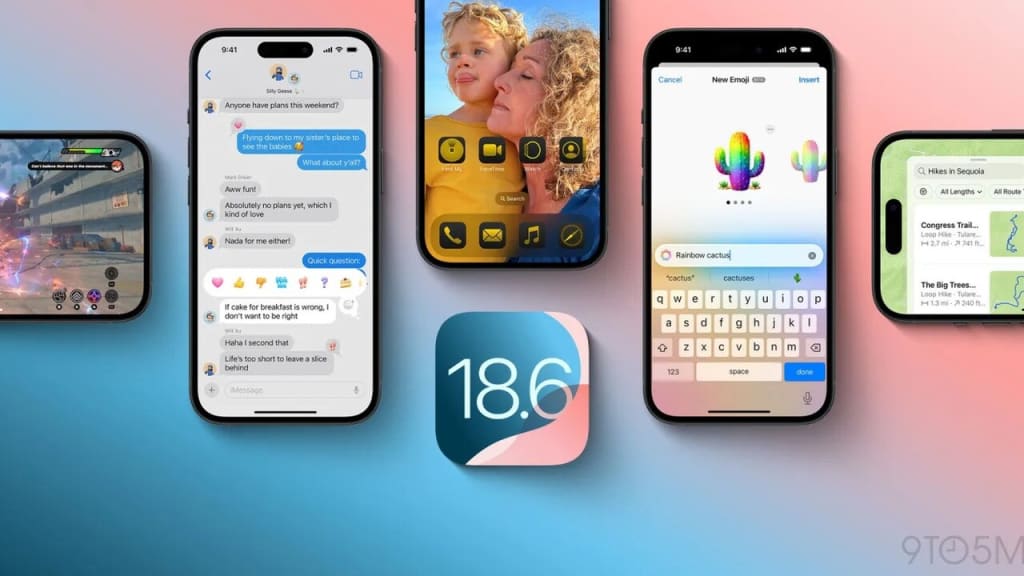
If you’re the kind of iPhone user who clicks “Update Now” as soon as your coffee starts brewing, you might have already installed iOS 18.6 on your device. On the other hand, if you’re still unsure, let me clarify—this update isn’t one of those flashy releases filled with unnecessary features you won’t ever use. Rather, iOS 18.6 offers a series of subtle yet significant improvements that enhance your daily iPhone experience, making it smoother, quicker, and less of a hassle.
With adjustments to battery health, improvements for FaceTime, and a few fixes that many have been waiting for, this update highlights that the iPhone focuses on refining rather than just reinventing. Here’s all the important information regarding what’s new in iOS 18.6 and why you should consider updating.
1. Battery Health Tools Got Smarter (And More Honest)
Apple's been under the microscope for battery transparency ever since the days of “Batterygate,” and iOS 18.6 shows that they’re listening. You’ll now find an updated battery health dashboard under Settings > Battery, which provides more detailed insights into your battery’s long-term performance. Instead of just “Peak Performance Capability,” it now shows:
- Actual battery charge cycles
- Current maximum capacity
- Optimized charging history
- Alerts for battery wear-and-tear
For users with older iPhones, this helps eliminate the mystery behind random shutdowns or sudden drops in battery life. And if you’ve ever wondered when it’s actually time to replace your battery, this tool gives you clarity—without a Genius Bar appointment.
2. FaceTime Feels More Fluid and Natural
Do you recall the uncomfortable pauses or frozen images during your FaceTime chats? The release of iOS 18.6 addresses these issues directly. Developers at Apple have implemented innovative real-time smoothing techniques in FaceTime video streams, which help minimize interruptions, especially when using mobile networks.
What’s the outcome? Conversations on FaceTime now come across as warmer and more genuine, rather than interacting with a glitchy character. This improvement is particularly evident on iPhone 13 and newer models, although users with older devices also notice enhancements.
Moreover, FaceTime has made eye contact even more of a priority, subtly adjusting your line of sight so it seems as if you’re looking straight at the other person—perfect for work meetings or connecting with family from afar.
3. Messages Gets Smarter (But Not Flashier)
In iOS 18.6, the Messages app has undergone some behind-the-scenes enhancements that may not be obvious at first, but they are important.
- Searching for messages is now incredibly quick, as it updates your messages instantly, even in lengthy conversations.
- Link previews display more reliably now, finally resolving that frustrating issue of them getting stuck while loading.
- The syncing of iMessage across different Apple devices feels faster and more dependable.
Additionally, for those testing RCS (Rich Communication Services) with compatible carriers, iOS 18.6 offers a smoother and more stable experience, although it's still in the beta phase for a full launch.
4. Focus Mode Updates for Real Life, Not Just Aesthetic
Since their introduction, Focus Modes have changed significantly, and with iOS 18.6, they finally feel practical rather than confusing.
- Smart Suggestions can now offer Focus settings depending on your location and the time. For instance, when you get to the gym, your iPhone might propose turning on “Fitness Focus.”
- Now, it's possible to choose specific wallpapers for each Focus Mode. This is great if you prefer a serene background while in “Do Not Disturb” or a motivating atmosphere when working.
- Triggers for Focus based on apps have become easier to use. Apps like Slack, Teams, or Zoom can now recommend Focus profiles directly.
5. Maps Just Got a Little Nicer to Use
In iOS 18.6, Apple Maps introduces a new ability to save your regular trips, such as your daily commute, picking up kids from school, or your weekend hiking routes. This feature, along with real-time weather information, enhances Maps, making it feel more like a useful assistant rather than just a simple GPS giving directions.
When you explore new places, Maps now offers improved suggestions for different paths, including details about possible delays, and can even recommend if walking or using public transport would be quicker.
6. Security and Privacy Updates You Didn’t Know You Needed
In the background, iOS 18.6 includes important security updates for WebKit, Bluetooth connections, and how Mail displays content. While these updates might not be thrilling, they fix weaknesses that could have been taken advantage of by malicious users.
Regarding privacy, a new option is available to automatically block unknown AirDrop senders. This feature is helpful, particularly in busy places like public transport or crowded areas. You no longer have to worry about receiving strange memes from strangers at the airport.
7. A Little Extra Polish Where It Counts
Apple also took the opportunity to fix a host of minor bugs that have been nagging users:
- The annoying Safari auto-refresh issue is resolved.
- Calendar app crashes when creating recurring events? Gone.
- Mail search accuracy has been improved significantly.
- And yes, widgets are less buggy, especially the Weather and Notes ones.
Final Thoughts: Should You Update?
Certainly. While iOS 18. 6 might not be a ground-breaking update, it significantly enhances the general operation of the iPhone, therefore providing a more enjoyable user experience. Updates of this kind suggest a relationship with your device rather than a fight against it.
Better battery health indicators, more flawless FaceTime calls, and a trustworthy calendar app free of errors are all little improvements that are worthwhile. iOS 18. 6 shows its value for people who use their iPhones for business, communication, and daily activities.
Charge your phone and back up your data before hitting Update. Alternative.
🧾 Summary:
✅ Smarter Battery Health features
📞 Smoother, more realistic FaceTime experience
📩 Better iMessage performance and link previews
🚦 More intuitive Focus Modes
🗺️ Upgrades to Apple Maps navigation
🛡️ Important security/privacy patches
🧹 Fixes to long-standing bugs and crashes
About the Creator
Keep reading
More stories from Shahjahan Kabir Khan and writers in Journal and other communities.
Liquid Glass Magic: iOS 26's Icon Glow-Up Has Everyone Redesigning Their Homescreens
The iOS 26 Glow-Up You Didn’t Know You Needed Apple has struck again, but this time it's not with a dramatic new device or groundbreaking technology. Rather, it’s the small details that catch the eye. Subtle, sleek, and impressive. With the release of iOS 26, Apple unveiled Liquid Glass icons, a visual refresh that has gradually transformed the appearance of iPhones all around. Honestly? We are all for it.
By Shahjahan Kabir Khan6 months ago in Journal
The goals I did not achieve
Every writing goal I made for the year is a wash. It has been this way for a while, but I think it's important to be open about my failures and the reality of how life can get in the way. This is especially true considering the several times I have posted on Vocal about my writing goals, how I was changing my approach, and where I was hoping to be for the upcoming year. I will probably do that again in a couple months, but for now, it is time to acknowledge where I am today.
By Kay Husnick24 days ago in Journal


Comments
There are no comments for this story
Be the first to respond and start the conversation.