
How to See Who Someone Recently Followed on Instagram: Simple Steps & Smart Tools
Uncover the Secrets Behind Instagram Follows Using Smart Tools and Insider Tricks for Digital Sleuthing

Why Do People Want to Know Who Someone Recently Followed?
Let’s face it—Instagram is more than just pictures of lattes and sunsets. It’s where people connect, flirt, stay updated, and sometimes even stalk a bit (no judgment!). That’s why curiosity often kicks in: Who did they just follow? Was it a new crush? A suspicious account? Or just another meme page?
Knowing who someone recently followed can reveal a lot about their interests or behavior. Friends might want to keep tabs on each other. Partners may be watching for red flags. And others are simply nosey—because, well, who isn’t a little curious?
But Instagram doesn’t exactly make this easy.
What Does "Recently Followed" Actually Mean on Instagram?
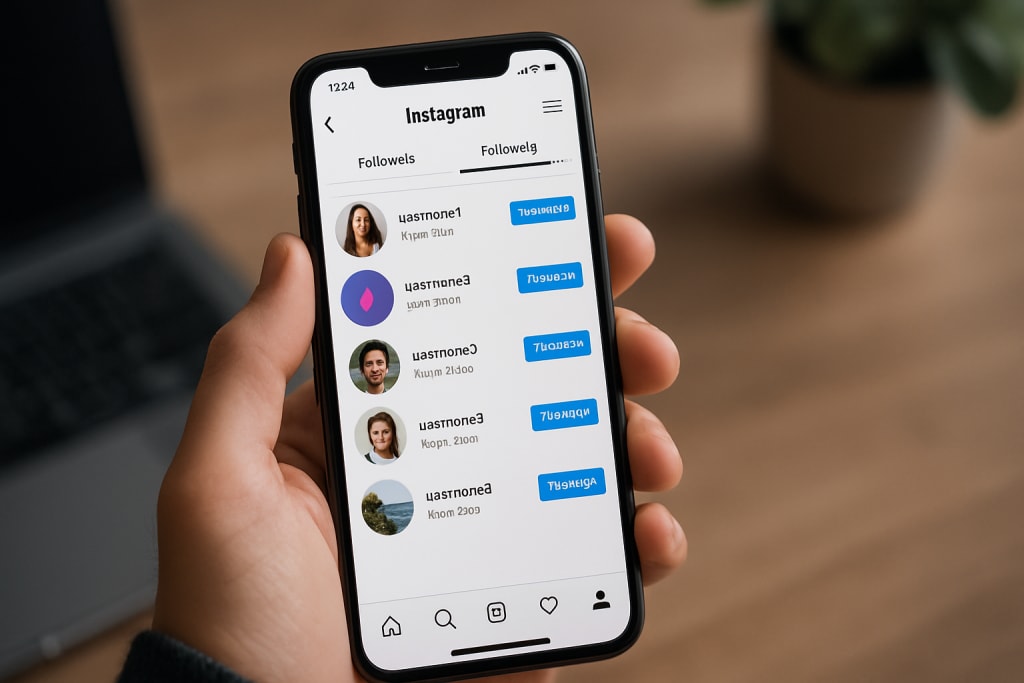
Instagram shows a list of people someone is following, but it doesn’t organize that list by the most recent follows. That means when you open someone’s “Following” tab, it’s often a jumble—with no obvious rhyme or reason.
So, when people say “recently followed,” they usually mean the most recent additions to someone’s following list—ideally shown in order. Unfortunately, that’s not something Instagram lays out plainly.
What You Can (and Can’t) See Using Instagram Alone
Here’s the thing: Instagram doesn’t give you a clear timeline of when someone followed someone else. It used to have an “Activity” tab that showed followers’ actions, like who they followed or liked. But that feature disappeared back in 2019 for privacy reasons.
Now, if you visit someone’s profile and tap on the "Following" list, you’ll see a mix of accounts—but the order is not chronological. Instagram says the order is influenced by factors like:
- Mutual followers
- Interaction frequency
- Relevance based on interests
So, unless you’re glued to their profile 24/7, it’s hard to track who they just followed.
Manual Methods: The Old-Fashioned Detective Work
Some users try manual tricks to figure out who someone recently followed. For example:
- Regularly checking their “Following” list and taking screenshots for comparison.
- Noting down usernames and checking for any new additions later.
- Using multiple accounts to see if the order changes across devices.
But let’s be honest—this is time-consuming and not very accurate. The order can shuffle based on algorithms or device, and there’s no exact timestamp attached to new follows.
That’s where smart tools come in.
How a Tool Like DolphinRadar Can Help
For anyone who’s really curious and wants a shortcut, Dolphin Radar offers a more efficient way to track new follows on Instagram. Instead of spending hours comparing lists manually, this tool can help you monitor changes and recent activity quickly and discreetly.
Dolphin Radar analyzes public account data and tracks new follow activity, which makes it easier to spot patterns and updates. It's especially helpful for those who want to keep tabs without constantly checking the app.
One user described it as a “relationship sanity saver”—when they noticed their partner following suspicious accounts out of nowhere.
Using a Recent Follow Tracker for Quick Insights
Even more specifically, DolphinRadar’s Recent Follow Tracker lets you see the latest people someone has followed—without needing to scroll endlessly or second-guess the order.
This tool comes in handy for:
- Concerned parents monitoring their kids' activity.
- Friends checking in on their circle.
- Social media managers reviewing influencers’ behavior.
It’s important to note that these trackers work best with public profiles. Private accounts won’t offer as much visibility unless you’re already following them.
Behavioral Clues That Might Reveal Recent Follows
Sometimes, actions speak louder than Instagram’s interface. If you’re observant, you might notice clues that someone recently followed a new account:
- They start liking a specific user’s posts out of the blue.
- They’re tagged or mentioned in comments or stories.
- You see shared posts or stories from someone they never interacted with before.
While none of these signs confirm a new follow, they can hint that something changed recently.
Why the Follow List Appears Out of Order
Instagram’s “Following” list doesn’t always make sense—and that’s by design. As mentioned earlier, it’s based on several factors that Instagram doesn’t fully explain. Here are a few reasons it might look random:
- Mutual interaction: You might see people near the top who interact with that account often.
- Relevance: Accounts similar to the user’s interests or engagement history might appear first.
Testing behavior: Instagram sometimes tests different layouts and orders on various users.
This mystery makes it even harder to figure out who’s new in that list—again, a reason why dedicated tools can be a game-changer.
Privacy Tips for Instagram Users
If you’re concerned about your own following list and want to keep things private, here are a few things to consider:
- Make your account private. This stops strangers from seeing who you follow.
- Limit who you approve to follow you.
- Turn off activity status to avoid showing when you’re online.
- Avoid engaging publicly with accounts you’d rather keep low-key.
Being mindful of these settings can help you manage what others can or can’t see about your Instagram behavior.
Review Your Followers Regularly
It’s easy to forget who’s following you over time. Periodically reviewing your followers helps you ensure that only people you trust have access to your posts and stories. If someone feels unfamiliar or suspicious, don’t hesitate to remove them from your followers list. Instagram doesn't notify users when they’re removed, so you can manage your privacy discreetly.
Use Close Friends Feature for Stories
Instagram's Close Friends feature allows you to share stories with a limited, handpicked audience. If you have content that you don’t want everyone to see—even if your profile is public—this is a powerful tool. You can add or remove people from this list anytime, giving you more control over who sees your personal moments.
Control Who Can Tag or Mention You
Being tagged in posts or stories can expose your profile to unwanted attention. In your Instagram settings, you can manage who is allowed to tag or mention you. Limiting this to "People You Follow" or "No One" helps reduce spam, phishing attempts, or unnecessary public exposure.
Hide Sensitive Content and Comments
Instagram now allows you to filter out comments and messages that contain offensive or unwanted words. By customizing these settings, you can prevent harassment, avoid awkward conversations, and shield yourself from harmful content. This is particularly useful if you have a large following or frequently interact with unknown users.
Be Selective With Third-Party App Permissions
Many users unknowingly compromise their privacy by connecting third-party apps to their Instagram account. These apps may request access to your data, follow lists, or direct messages. Always double-check what permissions you’re granting. You can view and remove connected apps via Instagram’s security settings for greater control.
Disable Story Sharing and Reposting
By default, others can reshare your stories or posts if they’re tagged. This can unintentionally expose your content to people outside your intended audience. Head into your story settings and disable options like "Allow Resharing to Stories" and "Allow Sharing" in messages. This ensures your content stays where you want it—within your own circle.
Restrict or Block Suspicious Accounts
Sometimes, it's not enough to unfollow or remove someone. If a follower behaves oddly or harasses you, using Instagram’s Restrict or Block feature is the next step. Restricting lets you limit someone’s interaction with your profile quietly, while blocking completely removes them from your digital space. Both options give you more peace of mind.
Audit Your Past Posts and Highlights
Old posts can sometimes reveal more than you’d like—locations, past events, or relationships. Take time to scroll through your feed and archive or delete posts that no longer align with your current privacy preferences. Don’t forget to check Story Highlights, too, as they often contain older, more personal content still visible to others.
Final Thoughts
Keeping track of who someone recently followed on Instagram can be tricky—especially since Instagram doesn’t show this information clearly. Whether you’re just curious, a concerned friend, or trying to understand someone’s online activity better, it’s natural to want answers.
While Instagram itself doesn’t offer a direct way, tools like DolphinRadar make it easier to find recent follows, especially for public accounts. Just remember: respecting privacy matters too. Use these tools wisely and only when necessary.
At the end of the day, social media is just one part of someone’s life. So before jumping to conclusions, always try to look at the full picture.
Frequently Asked Questions (FAQs)
1. Can you see who someone just followed on Instagram?
Not directly through the app. Instagram doesn’t list follows in order or give timestamps. But third-party tools like DolphinRadar can help.
2. Why does the “Following” list look different on different accounts?
Instagram personalizes the order based on mutuals, engagement, and algorithms. It’s rarely chronological.
3. Can I use a tracker without the person knowing?
Yes, tools like the Recent Follow Tracker let you monitor changes on public accounts without alerting the user.
4. Does Instagram notify someone if I check their following list?
Nope. You can view someone’s following list as much as you like—Instagram won’t send any notifications.
5. Are tools like DolphinRadar safe to use?
As long as you stick to reputable tools that don’t require login access to your account, they’re generally safe.
6. What about private accounts—can they be tracked?
Only if you already follow them. Private accounts are more secure by design, so tools can’t pull data unless you have access.
About the Creator
Keep reading
More stories from Daily Blog and writers in Journal and other communities.
The goals I did not achieve
Every writing goal I made for the year is a wash. It has been this way for a while, but I think it's important to be open about my failures and the reality of how life can get in the way. This is especially true considering the several times I have posted on Vocal about my writing goals, how I was changing my approach, and where I was hoping to be for the upcoming year. I will probably do that again in a couple months, but for now, it is time to acknowledge where I am today.
By Kay Husnick25 days ago in Journal
When You Want to Pray but Do Not Know What to Say
One of the quiet struggles many people experience in their faith is not doubt, but silence. Not God’s silence, but our own. There are moments when we sit down to pray and realize we have no words. No polished thoughts. No clear requests. Just a sense of heaviness, confusion, or fatigue. It can feel like prayer requires language we do not possess.
By Sound and Spirit3 days ago in Journal



Comments
There are no comments for this story
Be the first to respond and start the conversation.