
How to Save TikTok Videos: Complete Guide to Downloading Content
Easy Ways to Save TikTok Videos Safely and Legally

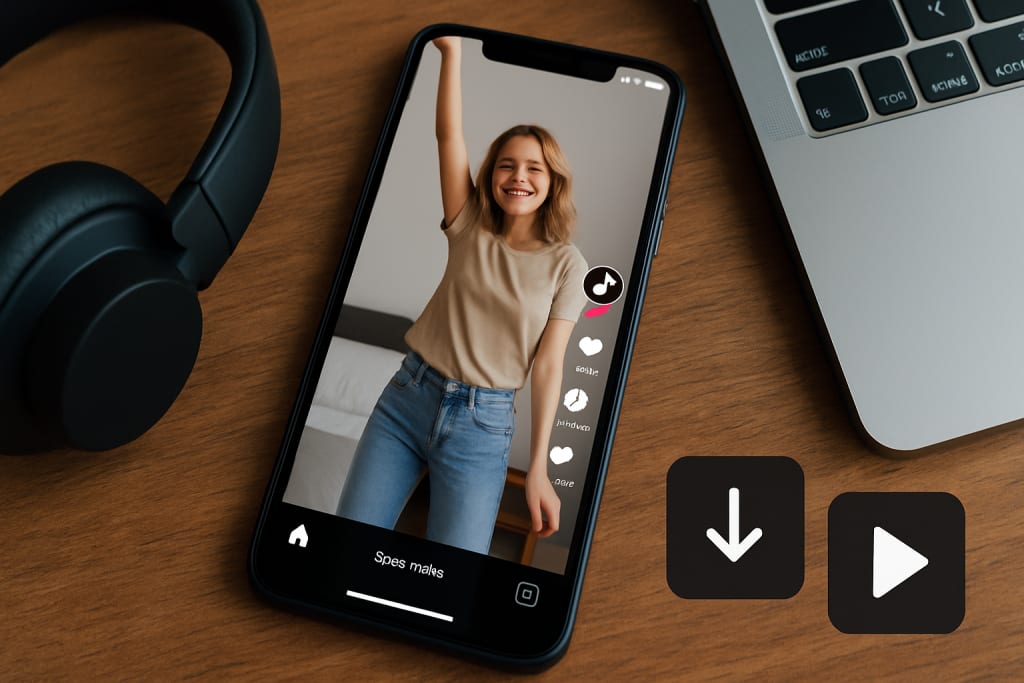
TikTok's endless stream of creative content leaves many users wanting to save their favorite videos for later viewing or sharing. Whether you've stumbled upon a recipe tutorial, workout routine, or simply a video that made you laugh, the desire to download TikTok content is completely natural. Yet the platform's built-in save feature has limitations, and many users remain unaware of the legal and practical methods available for downloading videos.
The challenge isn't just technical—it's navigating the complex landscape of copyright laws, platform policies, and creator rights while accessing content you genuinely want to preserve. Some creators disable downloads entirely, while others welcome sharing. Understanding these nuances makes the difference between respectful content consumption and potential legal issues.
TL;DR
You can save TikTok videos through the app's built-in feature, third-party downloaders like TikSaver, or screen recording. Always respect copyright and creator preferences. Built-in saves include watermarks; external tools may remove them but require careful consideration of fair use. Most personal downloads fall under fair use, but redistribution often violates copyright.
Understanding TikTok's Built-in Save Features
TikTok provides several native options for saving content, each serving different purposes. The most straightforward method involves tapping the share arrow and selecting "Save video." This downloads the video directly to your device's camera roll, complete with the creator's watermark and audio.
The platform also offers a "Favorites" feature, accessible by tapping the bookmark icon on any video. Unlike downloading, this creates a private collection within your TikTok account, allowing you to revisit content without consuming device storage. However, if the original creator deletes their video or changes their privacy settings, favorited content may become inaccessible.
For creators managing their own content, TikTok's Creator Portal provides bulk download options. This feature proves invaluable for content creators who want to repurpose their TikTok videos across other platforms or maintain personal archives of their work.
The built-in save function respects creator preferences. Some users disable the save option entirely, preventing direct downloads through TikTok's interface. When this happens, the save button simply doesn't appear in the sharing options, signaling the creator's desire to limit distribution.
Third-Party TikTok Download Tools
External downloading tools offer additional functionality beyond TikTok's native features. These platforms typically work by analyzing the video's URL and extracting the media file, often providing options to download with or without watermarks.
Popular online downloaders include dedicated websites where users paste TikTok URLs to generate download links. The process usually involves copying a video's link (found in TikTok's share menu), pasting it into the downloader's interface, and selecting preferred quality options.
Browser extensions represent another category of download tools, integrating directly into your web browsing experience. These add-ons place download buttons on TikTok's web interface, streamlining the process for desktop users who prefer not to switch between tabs.
Mobile apps specifically designed for TikTok downloading have gained popularity among smartphone users. These applications often feature batch downloading capabilities, allowing users to queue multiple videos for offline viewing. However, app store policies regarding such tools vary, with some platforms restricting or removing download apps periodically.
Quality and reliability differ significantly between services. Some tools maintain original video resolution and audio quality, while others compress files to reduce download times. The choice often depends on intended use—casual viewing versus content that might be repurposed professionally.
Screen Recording as an Alternative Method
Screen recording provides a universal fallback when other download methods fail or aren't available. Both iOS and Android devices include built-in screen recording functions, typically accessible through control center quick actions or notification panel shortcuts.
The technique involves playing the desired TikTok video while recording your screen, capturing both visual content and audio. Modern smartphones produce high-quality recordings that closely match original video quality, though file sizes tend to be larger than direct downloads.
Screen recording works regardless of creator download settings, making it particularly useful for content that creators have protected against traditional downloading methods. This approach also captures exactly what appears on your screen, including any comments or reactions visible during playback.
However, screen recording has notable limitations. Videos may include interface elements like usernames, engagement buttons, or notification banners unless carefully cropped afterward. Audio quality can also suffer if notification sounds or other system audio interferes during recording.
The method requires more active participation than automated downloading. Users must manually start recording, play the video completely, and stop recording at the appropriate time. For multiple videos, this becomes time-intensive compared to bulk download alternatives.
Legal Considerations and Copyright Issues
TikTok's terms of service grant the platform broad rights to user-generated content while maintaining creator ownership. This complex arrangement affects how downloaded content can be legally used, creating gray areas that users should understand before downloading.
Copyright law protects TikTok videos as creative works, regardless of their length or perceived simplicity. Downloading for personal use typically falls under fair use doctrine, but redistribution, commercial use, or modification may violate copyright protections.
The distinction between personal and public use proves crucial. Saving a cooking video for reference likely constitutes fair use, while uploading that same video to a business Instagram account could trigger copyright infringement claims. Context matters significantly in legal evaluations.
Creator intent influences legal standing as well. Videos posted with disabled download options signal creators' preferences against redistribution. Circumventing these preferences through third-party tools may still be legal for personal use but demonstrates disregard for creator wishes.
International copyright laws add complexity for users accessing content across borders. Fair use provisions vary between countries, and what's permissible in one jurisdiction may violate laws elsewhere. Users sharing content internationally should research applicable regulations.
Common Misconceptions About TikTok Downloads
Many users believe that watermarked videos provide automatic legal protection for downloaded content. While watermarks help identify original creators, they don't grant permission for redistribution or commercial use. The presence of a watermark indicates attribution but doesn't resolve underlying copyright concerns.
Another widespread misconception involves the relationship between public posting and download permissions. Simply because someone posts content publicly doesn't grant universal download or redistribution rights. Public visibility and usage rights operate independently under copyright law.
Some users assume that crediting original creators eliminates copyright concerns when sharing downloaded content. While attribution represents good practice, it doesn't substitute for proper licensing or permission. Credit alone rarely provides legal cover for unauthorized redistribution.
The "social media exception" represents another common misunderstanding. No special copyright exemption exists for content shared across social platforms. Standard copyright protections apply regardless of the original platform or the destination for shared content.
Technical misconceptions also persist regarding download quality and authenticity. Users sometimes believe that downloaded videos are inherently lower quality than originals, or that third-party tools automatically reduce resolution. In reality, many download methods preserve original quality perfectly.
Best Practices for Downloading TikTok Content
Responsible downloading begins with respecting creator preferences and platform policies. Before downloading any content, consider whether the creator has disabled download options or explicitly requested against redistribution in their captions or profile information.
Always prioritize the built-in save feature when available, as this respects both creator settings and platform intended functionality. External tools should serve as alternatives only when native options prove insufficient for legitimate needs.
Maintain downloaded content appropriately by organizing files with clear attribution information. Include creator usernames, original posting dates, and source URLs in file names or metadata. This practice facilitates proper crediting if you later decide to reference or share the content.
Consider reaching out to creators directly for permission when planning to use their content beyond personal viewing. Many creators appreciate respectful requests and may provide high-quality versions or grant specific usage permissions. This approach builds positive relationships while ensuring legal compliance.
Store downloaded content securely and avoid unnecessary redistribution. Personal collections should remain private unless you have explicit permission or legal grounds for sharing. Cloud storage services may scan uploaded content, potentially flagging copyrighted material even for personal use.
Alternatives to Downloading
TikTok's sharing features often provide better alternatives to downloading for common use cases. The platform's native sharing tools allow you to send videos directly to contacts across various messaging platforms while maintaining creator attribution and engagement metrics.
Link sharing preserves the original context and allows creators to benefit from continued engagement on their content. Rather than downloading a workout video, sharing the original link ensures the creator receives credit for views and maintains access to comments and updates.
Playlist creation within TikTok offers organization benefits without requiring downloads. Users can create themed collections of saved videos, building personal libraries accessible across devices without consuming storage space.
Third-party bookmark services designed for social media content provide cross-platform organization tools. These services save links rather than files, ensuring creators maintain control over their content while giving users organized access to their favorite videos.
Screenshot compilation represents another alternative for reference materials like recipes or tutorials. Key frames captured as images consume less storage while preserving essential information, though they lack the dynamic elements that make TikTok content engaging.
FAQ Section
Can I download TikTok videos without watermarks legally?
Yes, for personal use under fair use doctrine, but removing watermarks may violate creator attribution preferences and platform terms of service.
Do downloaded TikTok videos work offline?
Yes, properly downloaded video files play offline, though you'll lose access to comments, creator profiles, and related content suggestions.
Can creators see who downloads their videos?
TikTok doesn't provide download analytics to creators, but engagement metrics may reflect increased sharing activity from downloaded content.
Is it legal to download TikTok videos for educational purposes?
Educational use often qualifies for fair use protection, but institutional policies and specific usage context determine legality.
What happens if I download a video that gets deleted?
Downloaded files remain accessible even after original deletion, but sharing deleted content may raise additional ethical concerns.
The landscape of TikTok downloading continues evolving as platforms balance creator rights with user preferences. While technical methods for saving content multiply, the fundamental principles of respectful consumption and legal compliance remain constant. Whether using built-in features or external tools, successful downloading requires understanding both capabilities and limitations.
Responsible downloading enhances rather than exploits the creative ecosystem. By respecting creator preferences, understanding legal boundaries, and utilizing appropriate tools, users can build personal collections while supporting the vibrant community that makes TikTok's content possible. The key lies in balancing personal convenience with creator respect—a balance that benefits everyone in the long term.
About the Creator
Keep reading
More stories from Vocal Blog and writers in Journal and other communities.
Running a Business in the UK as a U.S. Citizen: Rules, Taxes, and What You Need to Know
Why U.S. Citizens Choose the UK for Business The UK is one of the most attractive places for U.S. entrepreneurs. With its stable legal system, access to European markets, and a thriving startup ecosystem—particularly in London—many Americans find it appealing to launch a business abroad.
By Vocal Blog5 months ago in Journal
5 Things That Could Excuse You From the Draft — And 5 That Surprisingly Wouldn’t
Although the United States hasn’t had an active military draft since 1973, men ages 18–25 still have to register with the Selective Service System. If a draft were ever reinstated, there are certain circumstances that could excuse someone from service — and others that many people assume would work, but actually wouldn’t.
By Navigating the World2 days ago in Journal


Comments
There are no comments for this story
Be the first to respond and start the conversation.