
How to Revive Your Old Online Stories and Why You Should
When it comes to writing online, never invest and forget

There are many benefits to writing online, but one of the main ones is something many writers don’t think much about: the ability to edit your story after you publish it. You can revive a story that’s been languishing unread for months and get it moving again.
You can also “re-write your wrongs” by correcting misspellings, errors in grammar and formatting, and inaccurate statements. It’s a benefit a print writer can only dream about. Take advantage of it!
Fix spelling and grammatical errors

The most obvious reason to edit after publishing is to correct an error. A few months ago, I wrote a story about ancient Rome. It was pretty popular with close to 2,000 views, but it wasn’t until two months after I published it that I found out there was a glaring error in the text.
As a writer, your reputation is precious, so protect and nourish it.
A reader pointed out that I had misspelled “Colosseum.” Spellcheck missed it because the way I originally spelled it in my story (coliseum) would have been perfectly acceptable if I had been speaking about someplace else. It’s just that the name of the famous landmark in Rome has a specific spelling, and I got it wrong. I thanked the reader and corrected the spelling.

If you’ve only recently started using Grammarly or similar programs, run your old stories through it and see how you can improve them. As a writer, your reputation is precious, so protect and nourish it. You never know when an old story might regain momentum. Let it reflect the skill you have now rather than how green you were then.
Formatting errors
When I first started writing on Medium, I self-published a bunch of poems. Since I wasn’t working with a publication, I wasn’t aware of the guidelines, so my poems looked like this:
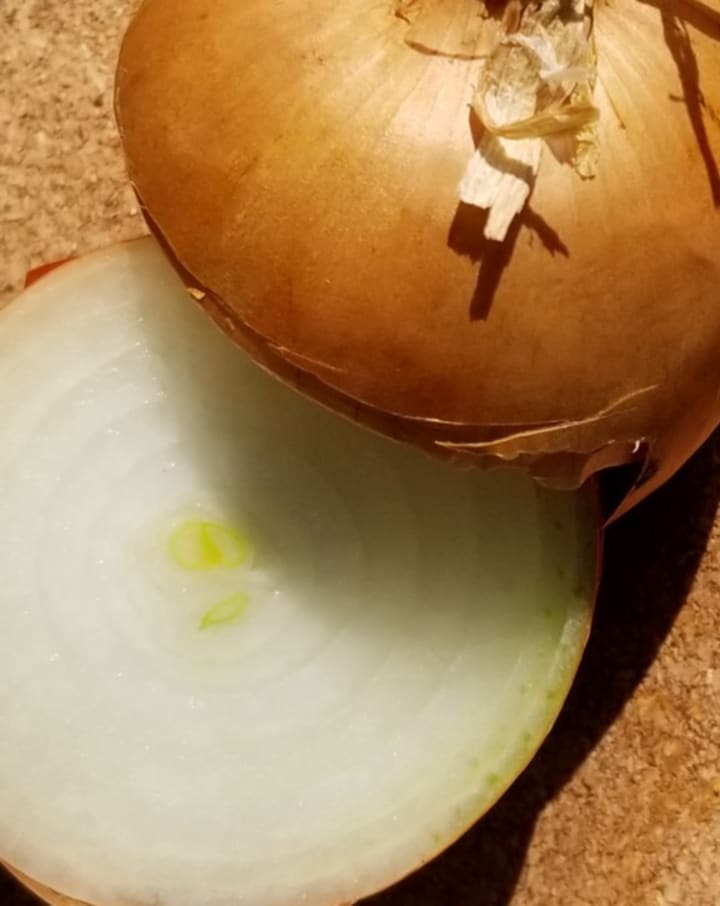
Layered Love
Love is an onion
Tasty, tearful, layers deep
Essential to cooks
The title should be above the picture. I didn’t use a subtitle, so when it appeared in a preview window, you could read the whole haiku without even clicking on it. Here’s how it looks after I made some changes.
When writing on Medium, remember to update your edits in the display titles/subtitles pull-down menu item in editing mode. Changing a title or adding a subtitle in the story will not change how your title looks in preview windows. You have to take that additional step.
A picture’s worth a 1000 words

The picture above of Mata Hari accompanies my highest earning story to date. I could very easily have picked this one of her in the same outfit shown below. It's a sexier pose, but I'm convinced that the angle of her face and the lack of color would make it less enticing to readers than the one I used. (I'm not about to experiment. Why mess with success?)

If you suspect the picture you chose to go with your story did not entice readers to click on it, try changing it and see what happens. I wrote a story that I thought was pretty good, but hardly anyone read it. I went back and looked at the photo I used, and I could see why. It was all wrong for the message I was trying to convey. I changed it and saw traffic on my story pick up immediately.

Another thing you should check is to see if your featured image looks how you want it to in the preview window. The gorgeous picture of a couple on the beach you chose to go with your story may appear in the preview window with the couple’s heads cut off. If you can’t adjust that, choose another image.
What’s in a name?
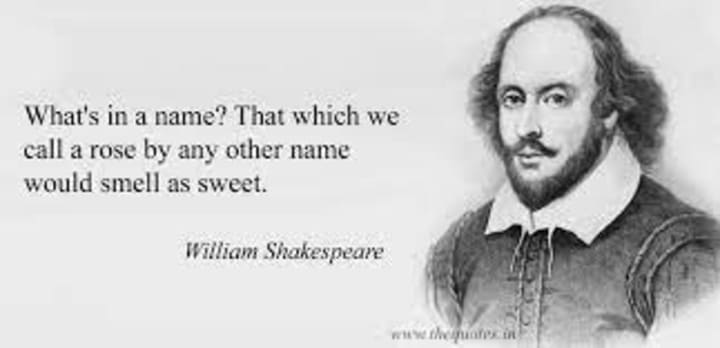
Shakespeare wasn't advising writers when he wrote this line, which is just as well since titles were not his forte. His original title for the play we know as Romeo and Juliet was An Excellent Conceited Tragedie of Romeo and Juliet. I doubt it would have attracted as many fans throughout the ages if someone hadn't tightened that up.
When a story doesn't do well, ask yourself if the title is as good as it could be. The original title of a piece I did about dancer Lola Montez was “Trouble in a Mantilla and Dancing Slippers.” Pretty horrible, huh? When Lola didn’t get the respect she deserved, I changed the title to “The Short Spectacular Life of Lola Montez.” Since then, it’s become one of my most-read stories.
Tag, you’re it!
Check the tags on your older stories. Maybe you were in a hurry to publish and didn’t give them enough thought. Try changing them and see what happens. Don’t just use the most popular tags. Reserve a couple for people looking for specifics. If you mention Queen Elizabeth in your story, try using her name as a tag. Today, nobody’s Googling her, but tomorrow, who knows?
Just the facts
Sometimes, you write a story and later find out it contains misinformation. How lucky you are that it’s not sitting bound in a bookstore. Print authors have to live with their mistakes. Online writers do not. Even if you think your story is old news and nobody will read it anyway, correct your inaccuracy and protect your reputation, just in case. Old stories can go viral. It happens.
Here’s the takeaway

The stock market saying, “invest and forget,” shouldn’t apply to online writers. When you invest your time in researching and crafting a story, it’s worth it to do whatever you can to make that investment pay off. Make it a practice to go back over your old stories online and see what you can improve.
Your changes have the potential to perk up a lagging readership and boost your past work’s earning potential. You’ll also be improving the impression you make on new readers. Remember, the Internet is forever, but your mistakes don’t have to be.
About the Creator
Denise Shelton
Denise Shelton writes on a variety of topics and in several different genres. Frequent subjects include history, politics, and opinion. She gleefully writes poetry The New Yorker wouldn't dare publish.
Keep reading
More stories from Denise Shelton and writers in Journal and other communities.
The One Thing New Writers Need to Hear That Nobody Will Tell Them
So you’ve found your bliss, and it’s (ta, da) writing. Congratulations! As someone who’s been doing this for over half a century, I can tell you the rewards are great, probably not as great as you’re hoping they’ll be, but there’s a lot to be said for expressing yourself in this particular way.
By Denise Shelton3 years ago in Journal
Strategic Buyers In Behavioral Healthcare
Introduction The behavioral healthcare sector has experienced significant growth over the past decade, attracting strong interest from strategic buyers. Strategic buyers are organizations already operating within healthcare or related industries that acquire behavioral health companies to expand services, strengthen market presence, or improve care integration. These buyers usually focus on long-term operational benefits rather than short-term financial gains. As demand for mental health and addiction treatment services continues to rise, strategic buyers are increasingly involved in acquisitions and partnerships across the behavioral healthcare market.
By Abdul Mueed4 days ago in Journal
June Lockhart
Some actors become famous for a moment. Others become part of television history. June Lockhart belongs firmly in the second group. For decades, audiences around the world watched her portray thoughtful, compassionate, and intelligent women. Whether she was guiding a young boy and his loyal dog in Lassie or navigating the challenges of space travel in Lost in Space, Lockhart brought warmth and authenticity to every role.
By Ilsa Sophia6 days ago in Journal
Silken Chains
Silhouettes of the female form were given flesh and bone. Silken skin glistened under the spotlight. Dry ice rose around our Icons as they danced atop their podiums in the Square. Heralded for their beauty, their movements were slight, powerful, and sensual.
By Paul Stewart7 days ago in Fiction



Comments
There are no comments for this story
Be the first to respond and start the conversation.