
How to Create a Realistic Hat Mockup
How to Create a Realistic Hat Mockup (No Design Skills Needed)
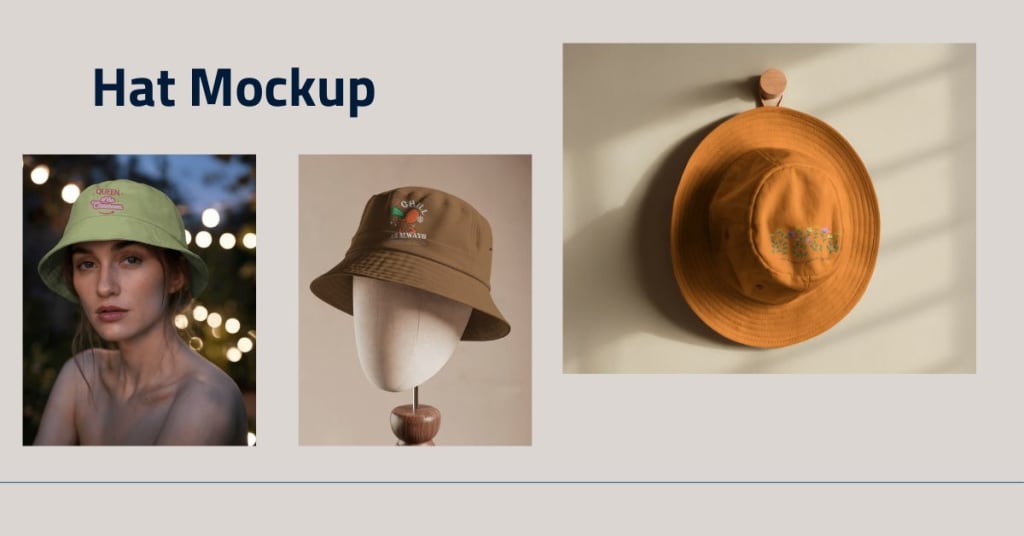
Do you want to show off your hat design in a realistic way before printing it? Whether you're a fashion brand, designer, or someone selling custom hats online — a hat mockup is the perfect way to bring your idea to life.
Instead of just showing your design on a plain image, a mockup places your design on a real-looking hat, often worn by a model or displayed in a natural setting. This makes your product look more professional and helps people imagine it in real life.
In this guide, we’ll walk you through how to create a realistic hat mockup — easily and for free — using Mockey, an online mockup generator that doesn't need any special software like Photoshop.
Let’s get started!
What Is a Hat Mockup?
A hat mockup is a digital photo or scene where your custom design is added to a blank hat. It helps you see what your logo, art, or slogan will look like on an actual hat — like a baseball cap, beanie, snapback, or even a bucket hat.
It’s great for:
- Showing your designs to clients
- Uploading product previews to online stores
- Creating promotional images for social media
- Testing your design before printing
Why Use a Hat Mockup?
Here’s why mockups are so useful, especially for hats:
- No Printing Needed – You don’t have to create a sample product first.
- Saves Time – Get realistic results in minutes.
- Professional Look – Helps your brand stand out with high-quality visuals.
- Perfect for Marketing – Great for product pages, ads, or social media posts.
And the best part? You don’t need any design skills to make one!
What You Need to Get Started
To create a realistic hat mockup, all you need is:
- Your hat design (in JPG or PNG format)
- A computer or phone with internet
- A free mockup tool like Mockey.ai
That’s it — no Photoshop or advanced design tools needed.
Pick the Right Hat Style
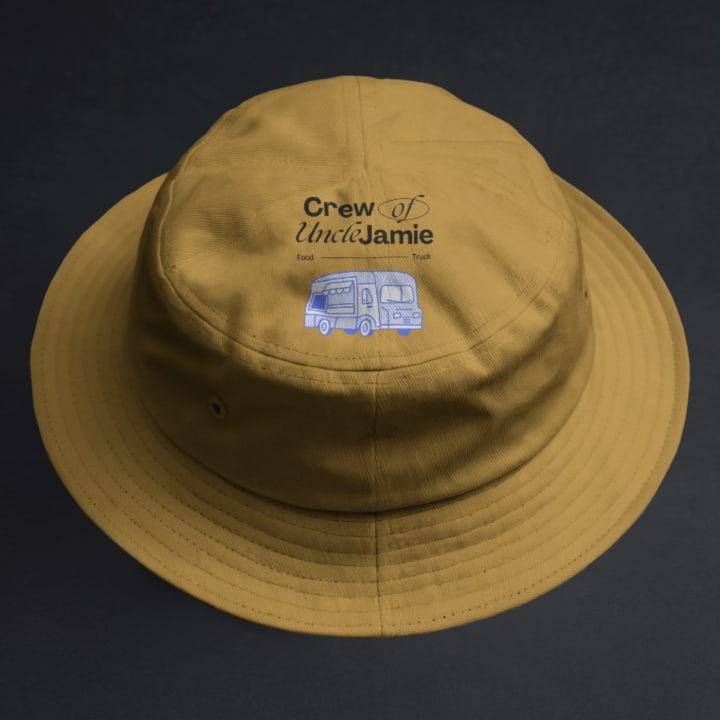
Before jumping into the mockup, think about the type of hat you’re designing. Different hat types suit different designs.
Here are a few options:
- Baseball Cap – Great for sports teams or casual branding.
- Snapback – A popular choice for urban fashion and streetwear.
- Beanie – Best for winter designs or cozy styles.
- Bucket Hat – Trendy and great for fun, outdoor-themed graphics.
Make sure the style you pick fits your brand or purpose.
Why Choose Mockey for Hat Mockups?
Mockey is one of the easiest tools out there to create mockups. It’s online, totally free, and doesn’t need any special skills to use. You can get high-quality mockups in just a few clicks.
Here’s why designers love it:
- ✅ 100% Free
- ✅ No sign-up required
- ✅ Easy drag-and-drop design upload
- ✅ Lots of mockup styles and settings
- ✅ Fast download in HD quality
Mockey makes mockup creation simple and fun — even if you’ve never done it before.
How to Create a Hat Mockup with Mockey (Step-by-Step)
Ready to bring your design to life? Follow these easy steps:
1. Go to Mockey.ai
Open the website on your computer or phone. You'll see many mockup categories.
2. Search for “Hat Mockup”
You can use the search bar or scroll through the categories to find hat mockups. Look for styles like caps, beanies, or bucket hats.
3. Choose Your Favorite Template
Click on a mockup that fits your design. You’ll find hats on models, flat lays, and product-style images. Pick what fits your brand best.
4. Upload Your Design
Click the “Upload” button and select your hat design file. Make sure it’s clear and high resolution for best results.
5. Position and Adjust
Mockey will automatically place your design on the hat. You can move it, resize it, or adjust it until it looks just right.
6. Download Your Mockup
Once you're happy with how it looks, hit the download button. Your high-quality hat mockup will be saved and ready to use!
Tips for Making Your Hat Mockup Look Real
Here are some tips to make sure your mockup looks as real as possible:
- Use a high-quality design – Low-res images might look blurry.
- Match the design with the hat type – A small logo works well on caps, while big graphics fit better on bucket hats.
- Choose a mockup with natural lighting – It makes the hat look more believable.
- Don’t overcrowd the design – Keep it clean and clear so people can easily read or recognize it.
Where to Use Your Hat Mockup

Once your mockup is ready, you can use it in many ways:
- Online stores (Shopify, Etsy, etc.)
- Social media promotions (Instagram, Facebook)
- Pitching to clients or partners
- Print-on-demand platforms (Printful, Blinkstore, and Redbubble)
- Portfolios or lookbooks
Mockups help people see what they’re buying. A great visual can boost your sales and make your brand look more trustworthy.
Final Thoughts
Creating a realistic hat mockup is no longer hard or expensive. With free tools like Mockey, you can bring your hat designs to life in just minutes — no software, no skills, and no stress.
It doesn’t matter if you're a beginner or a pro — anyone can use Mockey to make eye-catching mockups that impress. So go ahead and turn your hat design into something real. You’ll be surprised at how easy it is!
Try it now at www.mockey.ai and see your hat designs come to life — for free!
About the Creator
Keep reading
More stories from Backlink Wizard and writers in Journal and other communities.
~ Fired ~
— Ai Intrusion ~ Are you Next ~ Is Ai Evolution after your job? — Few workplaces haven't been affected. Ai is in supermarkets, at doctors' offices, and even monitoring farms. I just can't think of anything this machine is not getting into, can you? For instance: Education ~ Law and Tech jobs will one day have a major influence or be taken over by these inanimate machines, with accuracy and vigor. From mechanics' diagnoses to a wide variety of everyday jobs, including fast food workers, with this input having the ability to cut their unnecessary work hours. I'm certain all of us have been touched by this with our short stories and colorful headings, have you? Even comments are very questionable 'Non-Robot' insertions.
By Jay Kantor28 days ago in Journal
Hiring Qualified Therapists for Partial Hospitalization Programming Programs
Understanding Partial Hospitalization Programs Partial Hospitalization Programs (PHPs) provide intensive, structured mental health treatment while allowing patients to return home daily. Unlike residential programs, PHPs strike a balance between rigorous clinical intervention and community integration. The nuanced nature of these programs demands not only therapeutic expertise but also a deep understanding of patient monitoring, crisis management, and individualized care planning. PHPs often address complex psychiatric conditions, necessitating a blend of psychotherapy, behavioral interventions, and pharmacological oversight. Recognizing this unique operational framework underscores the necessity for highly skilled professionals who can navigate the delicate interplay between clinical intensity and patient autonomy.
By Fida Hassain4 days ago in Journal
When the Shelter Closes
Across the street from my house, a man slept under a tree, his dog by his side. My first, naive thought: he must be traveling through. But he kept coming back, often sleeping there during the day. Then it hit me—that person might not have a home.
By Bride of Sound3 days ago in Humans




Comments
There are no comments for this story
Be the first to respond and start the conversation.