
How to Create a Packaging Box Mockup
How to Create a Packaging Box Mockup (Even If You're Not a Designer!)
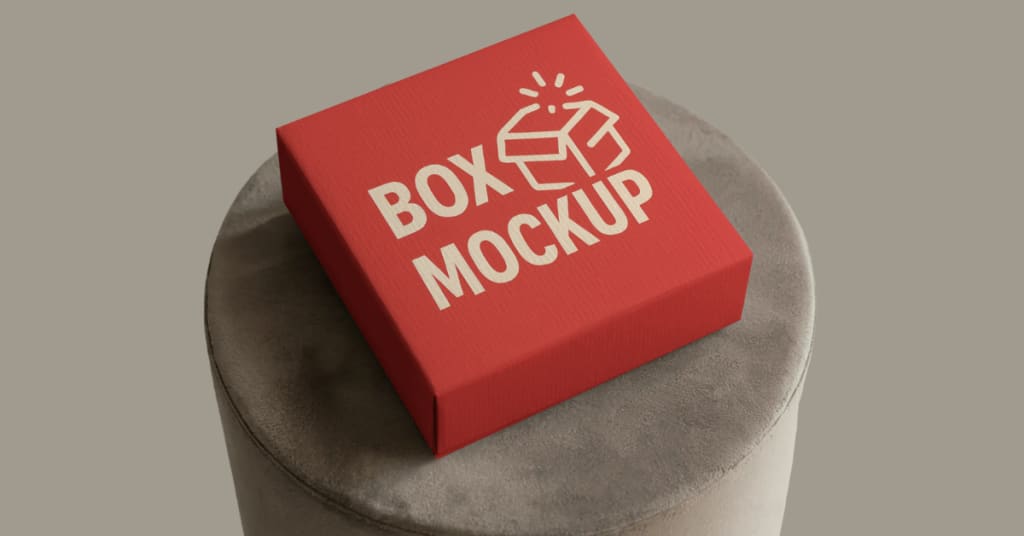
Have you ever seen a product online and thought, “Wow, that packaging looks so real and clean”? That’s probably a mockup—and the good news is, you can make one too! A packaging box mockup is a realistic preview of how your product’s box will look once it’s printed. It lets you showcase your design without ever touching a printer.
Whether you're a small business owner, a graphic designer, or someone launching a new product, creating a box mockup can help you test your design, impress customers, and promote your product in a professional way.
The best part? You don’t need fancy software or years of design experience. With free tools like Mockey.ai, making a packaging box mockup is fast, easy, and even fun.
Let’s walk through it step by step.
What Is a Packaging Box Mockup?
A packaging box mockup is a digital image that shows your product box design on a realistic 3D or 2D model. Instead of printing and photographing the box, you place your artwork on a virtual box to see how it would actually look.
These mockups are used in:
- Product listings (like on Amazon or Etsy)
- Online stores
- Marketing campaigns
- Client presentations
- Social media ads
Mockups help bring your design to life before any physical printing happens, saving you both time and money.
Tools You Can Use
To create a box mockup, you can choose between:
Graphic design software (like Photoshop or Illustrator) – offers deep customization but takes time to learn.
Online mockup generators – fast, beginner-friendly, and no software needed.
If you're looking for the easier option, we highly recommend using Mockey.ai. It’s completely free, has no signup requirement, and offers a wide range of mockup styles—all online!
Step-by-Step Guide: Creating a Box Mockup Using Mockey.ai
Here’s how to make a packaging box mockup in just a few minutes using Mockey:
✅ Step 1: Visit Mockey.ai

Head over to https://mockey.ai on your web browser. You don’t need to log in or create an account. Everything works straight from the homepage.
✅ Step 2: Go to the Box Mockup Section
On the homepage, click on the “Box Mockups” category. You’ll see a variety of options—front-facing views, tilted views, open box mockups, and more.
Pick a style that fits your brand. For example, if you're selling cosmetics, you might prefer a sleek, top-view box mockup. For subscription boxes or retail packaging, a 3D mailer box may look better.
✅ Step 3: Upload Your Box Design

Click on the mockup you like. Now it’s time to upload your artwork.
Mockey lets you add your design in seconds. Make sure your design file is in PNG or JPG format, and the dimensions match the mockup template. You can drag and drop your file or browse from your computer.
Tip: Use a transparent PNG if your design doesn’t cover the whole box.
✅ Step 4: Adjust the Layout
Once your design appears on the box, you can resize, move, or rotate it. If something looks off, no worries—you can reposition your design until it fits just right.
You can also change the background color, add realistic shadows, or blur the scene for a soft-focus effect. It’s all built in, and super easy to tweak.
✅ Step 5: Download Your Final Mockup

Happy with the result? Click the Download button, and your mockup will be saved in high resolution. It’s perfect for websites, client proposals, or social media.
Pro Tips for Better Box Mockups
Here are some quick tips to take your mockups from basic to brilliant:
- Use High-Quality Designs: Low-resolution images will look pixelated, so make sure your artwork is clear.
- Choose a Relevant Mockup Style: Match the box shape to your product type—don’t use a large shipping box for a small jewelry item.
- Play with Angles: Try different views (top, side, tilted) to see which shows your product best.
- Keep It Simple: Too many graphics or colors can look messy. A clean layout looks more professional.
- Use Transparent Backgrounds When Needed: This helps if you want to place the box mockup on other marketing materials.
Types of Box Mockups Available on Mockey
Mockey has a great selection of box styles, and they’re always adding more. Some popular types include:
- Square packaging boxes
- Rectangular gift boxes
- Mailer boxes
- Foldable cartons
- Tuck-end boxes (commonly used for cosmetics and electronics)
No matter what kind of product you sell, you’ll likely find a box mockup that fits.
Where You Can Use Your Mockup
Once your box mockup is ready, the possibilities are endless. Here are a few places to use it:
- 🛍️ Online Stores: Upload the mockup to your product page so customers can see exactly what the packaging looks like.
- 🖥️ Client Presentations: Show your packaging ideas to a client before final printing.
- 📣 Marketing Campaigns: Use mockups in email ads, flyers, or promo banners.
- 📱 Social Media: Share high-quality packaging previews on Instagram, LinkedIn, or Facebook.
- 🖨️ Print Review: Double-check design alignment before going to print.
Why Choose Mockey.ai?
There are many mockup tools out there, but here’s why Mockey stands out:
- ✅ Mockey is an AI-powered mockup generator, which means it automates the process and makes everything faster and smarter.
- ✅ 100% Free to Use
- ✅ No Signup Required
- ✅ Works on Any Browser
- ✅ Fast and User-Friendly
- ✅ Huge Collection of Mockups
- ✅ Instant Download in High Resolution
It’s made for everyone—from solo business owners to marketing teams—and gets the job done in minutes. With AI handling the heavy lifting, you get polished, professional-looking results without needing any design experience.
Final Thoughts
Packaging matters more than ever. It's the first thing people see and often the first thing they judge. Creating a box mockup helps you test, improve, and promote your packaging before it ever reaches the printer.
Thanks to free tools like Mockey.ai, you don’t need to hire a designer or learn complex software. Just pick a box style, upload your design, make a few adjustments, and download a stunning mockup—no stress, no cost.
So go ahead—give your product the spotlight it deserves. Create a packaging box mockup today and see how amazing your design can look in real life.
About the Creator
Keep reading
More stories from Zaheer Ansari and writers in Journal and other communities.
When the Shelter Closes
Across the street from my house, a man slept under a tree, his dog by his side. My first, naive thought: he must be traveling through. But he kept coming back, often sleeping there during the day. Then it hit me—that person might not have a home.
By Bride of Sound5 days ago in Humans




Comments
There are no comments for this story
Be the first to respond and start the conversation.