
How to Create a Deriv Account: Full Step-by-Step Guide
Create a Deriv Account

Deriv is one of the most trusted online trading platforms, offering access to forex, commodities, cryptocurrencies, synthetic indices, and more. Whether you’re a beginner or an experienced trader, the first step to start trading on Deriv is creating your account.
In this comprehensive guide, we’ll explain how to create a Deriv account, verify it, and begin trading in just a few steps.
Why Choose Deriv?
Before jumping into account creation, here are some reasons why traders choose Deriv:
Global platform with over 2.5 million traders.
Wide variety of markets (forex, synthetic indices, commodities, crypto).
Low minimum deposit – starting from just $5 (depending on the method).
Multiple trading platforms – Deriv Trader, Deriv MT5, Deriv X.
Demo account with $10,000 virtual funds for practice.
Step 1: Visit the Official Deriv Website
Go to Deriv.com
. Always double-check the URL to avoid fake or phishing websites.
Step 2: Start the Sign-Up Process
On the homepage, click on “Create free demo account” or “Sign Up”.
You’ll have two registration options:
Email sign-up – enter your email and choose a password.
Social login – sign up quickly using Google, Facebook, or Apple ID.
Step 3: Confirm Your Email
After signing up, Deriv will send you a confirmation email.
Go to your inbox and click the verification link.
This will redirect you back to Deriv’s platform.
Step 4: Provide Your Personal Details
Deriv will ask for basic personal information to set up your profile:
Full Name (must match your ID).
Date of Birth.
Country of Residence.
Preferred Account Currency (USD, EUR, GBP, etc.).
Make sure these details are accurate, as you’ll need them for account verification (KYC).
Step 5: Set a Strong Password
Create a secure password with letters, numbers, and symbols to protect your account.
Step 6: Access Your Free Demo Account
After registration, you’ll get access to a Demo Account preloaded with $10,000 virtual funds.
This is perfect for beginners to:
Practice trading strategies.
Learn how the platform works.
Understand risk management without losing money.
Step 7: Upgrade to a Real Account
To start live trading, you need to create a Real Account.
Here’s how:
From your dashboard, click “Add Real Account.”
Choose your trading platform:
Deriv Trader (beginner friendly).
Deriv MT5 (advanced trading features).
Deriv X (multi-asset trading).
Complete KYC Verification:
Upload a valid government ID (passport, driver’s license, or national ID).
Provide proof of address (utility bill or bank statement).
Once approved, your account will be ready for deposits and withdrawals.
Step 8: Fund Your Account
Deriv supports multiple payment methods:
Credit/Debit Cards.
E-wallets (Skrill, Neteller, Perfect Money).
Bank Transfer.
Cryptocurrencies (Bitcoin, Ethereum, Tether, etc.).
Local payment agents (depending on your country).
Minimum deposit: as low as $5 (method dependent).
Step 9: Start Trading
Now that your account is verified and funded, you’re ready to start trading.
You can trade through:
Deriv Trader (Web App) – simple, browser-based.
Deriv MT5 – powerful trading software for professionals.
Deriv X – multi-asset platform with flexible contract sizes.
Create your Deriv account and start trading
Tips for Beginners
Always start with the demo account before risking real money.
Never invest money you cannot afford to lose.
Learn basic trading strategies and risk management.
Stay updated with market news.
Withdraw profits regularly instead of leaving all funds in the account.
Final Thoughts
Creating a Deriv account is simple and beginner-friendly. Within minutes, you can sign up, verify your details, and start practicing with a demo account. Once you’re comfortable, upgrading to a real account lets you access global markets with flexible deposits and withdrawals.
Click here to create your Deriv account and start trading today
Note: Trading on Deriv is subject to your country’s regulations. Please use the platform in accordance with the laws and financial policies of your country. Make sure to check whether Deriv is regulated and available in your region before creating an account or starting to trade.
About the Creator
Keep reading
More stories from Kashif Khan and writers in Journal and other communities.
WiseToast: Where Independent Learners and Business Minds Connect
Wisetoast is a premier digital platform that delivers trusted insights across business, entrepreneurship, technology, digital marketing, and lifestyle. In addition to thought-provoking articles, Wise Toast provides business consultancy services and practical calculators to entrepreneurs to make informed and strategic decisions.
By Kashif Khan7 months ago in Journal
Time for China to Move From ‘Product Export’ to ‘System Export’ in Aviation Arms Trade: NPC Deputy
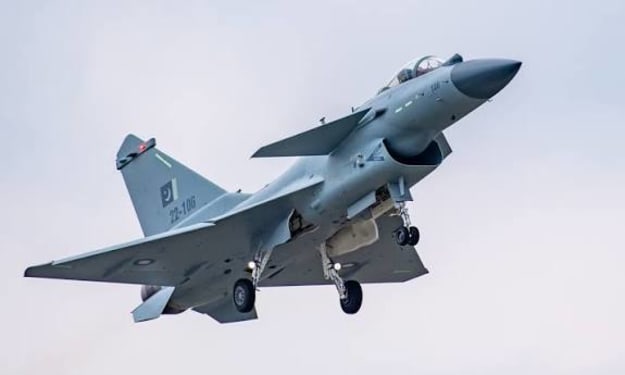
China is increasingly pushing for a strategic shift in its defence industry — moving beyond simply exporting military products to becoming a global exporter of fully integrated defence systems. That was the message delivered this week by NPC Deputy Zhang Wei, a member of the National People’s Congress, during a high‑profile defence industry forum in Beijing. Zhang’s comments underscore China’s ambitions to compete more directly with the United States and other major arms exporters in the global aviation and military hardware market. “The era in which we are content to sell standalone products — fighters, missiles, radars — must give way to a pursuit of complete systems that integrate across air, space, and cyberspace,” Zhang told delegates. “This is not just an industrial upgrade, but a strategic imperative if China is to deepen partnerships with foreign militaries and contribute to international security.” From “Product” to “System” Export For decades, Chinese defence exports have primarily consisted of “products”: individual platforms such as aircraft, helicopters, surface‑to‑air missiles, and naval vessels. Many of these offerings — notably the Chengdu J‑10, Hongdu L‑15, and various drone types — have found buyers in Africa, Southeast Asia, and the Middle East, particularly among countries seeking more affordable alternatives to Western hardware. However, the global arms trade has increasingly shifted toward integrated systems — packages that include not just the hardware itself but command‑and‑control infrastructure, logistics support, training, and ongoing upgrades. Western defence firms, particularly those in the United States and Europe, now sell such systems to allied militaries, bolstered by long‑term service contracts and interoperability with existing Western military networks. Zhang emphasised that China must position itself to offer not just platforms, but “complete solutions” for prospective buyers. “Our emphasis must move from what the hardware can do on its own to what it can achieve in the context of a broader defence ecosystem,” he said, echoing similar calls from senior equipment designers and People’s Liberation Army (PLA) strategists. Strategic Rationale and Global Context China’s defence industry has made impressive strides in recent decades. Its jets, UAVs, and missiles now rival many Western designs on performance metrics, and Beijing has steadily improved its ability to produce advanced microelectronics, sensors, and propulsion systems. Yet its share of the international arms market remains significantly smaller than that of the United States Department of Defense and European exporters such as France’s Dassault Aviation and the United Kingdom’s BAE Systems. According to SIPRI arms transfer data, China accounted for roughly 5 per cent of global major arms exports in recent years, compared with about 37 per cent for the United States. European exporters together held another large share. China’s market presence is strongest in nations that often face sanctions or restrictions on Western equipment, including Pakistan, Myanmar, and some African states. By promoting system exports, China hopes to expand beyond these traditional markets and appeal to countries seeking high‑end, interoperable defence solutions without political restrictions tied to Western alliances. This could include emerging aviation systems tied to integrated air‑defence networks, logistics‑management suites, and even cyber‑enabled maintenance systems that increase uptime and reduce lifecycle costs. Aviation and the Arms Trade Aviation remains at the centre of this strategic shift. Integrated solutions in the aviation domain now include not just the aircraft themselves but weapons payloads, datalinks, sensor fusion packages, and training simulators that allow air forces to operate effectively as part of multi‑domain battle networks. Zhang cited recent advances by China’s defence conglomerates — including Aviation Industry Corporation of China (AVIC) and China Aerospace Science and Industry Corporation (CASIC) — as evidence that China now has the industrial base to pursue integrated offerings. “We have matured to the point where we can offer not just discrete aircraft but entire aerial ecosystems that include surveillance, strike, and defensive capabilities working in concert,” he said. Challenges and Skepticism Despite the ambition, analysts warn that China faces several obstacles in making the leap from product to system exporter. These include questions about interoperability with existing military frameworks in buyer countries, intellectual property concerns, and political apprehension — particularly among nations wary of close ties with Beijing. There are also internal challenges. China’s defence industry has historically focused on producing equipment for its own PLA needs, which do not always translate directly to export markets. Building robust after‑sales support networks — critical for system exports — requires investment in foreign infrastructure and long‑term commitments that many Chinese firms have historically been reluctant to make. What This Means for the Global Arms Market If China succeeds, the implications for the global arms trade could be significant. Western exporters, which have long dominated the market for integrated defence systems, could face increased competition in regions where cost, neutrality, and fewer political strings are attractive to buyers. Additionally, a more competitive Chinese offer could encourage buyers to demand better terms and interoperability regardless of source, potentially raising capabilities across multiple regions. Zhang’s comments signal a strategic recalibration within China: an effort to redefine its role not just as a producer of defence hardware, but as a provider of complex, sustained defence solutions. Whether that shift takes hold will depend on China’s ability to build trust with buyers, invest in global support infrastructure, and continue improving the technological sophistication of its offerings.
By Fiaz Ahmed 5 days ago in Journal



Comments
There are no comments for this story
Be the first to respond and start the conversation.