
How Exception Handling Works in Java
From understanding try-catch blocks to managing custom exceptions, this guide provides practical insights for writing reliable and efficient code.
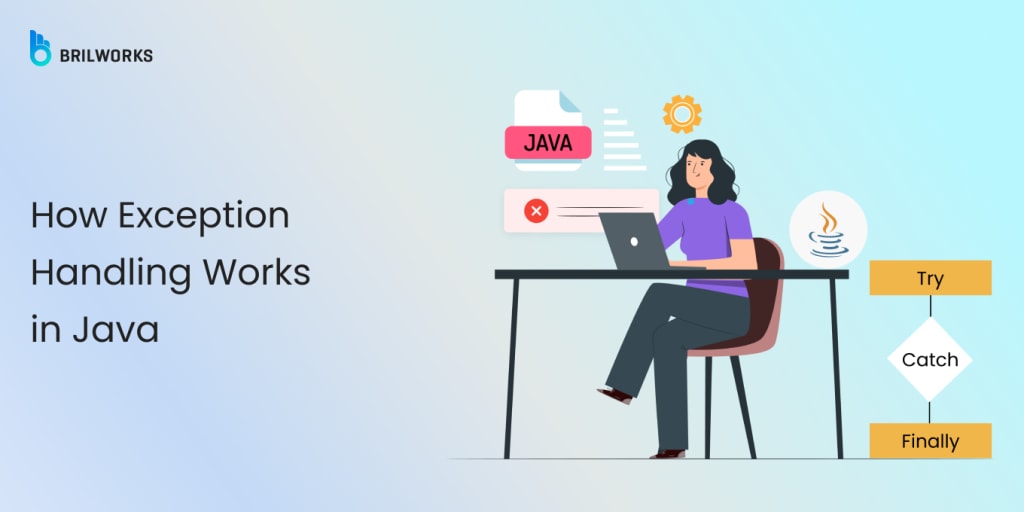
When you are writing code, things don’t always go as planned. Sometimes, unexpected errors pop up, like a file not being found or a network failure. To handle these situations, Java provides a structured approach — an exception handling mechanism.
In this post, we’ll break down how exception handling works in Java, what types of exceptions you should be aware of, and how to write code that’s both clean and error-proof. Whether you’re just starting out or you’ve been coding for a while, getting a handle on exception handling will help keep your app in top shape. Let’s get into it!”
What Is Exception Handling in Java?
Exception handling in Java is a mechanism that allows developers to handle runtime errors effectively. With proper exception handling, developers can ensure the smooth execution of a program. It will help you if you come across unexpected issues during the program execution. Java provides you with an effective mechanism for handling exceptions. In this way, you can write an error-resistant code.
try: This is where you write the code that might cause an error. You basically “try” to run that code, and Java watches for any problems that come up.
catch: If an error happens in the try block, the catch block steps in. It lets you handle that specific error and prevent the app from crashing.
finally: No matter what happens — whether an error occurred or not — the code in the finally block will always run. It’s a good place to put any cleanup code, like closing a file.
throw: This lets you manually create an throw an error if something goes wrong. For example, if a certain condition is met, you can throw an exception to signal that something is not right.
Types of Exceptions in Java
Java categorizes exceptions into two main types:
1. Checked Exceptions
These are exceptions that Java forces you to deal with. When you write code that might cause a checked exception, Java checks it while you’re writing the program (this is called compile time).
You have two choices for handling these exceptions:
- Catch them using a try-catch block to prevent the program from crashing.
- Declare them in the method you’re working on with the throws keyword, which tells Java that the exception might occur in that method and should be handled somewhere else.
If you don’t handle or declare a checked exception, Java will show an error and not let your program run. Examples include errors like IOException (problems with input/output operations) or SQLException (issues when working with databases).
Examples:
● IOException
● SQLException
Example Usage:
public void readFile(String filePath) throws IOException { Files.readString(Path.of(filePath)); }
2. Unchecked Exceptions
Unchecked Exceptions (also known as runtime exceptions) happen while the program is running. These types of errors usually happen because of bugs or mistakes in the code, like trying to use something that doesn’t exist (e.g., a NullPointerException) or trying to access an array with an invalid index (e.g., ArrayIndexOutOfBoundsException).
Java doesn’t make you handle these exceptions. The program will crash if the error happens, but you don’t need to explicitly catch or declare them in your code. However, it’s still a good idea to handle them if you can, to make your program more stable and prevent it from crashing unexpectedly.
Examples:
● NullPointerException
● IllegalArgumentException
Example Usage:
public void validateInput(String input) { if (input == null || input.isBlank()) { throw new IllegalArgumentException("Input cannot be null or blank"); } }
Best Practices for Exception Handling
Handling exceptions in Java isn’t just about catching errors — it’s about doing it right. Throwing a try-catch block around everything might seem like a quick fix, but if you’re not careful, it can lead to messy, hard-to-maintain code. Exception handling needs to be done thoughtfully to keep your app stable and your code clean.
In this section , we’ll walk through some of the best practices that will help you handle exceptions effectively.
1. Use Specific Exceptions
Why? Catching specific exceptions makes your code much clearer and easier to debug. When you use a generic Exception, you lose valuable details about what went wrong. By catching specific exceptions, like FileNotFoundException or SQLException, you can address each error scenario individually, providing more targeted solutions.
Example:
try { Files.readString(Path.of("nonexistent-file.txt")); } catch (NoSuchFileException e) { System.out.println("File not found: " + e.getMessage()); } catch (IOException e) { System.out.println("An I/O error occurred: " + e.getMessage()); }
Explanation:
In this example, the code is trying to read the contents of a file using Files.readString(). The file in question is “ nonexistent-file.txt,” which may not exist on the system. By using specific exception handling, the program can respond differently depending on the type of error.
The first catch block specifically catches a NoSuchFileException. This exception is thrown when the file is not found. In this case, the program prints a clear message: “File not found,” followed by the exception’s message.
If any other IOException occurs (such as issues with file permissions or input/output errors), the second catch block catches it. This ensures that other types of I/O errors are handled separately and gives a more general error message: “An I/O error occurred,” followed by the relevant message.
Read the full article here.
About the Creator
Vikas Singh
Vikas is the Chief Technology Officer (CTO) at Brilworks, leads the company's tech innovations with extensive experience in software development. He drives the team to deliver impactful digital solutions globally.
Keep reading
More stories from Vikas Singh and writers in Journal and other communities.
The Best Way to Optimize Garbage Collection for Java Applications
In Java, the performance of an application greatly depends on memory management. Java garbage collection removes objects that no longer point to any active part of a program and is targeted by garbage collection. It keeps the application’s memory footprint minimal and efficient for you.
By Vikas Singhabout a year ago in Journal
🅼🅸🅳🅽🅸🅶🅷🆃 🆂🅽🅰🅲🅺🆂
"It's 10 in Tuscon! We all know what that means... It's Time for Midnight Snacks with your man, Gerald Gee! Ready to spend the night together? Me too! I'm full of snacks and can't wait to regurgitate them all back into your hungry ears. Crack a brew! Pop some corn! Anything to get ready for one hell of a show where the talk maybe cheap but the words cut deep...
By Lamar Wiggins3 days ago in Fiction


Comments
There are no comments for this story
Be the first to respond and start the conversation.