
How Automated Accessibility Testing Saves Time and Money
Explore Automated Accessibility Testing Saves Time & Money

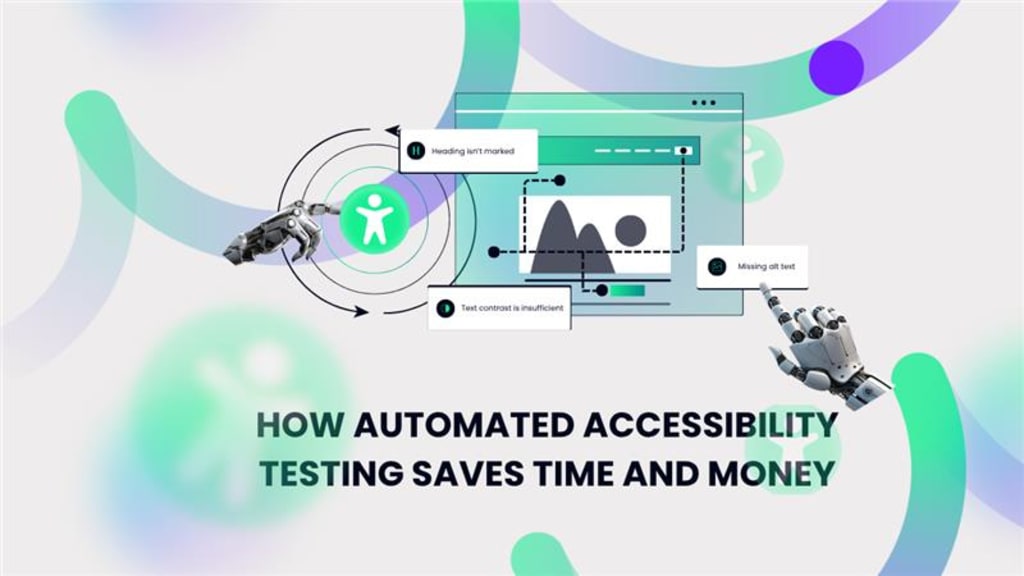
When you’re building a website or digital product, accessibility can often feel like one more item on an already overloaded checklist. But here's the truth: automated accessibility testing isn’t just a “nice-to-have.” It’s a time-saving, cost-cutting strategy that pays off in ways most teams don’t fully realize-until it’s too late.
Let’s face it-nobody wants to discover major accessibility issues right before a product launch, or worse, after a lawsuit lands. Automated accessibility testing is a smart, scalable solution that helps businesses move faster, cut expenses, and improve user experience-all at once.
Here’s how.
Faster Detection of Accessibility Issues
Manual testing for accessibility is slow and tedious. It requires trained professionals to go through each element of your app or site. While that’s still necessary for edge cases, automated accessibility testing can quickly flag common violations in seconds.
Key benefits of faster issue detection:
- Scans entire pages for missing alt text, label associations, color contrast, and more.
- Runs continuously in CI/CD pipelines.
- Identifies WCAG 2.1 issues instantly-often in under a minute.
According to Deque Systems, automated tools can catch up to 57% of accessibility errors typically found in manual audits.
Cuts Down Manual Testing Time
Manual testing can take days-or even weeks-depending on the size of your site. By implementing automated accessibility testing early in the development lifecycle, QA teams only need to manually test complex interactions or edge cases.
Here’s what gets reduced:
- Time spent on repetitive keyboard navigation tests.
- Re-checking previously validated pages.
- Manual reporting-automated tools generate structured logs and reports instantly.
This hybrid approach dramatically reduces the labor cost of accessibility compliance.
Integrates Seamlessly Into DevOps Workflow
Let’s be honest-developers are already juggling a lot. Adding accessibility testing manually just doesn’t scale.
Pa11y, Lighthouse, and Tenon integrate with:
- Jenkins, GitHub Actions, GitLab CI
- Selenium or Cypress tests
- Storybook or component libraries
By catching issues during development, not after deployment, teams avoid the high cost of rework later.
Fact check: Fixing an accessibility issue post-launch can cost 100x more than fixing it during development (IBM Accessibility Report).
Reduces Legal Risks & Compliance Costs
Non-compliance with accessibility standards like WCAG or ADA can lead to lawsuits, especially in countries with strict digital accessibility laws such as the United States, Canada, and the UK.
Automated accessibility testing helps maintain:
- Continuous compliance tracking
- WCAG level AA checks as part of the build
- Quick regression identification when updates introduce new issues
Businesses save tens of thousands in legal fees and remediation costs by addressing problems before they become liabilities.
Did you know? Over 4,500 ADA website lawsuits were filed in the U.S. alone in 2023 (UsableNet ADA Lawsuit Tracker).
Scales Effortlessly With Projects
Whether you have 10 pages or 10,000, automated accessibility testing scales with you.
You don’t need to hire a massive accessibility team to ensure compliance. A single QA engineer or developer can schedule automated scans across:
- Static content
- Dynamic SPAs (Single Page Applications)
- Complex form workflows
This scalability brings huge savings in team bandwidth and testing overhead.
Improves Developer Productivity
I’ve been there-getting feedback late in the game can be frustrating. With automated accessibility testing, developers receive real-time feedback on the code they write, right in their IDE or staging environment.
This avoids unnecessary back-and-forth and context switching.
Productivity gains include:
- Catching issues as code is written
- Reducing time wasted debugging accessibility violations later
- Automating ticket creation in issue tracking tools
This proactive development culture leads to cleaner code and fewer delays.
Enables Early Fixes, Reducing Rework Costs
The longer an accessibility issue sits undetected, the more expensive it becomes to fix. Especially when it’s baked into design or architecture.
Automated accessibility testing empowers teams to:
- Test during design and prototyping
- Validate components before reuse
- Avoid UX overhauls just before release
This “shift-left” strategy pays off by reducing expensive late-stage revisions.
Enhances Team Collaboration
When accessibility is automated, it becomes a shared responsibility-not something left only to QA or compliance teams.
Collaboration benefits:
- Designers get instant feedback on color contrast.
- Developers fix semantic HTML issues on the go.
- PMs monitor accessibility scores over time.
With actionable dashboards and visual reporting, everyone understands where improvements are needed and who owns them.
Builds Customer Trust and Brand Loyalty
Here’s something often overlooked: accessibility = inclusion = trust.
By running regular automated accessibility testing, brands send a clear message-they care about all their users.
This not only protects against negative PR but actively enhances:
- SEO (accessible sites rank better!)
- Conversions (disabled users can navigate more easily)
- Retention (users are more likely to return to usable platforms)
According to Microsoft, over 1 billion people globally experience some form of disability. That's not a small audience to ignore.
Reduces Maintenance Costs Over Time
Websites evolve-content changes, UI updates happen. But without continuous testing, regressions sneak in.
Automated accessibility testing offers:
- Scheduled nightly or weekly scans
- Real-time alerts for new violations
- Version control on accessibility health
This reduces the cost of maintaining an accessible platform over time, and avoids compounding issues that require large refactoring.
Key Takeaways:
- Automated accessibility testing is not a replacement for manual testing, but a highly effective supplement.
- It saves significant time by running continuously and catching common errors early.
- It cuts costs by reducing legal risks, developer rework, and manual testing hours.
- It promotes a culture of accessibility across teams while ensuring scalable compliance.
If you want to build fast and build right, investing in automated accessibility testing is no longer optional-it’s essential. The sooner you bake it into your workflows, the more your team, users, and bottom line will thank you.
Read Our Recent Article - How to Improve Accuracy in Automated Accessibility Testing Reports
About the Creator
Leeanna marshall
Hello, I'm Leeanna Marshall, an ardent enthusiast of all things automation and a passionate blogger. visit my blog
Keep reading
More stories from Leeanna marshall and writers in Journal and other communities.
Why Visual Regression Testing Is Essential for Modern Web Development
Let’s face it-front-end changes can be deceptive. Your code compiles, your functional tests pass, and you think everything’s golden. Then you refresh the staging site and-boom-the header’s shifted two pixels, the CTA button’s off-center, or worse, a key image is broken on mobile. No errors thrown. No alarms. Just a subtle but damaging break in visual consistency.
By Leeanna marshall8 months ago in Journal
Author’s Advice
If you would’ve asked me 20 years ago did I know I’d become a writer and an author, I would’ve said “nope, ain’t happening”. As fate would have it I did become an author and I can honestly say I’m loving it so far. It really does feel good to be a writer. I’ve learned a lot on this journey and I feel like with even me being as new to this world as I am, there’s some wisdom I need to share with every other aspiring author.
By Joe Patterson4 days ago in Journal



Comments
There are no comments for this story
Be the first to respond and start the conversation.